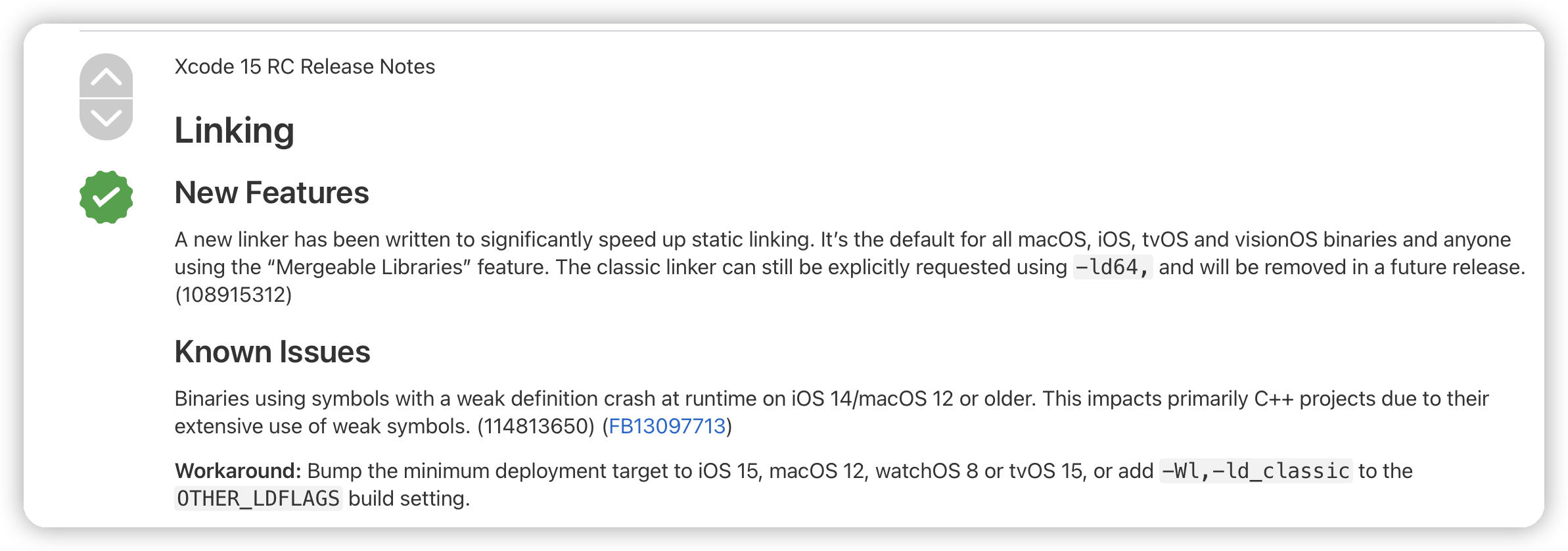
For XCode 15 and earlier versions, the mini program crashes on iOS 12 and later versions
Add `-Wl,-ld_classic` to the project's compilation options.
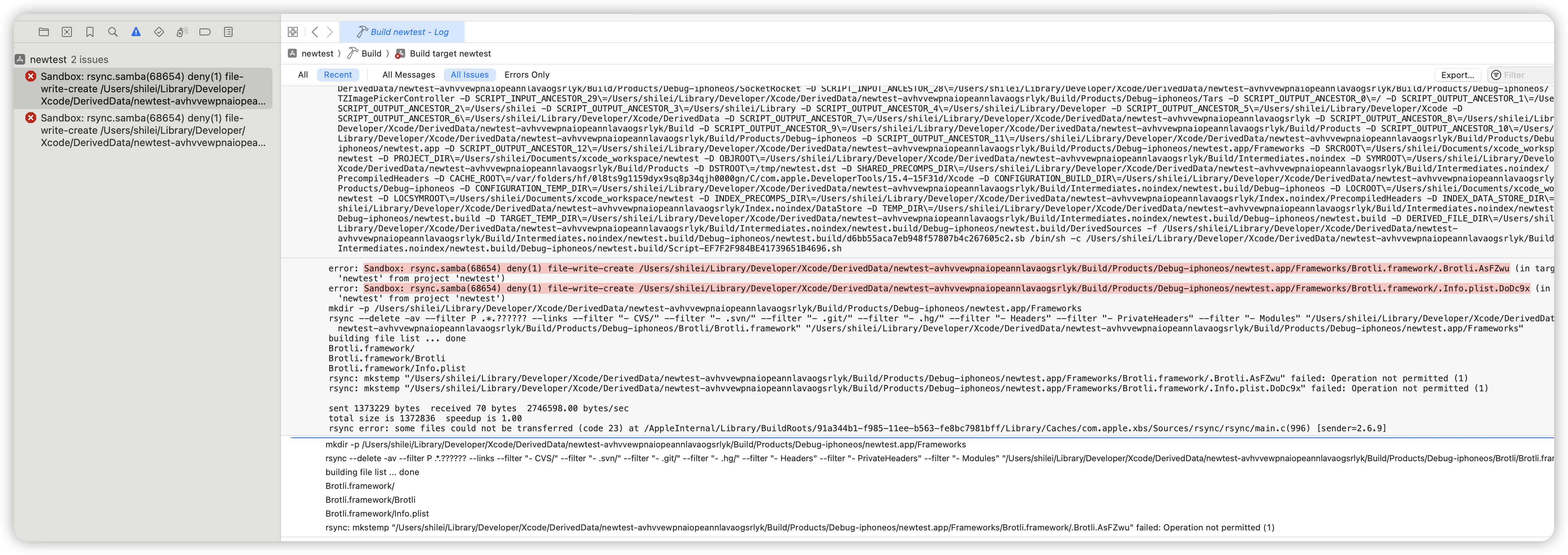
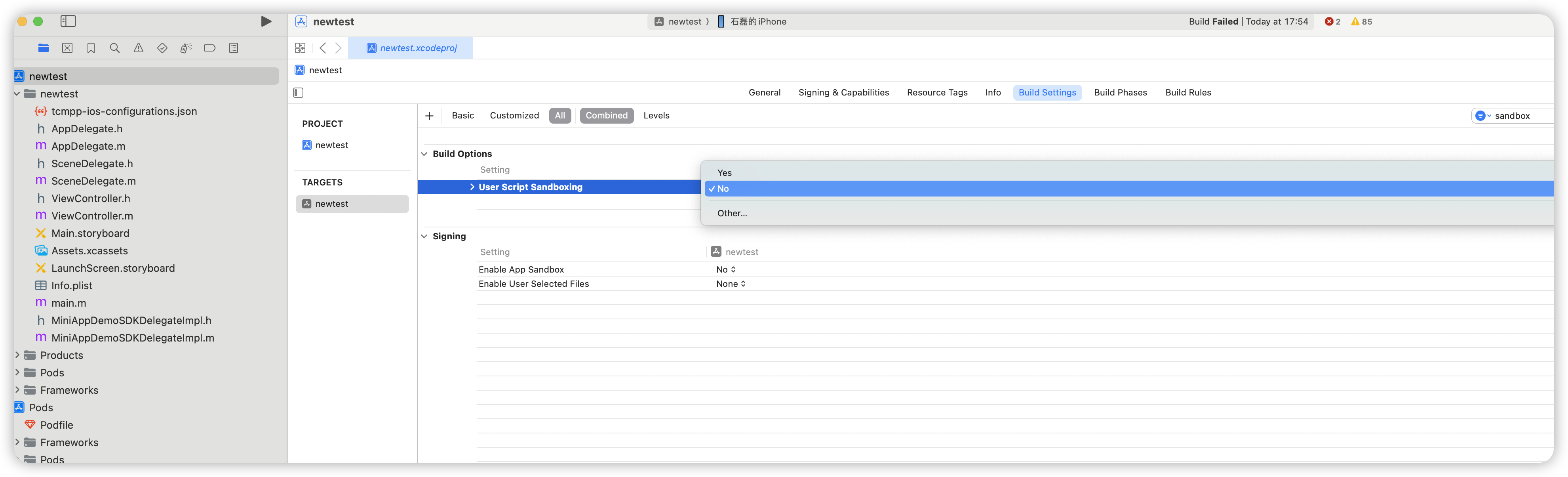
Xcode15 compiles a new project and introduces the pod library with the error Sandbox: rsync.sanba deny(1) file-write-create xxx
Solution: Build Settings search for sandbox, change User Script Sandboxing in Build Options to NO.
Apple M-Series Chip PC Emulator runs abnormally
The current version of the SDK needs to be run through Rosetta for running on M-Series chip PC emulators.
Before xcode14:
We can right click xcode->show profile->check open with Rosetta, so it is running on the emulator.
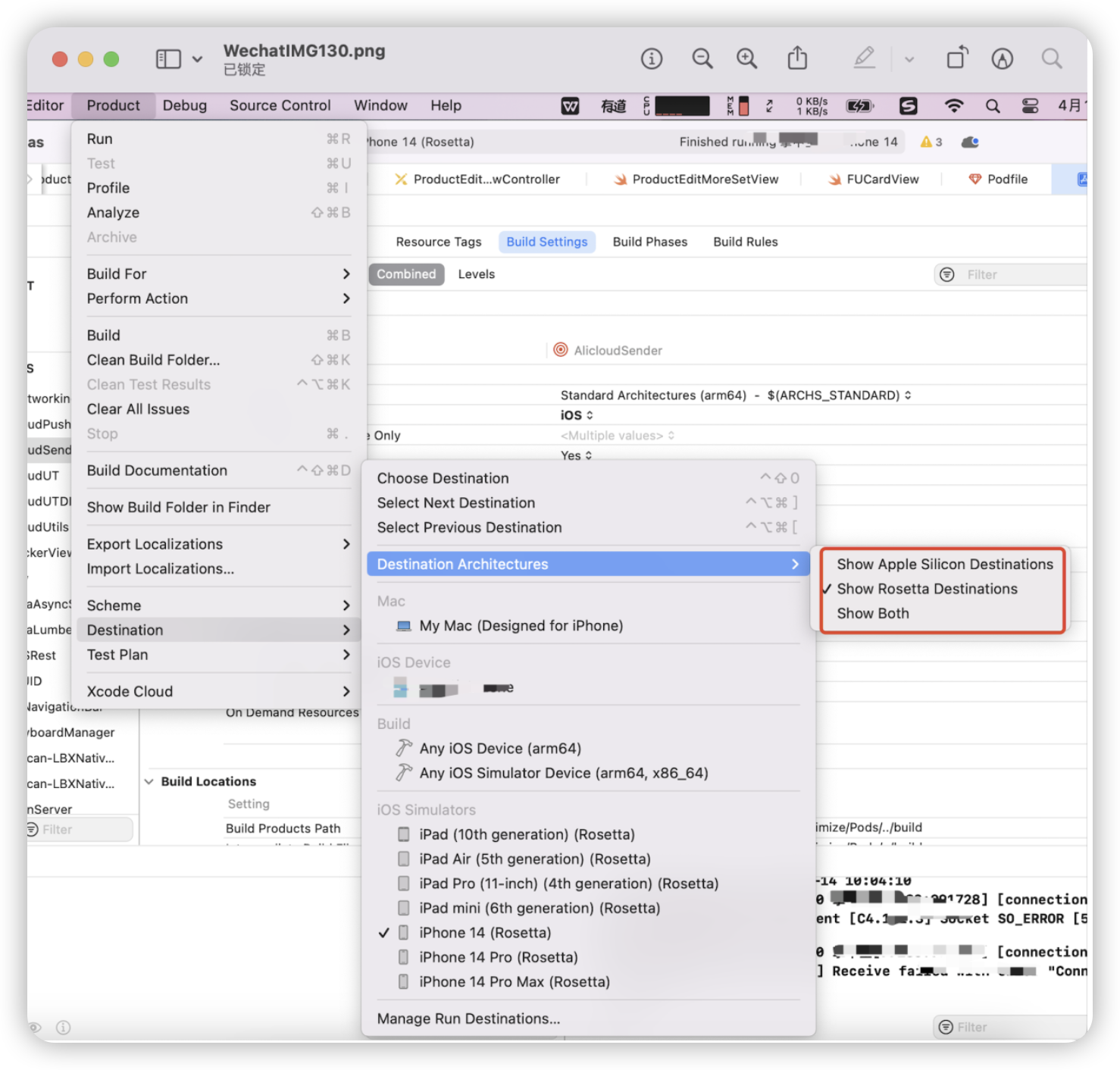
After xcode14:
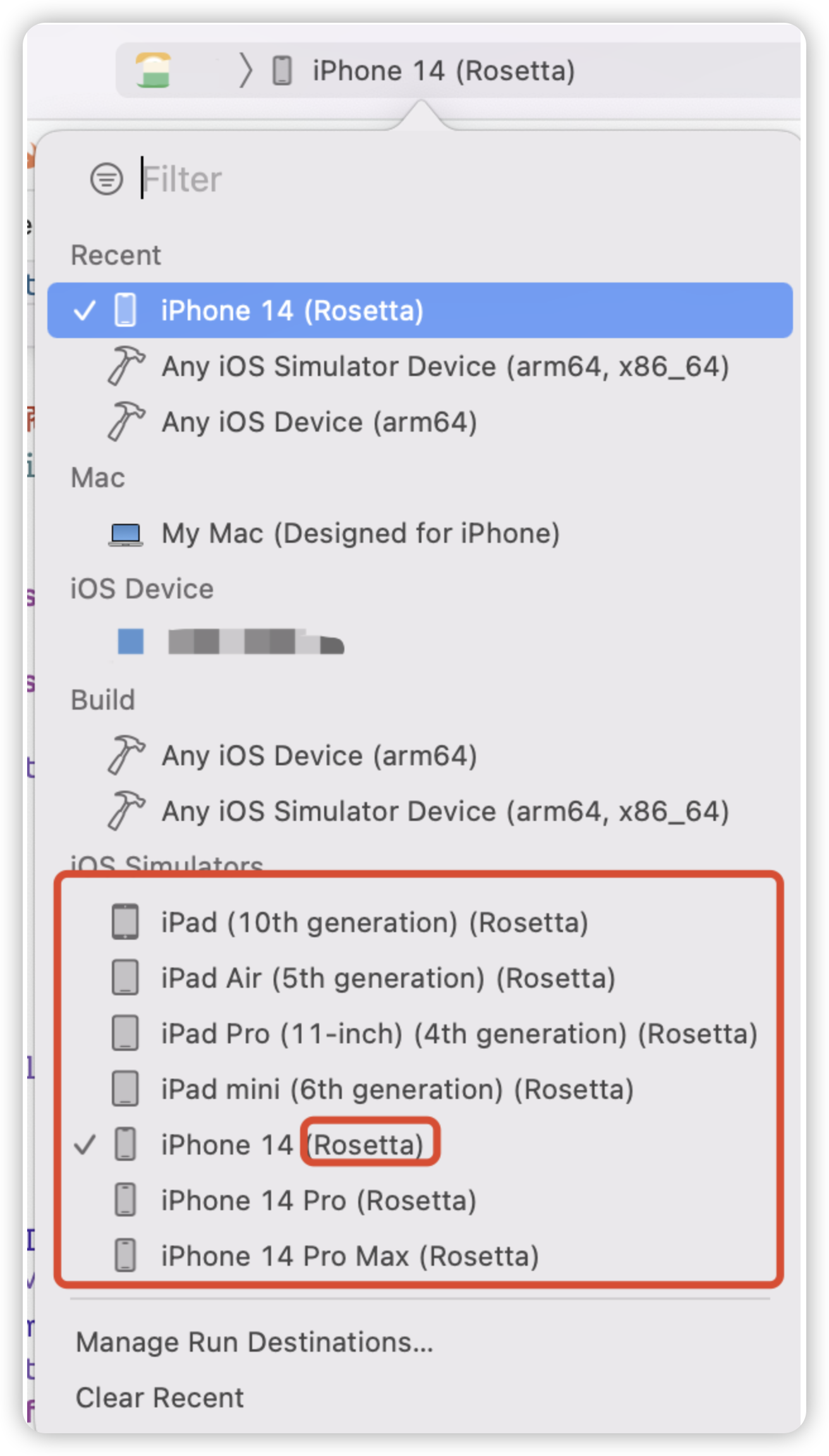
xcode Open Project > Product > Destination > Destination Architectures and you can choose which mode of simulator to open it with.
We will choose the emulator ending with (Rosetta).
When issues occur during download, opening, or searching for mini programs, the SDK will throw error codes. These codes help identify whether the issue is with the gateway, backend, or SDK.
Gateway errors
If the logs contain TMFSharkXXX related errors, the issue is with the gateway. Common errors include:
If the logs contain MFMiniApp Error but do not include TMFSharkXXX or TMAMiniAppErrorDomain errors, the issue may be related to console configurations. Common issues include:
Domain name blocklist: appID(appName)skipDomainCheck,but url:(domainUrl)is in black list. Search "skipDomainCheck,but url:"in the log to confirm the issue.
Domain name allowlist: appID(appName) check url in domainList, result is 0. Search "in domainList, result is " to confirm the issue.
Privacy API: If calling sensitive APIs (e.g., chooseLocation, getLocation, choosePoi) and the console has related permissions configured, you might see errors like PluginEngine |eventName(chooseLocation) fail. no permission. Ensure the mini program has the necessary permissions enabled.