When opening the mini program, the system will check whether there is a locally cached one. If not, it will automatically download the mini program from the remote server and then open it. If a cached version is available, the local mini program will be opened first while the system checks in the backend for any new versions on the server.
Note:
If a new version is available, it will be downloaded, and the next time you open the mini program, the updated version will be used.
// Open the mini program using the mini program appid.
// @param appID Specifies the mini program appid.
// @param verType Indicates the version type of the mini program to open.
// @param scene Specifies the scene value used to open the mini program.
// @param firstPage Specifies the first page to open.
// @param paramsStr Contains the parameters to pass to the mini program.
// @param parentVC Represents the parent view controller to call from.
// @param completion Specifies the callback block to be executed upon completion or failure.
The view controller from which to present the scan view controller.
completion
True
block
Error callback.
Note:
After paramsStr is passed to the mini program, it can be obtained through the extendData field in the response callback of App.onLaunch or the lifecycle function wx.getLaunchOptionsSync .
Open a mini program by mini program appid
Open the released version of a mini program. See the example below:
The appVerType should match the version of the mini program. The value of the appVerType can be obtained from the TMFAppletSearchInfo object instance returned by the API (getRecentList).
The value of appVerType for the mini program preview should be TMAVersionPreview.
The value of appVerType for the development version of the mini program should be TMAVersionDevelop.
Scan the QR code to open a mini program
The mini program SDK provides a capability to open the mini program by scanning the QR code. You need to integrate the extension library TCMPPExtScanCode before scanning the QR code.
// Scan the QR code to open the mini program.
// @param parentVC Represents the parent view controller to call from.
// @param completion Specifies the callback block to be executed upon completion or failure.
The mini program SDK provides an API to open mini programs based on QR code scanning. Before using the scanning capability provided by the mini program SDK, you need to integrate the scanning extension capability. For details about the integration, refer to the scanning capability documentation.
After integrating the scanning capability, you can start the QR code scanning and open the mini program as follows:
/// Open a mini program via the QR code.
/// @param qrData Specifies the QR code content.
/// @param parentVC Represents the parent view controller to call from.
/// @param completion Specifies the callback block to be executed upon completion or failure.
Mini programs support using a URL Scheme to allow third-party apps, browsers, or scanning tools to launch the superapp and open a specific mini program.
The client needs to implement the getAppScheme method in the class that implements the TMFMiniAppSDKDelegate protocol to return the URL registered by the superapp.
-(NSString *)getAppScheme{
return@"tcmpp";
}
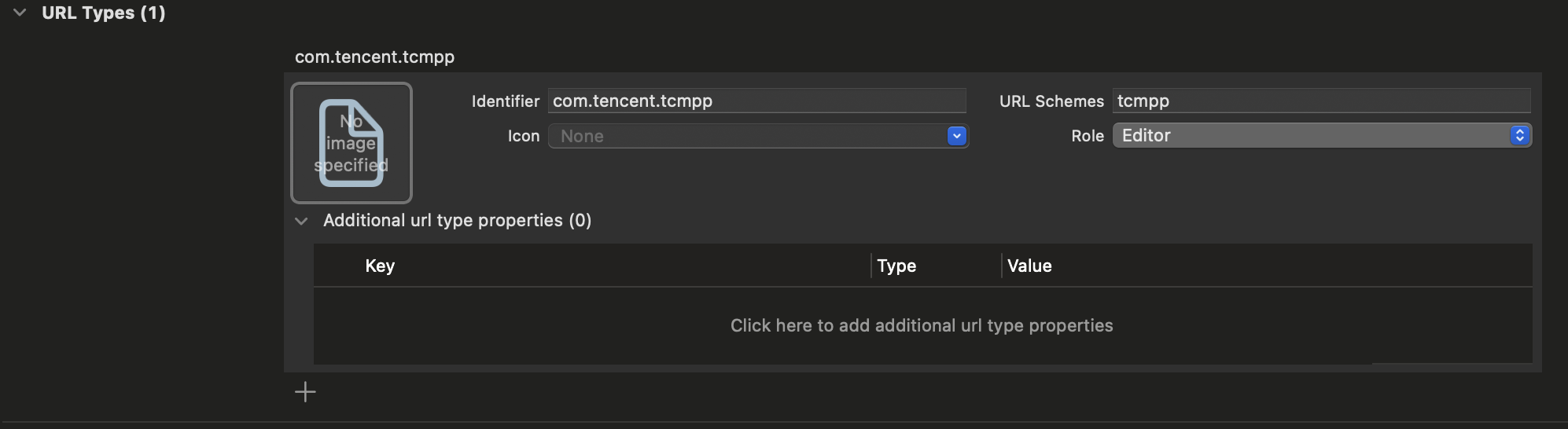
In the main project's info.plist file, configure the same scheme under URL Types:
Implement the handleOpenUrl method in the openUrl method. See the example below:
The entry path of the mini program (requires URL encoding).
params
String
No
The parameters passed to the mini program (requires URL encoding).
forceUpdate
Number
No
When set to 1, it forces an update of the mini program before opening.
If you need to use the console QR code, you also need to configure the URL Scheme in the console to your actual scheme.
Open the released version of a mini program by QR code content
Starting from version 2.0.9, the QR code for the released version of a mini program can be generated and modified in the console. Once the superapp scheme is configured, you can open the mini program by scanning the QR code with the system camera.
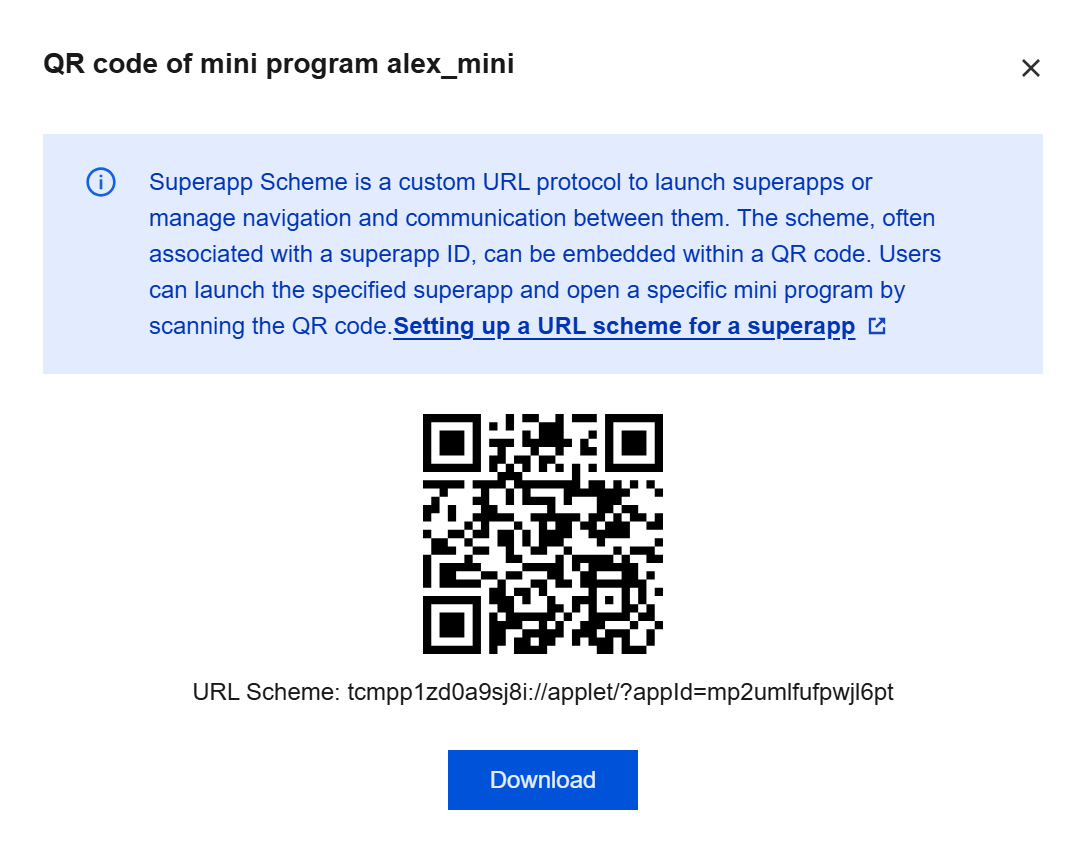
Go to "Superapp management" - "Mini program approval" - "Available" in the console, click "Download QR code" in the "Operation" column, and the following pop-up appears:
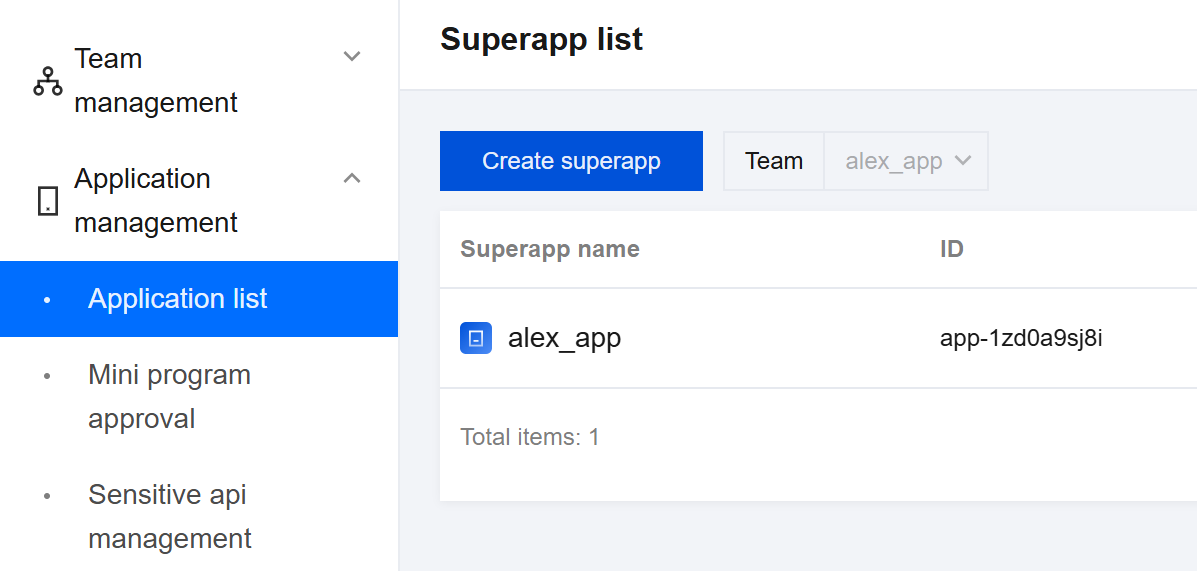
The default scheme is tcmpp plus last few characters of the appid, which can be found through "Superapp management" - "Superapp list."
Once completing the above steps, you can scan the QR code in the console with the system camera to open the released version of the mini program.
Open a mini program by specified startup options
Note:
Supported in version 2.2.10 and later.
The mini program can be started up by specified startup options.
// Start up the mini program with the startup options.
// @param appID Specifies the ID of the mini program.
// @param options Specifies the options for starting the mini program.
// @param parentVC Represents the parent view controller to call from.
// @param completion Specifies the callback block to be executed upon completion or failure.
Indicates whether to force an update to the latest version.
Note:
After paramsStr is passed to the mini program, it can be obtained through the extendData field in the response callback of App.onLaunch or the lifecycle function wx.getLaunchOptionsSync .