Service Address
Download
Focus Mode
Font Size
Use Cases
In a hybrid cloud architecture, applications and services in off-cloud environments (such as on-premises data centers or other clouds) need to access private network resources hosted within Tencent Cloud (for example, a Tencent Cloud VPC). To ensure correct resolution, Private DNS in the cloud environment supports configuring inbound endpoints. Domain name requests arriving via an inbound endpoint are automatically forwarded to the Private DNS server in the cloud for resolution. Consequently, DNS query requests initiated by off-cloud applications are forwarded to the cloud DNS for processing, enabling private network domain name resolution and access across cloud environments.
Overview
A Private DNS service address refers to: a private IP address planned within your VPC to provide private network DNS resolution services. By creating an inbound endpoint to assign a custom private network DNS resolution service address, external DNS requests can be directed to Private DNS within Tencent Cloud for domain name resolution. This effectively addresses invocation scenarios between hybrid cloud, cloud, and off-cloud services. This document guides you on how to use the service address feature.
Note:
Currently, the regions where the service address is available include: Jakarta, Singapore.
Billing details: Inbound endpoint IP address (USD 0.15 per IP address/hour), inbound resolution volume (pay-as-you-go, USD 0.004 per -10,000 requests). For details, see Billing Overview.
Request Principle
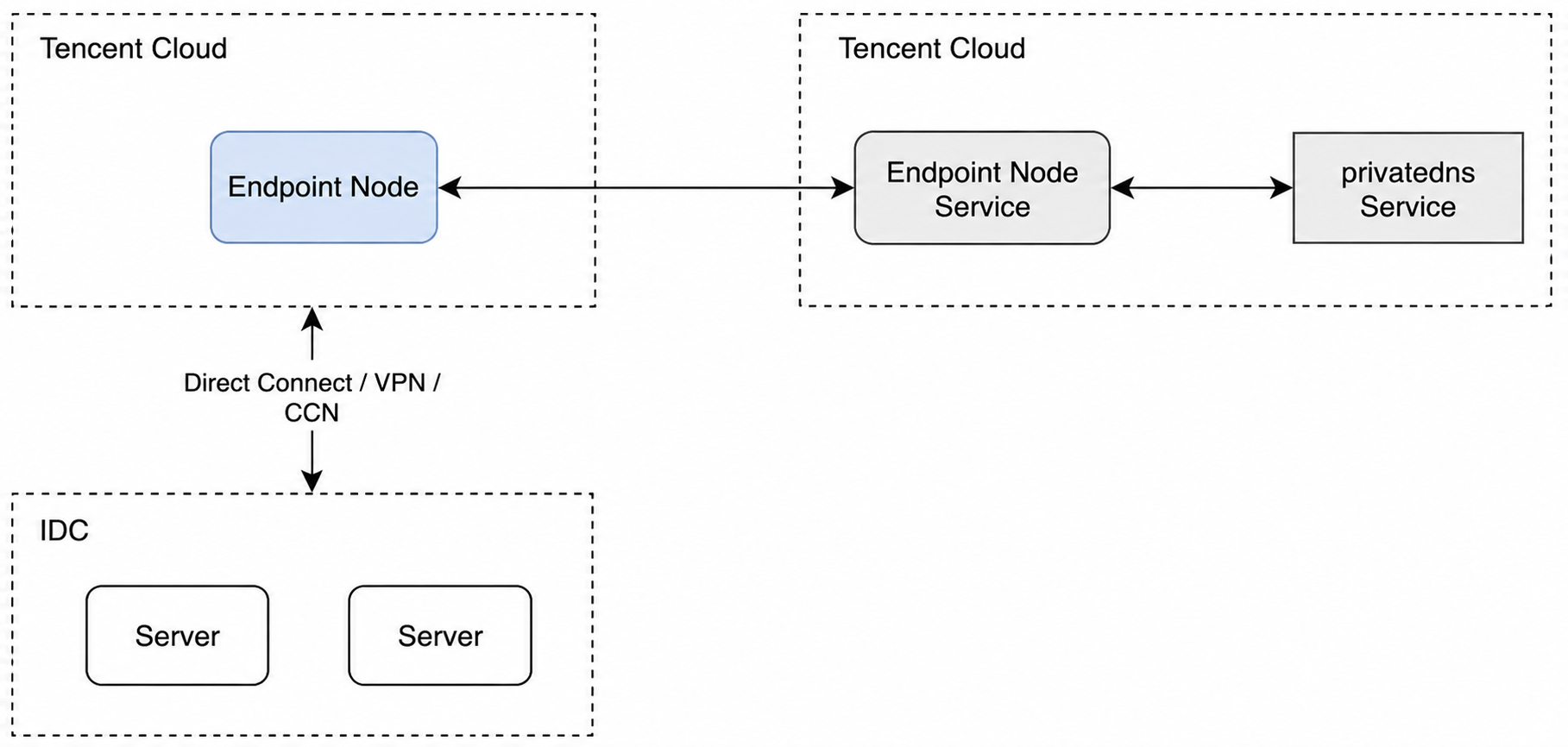
Request Flow
1. Off-cloud resources attempt to access example.com.
2. The DNS client of this resource initiates a resolution request to the Private DNS server from the inbound endpoint via a dedicated line.
3. example.com is resolved by the Private DNS server.
4. The Private DNS server returns the resolution result to the cloud resource that originally initiated the query.
5. The resolution result IP address is successfully returned via Private Link using the obtained IP address.
Prerequisites
The network within the VPC has already been connected to the off-cloud IDC or other clouds.
Operation Steps
Creating an Inbound Endpoint
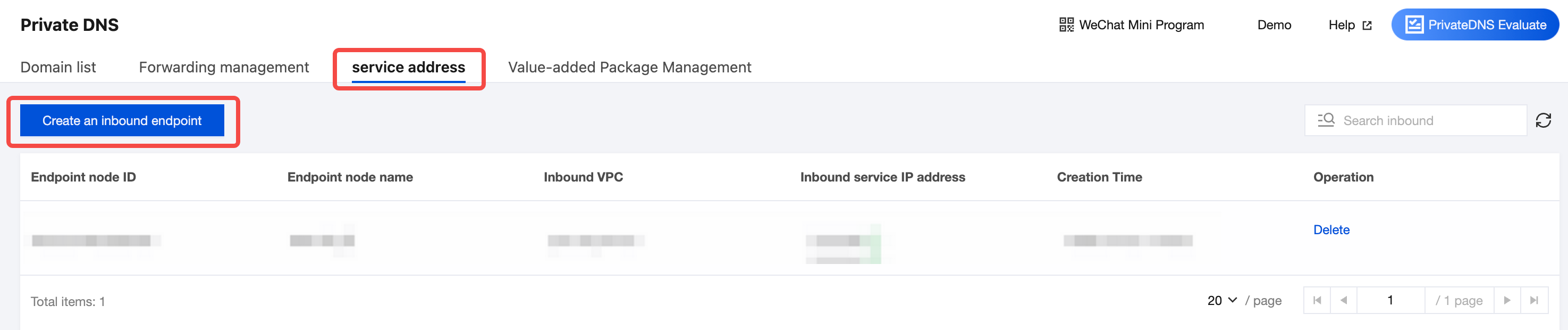
1. Log in to the Private DNS > Private DNS > Service Address page, and click Create An Inbound Endpoint.
2. On the Create Inbound Endpoint page, configure the endpoint name, inbound VPC, and inbound service IP address.
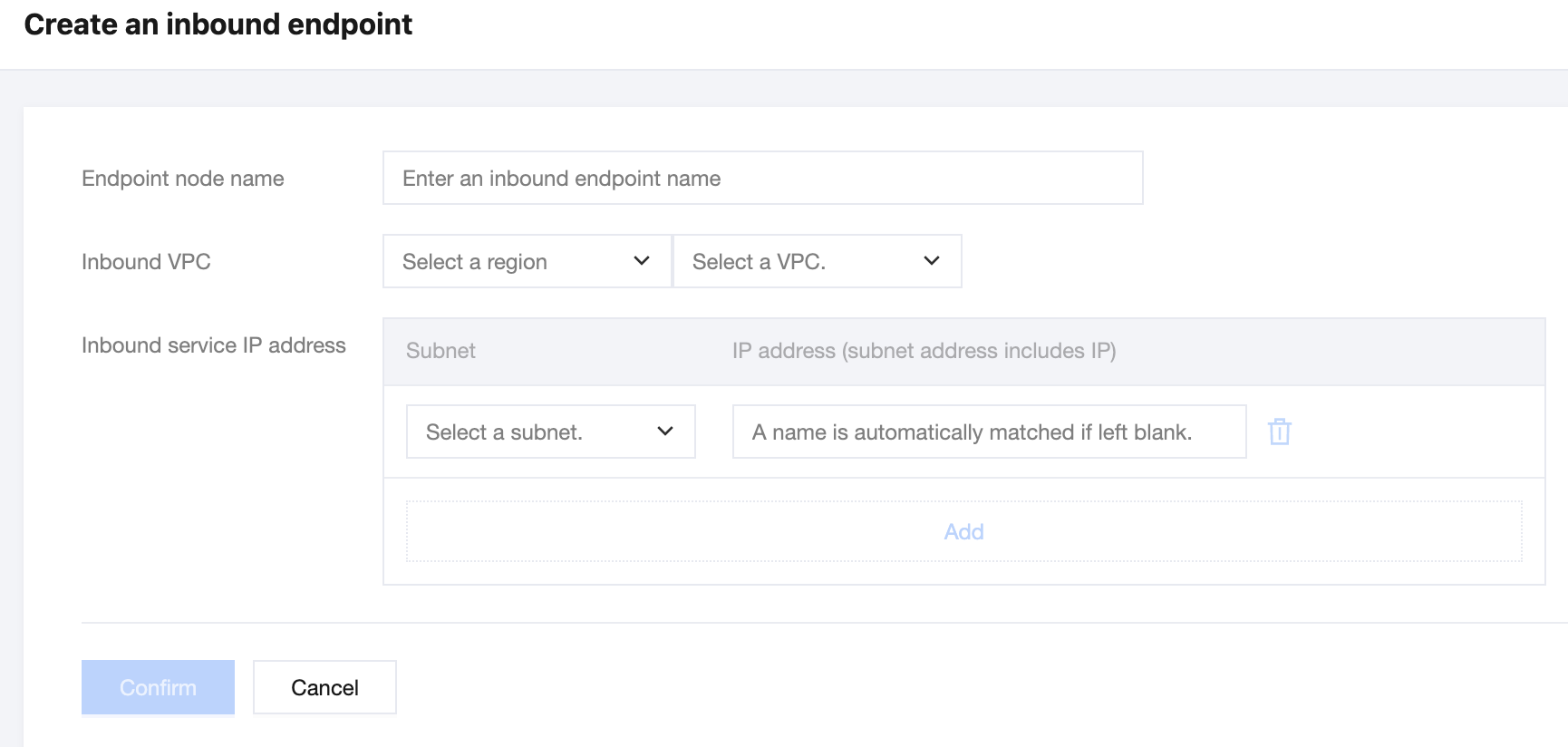
Endpoint Node Name: The name of the endpoint currently being created, which should be named according to your actual business requirements.
Inbound VPC: The VPC corresponding to the endpoint currently being created. Off-cloud resources have already been connected to this VPC.
Inbound Service IP Address: After selecting a subnet, you can automatically match or manually enter an IP address. This IP address is configured as the DNS server address in other clouds/IDCs.
3. After completing the inbound endpoint configuration, click Confirm to create it successfully. The created endpoint is automatically displayed in the service address list.
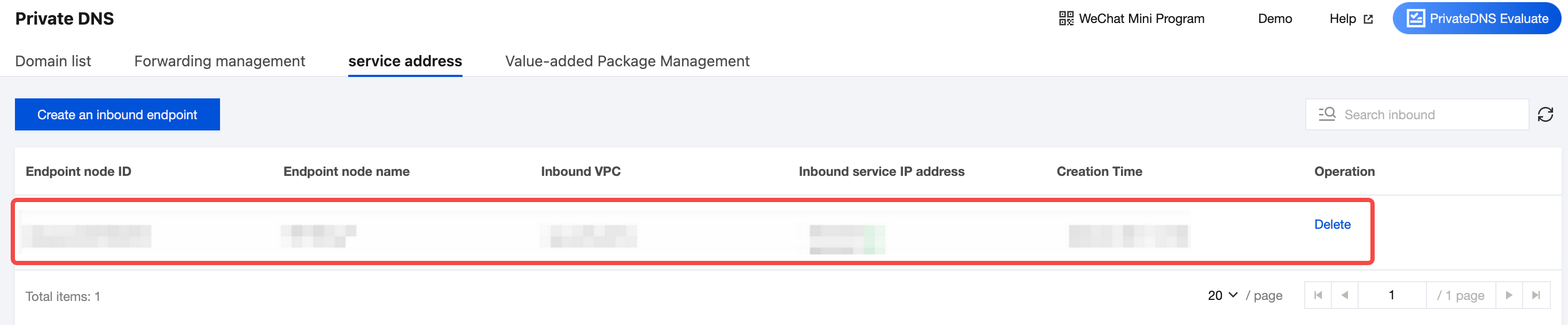
Deleting a Service Address
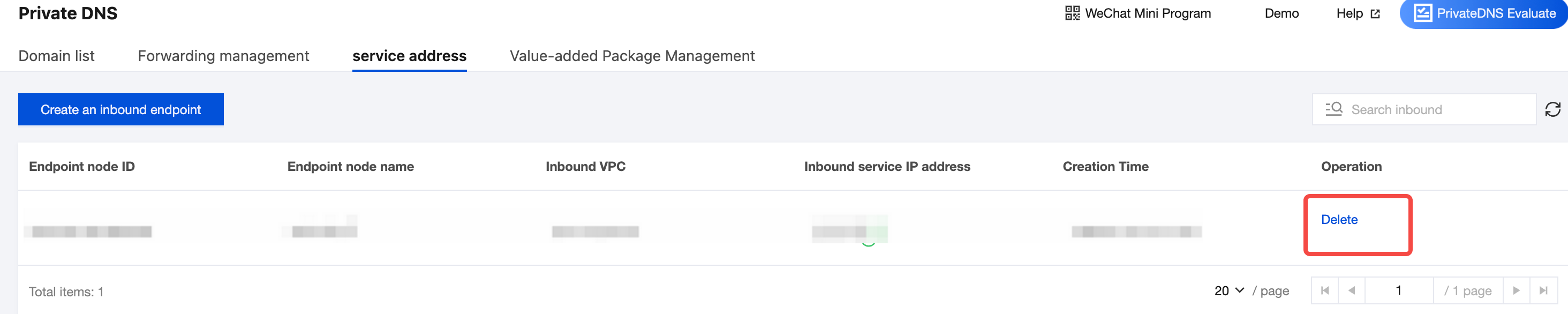
If you no longer need a service address, go to the Service Address page, locate the inbound endpoint you want to delete, and click Delete.
Help and Support
Was this page helpful?
You can also Contact sales or Submit a Ticket for help.
Help us improve! Rate your documentation experience in 5 mins.
Feedback