Binding a U2F Security Key
다운로드
포커스 모드
폰트 크기
Scenarios
This document guides you on how to bind a U2F security key. After the binding is completed, the U2F security key can be used for two-step verification for account login protection and operation protection.
Attention:
If you need to replace your U2F security key, see Unbinding a U2F Security Key to unbind the existing one first. Then, follow the steps below to bind a new U2F security key.
Operation Steps
1. Log in to the Tencent Cloud console and go to the Security Settings page.
2. In the Account Protection module, locate the U2F security key and click Bind.
3. On the Identity Verification page that pops up, follow the on-screen instructions to complete identity verification and go to the page for binding a U2F security key.
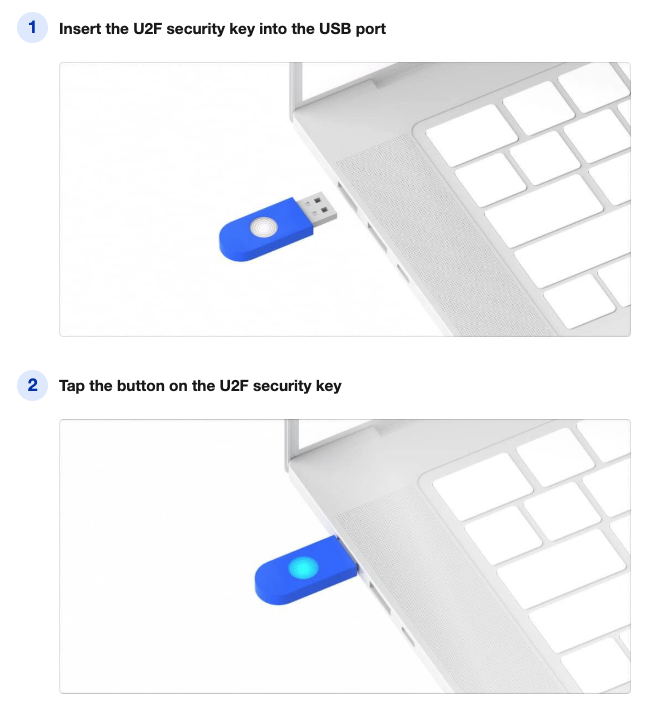
4. Insert the U2F security key into a USB port on your computer as prompted on the U2F security key page. Then, tap the button on the U2F security key to complete the binding.
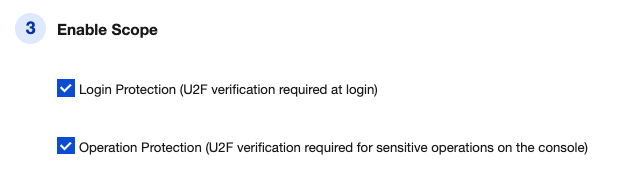
5. Set the scope of enablement: login protection/operation protection.
6. Click Submit to complete the binding of the U2F security key.
FAQs
피드백