Freeze Idle Resources
Download
Focus Mode
Font Size
To avoid additional partition fees for topics incurred by idle resources when users temporarily disable CLS or fail to clean up log topics promptly, CLS supports the automatic freezing feature for idle resources. Based on your business scenario, you can choose whether to enable the idle resource freeze switch.
After you enable the idle resource freeze switch, if the log storage volume of CLS remains 0 for 15 consecutive days, the topic partition resources are considered idle, and all topic partition resources will be automatically frozen, with topic partition billing stopped from the 16th day. After freezing, when new data is written, the topic partitions will be automatically resumed, and billing will be resumed, without affecting normal usage.
Operation Steps
1. Log in to the CLS console.
2. On the Overview page, click Freeze Idle Resource at the top of the usage statistics section to go to the configuration page.
3. Click the Auto Freeze switch to enable or disable this feature. (CLS has enabled idle resource freeze by default.)
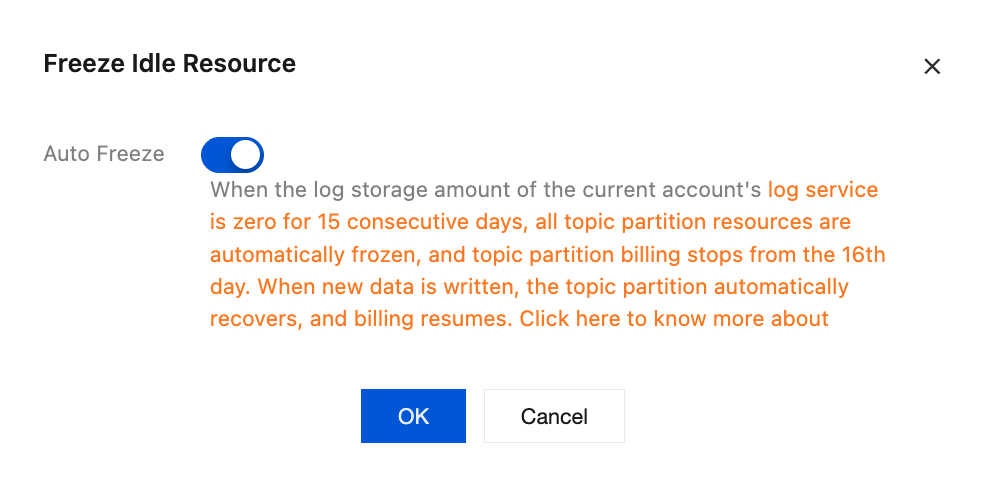
4. Click OK to complete enabling or disabling the idle resource freeze switch.
Related Issues
Help and Support
Was this page helpful?
You can also Contact sales or Submit a Ticket for help.
Help us improve! Rate your documentation experience in 5 mins.
Feedback