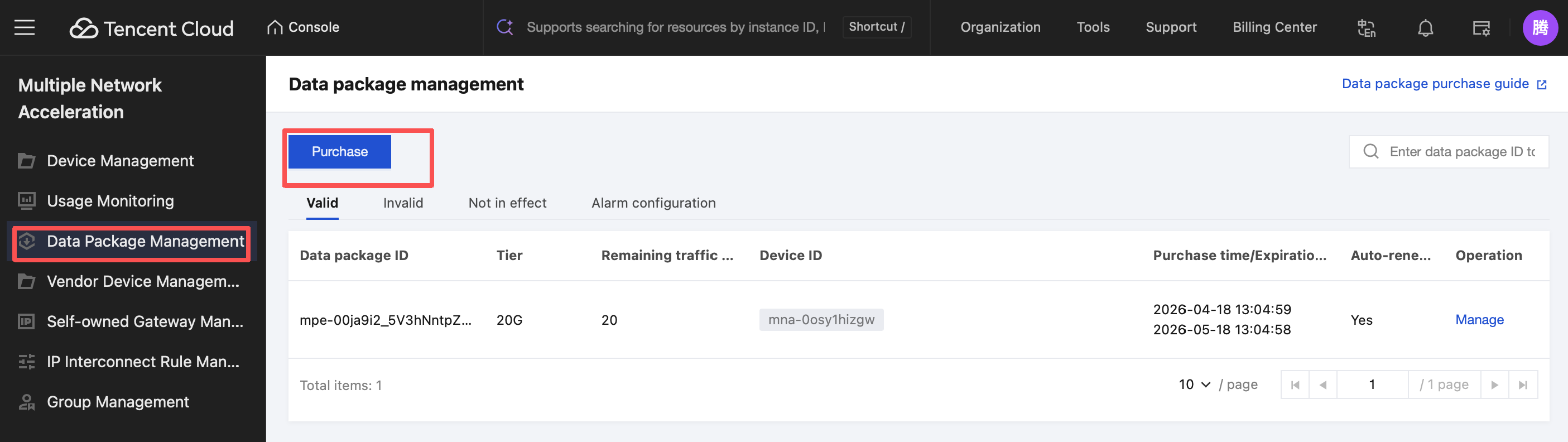
Multiple Network Acceleration allows you to view the usage of data packages under your account through the console. Click Data Package Management in the left sidebar to view valid, invalid, and inactive data packages, as well as alarm configurations, in the data package list.
The descriptions of the information items on the page above are shown in the following figure:
Information Item
Description
Data package ID
The system automatically generates a unique data package ID after a successful purchase.
Tier
The resource tier included in the purchased data package.
Remaining data (GB)
The remaining traffic usage, allowing you to intuitively view the usage and remaining balance of the data package.
Device ID
The device bound after a data package is purchased. The system automatically generates a unique device ID when creating the device.
Purchase time/Expiration time
The time of successful data package purchase / the time when the current data package expires, which is generally the same day of the next month.
Auto-renewal or not
Whether to enable auto-renewal when purchasing a data package (the data package is automatically renewed upon expiration).
Operation
Go to the data package management configuration page to further modify the details of the data package, including the bound device, whether to enable auto-renewal, and the data package tier.
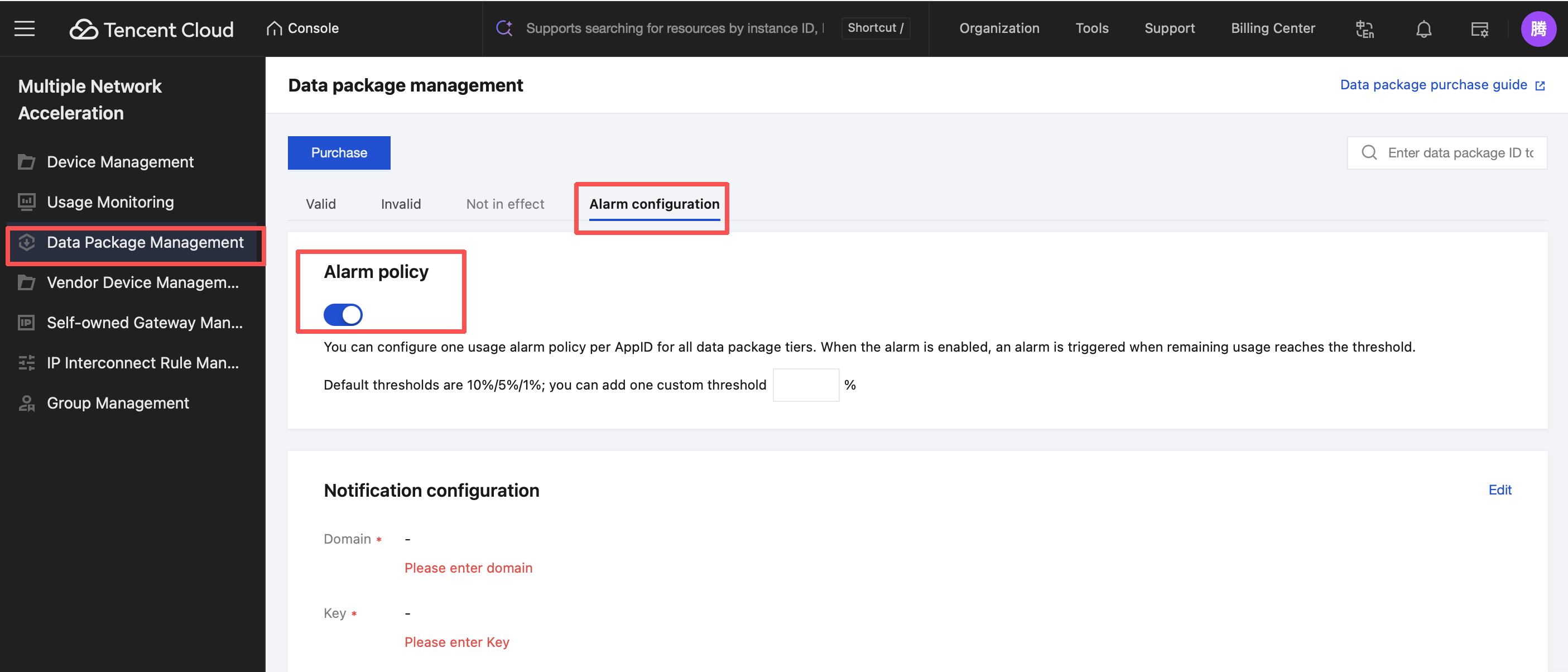
Alarm Configurations
On the Data Package Management > Alarm Configuration page, click Alarm policy to set alarm policies and customize the alarm threshold.
Multiple Network Acceleration (TMultiple Network Acceleration) supports configuring data package alarm policies. You will receive an alarm notification when the remaining data package balance falls below the alarm threshold.
When the remaining balance of the current data package reaches the configured threshold, you will receive an alarm notification: "Data Package ID: xxxx. The remaining balance is below xx% and is about to be exhausted. If auto-renewal is enabled, a new package will be purchased automatically after exhaustion. Auto-renewal can be canceled at any time.".
When the currently purchased data package is completely exhausted, you will receive another alarm notification: "Data Package ID: xxxx has been exhausted. If auto-renewal is enabled, a new package will be purchased automatically after expiration.".
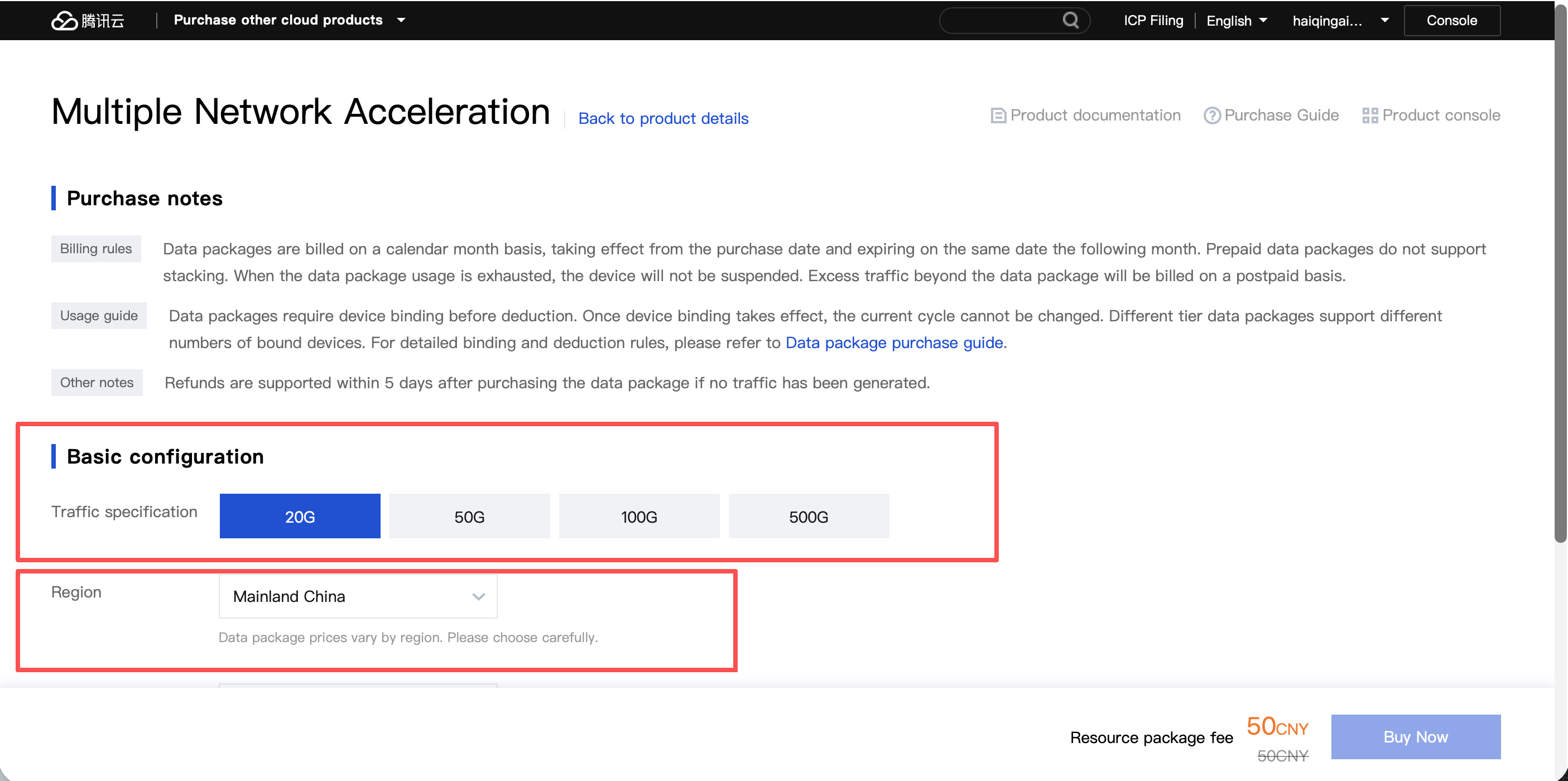
Purchasing a Data Package
Click Purchase to go to the data package purchase page.
Select the data package specification, device, and whether to enable auto-renewal. Then, click Buy Now in the lower-right corner to complete the data package purchase.
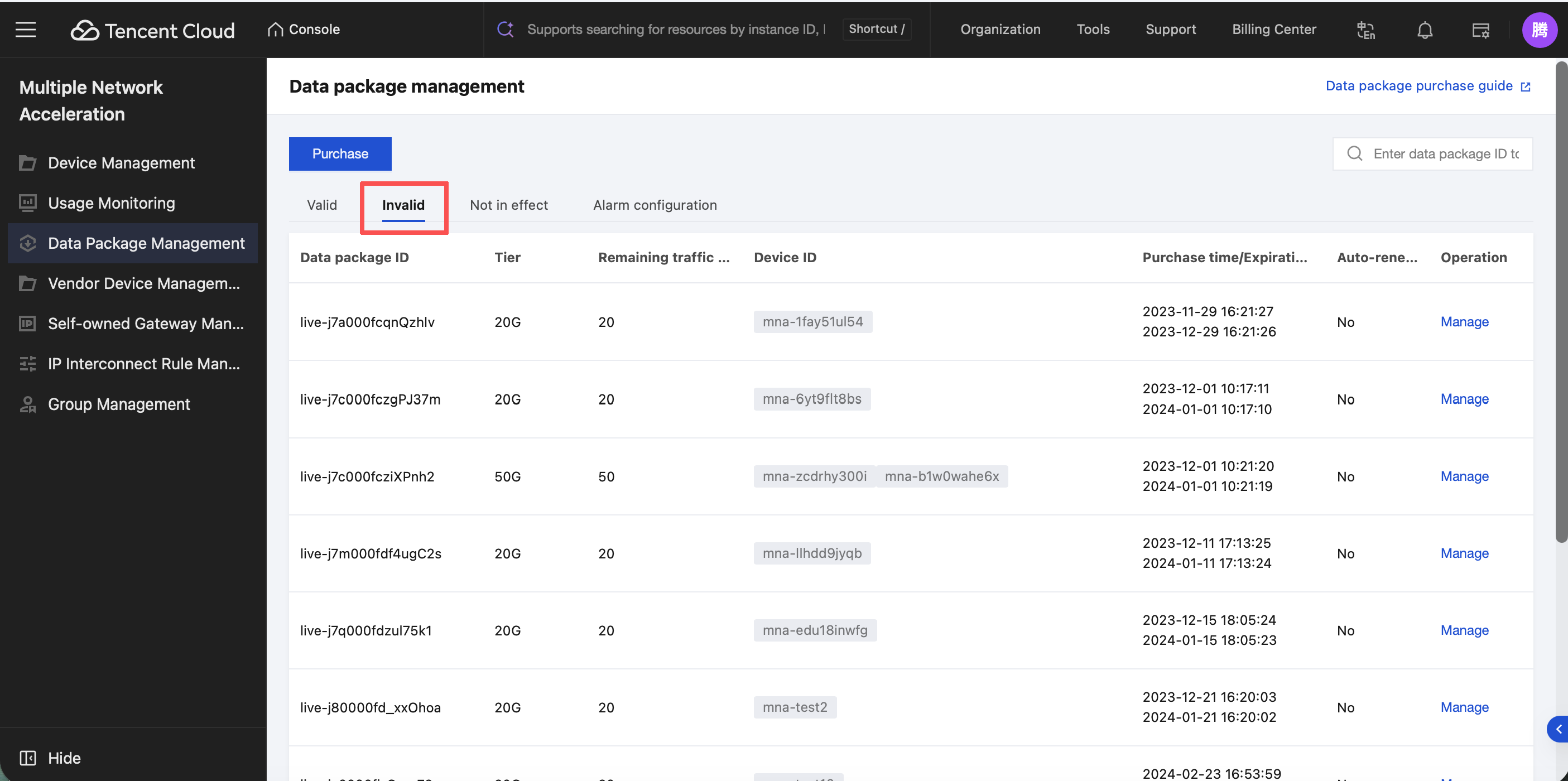
Viewing Invalid Data Packages
Click Invalid to view expired or exhausted data packages.