Creating an Access Control Policy
Download
Focus Mode
Font Size
Overview
This document details how to create a KMS policy in the CAM console.
Operation Steps
1. Log in to the CAM console.
2. In the left-side menu, go to Policy > Create Custom Policy > Create by Policy Syntax to enter the policy creation page.
3. Select a policy template, such as a blank template or a KMS policy template, and click Next.
4. Enter the policy name and policy content. You can refer to the example below for the policy content.
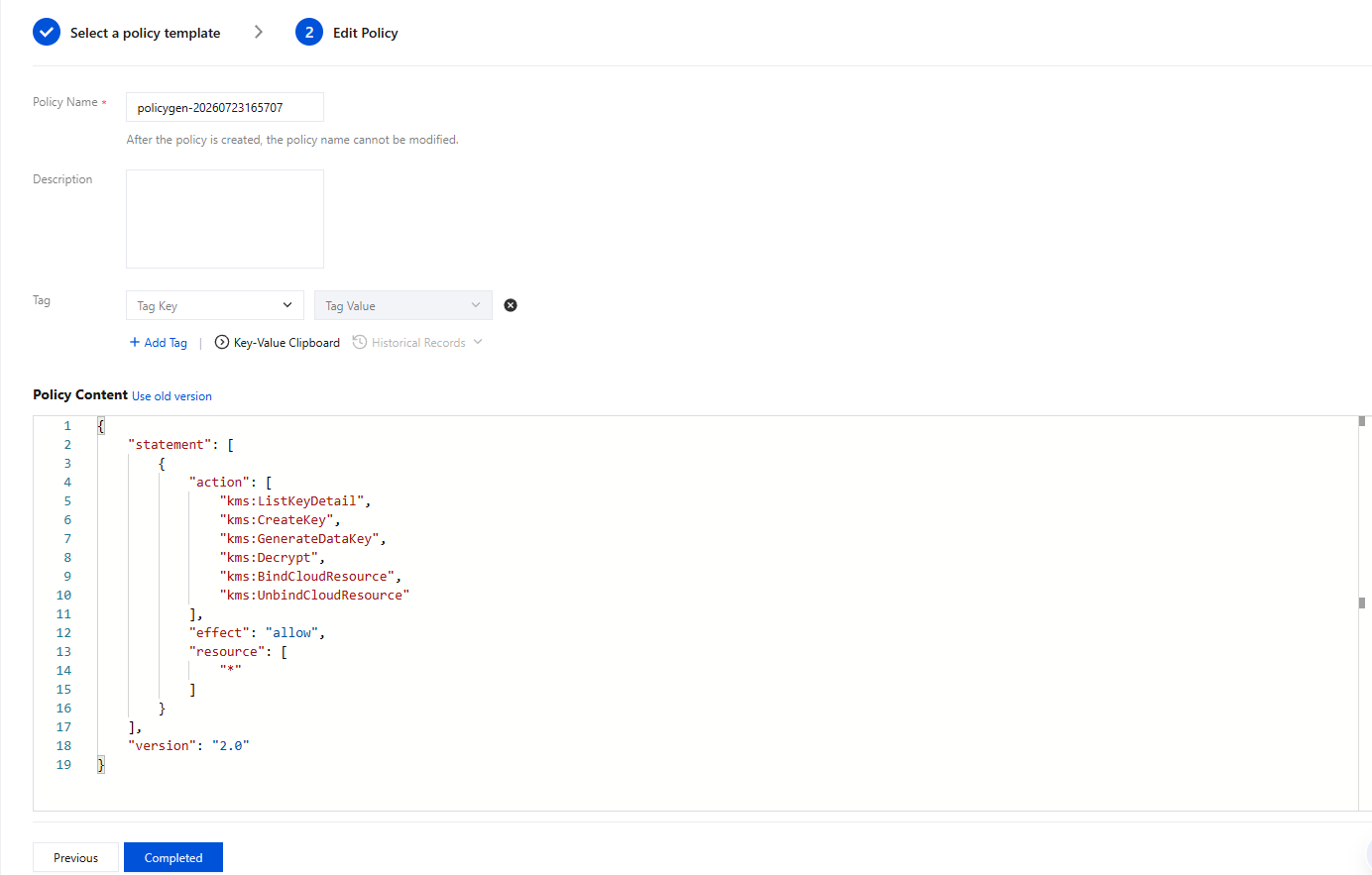
5. Click Create Policy to create it.
Help and Support
Was this page helpful?
You can also Contact sales or Submit a Ticket for help.
Help us improve! Rate your documentation experience in 5 mins.
Feedback