Managing Sub-account
다운로드
포커스 모드
폰트 크기
Overview
This document details how to create a sub-account and grant it permissions to manage KMS.
Operation Steps
Step 1: Creating a Sub-Account
1. Log in to the Tencent Cloud CAM console with your root account.
2. On the user list page, click New User to create a sub-account.
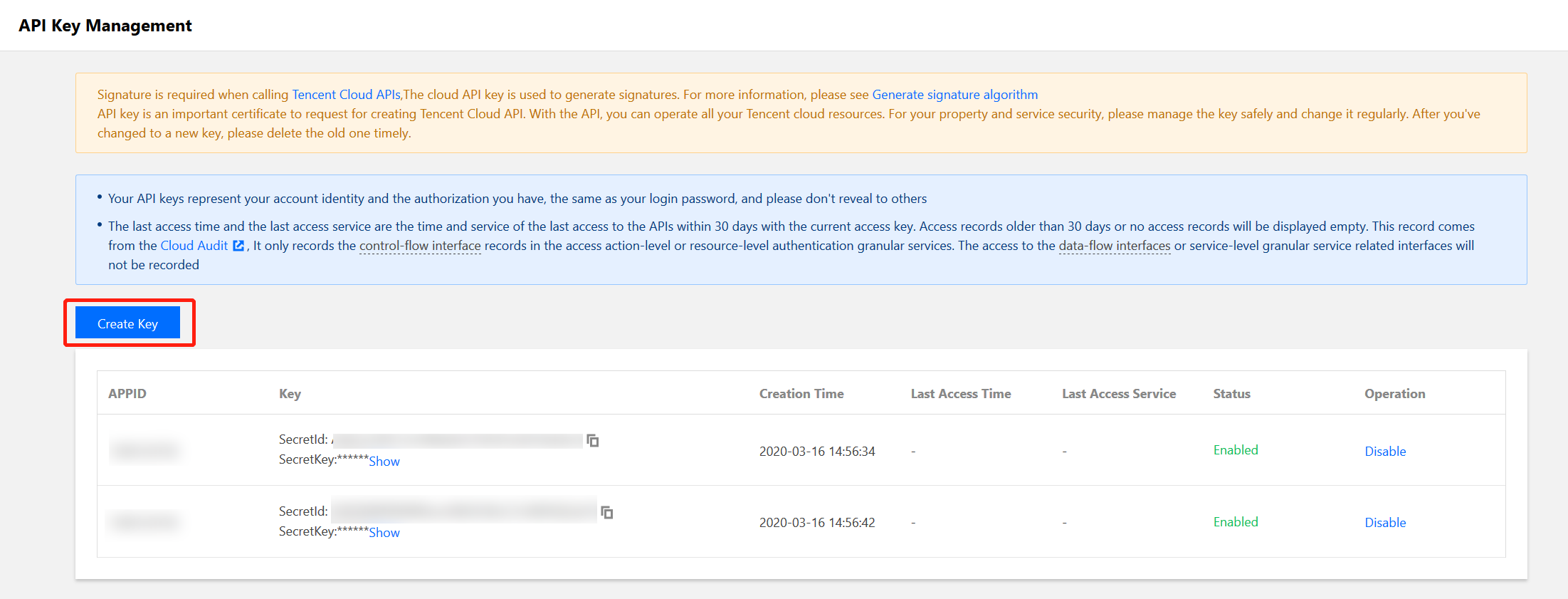
Step 2: Creating an API Key
1. Click the sub-account name to go to the sub-account details page.
2. Select API Key > Create Key to create a SecretId and SecretKey. You can use this API key to access KMS.
Step 3: Authorizing a Sub-Account
To allow a newly created sub-account to access KMS, grant it a KMS policy.
1. Select Permissions > Associate Policy > Select Policy from List to Associate, and then choose an appropriate KMS policy.
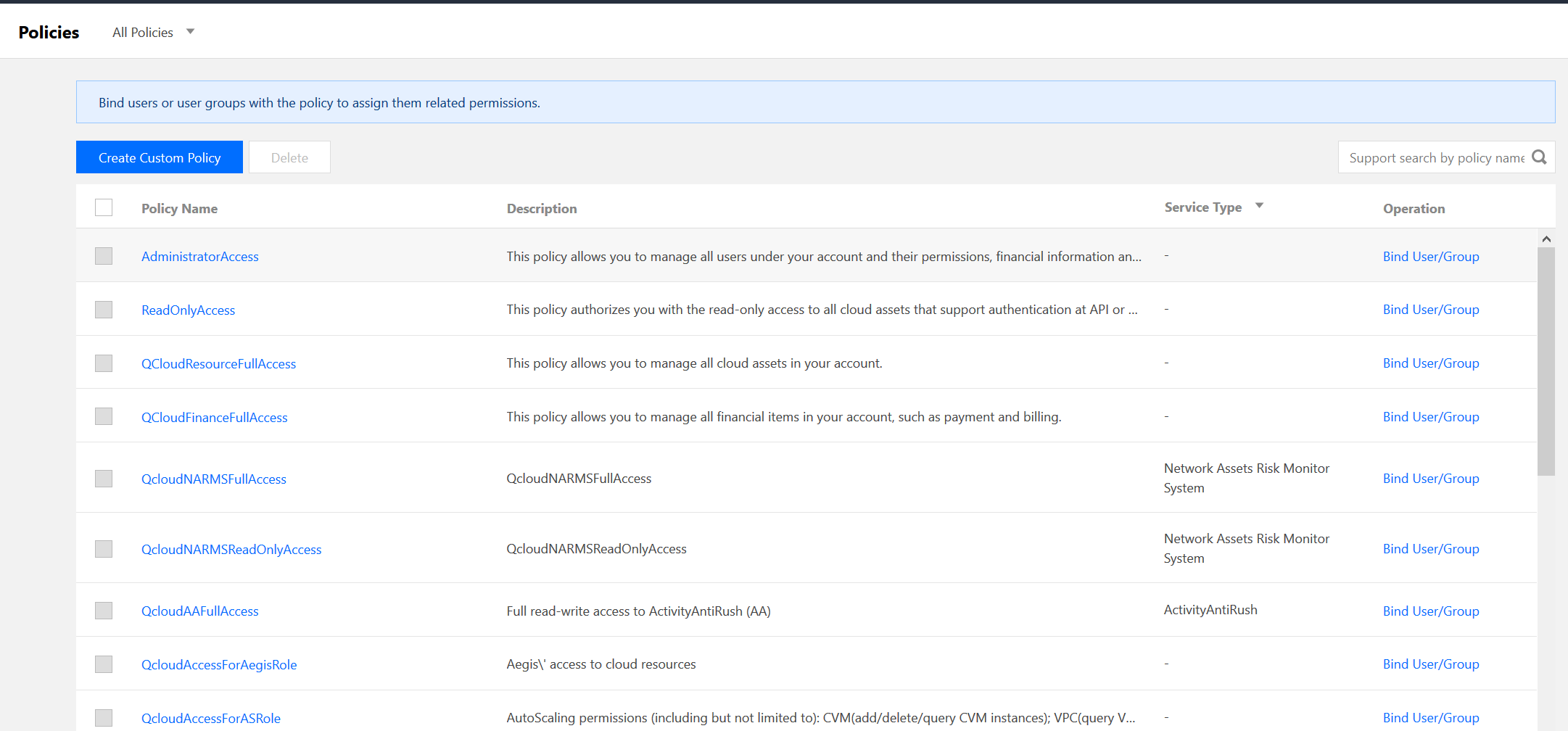
2. Click Next > OK to grant the sub-account KMS permissions.
피드백