胶囊按钮事件监听
Download
聚焦模式
字号
关闭
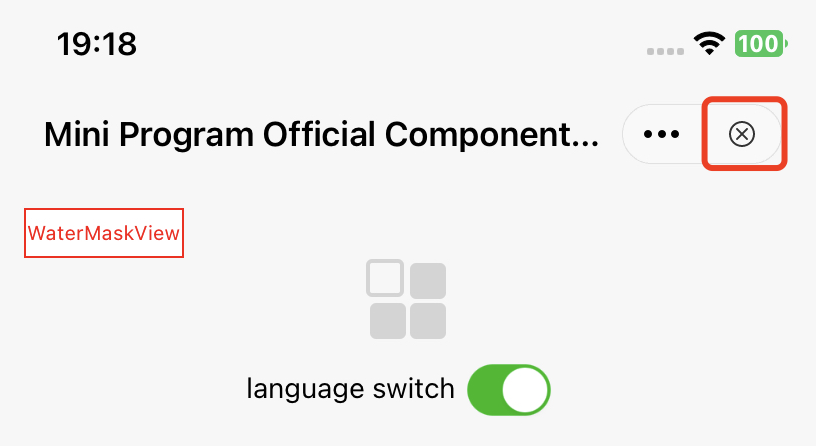
定制胶囊按钮的关闭事件监听,能够让 superapp 在关闭按钮点击时获取到对应的回调事件。
关闭按钮示意图:
API 说明:
#pragma mark - 退出挽留 - Exit retention- (BOOL)shouldDetainUser:(TMFMiniAppInfo *)app;
此外还需要在小程序的 app.json 中添加 detainConfig 的配置,否则挽留弹窗不会被触发。
app.json 配置示例:
{"detainConfig": [{"exitPage": "pages/order/*","content": "订单流程尚未完成,现在领取优惠券可享受更多优惠","exitButton": "暂时离开","enterButton": "领取优惠券","openType": "navigateTo","openLink": "/pages/coupon/claim?source=exit_detainment"}]}
如果希望点击 enterButton 的时候用户停留在当前页面,且页面不产生闪烁,则不要填写 openLink,同时 openType 不能为 navigateBack:
{"exitPage": "*","content": "确定退出当前小程序吗?","exitButton": "退出","enterButton": "继续使用","openType": "reLaunch"}
在完成以上配置后,单击关闭时,会触发此 API,如果返回 YES,则会出现弹窗挽留用户,如果返回 NO,则会直接退出小程序。
更多
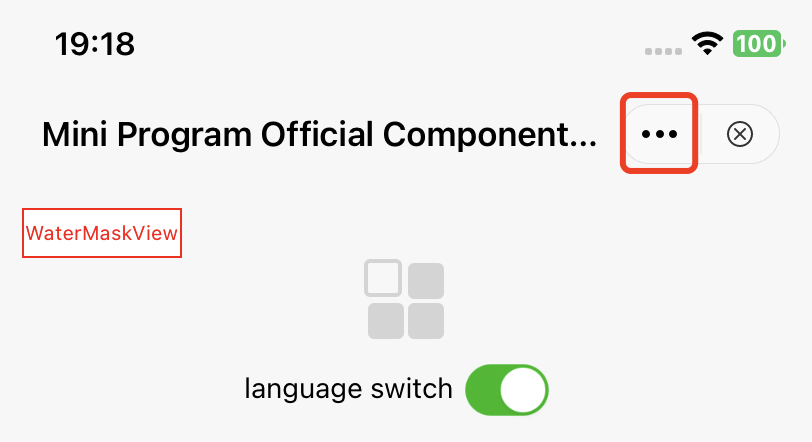
定制更多按钮的事件监听,能够让 superapp 在更多按钮单击时监听到对应 item 的回调事件。
更多按钮示意图:
API 说明:
// 点击胶囊按钮呼起的面板// 如果此方法不实现,则会调用showActionSheetWithTitle:cancelButtonTitle:cancelAction:otherButtonTitleAndActions:dismissBlock:presentingViewController:// @param app 小程序信息// @param cancelButtonTitle 取消标题// @param cancelAction 取消操作// @param otherButtonTitleAndActions 其他按钮及响应操作// @param dismissBlock 面板收起后需要执行的操作(一定要调用以保证功能正确!!!)// @param parentVC 呼起面板的vc - calls up the vc of the panel- (void)showMoreButtonActionSheetWithApp:(TMFMiniAppInfo *)appcancelButtonTitle:(nullable NSString *)cancelButtonTitlecancelAction:(nullable dispatch_block_t)cancelActionotherButtonTitleAndActions:(nullable NSArray *)otherButtonTitleAndActionsdismissBlock:(nullable dispatch_block_t)dismissBlockparentVC:(UIViewController *)parentVC;
更多展示列表定义
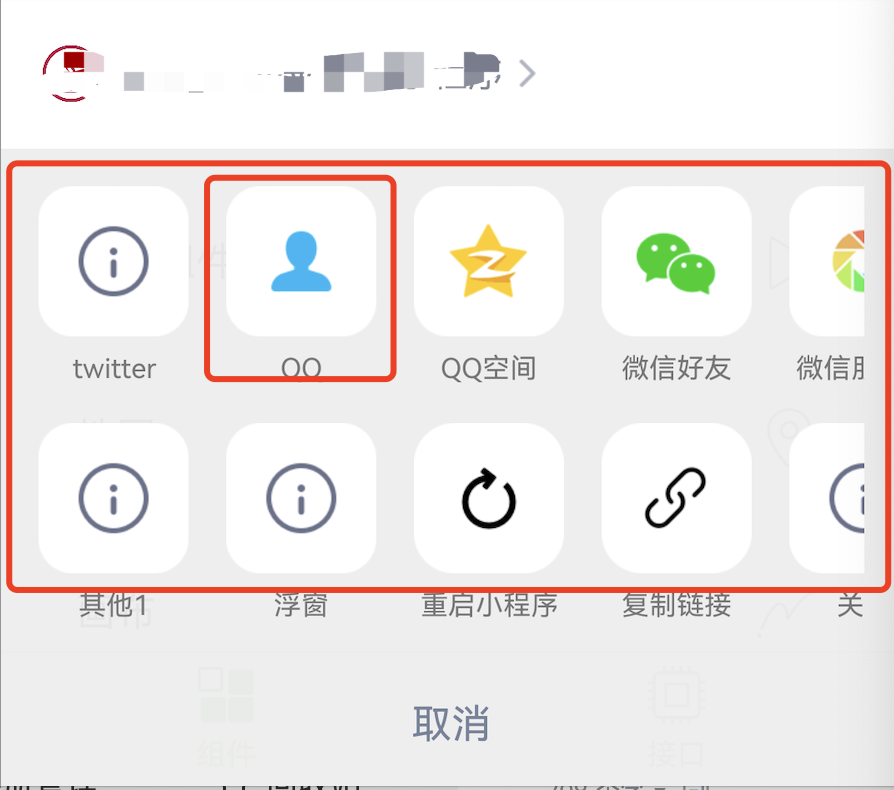
当用户触发更多按钮点击事件时,会弹出如下的可选扩展按钮列表,默认列表示意图如下:
方法1
通过重写 customizedConfigForShare 方法,可以自定义分享途径、决定展示顺序。
API 说明:
//Superapp 可以自定义分享途径、决定展示顺序,目前使用在点击更多按钮、button组件(open-type="share")呼起的ActionSheet中// 1、默认渠道:QQ好友、QQ空间、微信、朋友圈(具体type参见MAUIDelegateShareViewType),由开发商决定,superapp 只能更改展示顺序// 2、自定义分享渠道:Superapp 自定义(type填MAUIDelegateShareViewTypeCustomizedShare,自定义MAShareTarget,建议大于100,在小程序页面中onShareAppMessage 回传分享内容,统一走shareMessageWithModel由 superapp 根据ShareTarget来分别处理)// 3、自定义事件:Superapp 自定义(type填MAUIDelegateShareViewTypeCustomizedAction)// 以上三种渠道展示顺序支持混排- (NSArray<TMASheetItemInfo *> *)customizedConfigForShare;
示例代码:
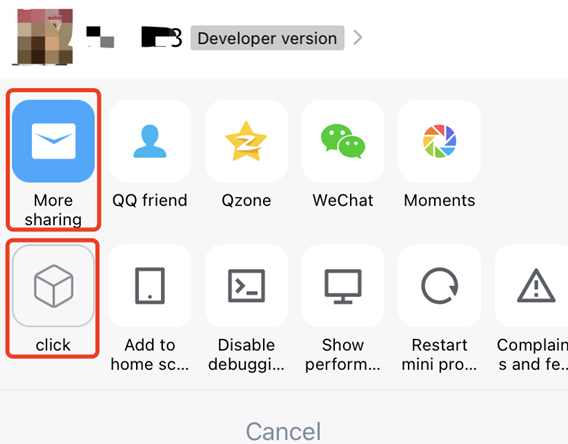
- (NSArray<TMASheetItemInfo *> *)customizedConfigForShare {NSMutableArray *arrays = [[NSMutableArray alloc] init];TMASheetItemInfo *item1 = [[TMASheetItemInfo alloc] initWithTitle:@"More sharing" type:MAUIDelegateShareViewTypeCustomizedShare shareTarget:100 shareKey:@"my"];item1.icon = [UIImage imageNamed:@"icon_moreOperation_shareChat"];[arrays addObject:item1];TMASheetItemInfo *item2 = [[TMASheetItemInfo alloc] initWithTitle:@"click" type:MAUIDelegateShareViewTypeCustomizedAction action:^(TMASheetActionParams * _Nullable params) {NSLog(@"click 点击");}];item2.icon = [UIImage imageNamed:@"icon_moreOperation_collect"];[arrays addObject:item2];return arrays;}
效果如下:
方法2
通过 TMFMiniAppSDKDelegate 协议中的 customizedConfigForMoreButtonActions 可以根据小程序信息增加或者删除列表,实现胶囊视图列表的自定义显示。
- (void)customizedConfigForMoreButtonActions:(NSMutableArray *)moreButtonTitleAndActions withApp:(TMFMiniAppInfo *)app{/*//增加一个自定义分享项TMASheetItemInfo *item = [[TMASheetItemInfo alloc] initWithTitle:@"Share" type:MAUIDelegateShareViewTypeCustomizedShare shareTarget:100 shareKey:@"my"];item.icon = [UIImage imageNamed:@"icon_moreOperation_shareChat"];[moreButtonTitleAndActions addObject:item];*//*//删除复制链接菜单NSMutableArray *newArrays = [[NSMutableArray alloc] initWithCapacity:moreButtonTitleAndActions.count];for (TMASheetItemInfo *item in moreButtonTitleAndActions) {if(item.type != MAUIDelegateShareViewTypeCopyLink) {[newArrays addObject:item];}}[moreButtonTitleAndActions removeAllObjects];[moreButtonTitleAndActions addObjectsFromArray:newArrays];*/}
拦截并控制面板与菜单动作
功能简介
从 2.3.9 起,superapp 可以对胶囊更多面板做两件事:
1. 控制内置项显隐:决定面板里哪些 SDK 内置项(设置、性能面板、添加到桌面等)展示。
2. 拦截动作:在胶囊更多、关闭按钮及面板各项点击时做前置处理(埋点、二次确认、完全接管),并决定是否继续执行 SDK 默认逻辑。
分享区不在此范围内,仍由 defaultSharingChannels / customizedConfigForShare 控制。
用法
在 TMFMiniAppSDKDelegate 中实现下面两个方法(均为可选,不实现则保持默认行为)。
控制内置项显隐
返回可见项的位掩码,不实现或返回 TMAMoreMenuItemAll 表示全部显示:
- (TMAMoreMenuItem)visibleItemsForMoreMenuWithApp:(TMFMiniAppInfo *)app {// 只显示「设置」和「重启小程序」,隐藏其余内置项return TMAMoreMenuItemSetting | TMAMoreMenuItemRestart;}
可选项:About(关于)、Setting(设置)、Report(投诉与反馈)、Restart(重启)、CopyUrl(复制链接)、DevTool(调试开关)、PerfPanel(性能面板)、Shortcut(添加到桌面)。
拦截动作
返回 YES 表示 superapp 已消费该动作、SDK 跳过默认逻辑;返回 NO 走默认逻辑:
- (BOOL)shouldHandleMoreMenuAction:(TMAMoreMenuAction)actionwithApp:(TMFMiniAppInfo *)appuserInfo:(nullable NSDictionary<NSString *, id> *)userInfo {if (action == TMAMoreMenuActionPerfPanel) {BOOL shown = [userInfo[TMAMoreMenuActionInfoPerfPanelCurrentlyShownKey] boolValue];NSLog(@"性能面板当前是否显示:%d", shown);return YES; // 自行接管,SDK 不再切换性能面板}return NO; // 其余动作走默认逻辑}
常见动作:MoreEntry(点更多入口,返回 YES 不弹面板)、Close(点关闭,返回 YES 不退出)、PerfPanel、DevTool、Setting、Restart、CopyUrl 等。
userInfo 按动作携带不同上下文:
TMAMoreMenuActionInfoPagePathKey:当前页面路径(通用)。
TMAMoreMenuActionInfoDebugCurrentlyEnabledKey:vConsole 是否已开启(DevTool 专用)。
TMAMoreMenuActionInfoPerfPanelCurrentlyShownKey:性能面板是否已显示(PerfPanel 专用)。
TMAMoreMenuActionInfoCopyUrlKey:将要复制的链接(CopyUrl 专用)。
注意事项
两个方法均可选;不实现时行为与旧版本完全一致。
userInfo 可能为 nil,未列出的 key 按未提供处理。
MoreEntry / Close 的拦截发生在面板弹出、退出流程之前。
文档反馈