iOS(SwiftUI)
下载
聚焦模式
字号
本文会引导您构建会话列表界面。
开发环境要求
Xcode 15 及以上
iOS 15.0 及以上
前置条件
在构建界面之前,请确保您已经完成了以下 4 件事:
1. 在控制台创建了一个应用。
2. 在控制台创建了至少 2 个用户账号。
3. 集成了
TUIKit SwiftUI。4. 调用
LoginStore 的 login 接口登录组件。注意:
1. 每次启动应用,登录一次即可。
2. 请确保登录成功,我们建议您在登录成功的回调里进行下文的操作。
如果您已经完成,请继续阅读下文。
步骤说明
注意:
如果您事先没有跟任何人、任何群组发送过消息,是不会产生会话的,此时加载 ConversationList ,列表为空。为了体验效果,建议您先给一些账号发送消息,触发会话的产生。如果您想了解如何在聊天界面发送消息,请参考文档:构建聊天界面。
注意,如果你直接使用我们的示例代码,需要预填充这几个参数:
sdkAppID,上文获取的 sdkAppID。userID,操作者的 userID,也就是 快速开始 中创建的 user1。userSig,操作者的 userSig,也就是 快速开始 中创建的 user1 的 userSig。App 启动即加载会话列表页,示例代码如下:
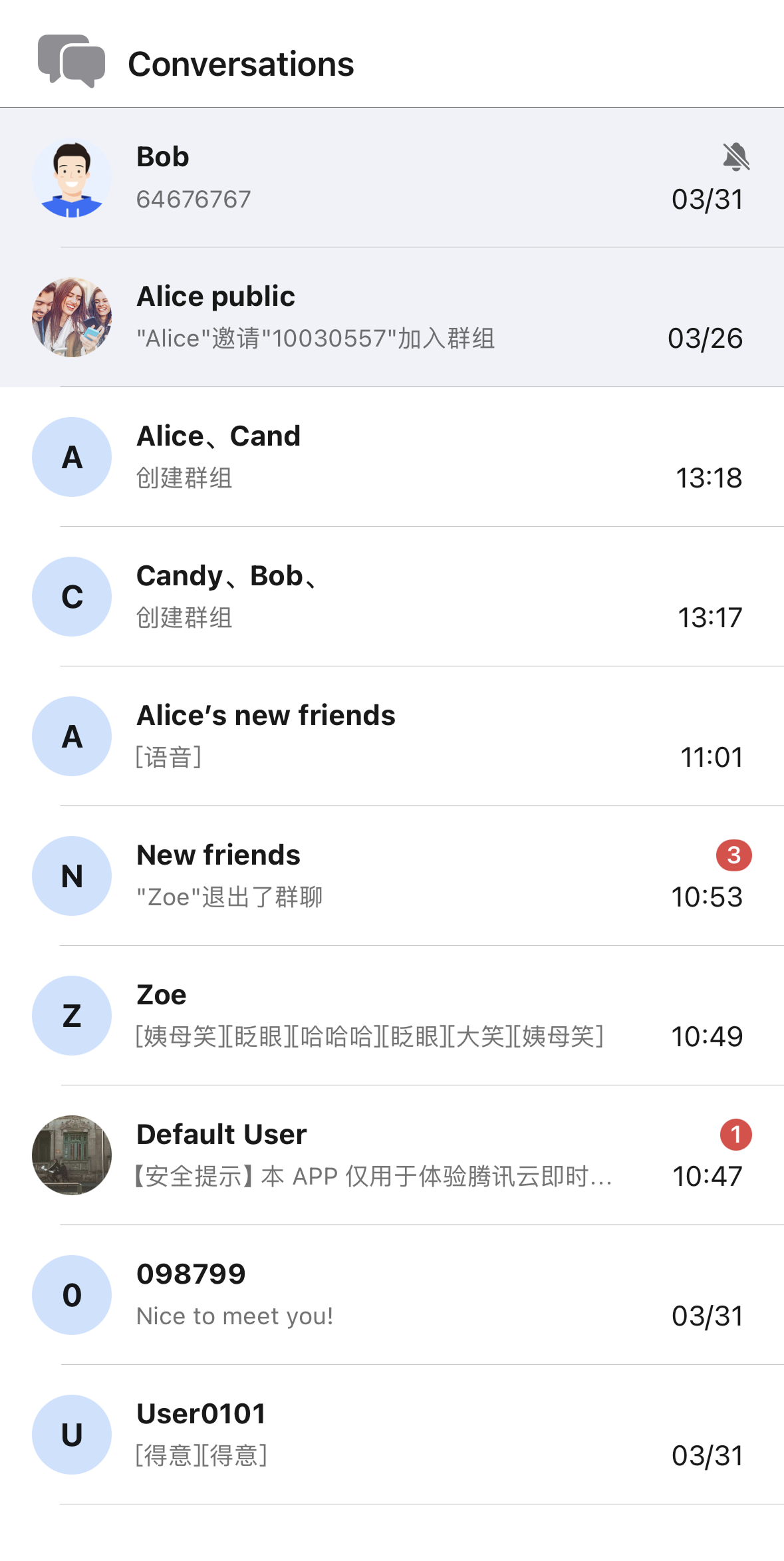
// ContentView.swiftimport SwiftUIstruct ContentView: View {var body: some View {ConversationListPage()}}// ConversationListPage.swiftimport AtomicXimport AtomicXCoreimport SwiftUIpublic struct ConversationListPage: View {@StateObject private var themeState = ThemeState.shared@State private var isLoggedIn = false@State private var isLoggingIn = true@State private var loginError: String? = nilprivate let sdkAppID: Int32 = 1234567890 // TODO: Fill in your sdkAppID hereprivate let userID = "" // TODO: Fill in your userID hereprivate let userSig = "" // TODO: Fill in your generated userSig herepublic var body: some View {Group {if isLoggedIn {conversationListContentView} else if isLoggingIn {ProgressView("Logging in...")} else {VStack(spacing: 12) {Image(systemName: "exclamationmark.triangle").font(.system(size: 40)).foregroundColor(.orange)Text(loginError ?? "Login failed").foregroundColor(.secondary)}}}.environmentObject(themeState).onAppear {login()}}// MARK: - Conversation List Contentprivate var conversationListContentView: some View {VStack(spacing: 0) {navigationBarViewDivider().background(.gray)ConversationList(onConversationClick: { conversation inprint(">>>>> onConversationClick: \\(conversation.conversationID)")})}}// MARK: - Navigation Barprivate var navigationBarView: some View {HStack {Image(systemName: "bubble.left.and.bubble.right.fill").font(.system(size: 24)).foregroundColor(.gray)Text("Conversations").font(.system(size: 17, weight: .semibold)).foregroundColor(themeState.colors.textColorPrimary)Spacer()}.padding(.horizontal, 16).frame(height: 44)}// MARK: - Loginprivate func login() {guard !userSig.isEmpty else {isLoggingIn = falseloginError = "userSig is empty. Please fill in a valid userSig."return}// Login is required when page appears.LoginStore.shared.login(sdkAppID: sdkAppID, userID: userID, userSig: userSig) { result inswitch result {case .success:print(">>>>> Login success, userID: \\(userID)")isLoggedIn = trueisLoggingIn = falsecase .failure(let error):print(">>>>> Login failed: \\(error.code), \\(error.message)")loginError = "Login failed: \\(error.code), \\(error.message)"isLoggingIn = false}}}}
运行效果示意图:
更多实践
联系我们
文档反馈