Audience List Component(iOS UIKit)
ダウンロード
フォーカスモード
フォントサイズ
The Audience List component (AudienceListView) provides both real-time audience count display and an interactive audience list popup for live streaming rooms. Easily integrate this component into your UI to enable essential audience interaction features in your live streaming environment.
Demo
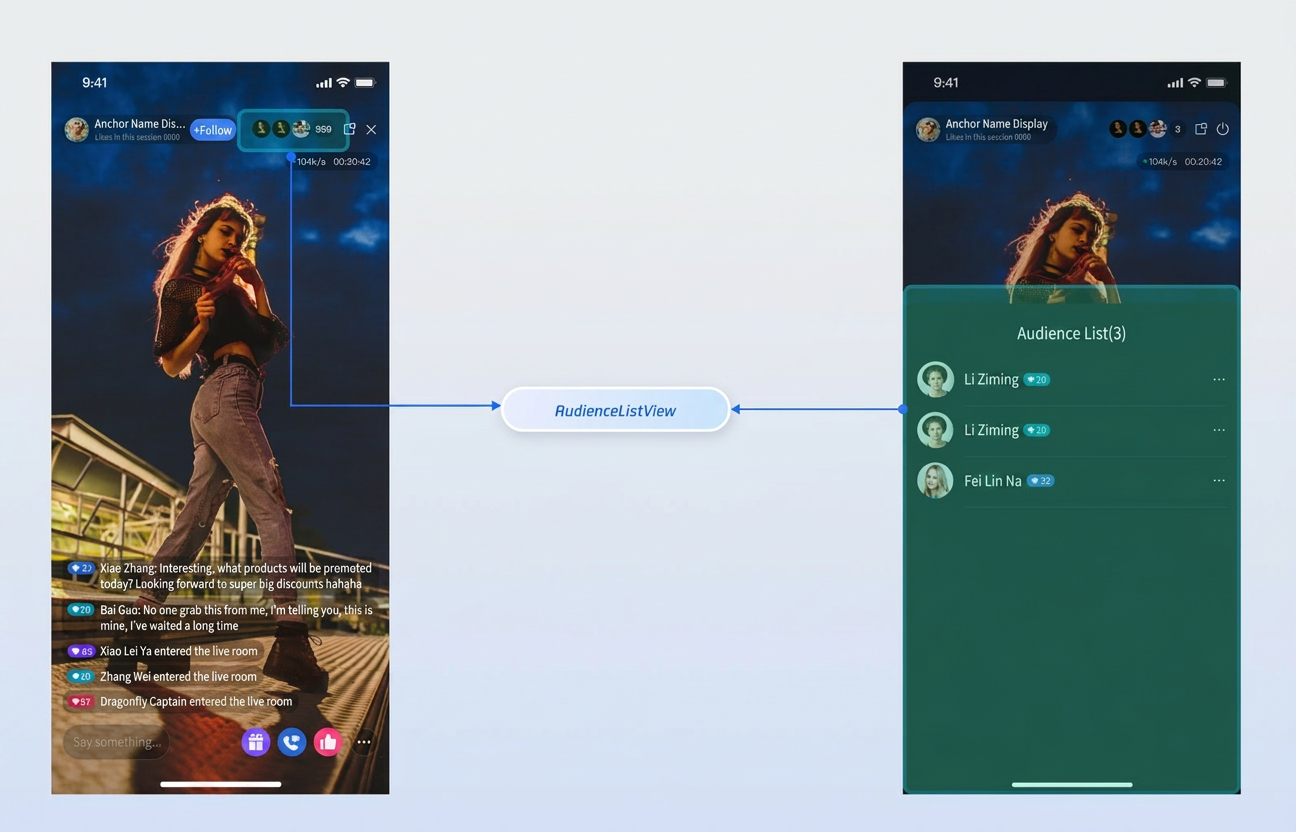
Quick Start
Step 1: Activate the Service
Step 2: Integrate the SDK
Step 3: Add the Audience List Component
For a host live streaming scenario, add AudienceListView to your host view controller. Example code:
import TUILiveKitclass YourAnchorViewController: UIViewController {// 1. Define the audience list componentprivate let audienceListView = AudienceListView()private let liveId: String// ... other code ...public override func viewDidLoad() {super.viewDidLoad()// 2. Add the component to your view and set up layoutview.addSubview(audienceListView)audienceListView.snp.remakeConstraints { make inmake.centerY.equalTo(closeButton)make.trailing.equalTo(closeButton.snp.leading).offset(-8)make.leading.greaterThanOrEqualTo(liveInfoView.snp.trailing).offset(20)}// 3. Associate the live room idaudienceListView.initialize(liveId: liveId)}}
Customization
The Audience List component supports a callback interface for audience list item clicks, allowing you to implement audience management actions according to your business logic.
Component Interface
Interface | Parameter | Description |
onUserManageButtonClicked | LiveUserInfo | Callback for audience list item click. |
public struct LiveUserInfo {public var userID: String // Audience user IDpublic var userName: String // Audience user nicknamepublic var avatarURL: String // Audience user avatar URLpublic init()}
Audience Management
By default, clicking a user in the audience list opens a management popup. You can implement the
onUserManageButtonClicked closure and use LiveAudienceStore to perform actions such as removing a user from the live room:import UIKitimport TUILiveKitimport AtomicXCoreclass YourAnchorViewController: UIViewController {// 1. Define the audience list component and storeprivate let audienceListView = AudienceListView()private lazy var liveAudienceStore = LiveAudienceStore.create(liveID: self.liveId)private let liveId: Stringpublic override func viewDidLoad() {super.viewDidLoad()// ... other code ...// 2. Bind custom management events to the componentaudienceListView.onUserManageButtonClicked = { [weak self] userInfo inself?.showUserManagementAlert(for: userInfo)}}// 3. Show custom user management popupprivate func showUserManagementAlert(for user: LiveUserInfo) {let alertController = UIAlertController(title: "Audience Management", message: "What would you like to do with \\(user.userName)?", preferredStyle: .actionSheet)let kickOutAction = UIAlertAction(title: "Kick Out of Live Room", style: .destructive) { [weak self] _ inself?.kickOutUser(user)}let cancelAction = UIAlertAction(title: "Cancel", style: .cancel)alertController.addAction(kickOutAction)alertController.addAction(cancelAction)present(alertController, animated: true)}// 4. Call store method to remove the userprivate func kickOutUser(_ user: LiveUserInfo) {liveAudienceStore.kickUserOutOfRoom(userID: user.userID) { [weak self] result inswitch result {case .success:print("Successfully kicked out \\(user.userName).")case .failure(let error):print("Failed to kick out user, error: \\(error.message)")}}}}
フィードバック