Managing Binlog
Download
Modo Foco
Tamanho da Fonte
TDSQL Boundless supports real-time synchronization of data changes from source TDSQL Boundless database instances to target databases or third-party platforms by subscribing to Binlog events. This capability is applicable to scenarios such as multi-active cloud/on-premises environments, cross-region disaster recovery, cross-border synchronization, and real-time data warehousing. This feature has been operating stably for over a year within multiple core Tencent business systems, with extensive coverage across domains including e-commerce marketing, big data scheduling, content moderation, and advertising delivery.
The Binlog format generated by TDSQL Boundless is completely consistent with MySQL, enabling compatibility with the MySQL community's Binlog subscription ecosystem and supporting common third-party tools such as Canal, Flink, and so on. In implementation, TDSQL Boundless converts and generates Binlog based on the asynchronous log stream of the Raft consensus protocol. This design ensures that enabling the Binlog feature has minimal impact on write performance.
Feature Limits
Note:
TDSQL Boundless backup and recovery are independent of Binlog. Enabling or disabling Binlog does not affect automatic backup and restore capabilities. Backups are built on underlying storage technology to ensure data security and reliability, while Binlog is designed for real‑time data subscription and synchronization across different scenarios. You can enable Binlog as needed without any impact on backup and recovery.
When using Binlog to subscribe to TDSQL Boundless data changes, note the following relevant restrictions and currently unsupported scenarios.
Note:
Enabling or disabling Binlog is performed smoothly, requiring no instance restart and causing no impact on business read/write operations. The process is typically completed within 1 to 2 minutes.
Enabling or disabling Binlog is supported only for Provisioned resource instances, not for Serverless instances.
The Binlog feature is officially supported starting from kernel version V21.2.0. After Binlog is enabled, DDL operations on FUNCTIONs, PROCEDUREs, and TRIGGERs are not currently recorded to Binlog. If changes are made to these objects, you must manually synchronize them to downstream through other means. The feature limitations for historical kernel versions are as follows:
Kernel version earlier than V21.0.0: DDL operations on VIEWs are not recorded to Binlog.
Kernel version earlier than V20.0.0: After Binlog is enabled, the
CREATE TABLE ... AS SELECT ... syntax is automatically disabled. To restore it, contact technical support to disable the synchronization feature and restart the instance.HBase compatibility mode is not supported; only MySQL compatibility mode is supported.
Enabling Binlog is not currently supported for instances with cold data archiving enabled. Furthermore, the Binlog service and cold data archiving are mutually exclusive, and only one of them can be enabled.
Enabling Binlog is not currently supported for instances with database table recycle bin enabled. Furthermore, the Binlog service and the table recycle bin are mutually exclusive, and only one of them can be enabled.
Standalone download of Binlog files is not currently supported. You can subscribe to logs via the MySQL Binlog Dump protocol or CKafka. For details, refer to Real-time Data Capture from TDSQL Boundless via DTS.
Binlog logs are retained for 7 days by default. Binlog logs that exceed the retention period are automatically cleaned up and cannot be recovered.
Enabling or disabling Binlog is supported only for instances that are running.
Billing Mode
During the promotion period of the Binlog subscription feature, it can be used free of charge. For more detailed billing information, see Billing Overview.
Enable Binlog
1. Log in to the TDSQL Boundless console. In the Instance List, select instance ID for which you want to enable Binlog, and then go to the Instance Details page.
2. In the Specs Configuration section, click Enable next to Binlog Settings.

3. In the Enable Binlog dialog box, click Next to go to the Binlog enablement page.
4. Click Adjust Configurations to complete enabling Binlog.
Note:
During the promotion period of the Binlog subscription feature, it can be used free of charge, while the price displayed here refers to the database instance pricing.
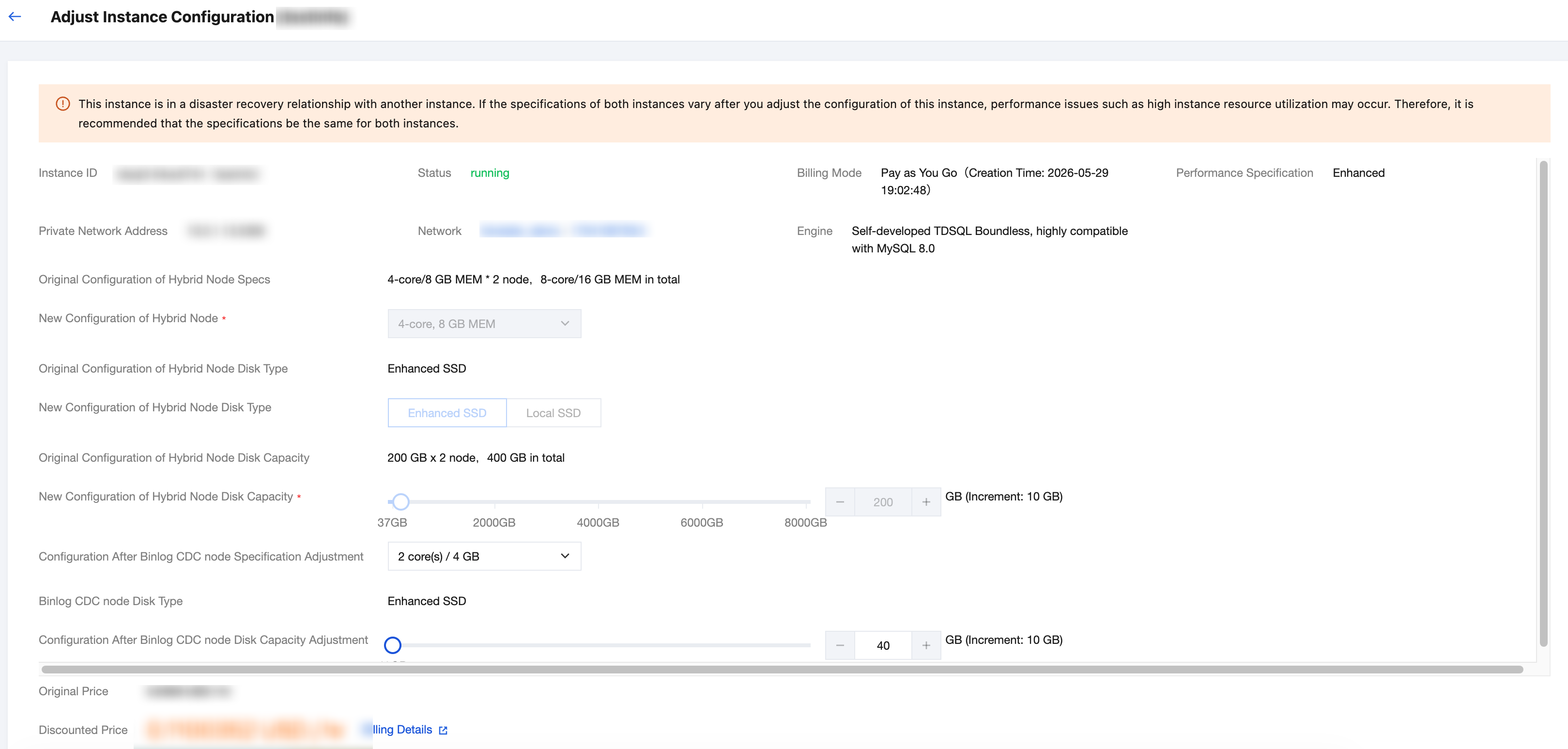
5. Verify that Binlog is enabled.
5.1 Log in to the TDSQL Boundless console, navigate to the Instance List, and select Instance ID for which Binlog is enabled.
5.2 On the Instance Details page, in the Instance Architecture Diagram section, check whether a Binlog CDC node has been automatically created.
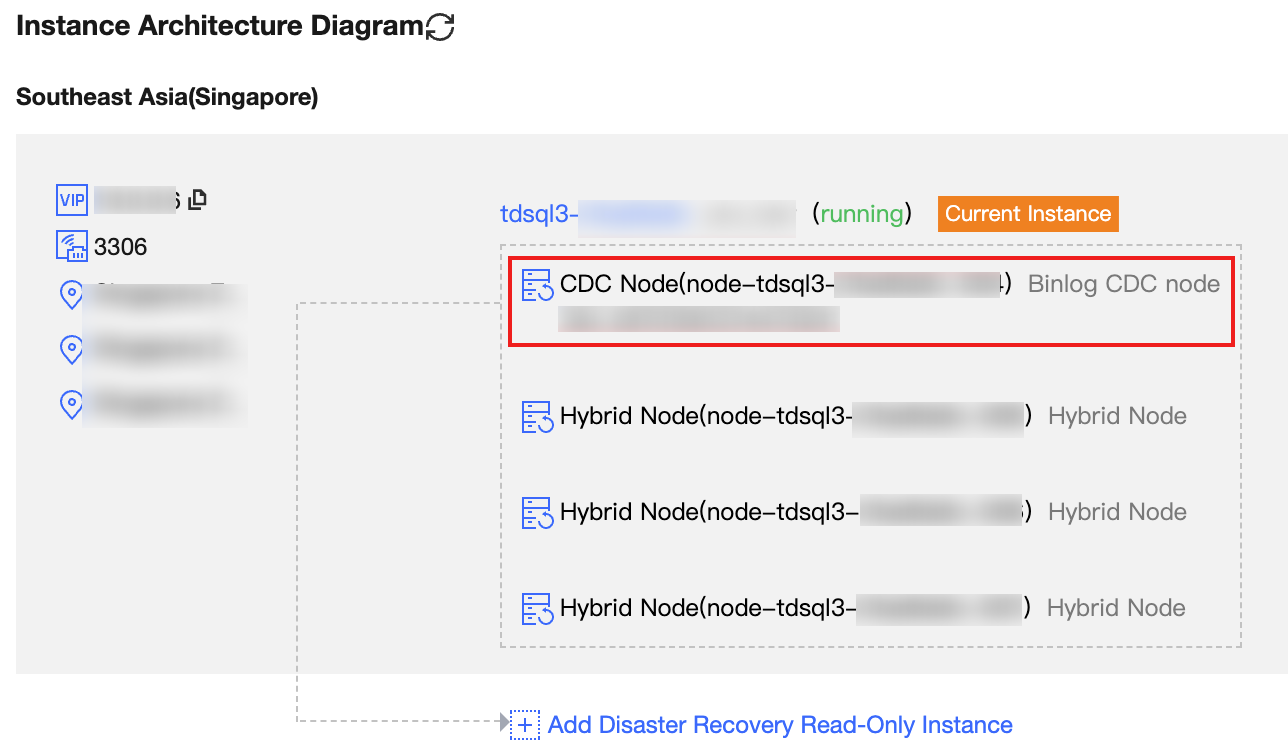
5.3 Subscribe to or consume Binlog logs using the MySQL Binlog protocol based on the IP address and port returned by the Binlog CDC node.
Disable Binlog
1. Log in to the TDSQL Boundless console. In the Instance List, select the Instance ID for which Binlog is enabled, and then go to the Instance Details page.
2. In the Specs Configuration section, click Disable next to Binlog Settings.
3. In the Disable Binlog dialog box, click Next to go to the Binlog disablement page.
4. Click Adjust Configurations to complete disabling Binlog.
Note:
During the promotion period of the Binlog subscription feature, it can be used free of charge, while the price displayed here refers to the database instance pricing.
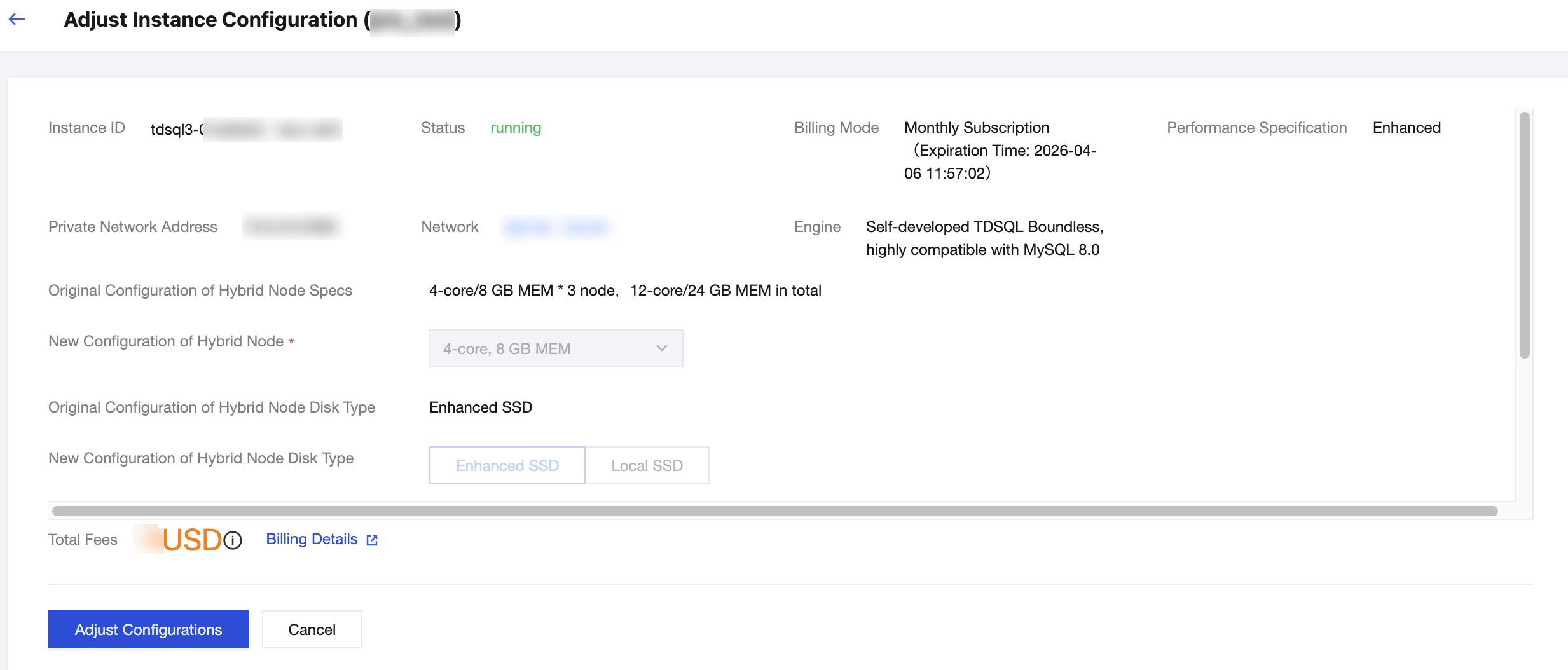
5. Verify that Binlog is disabled.
5.1 Log in to the TDSQL Boundless console. In the Instance List, select the Instance ID for which Binlog is enabled.
5.2 On the Instance Details page, in the Instance Architecture Diagram section, check whether the Binlog CDC node has been removed.
Ajuda e Suporte
Esta página foi útil?
Você também pode entrar em contato com a Equipe de vendas ou Enviar um tíquete em caso de ajuda.
comentários