Console Account Management
下载
聚焦模式
字号
When you purchase a plan of Super App as a Service, you need to create a Super admin account. This account will allow you to manage users and teams on Super App as a Service Platform.
How to create a super admin account
1. In the console, navigate to the Plans page and click Account management to create a super admin account for Super App as a Service.
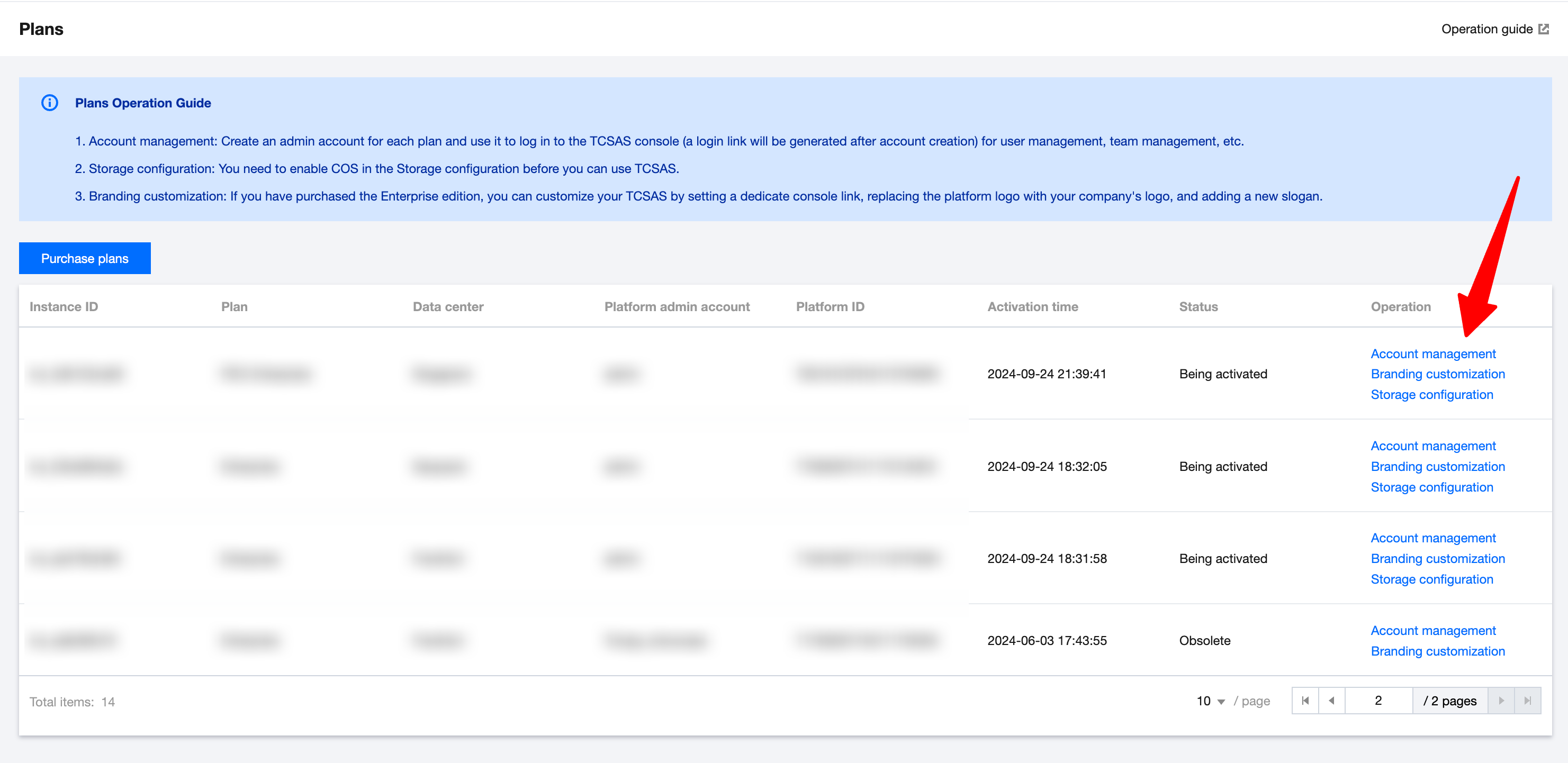
2. Fill in account information
When creating the super admin account, you need to fill in a username for this account, set a login account and password, and confirm the password.
Parameter verification rules:
Username: 3-64 characters consisting of uppercase and lowercase letters (case-sensitive), numbers, spaces, and certain special characters +=,.@-_
Login account: 3-64 characters consisting of uppercase and lowercase letters (case-sensitive), numbers, and special characters +=,.@-_
Password: 8-20 characters consisting of uppercase and lowercase letters (case-sensitive), numbers, and special characters !@#$%^&*
Confirm password: Must be the same as that entered for the first time.
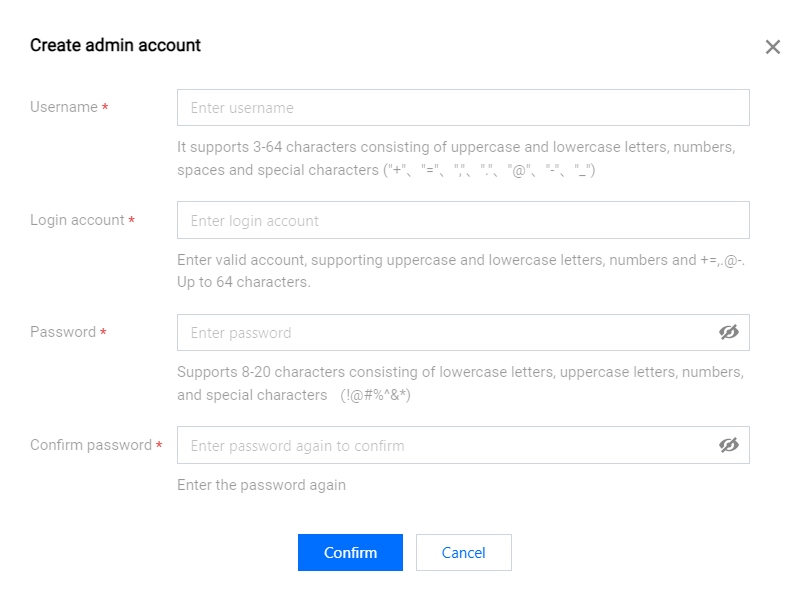
3. After filling in the account information, click OK to complete the creation. Save the account credentials and the mini program platform login link. If you forget the password, you will need to reset it in the account details.
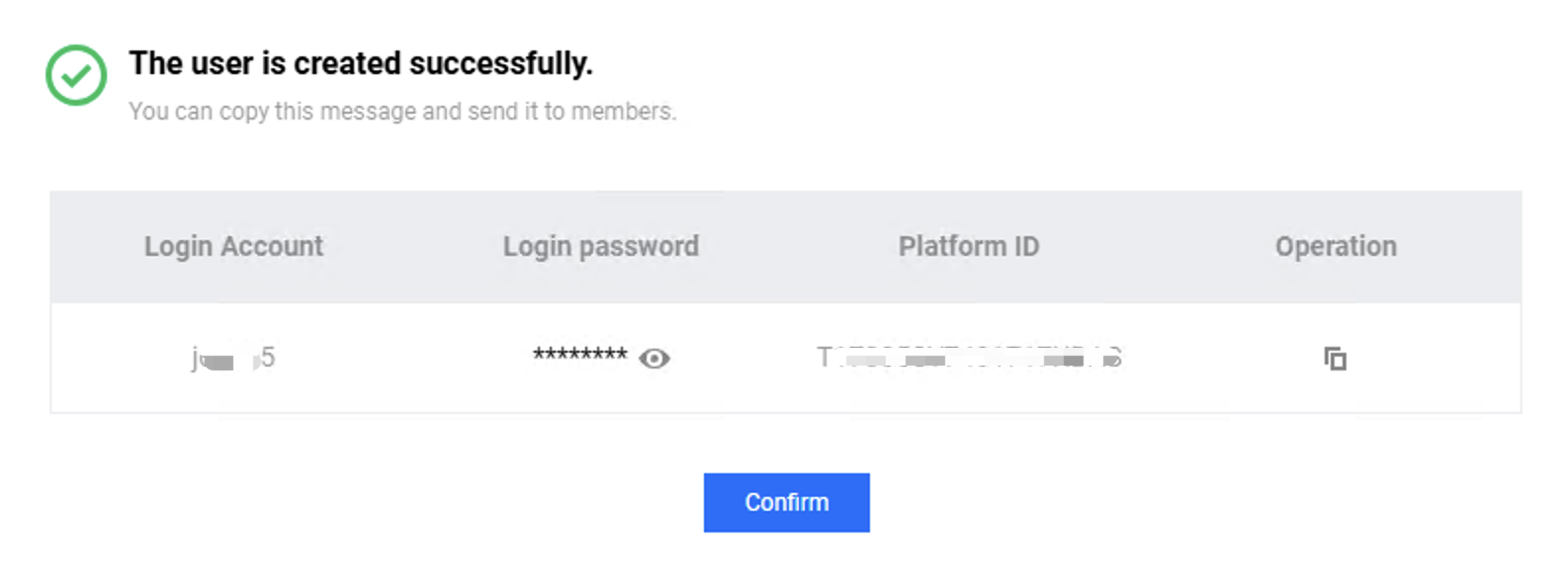
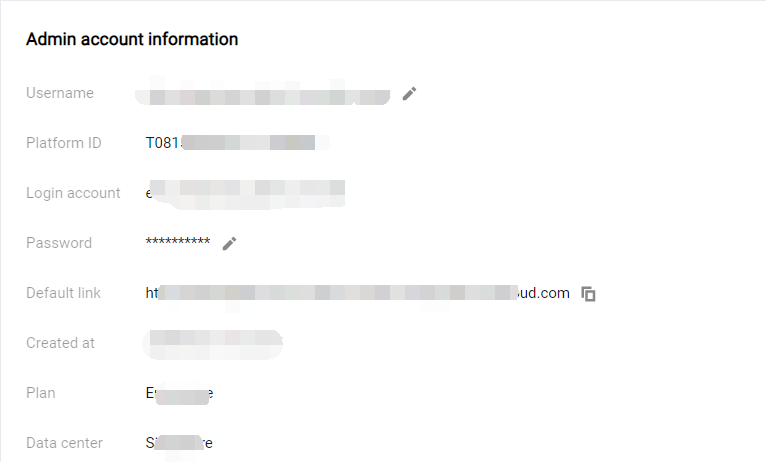
4. Once the Super admin account is created, use the login link to log in and start using Super App as a Service.
文档反馈