CAR provides a way to capture the window of the cloud application. In this way, the end user will only see the application window and not the rest of the desktop, achieving a full-screen-like effect.
You need to provide the application class name and title (the title is the window title during application startup). If the window title isn't customized during development, the window title after `Demo.exe` starts will be `Demo`. If your application is a UE application, enter `UnrealWindow` for the Class name.
This document describes how to use WinSpy to capture the application class name and title for the startup parameter configuration.
Directions
1. Download WinSpy to capture the window attributes.
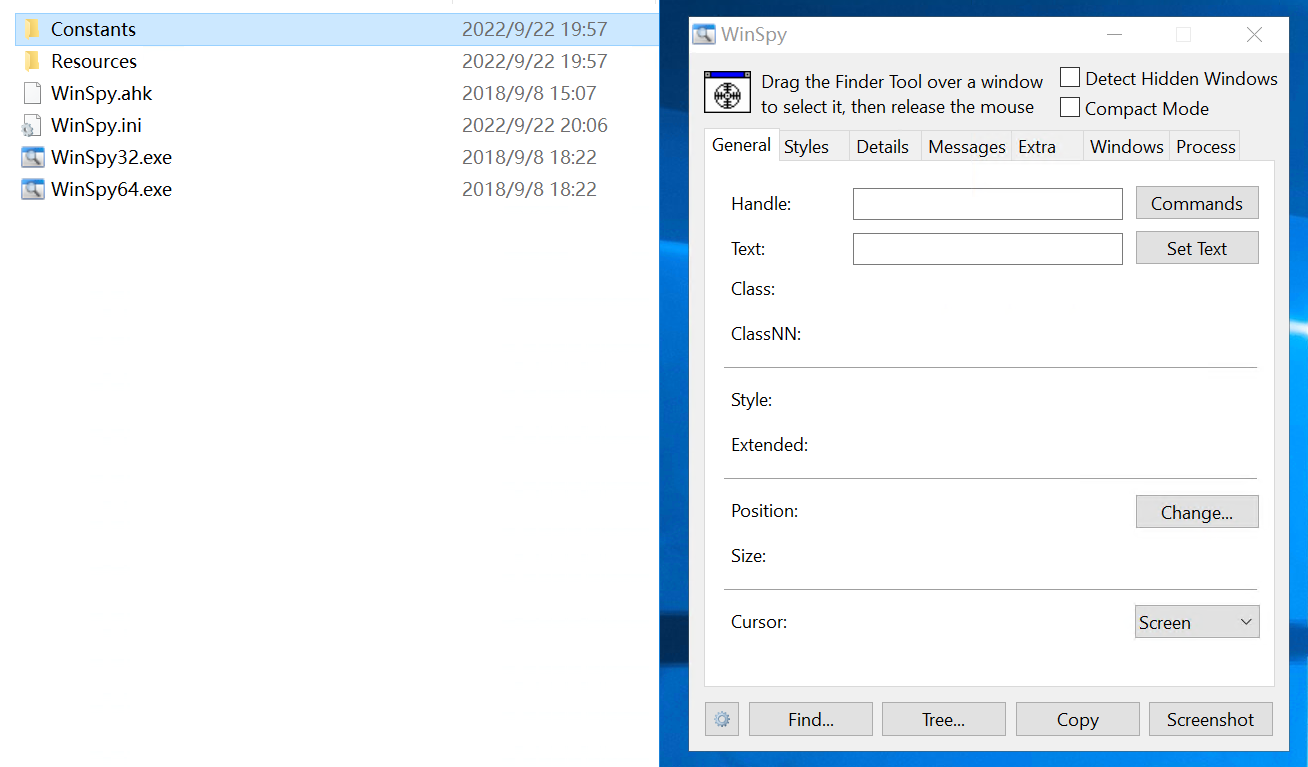
2. Unzip WinSpy, and open WinSpy32.exe or WinSpy64.exe based on your system type.
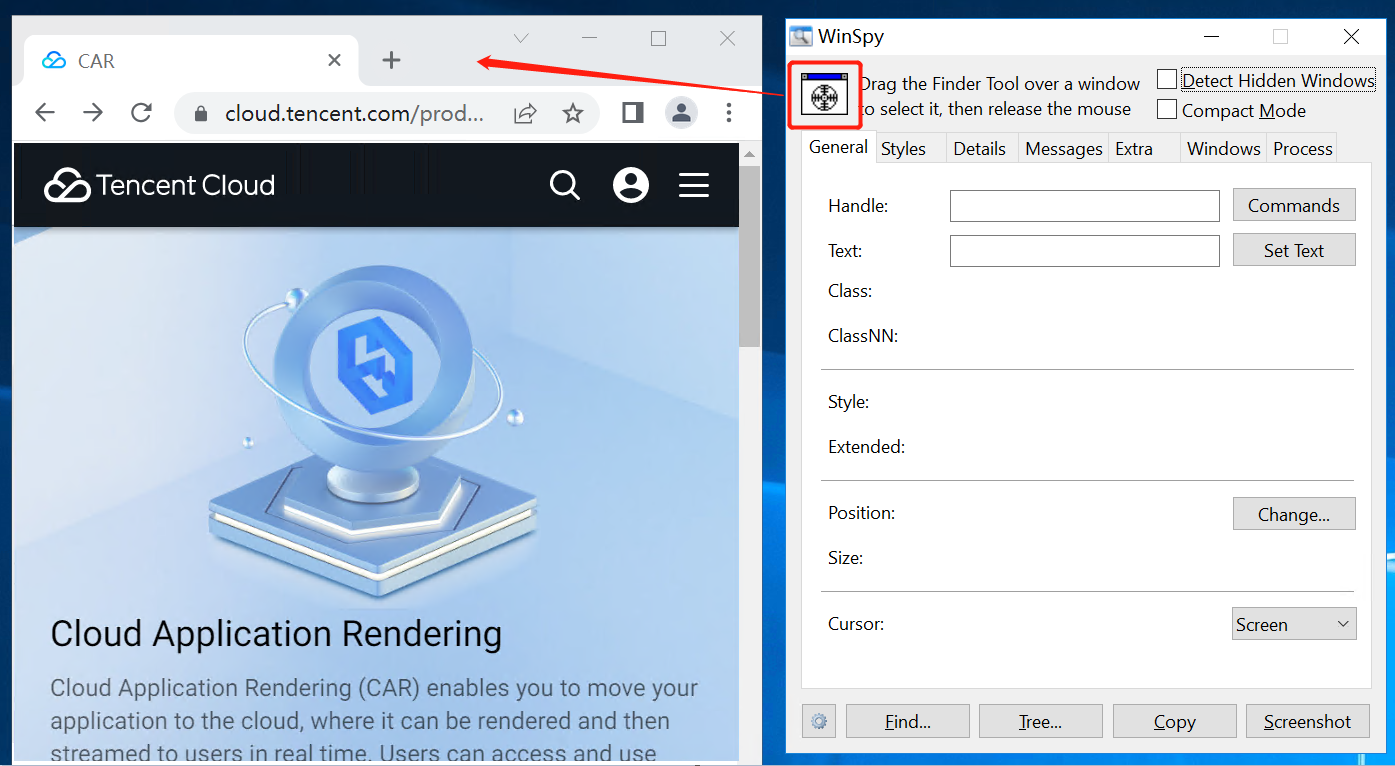
3. Open the application to capture (such as Google Chrome), click and move the Finder Tool (shown in the red box) to the application window, and release it.
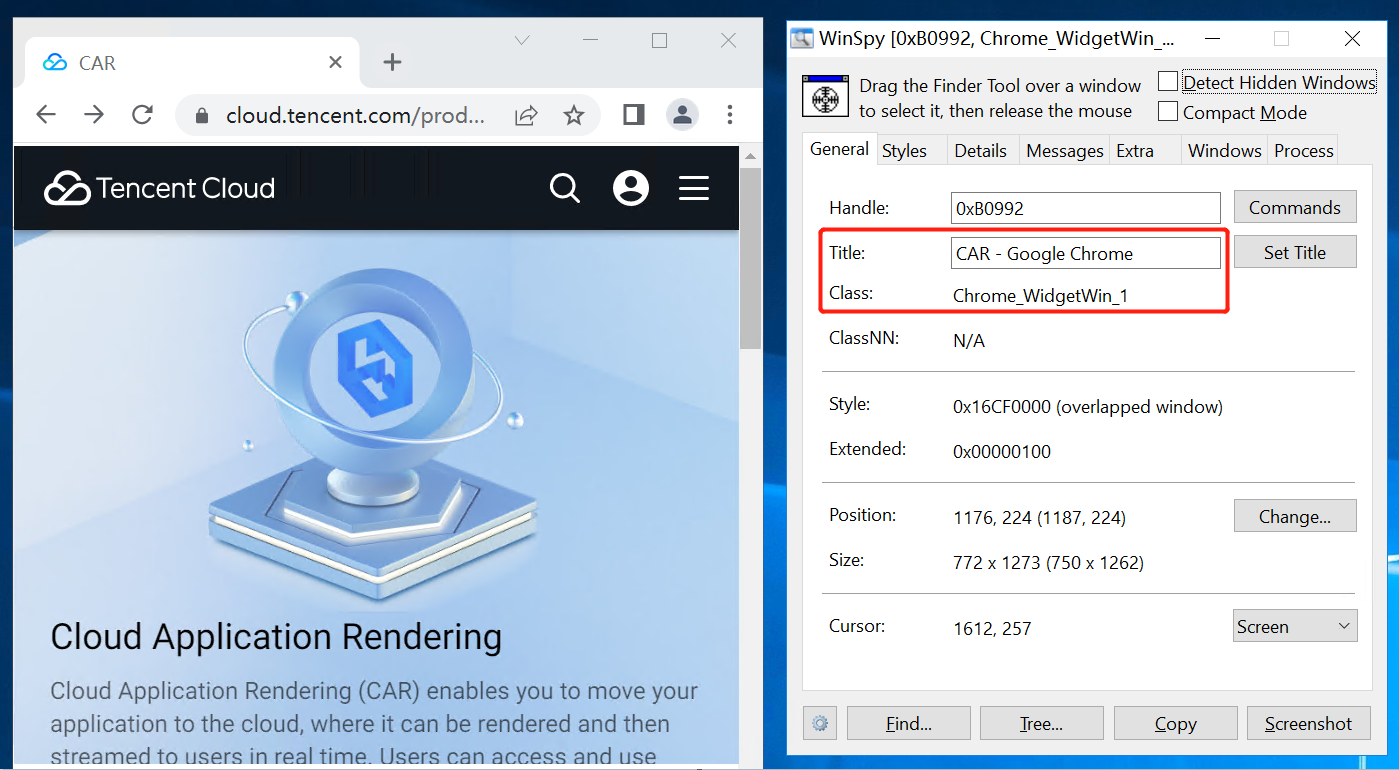
4. WinSpy captures the window attributes.
Title: Window title of your application (such as CAR - Google Chrome)
Class: Application class name (such as Chrome_WidgetWin_1)
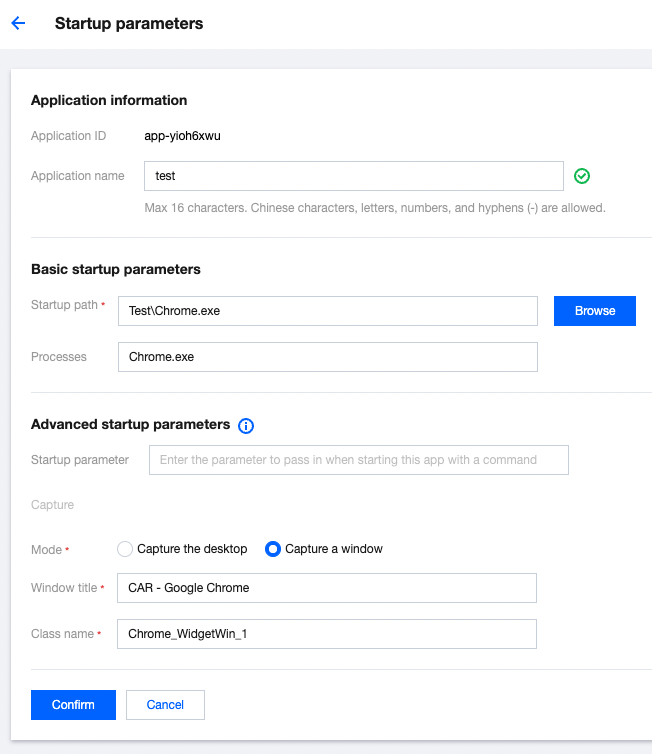
5. Modify the startup parameter configuration according to the captured attributes.