AI Transcription and Translation
다운로드
포커스 모드
폰트 크기
This document explains how to use the TRTC Multi-Party Conference SDK component (TUIRoomKit) to quickly build a multi-party conference application with AI real-time subtitles.
Solution Overview
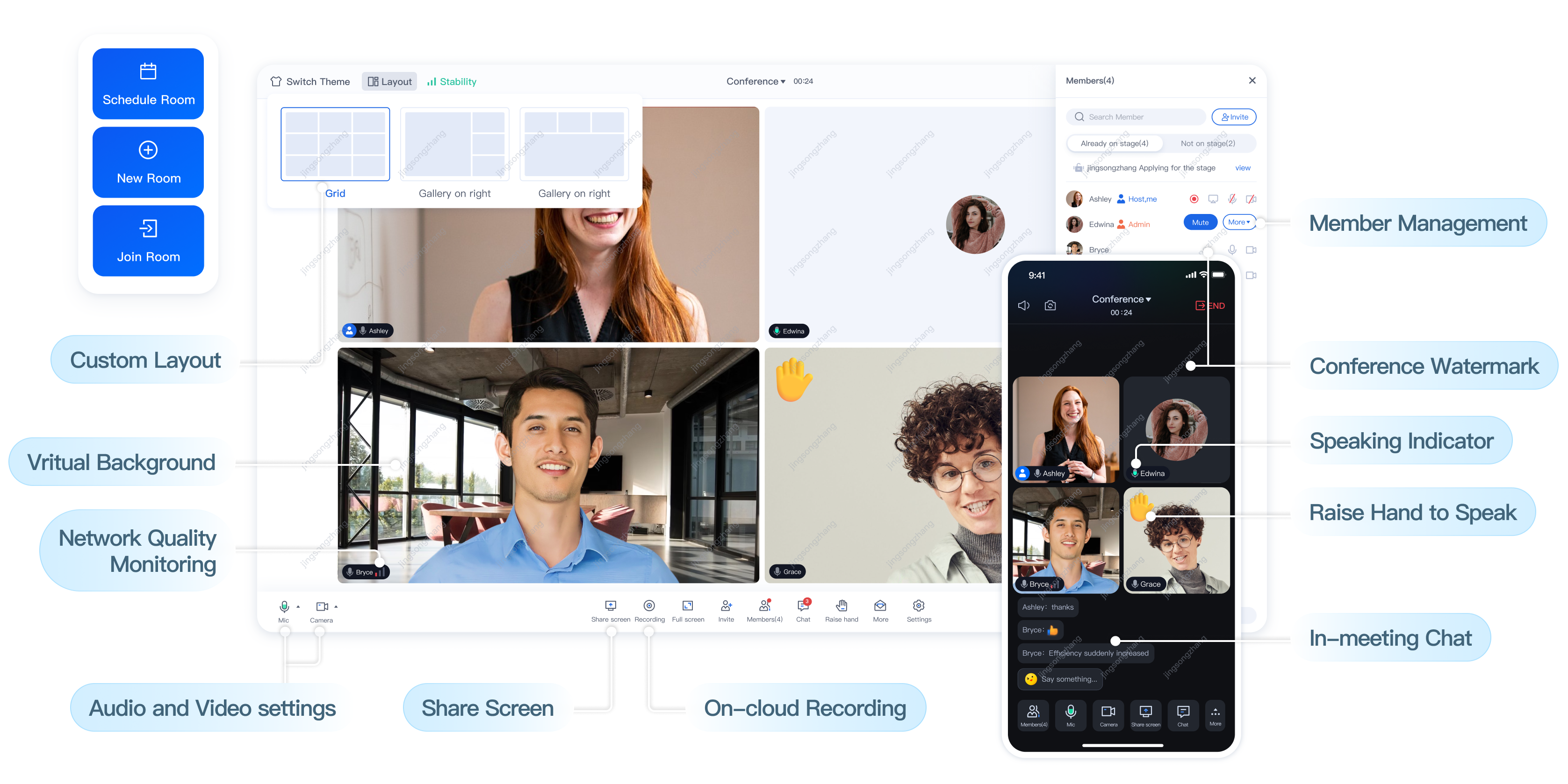
TUIRoomKit is a low-code UI component designed for multi-party audio/video conferencing scenarios, including enterprise meetings, webinars, and online education. It offers cross-platform compatibility with Mini Program, iOS, Android, Web, uni-app, and Flutter. TUIRoomKit provides features such as room management, participant management, screen sharing, and comprehensive conference controls, with support for multiple video quality levels including SD, HD, and Ultra HD. By integrating TUIRoomKit, you can add multi-party audio/video conferencing to your app in just three steps, completing integration within one day. Currently, AI real-time subtitles are supported on Web and Android platforms.
Note:
For more information on TUIRoomKit features and services, see Multi-Party Conference Component Introduction.
Billing
Using TUIRoomKit to enable AI real-time subtitles in online conferences involves two separate billing modules: TUIRoomKit usage fees and AI real-time transcription fees.
Note:
TUIRoomKit is built on Real-Time Communication (TRTC) and Instant Messaging (IM) technologies. TUIRoomKit fees include both the Instant Messaging (IM) purchase cost and the Real-Time Communication (TRTC) monthly package fee. For activation instructions, see Activate the Service.
AI real-time transcription fees include RTC audio call charges and AI speech-to-text fees. These features are unlocked by purchasing AI Intelligent Speech or TRTC monthly packages. Usage exceeding package limits is billed on a Pay-As-You-Go basis. For details about package options and pricing, see AI Intelligent Speech Billing Description. Real-time translation is not currently supported in TUIRoomKit.
Feature Overview
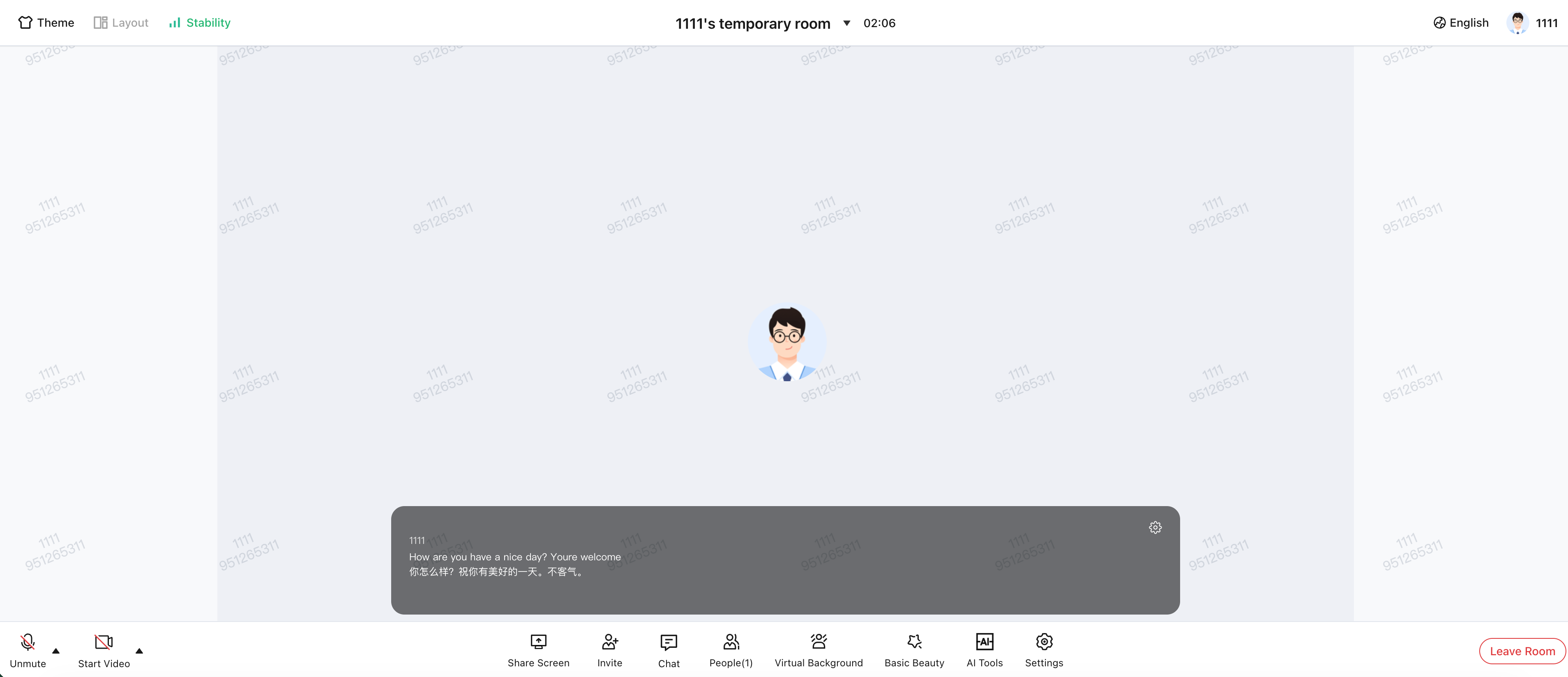
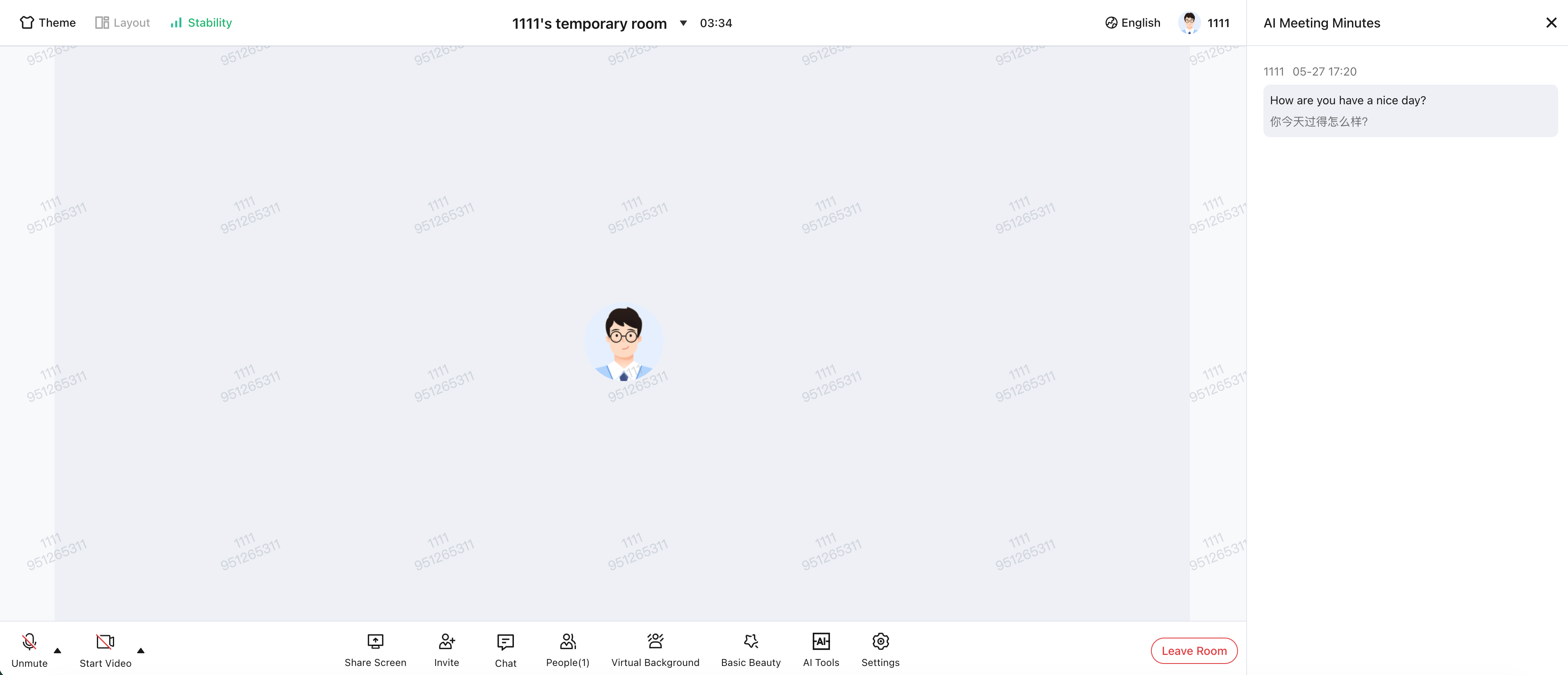
After integrating TUIRoomKit, you can enable AI real-time subtitles by clicking "AI Assistant" on the bottom toolbar. This feature includes:
AI Real-Time Subtitles: Displays conference discussions as live subtitles.
AI Real-Time Meeting Notes: Captures and records discussion content as text.
AI Real-Time Subtitles
AI Real-Time Meeting Notes
Integration
Step 1: Activate and Integrate the Multi-Party Conference SDK
Follow the instructions in Activate the Service to activate the Multi-Party Conference SDK component (TUIRoomKit). For SDK integration guides for Web and Android, refer to:
Note:
The AI real-time subtitles feature is currently available only on Web and Android platforms.
Each application supports up to 100 concurrent tasks by default.
Step 2: Activate and Integrate AI Real-Time Subtitles
Purchase a monthly package to unlock the AI speech-to-text feature, as described in AI Intelligent Speech Billing Description, and enable AI real-time subtitles in TUIRoomKit. For activation instructions, refer to:
피드백