Node Addition and Configuration Adjustment
다운로드
포커스 모드
폰트 크기
Overview
This document introduces node scaling out and node scaling up/in for etcd clusters in the console.
Notes:
Node scaling out (by adjusting the number of nodes) does not affect normal business operation.
Node scaling up/in (by adjusting the node specifications) will trigger rolling updates. It is recommended to perform the operation at off-peak hours.
Prerequisites
etcd clusters have been created.
Directions
1. Log in to the console of Cloud Service for etcd.
2. Go to the etcd cluster list page, select the region at the top of the page, and find the target etcd cluster in the cluster list below.
3. Click Adjust specification in the operation column on the right, as shown in the figure below:

4. Specify the number of nodes after addition or the node specifications in the popup window.
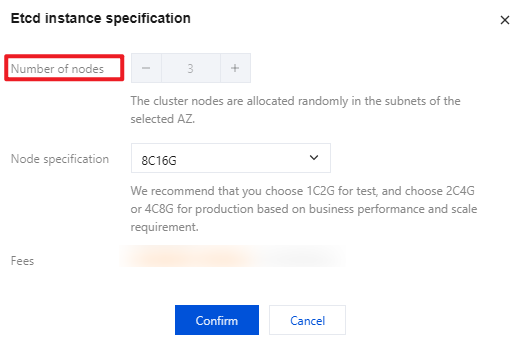
5. Click Confirm to start creating nodes.
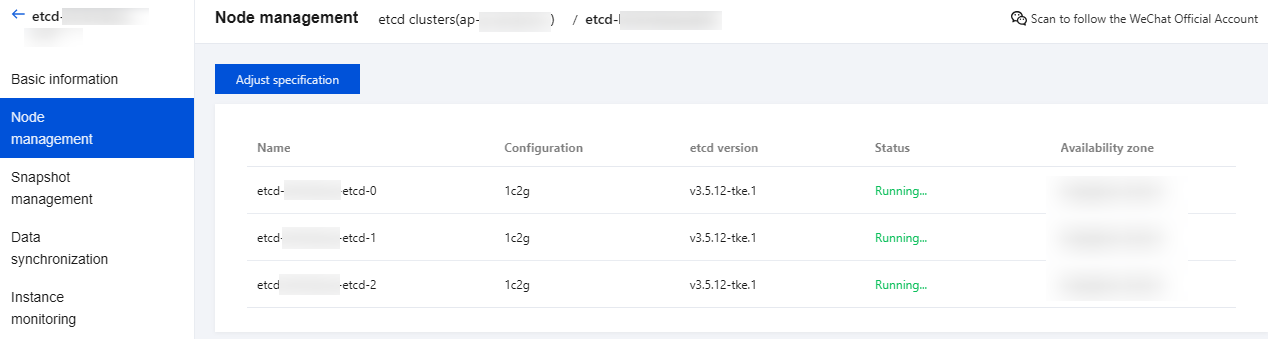
6. Click the target cluster to enter the cluster details page and view node details on the Node management page.
피드백