Changes to the OS only affect new nodes and reinstalled nodes, not existing nodes.
Nodes in the same cluster can use different OS versions without affecting cluster functionality.
One script does not suit all operating systems. After configuring a node with a script, run a test to make sure it is compatible with the operating system.
If you want to use custom images, submit a ticket for further assistance.
Operation Directions
Changing the default OS of a cluster
Note:
Before changing the default OS of a cluster, read Operating System Description carefully to learn about the relevant risks.
1. Log in to the TKE console and click Cluster in the left sidebar.
2. On the Cluster Management page, select View Cluster Credential for the target cluster to go to the basic information page of the cluster.
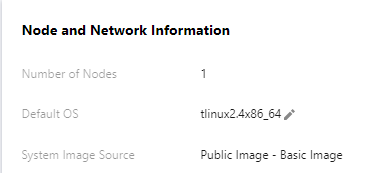
3. In Node and Network Information, click
next to Default OS. See the figure below:
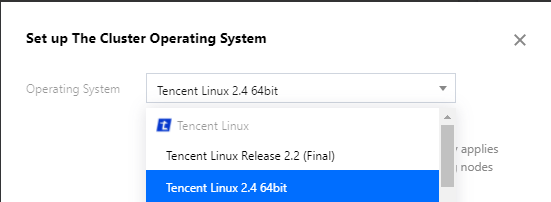
4. On the Set Cluster OS page, change the OS. See the figure below: