Modifying the Recovery Mode
다운로드
포커스 모드
폰트 크기
TencentDB for SQL Server supports two database recovery models: Full (default) and Simple. This document describes how to modify the recovery model.
SQL Server Recovery Mode Comparison
Feature | Simple Mode | Full Mode (Default) |
Transaction Log Backup | Not supported | Supported |
Point-in-Time Recovery | Not supported | Supported |
Transaction Log Management | Transaction logs are automatically truncated. | All transactions are fully logged, requiring manual log backup and truncation. |
Data Protection | Data may be lost after the last backup. | Minimized data loss |
File Size | Smaller | Relatively large, requiring periodic log backup. |
When the recovery model of TencentDB for SQL Server is Full, it can fully record all transactions, support transaction log backup, and support point-in-time recovery to avoid data loss. We strongly recommend that you use the Full model.
Note
Only single-node instances are supported to be changed from Simple to Full model. Two-node and multi-node instances do not support recovery model modification.
When the recovery model is Simple, the database is not available for rollback to a specified time point.
Each time the recovery model is changed from Simple to Full, the instance initiates a full backup. This results in an increase in backup files for that instance, occupying backup space and increasing backup costs. Furthermore, log backups are generated only after the full backup is completed. Therefore, we recommend that you do not repeatedly change the recovery model, as this will affect the continuity of log backups.
Recovery Mode Display
You can view the recovery model of databases under an instance on the database management page of the console.

Operation Steps
Modifying the Recovery Mode for a Single Database
1. Log in to the TencentDB for SQL Server console and click Instance ID or Manage in the Operation column in the instance list to enter the instance management page.
2. On the instance management page, select the Database Management page, select the row where the target database resides, and then choose Others > Modify recovery model in the Operation column.
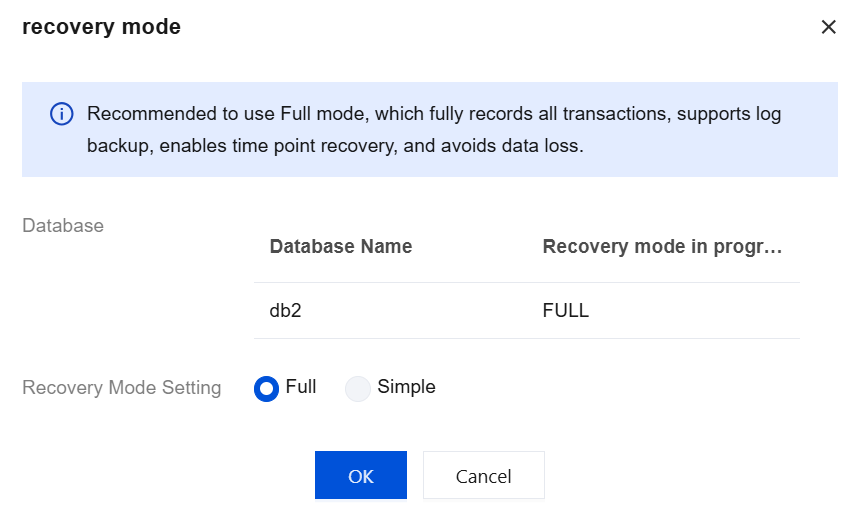
3. In the pop-up window, set the recovery model and click OK.
Batch Modification of Recovery Modes
1. Log in to the TencentDB for SQL Server console and click Instance ID or Manage in the Operation column in the instance list to enter the instance management page.
2. On the instance management page, select the Database Management page.
3. Select multiple databases in the list, and then choose Batch Management > Batch modify recovery model above.
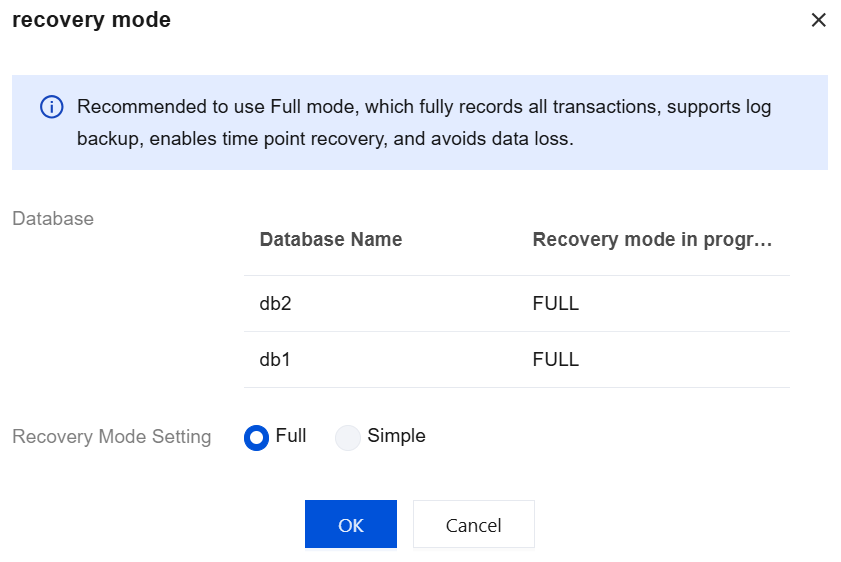
4. In the pop-up window, set the recovery model and click OK.
피드백