Basic Operations
下载
聚焦模式
字号
The read-only analysis instance is operated in a manner largely consistent with other instances. You can independently view, modify, manage network settings, delete, and restore the read-only analysis instance.
Prerequisites
The read-only analysis instance has been created. For the creation method, see Enabling a Read-Only Analysis Instance.
The instance status is running.
Viewing Instance Information
You can go to the details page of the read-only analysis instance using either of the following two methods.
1. Log in to the TDSQL Boundless console. In the Instance list, click the primary Instance ID to go to the primary instance details page.
2. On the Instance Architecture Diagram tab of the Instance Details page, locate the read-only analysis instance. Click the read-only analysis instance ID to go to the read-only analysis instance details page.
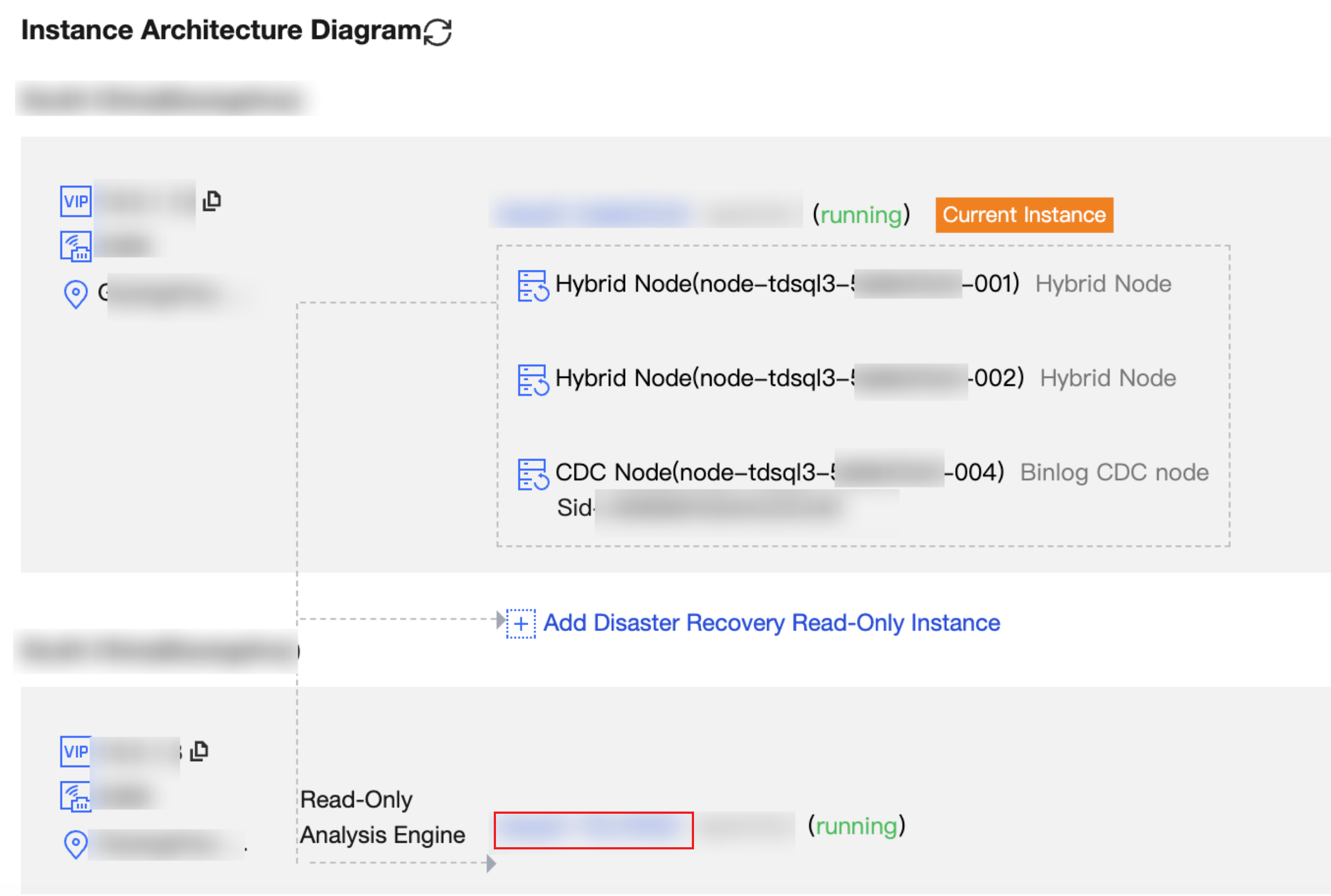
Log in to the TDSQL Boundless console. In the Instance List, locate the target read-only analysis instance. Click the Instance ID to go to the Instance Details page.
Note:
The instance ID of a read-only analysis instance in the list is marked with an "A" superscript to distinguish it from read/write instances and other read-only analysis instances.
Supported Action
After you go to the read-only analysis instance details page, you can perform the following operations.
Operation | Description | Reference Documentation |
Instance name modification | Rename the read-only analysis instance. | |
Modify Network Address | Adjust the private IP address and port of the instance. | |
Terminating Instance | Terminate the read-only analysis instance that is no longer needed. After the read-only analysis instance is terminated, it becomes inaccessible. The read and write operations on the primary instance are not affected, but data from the primary instance stops synchronizing to this read-only analysis instance. If you need to continue using the analysis capability, create a new read-only analysis instance. | |
Restoring Instances | Restore the deleted instance from the recycle bin. | |
Restarting Instance | Restart the read-only analysis instance. | |
Modify Data Loading Object. | Modify the data loading object of the read-only analysis instance. | |
文档反馈