Viewing Alarm Records
下载
聚焦模式
字号
You can review triggered alarm history or view alarm history details from the past six months via the console. Alarms enable you to quickly pinpoint specific issues and conduct further troubleshooting. By analyzing alarm history, you can better understand and improve your database's operational status.
This document describes how to view alarm history via the console. For detailed information about this feature, see View Alarm History.
Steps
1. Log in to the Alarm Management > Alarm Configuration page in TCOP.
2. On the Alarm Policy page, locate the corresponding alarm policy for which you need to view the alarm history, and then click Alarm Records in the Operation column.

3. (Optional) Click the time filter in the upper-left corner to filter the time range for which you need to view alarm history. You can filter and view alarm history for preset time ranges such as 5 minutes, 30 minutes, 1 hour, 3 hours, 12 hours, 24 hours, 2 days, 7 days, and 30 days. You can also customize the time range, with a maximum viewable history of up to the past six months.
4. (Optional) This feature supports filtering by selecting resource attribute Tags. To search, select the alarm content and alarm object Tags, then enter keywords. Separate multiple keywords with a vertical bar
|, and separate multiple filter Tags with the Enter key.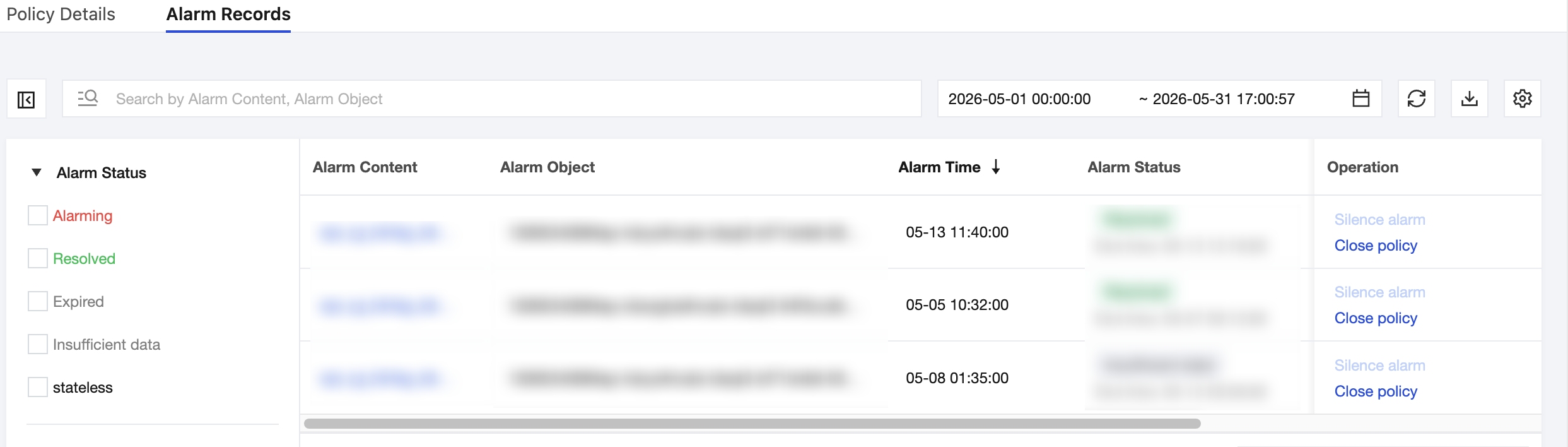
文档反馈