Watermark Protection
다운로드
포커스 모드
폰트 크기
Anti-DDoS supports watermark protection for messages sent by the business client. Within the range of the UDP and TCP message ports configured, the business client and Anti-DDoS share the same watermark algorithm and key. After the configuration is completed, every message sent from the client will be marked with the watermark while attack messages will not, so that the attack messages can be identified and discarded. Watermark protection can effectively and comprehensively defend against layer-4 CC attacks, such as analog business packet attacks and replay attacks.
Directions
1. Log in to the new Anti-DDoS console and click DDoS Protection on the left sidebar.
2. Select an Anti-DDoS instance ID in the list on the left, such as "bgp-00xxxxxx".

3. In the Watermark protection section, click Set.
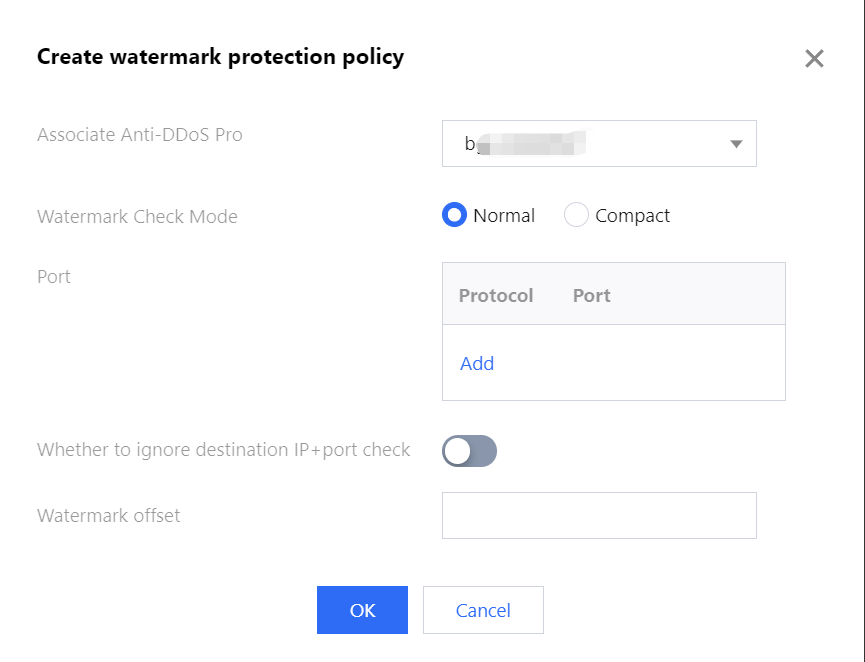
4. On the pop-up page, click Create, enter the required fields, and click OK to create a watermark protection rule.
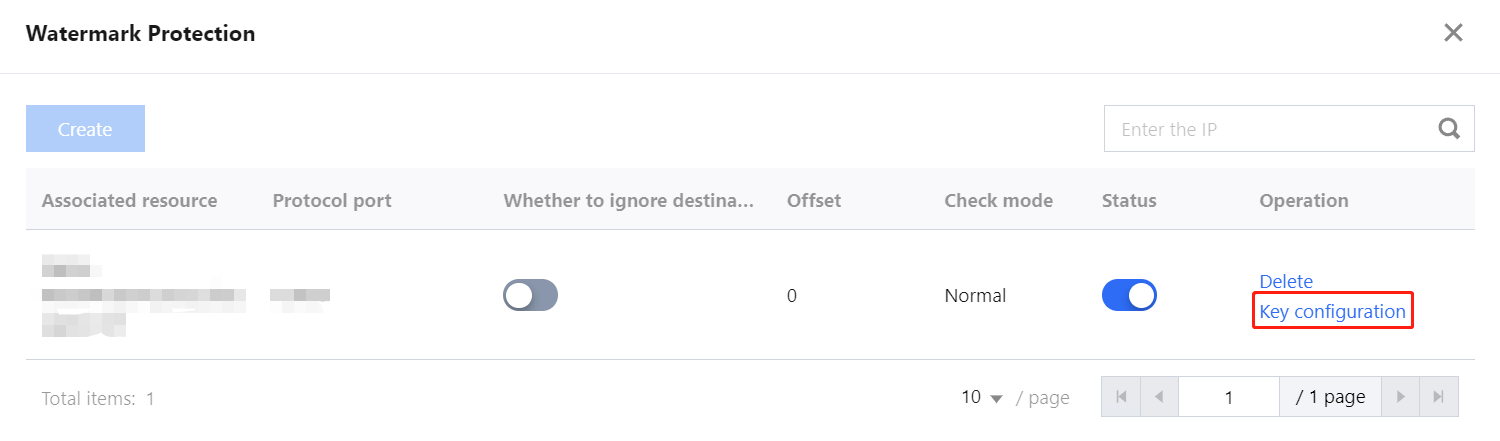
5. After the rule is created, it is added to the watermark protection list. You can click Key configuration to view and configure a key.
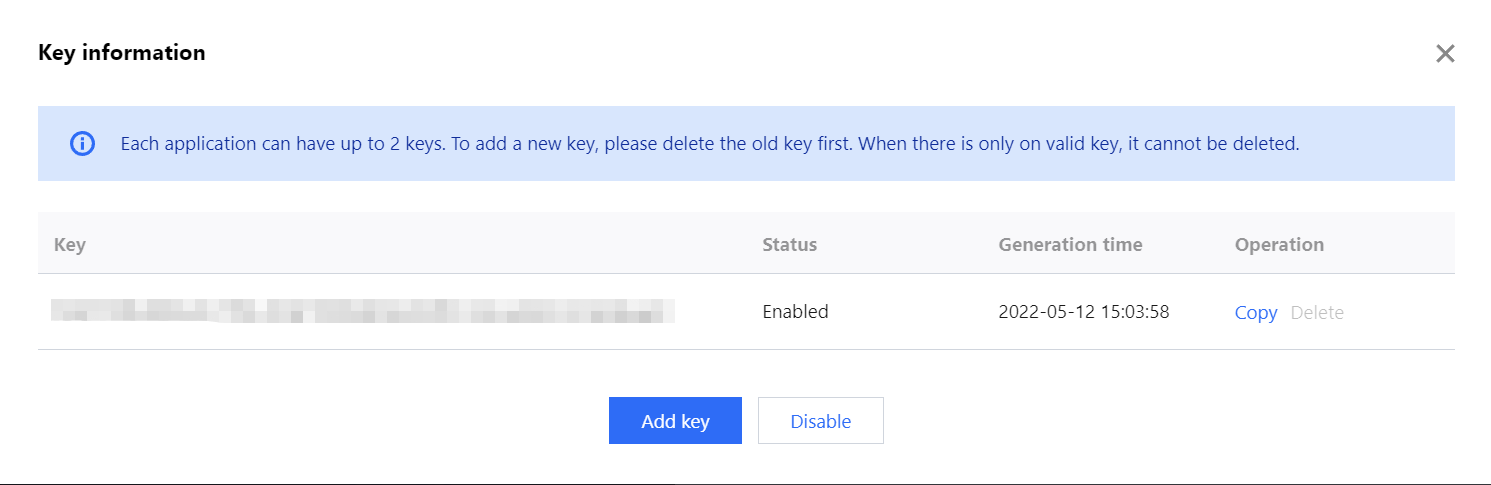
6. On the key configuration page, you can also copy, add, or delete a key. A key can be deleted if you have another key. Up to two watermark keys can be created.
피드백