Renaming Cluster
다운로드
포커스 모드
폰트 크기
You can name TDSQL-C for MySQL clusters to distinguish between and manage them. The default cluster name is the cluster ID, which you can change in the console.
Directions
On the cluster list page, proceed according to the actually used view mode:
1. Log in to TDSQL-C for MySQL Console, locate the cluster list on the left, and click the target cluster to enter the cluster management page.
2. On the cluster management page, click the edit icon next to the cluster name.
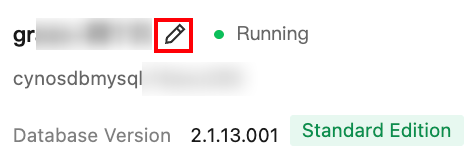
3. In the pop-up window, enter the new cluster name and click OK.
Note:
The cluster name can contain up to 60 letters, digits, hyphens, underscores, and dots.
Renaming Cluster in Cluster List
1. Log in to the TDSQL-C for MySQL console, find the required cluster in the cluster list, and click the edit icon next to the cluster name.
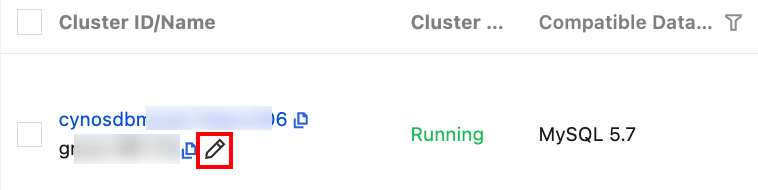
2. In the pop-up window, enter the new cluster name and click OK.
Note:
The cluster name can contain up to 60 letters, digits, hyphens, underscores, and dots.
Renaming Cluster in Cluster Details
1. Log in to the TDSQL-C for MySQL console and click a cluster ID in the cluster list to enter the cluster details page.
2. On the cluster details page, click the edit icon next to the cluster name.
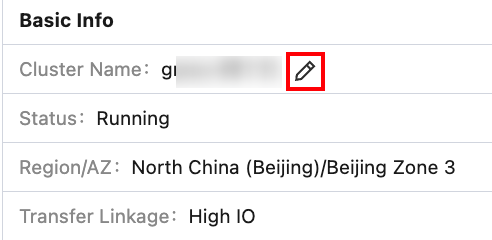
3. In the pop-up window, enter the new cluster name and click OK.
Note:
The cluster name can contain up to 60 letters, digits, hyphens, underscores, and dots.
Related APIs
API | Description |
This API (ModifyClusterName) is used to modify cluster name. |
피드백