Security Group
다운로드
포커스 모드
폰트 크기
A security group is a virtual firewall that features stateful packet filtering. It is used to configure network access control for instances such as CVM, CLB, and cloud databases, controlling inbound and outbound traffic at the instance level. It serves as a crucial means of network security isolation. For details, see Security Group Overview.
Binding a Security Group
1. Log in to the SCS console. In the cluster list under Compute Resources, select a single cluster. Then, locate the security group in the Resource Information module of the cluster information.
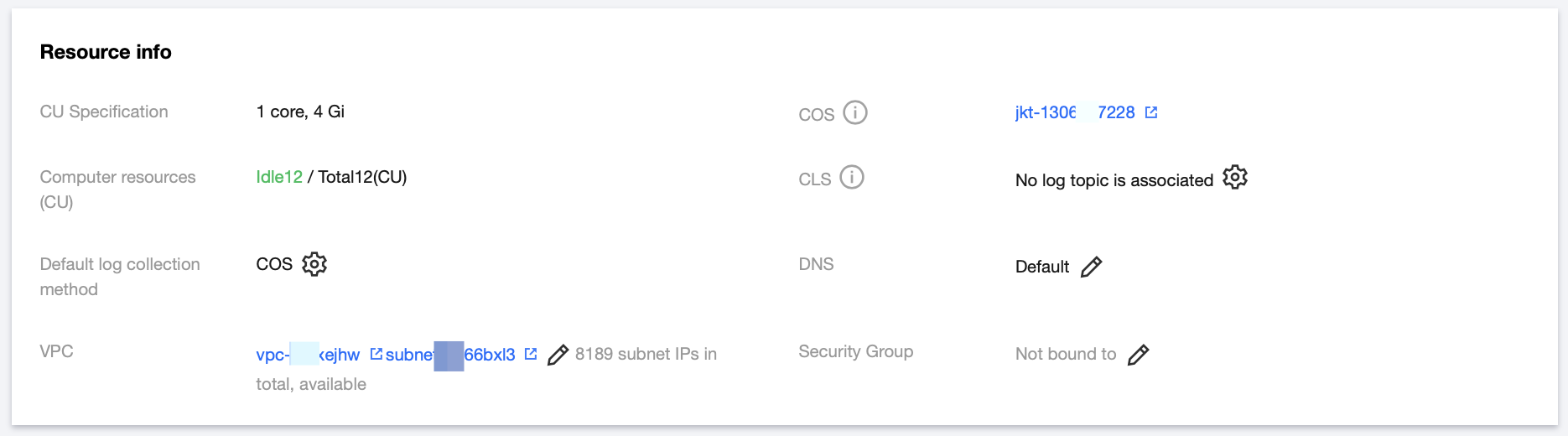
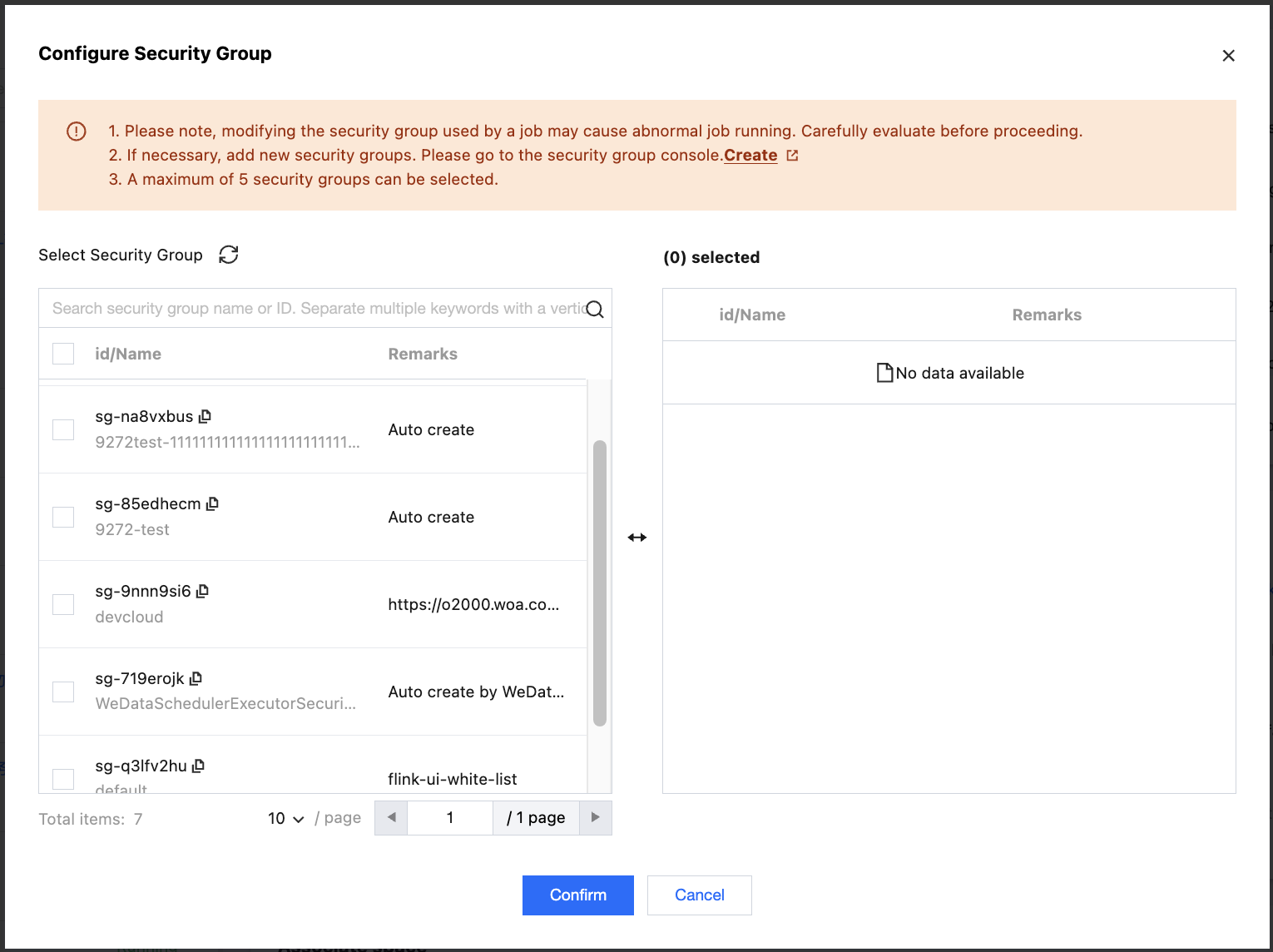
2. Select an existing security group to bind. If you need to create a new security group, you can create it first and then bind it.
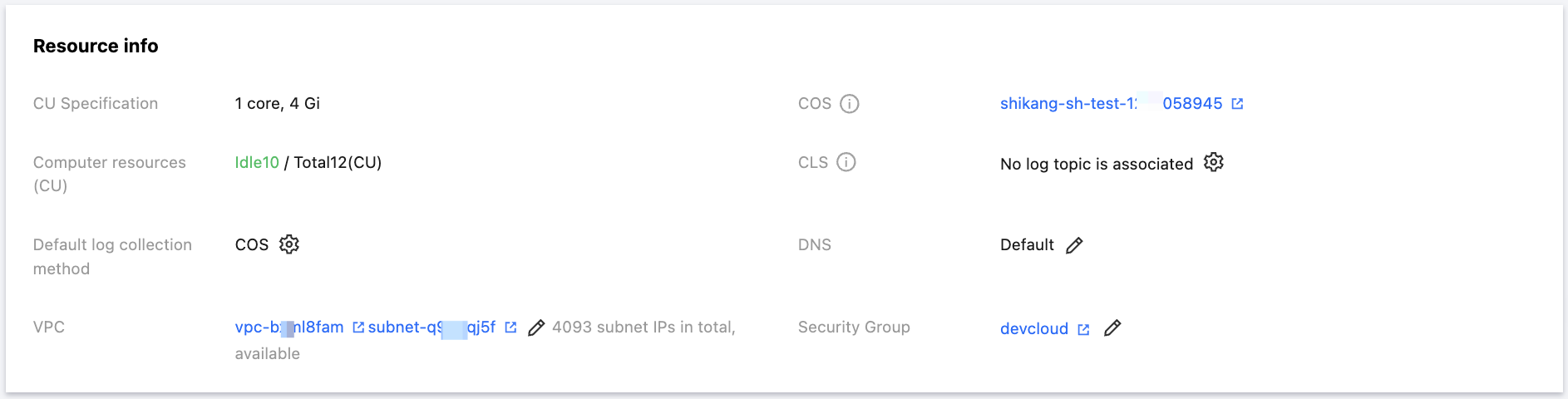
3. The security group information is displayed after the binding is successful.
피드백