TUILiveKit provides two beauty enhancement options: Basic Beauty (built-in) and Advanced Beauty (requires extra integration and purchase). Select the solution that best meets your requirements.
Basic Beauty
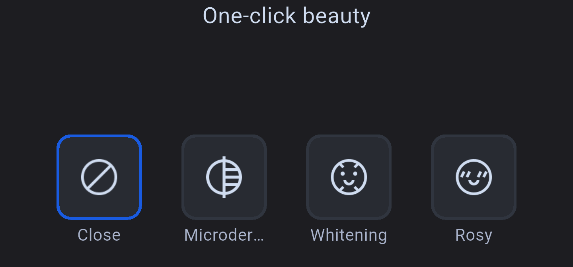
Basic Beauty is integrated by default in TUILiveKit and requires no additional setup. It offers whitening, smoothing, and rosy effects, each with adjustable intensity.
Advanced Beauty
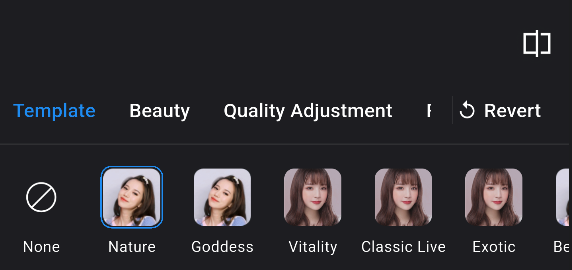
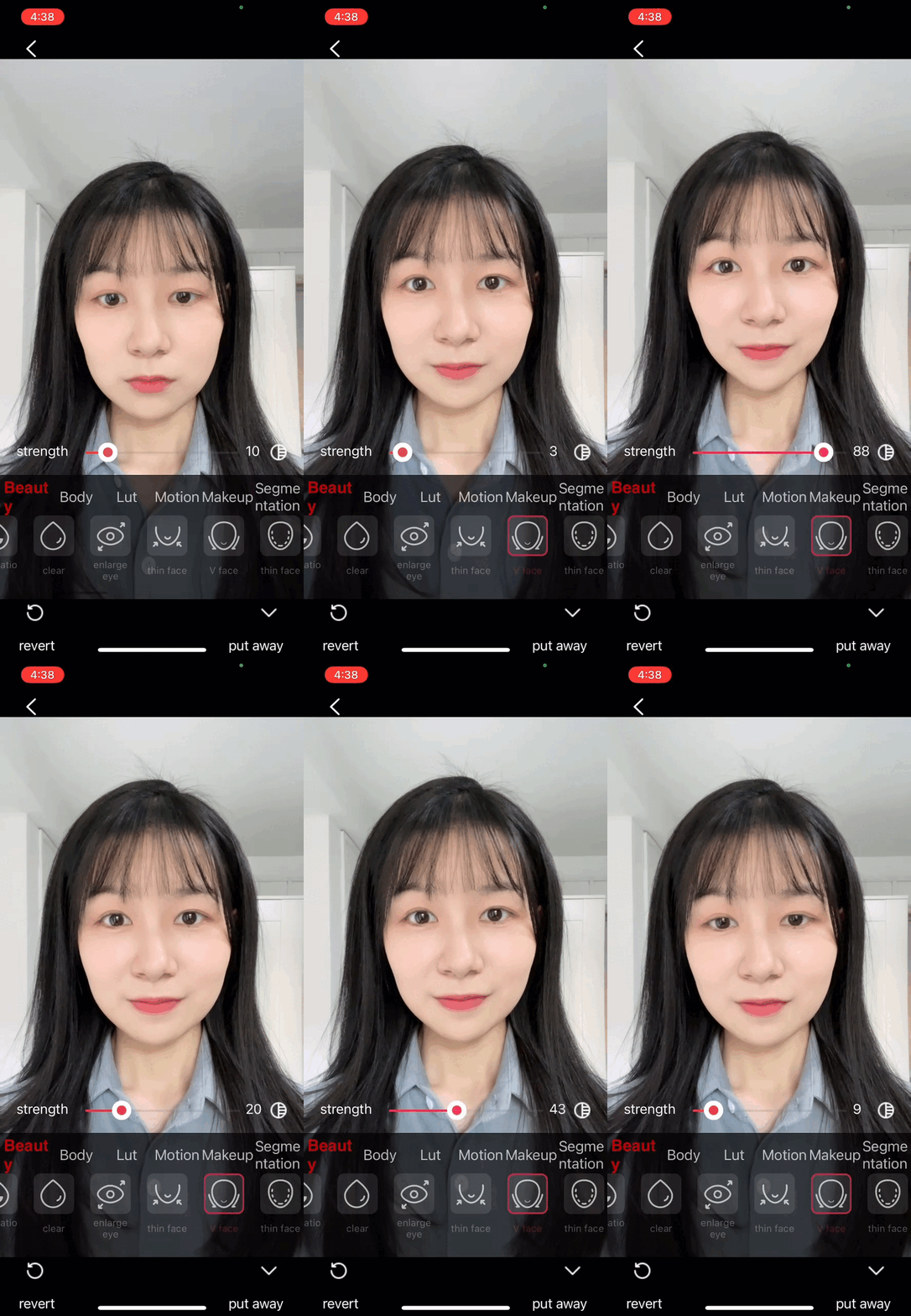
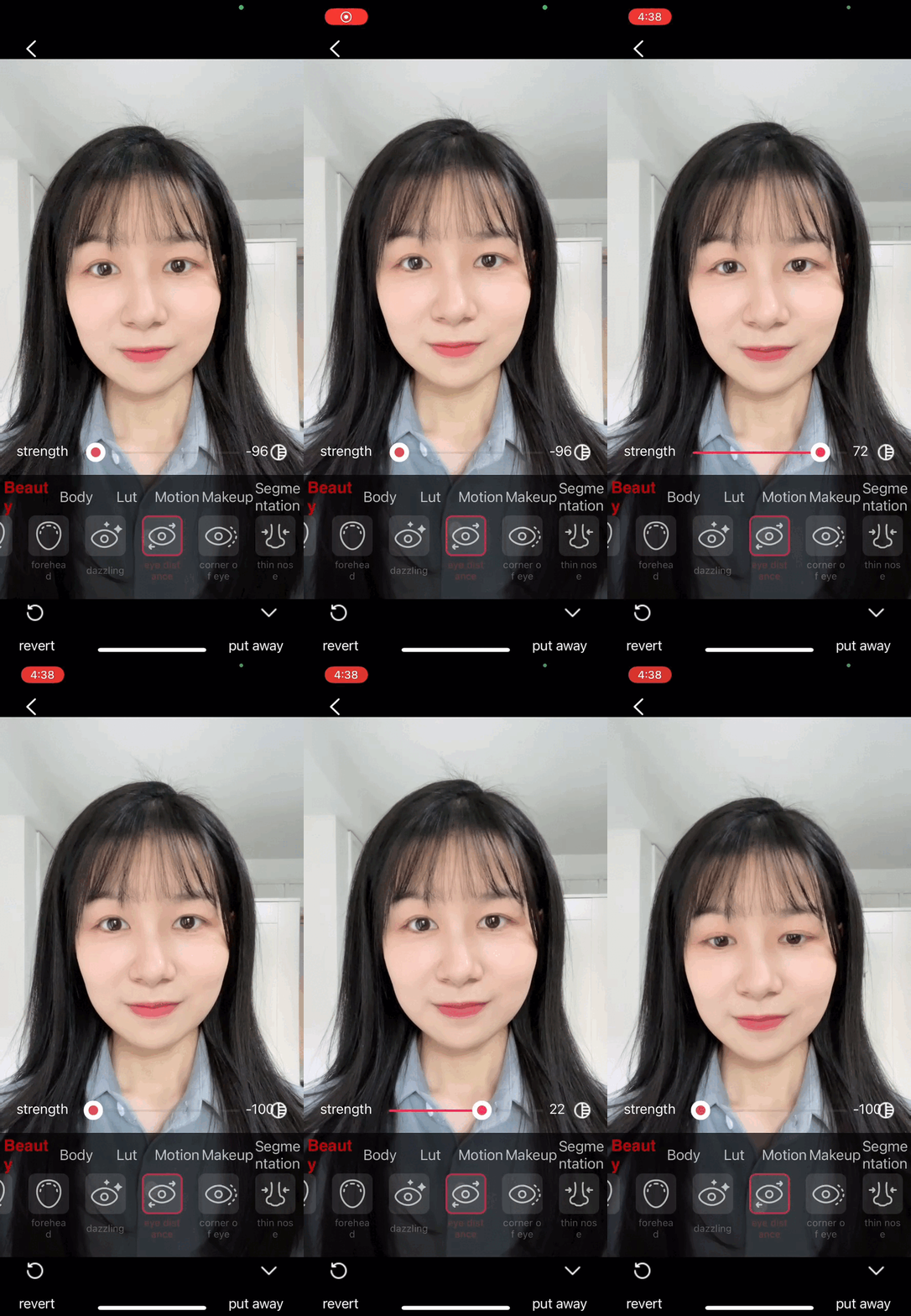
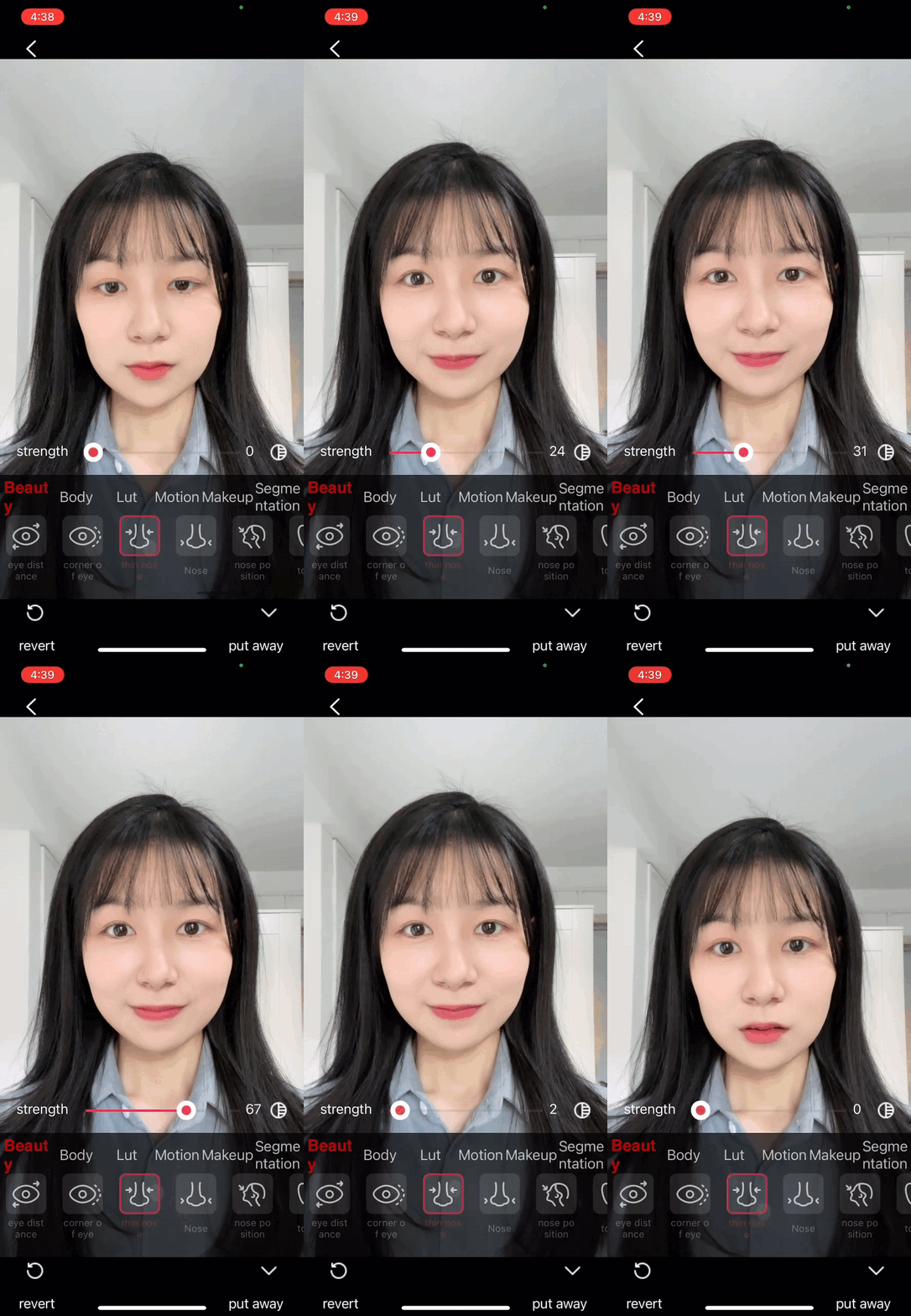
Advanced Beauty uses the Tencent Effects SDK to deliver a wider range of professional beauty features, including V-shaped face, eye distance adjustment, nose slimming, 3D stickers, and more.
Example screenshots of both beauty panels:
Basic Beauty Panel
Advanced Beauty Panel
Advanced Beauty Effects Showcase
V-face
Eye Spacing
Nose Slimming
3D Sticke
Prerequisites
See Preparation for steps to integrate the TUILiveKit component.
Component Integration
TUILiveKit includes Basic Beauty by default and requires no additional integration. To use Advanced Beauty, complete the steps below.
Note:
Advanced Beauty requires a separate paid package. For more information, refer to Tencent Effects SDK.
Step 1: Integrate the te_beauty_kit Adapter Module
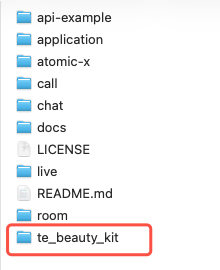
Download the TUIKit_Flutter source code from GitHub. Copy the te_beauty_kit folder into your project at the same directory level as the app folder.
Add the te_beauty_kit dependency to your Flutter project's pubspec.yaml file:
dependencies:
te_beauty_kit:
path: ../te_beauty_kit # Use your actual path
Note:
The following integration steps assume you have purchased a beauty package. To streamline the process, S1-07 is used as an example. After integration, refer to Update Package to switch to your actual package.
3. Integrate beauty effect assets. Android and iOS require separate integration:
Android
iOS
Copy the lut and MotionRes directories from TUIKit_Flutter/application/android/app/src/main/assets to your Android app's assets directory:
android/app/src/main/assets/
├── lut/
│ ├── baixi_lf.png
│ ├── dongjing_lf.png
│ ├── moren_lf.png
│ ├── xindong_lf.png
│ └── ziran_lf.png
└── MotionRes/
├── 2dMotionRes/
├── 3dMotionRes/
├── handMotionRes/
├── ganMotionRes/
├── makeupRes/
├── light_makeup/
└── segmentMotionRes/
Copy the TUIKit_Flutter/application/ios/xmagic directory to your iOS project root:
ios/
└── xmagic/
├── lut.bundle/
├── 2dMotionRes.bundle/
├── 3dMotionRes.bundle/
├── makeupMotionRes.bundle/
├── ganMotionRes.bundle/
├── handMotionRes.bundle/
├── lightMakeupRes.bundle/
└── segmentMotionRes.bundle/
Drag the xmagic/ directory into your Xcode project, select Create folder references (blue folder), do not use group, and ensure Target Membership is enabled for your main app target.
4.
Package and panel JSON mapping table
: Import all JSON files that correspond to your selected BeautyLevel. Missing files will result in missing or blank tabs.
1. Add the following configuration to your Flutter project's pubspec.yaml:
# pubspec.yaml
# Root-level configuration
EffectPlayer:
sub_spec: 'NoXMagic'
TencentEffect:
te_sub_spec: 'S1-07'
Note:
1. EffectPlayer.sub_spec: Options are Default and NoXMagic. If you use both Tencent Effects Player and Tencent Effects Beauty libraries, you may encounter a compilation conflict with the xmagic library. To resolve this, set NoXMagic to compile only one copy of the xmagic library. TUILiveKit includes the gift component live_uikit_gift by default, which uses Tencent Effects Player.
2. TencentEffect.te_sub_spec: Set your package type here. For more options, see Step 2, Item 4.
iOS Platform: If EffectPlayer.sub_spec is set to NoXMagic, comment out YTCommonXMagic in your iOS app's Podfile. Tencent Effects Beauty will import this library by default.
# Comment out YTCommonXMagic library
# pod 'YTCommonXMagic', :podspec => 'https://mediacloud-76607.gzc.vod.tencent-cloud.com/MediaX/iOS/podspec/release/YTCommonXMagic_1.3.1/YTCommonXMagic.podspec'
Android Platform: Ensure your root settings.gradle file's dependencyResolutionManagement includes the Tencent Maven repository. The tebeautykit module's Tencent Effects SDK dependency is fetched from this source:
BeautyLevel options (correspond to the Tencent Effects SDK packages you have purchased):
A1_00 A1_01 A1_02 A1_03 A1_04 A1_05 A1_06
S1_00 S1_01 S1_02 S1_03 S1_04 S1_05 S1_06 S1_07
Update Package
1. Confirm your purchased package type and contact Tencent Effects SDK support to obtain the relevant beauty panel resources (including panel configuration assets and beauty effect assets).
After completing the above steps, launch your app, open the live preview page, click the beauty button, and verify that the beauty panel appears as expected.
FAQs
What should I do if License authentication fails?
Check that your LicenseUrl and LicenseKey are bound to the correct package, confirm that the selected BeautyLevel matches the License, and make sure your application's applicationId matches the package name used when applying for the License.
Is dynamic package switching supported?
No, package selection must be finalized at compile time to download the appropriate dependency libraries.