This document guides you on how to change the identity verification information for a Tencent Cloud account that has completed enterprise identity verification to another enterprise/individual identity verification. Identity verification information determines account ownership. After an account completes identity verification, we recommend that you do not modify the verification information arbitrarily.
Notes
Identity verification can be changed only 30 days after the last verification is completed.
During the period from the initiation of an identity verification change until its approval/rejection, you can withdraw the change application at any time via ticket. The identity verification information will then be restored to the originally verified entity.
Resources and incurred fees are subject to the originally verified entity before the application is approved.
After identity verification is completed, the account type will be automatically updated to the verified type.
Step 1. Initiate modification of identity verification
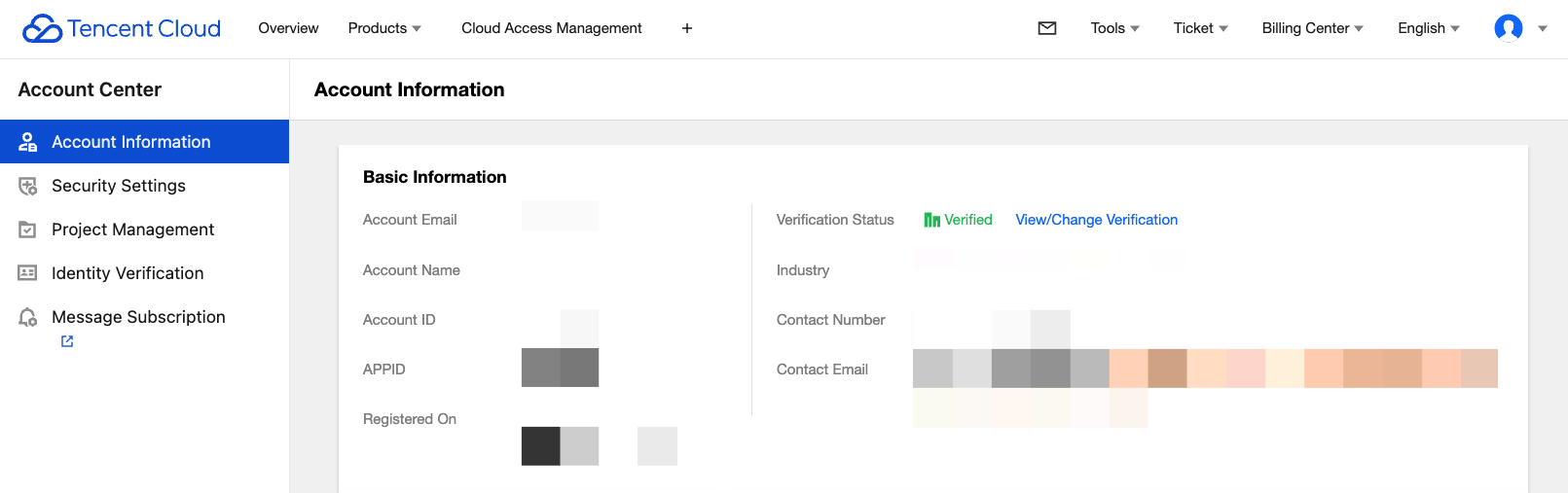
1. Log in to the Tencent Cloud Console and go to Account Information, navigate to Basic Information > Verification Status, and click View/Change Verification.
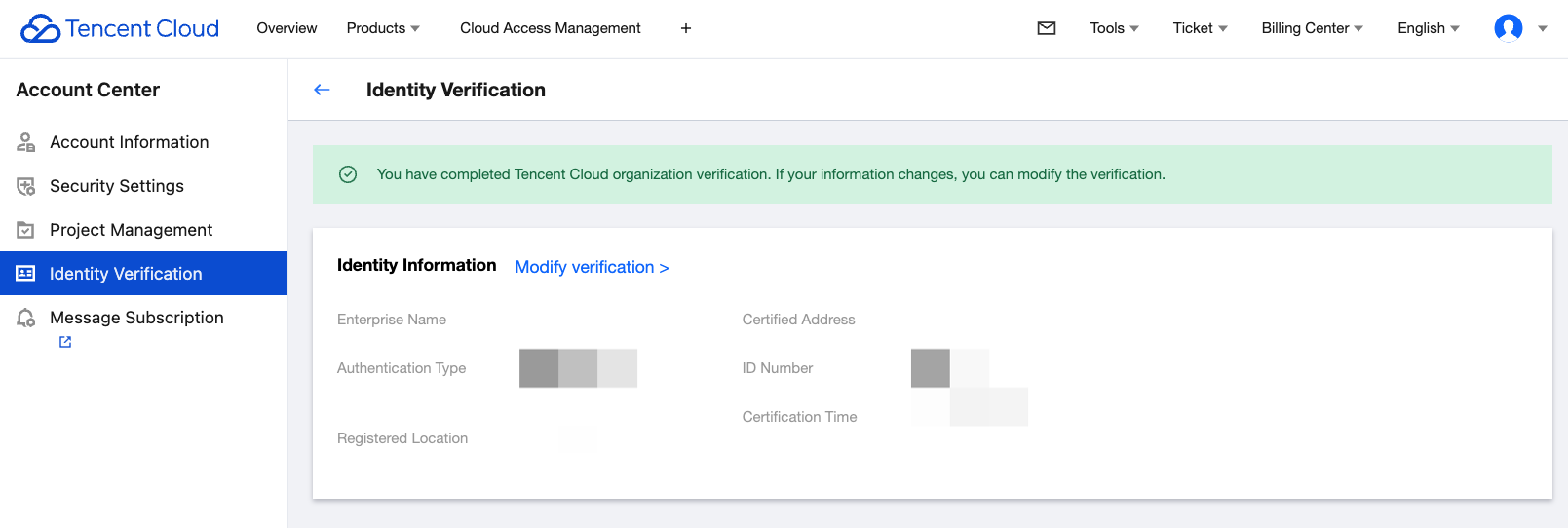
2. On the identity verification information page, click Modify verification.
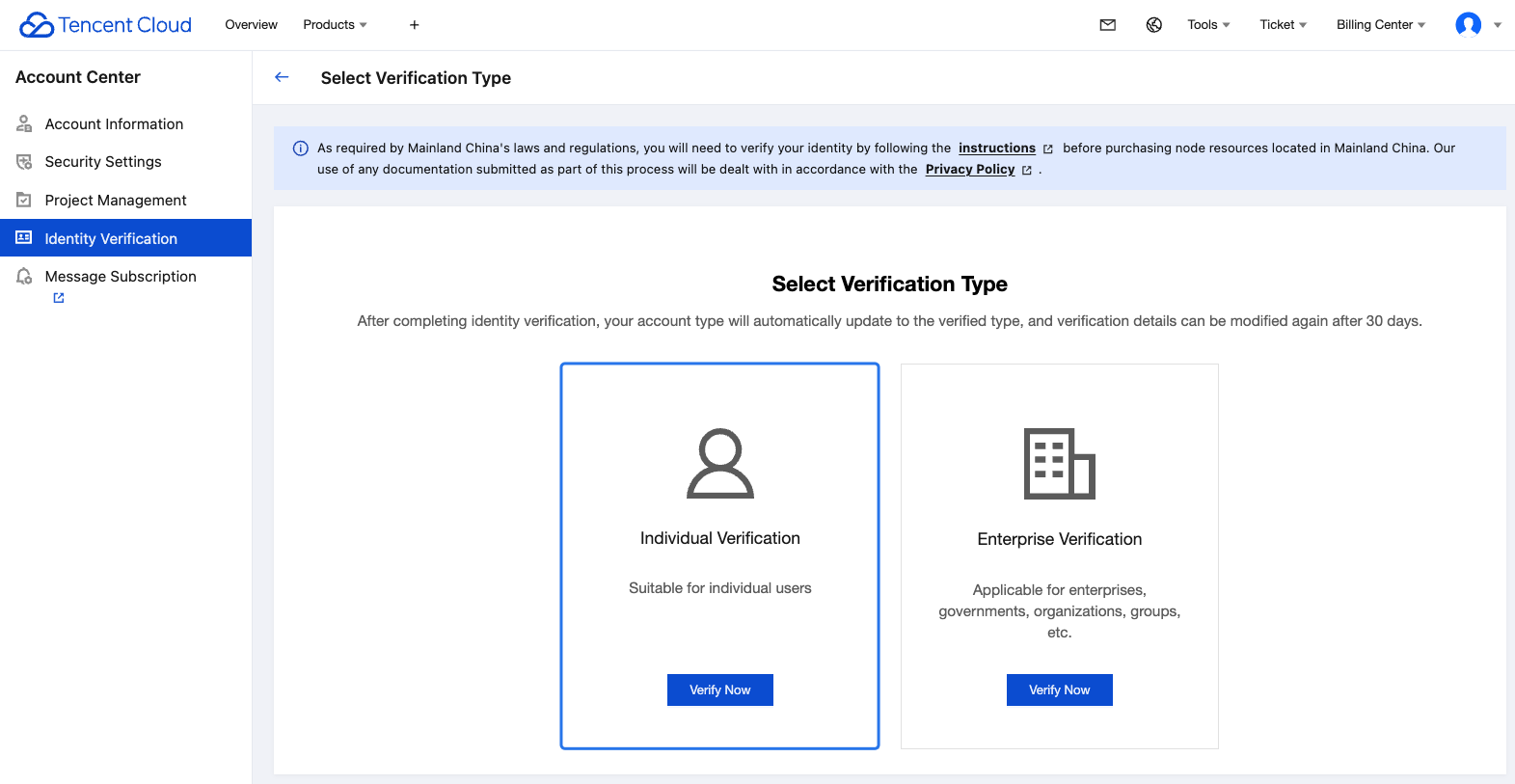
Step 2. Select the verification type
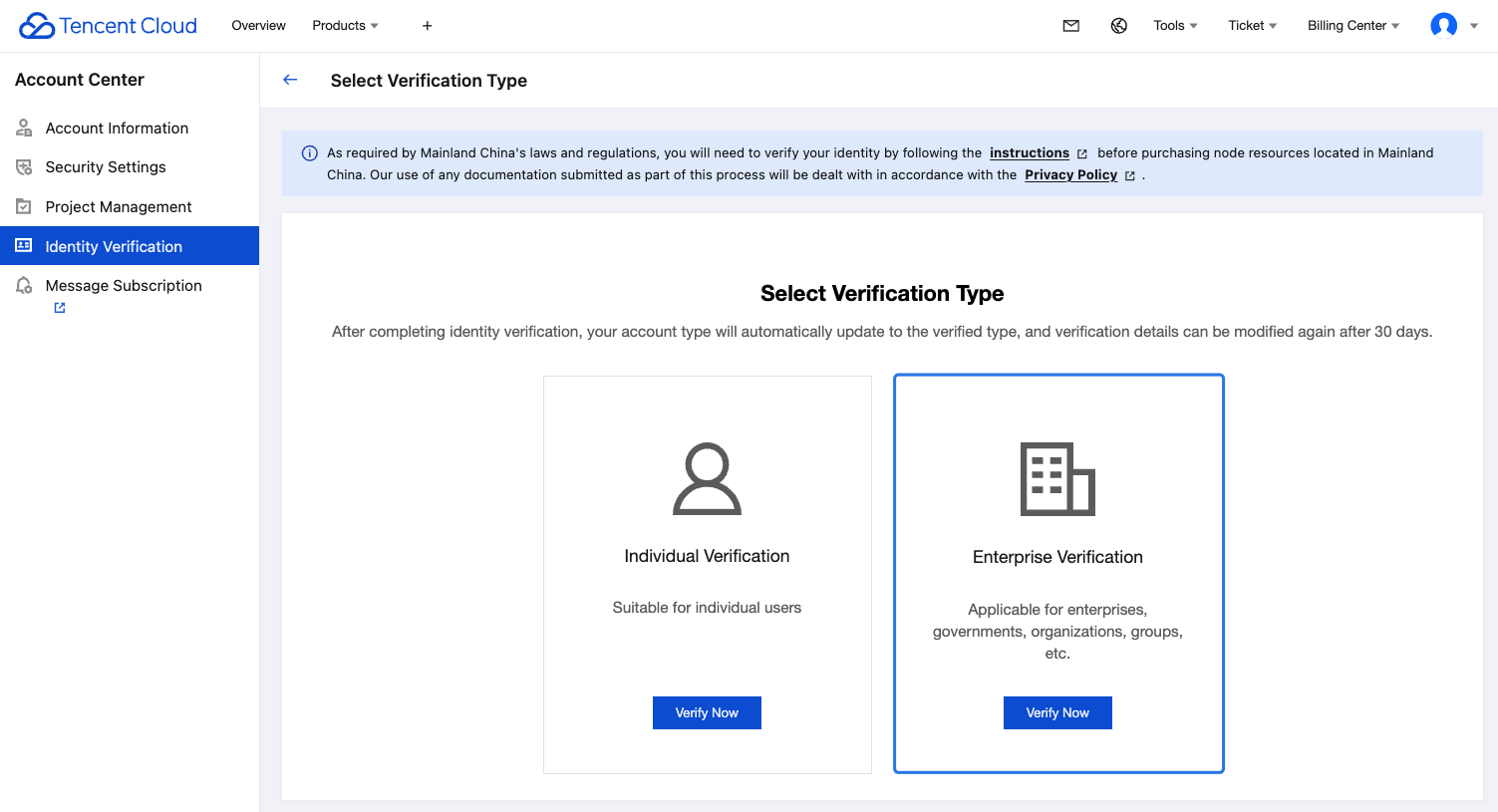
Select the target verification type: individual or enterprise.
Changing from One Enterprise to Another
1. Select Enterprise Verification and click Next.
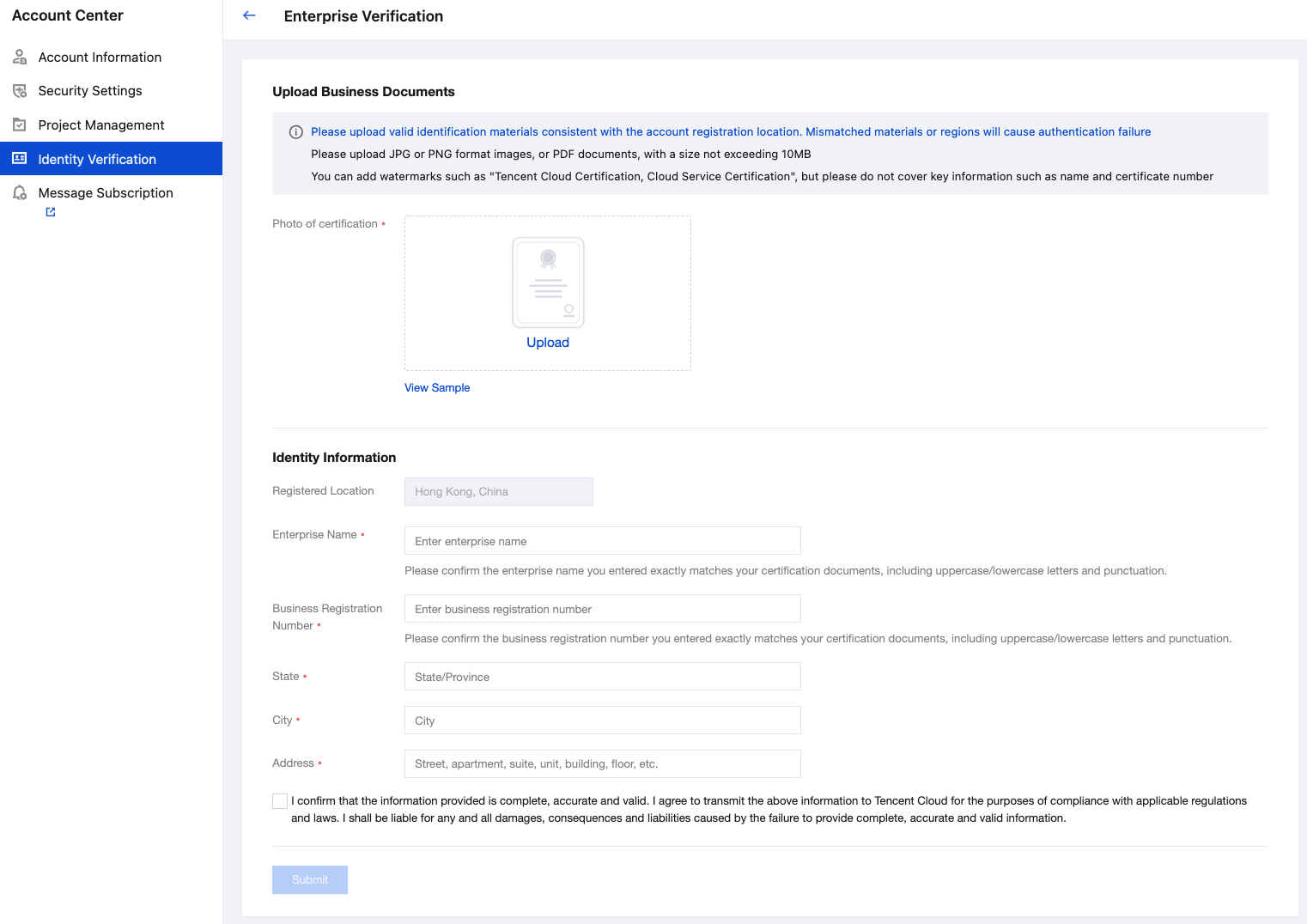
2. Enter the basic enterprise information.
Verification photo: Upload the original business registration document registered in the country where the account is located. The document must be authentic, valid, clear, and unedited. Supported formats are JPG/JPEG/PNG/PDF, with a maximum file size of 10 MB.
Enterprise Name: Enter the business name exactly as it appears on the official registration document.
Business Registration Number: Enter the business registration number exactly as it appears on the official registration document.
State & city & address: enter the business registered address according to the actual situation.
3. After completing the information above, select I confirm that the information provided is complete, accurate and valid. I agree to transmit the above information to Tencent Cloud for the purposes of compliance with applicable regulations and laws. I shall be liable for any and all damages, consequences and liabilities caused by the failure to provide complete, accurate and valid information and click Submit to initiate the identity verification process.
4. After you submit the identity verification application, Tencent Cloud team will complete the review within 2-4 business days. You will be notified of the review result via the console Message Center, email, and SMS.
Changing from Enterprise to Individual
1. Select Individual Verification and click Next.
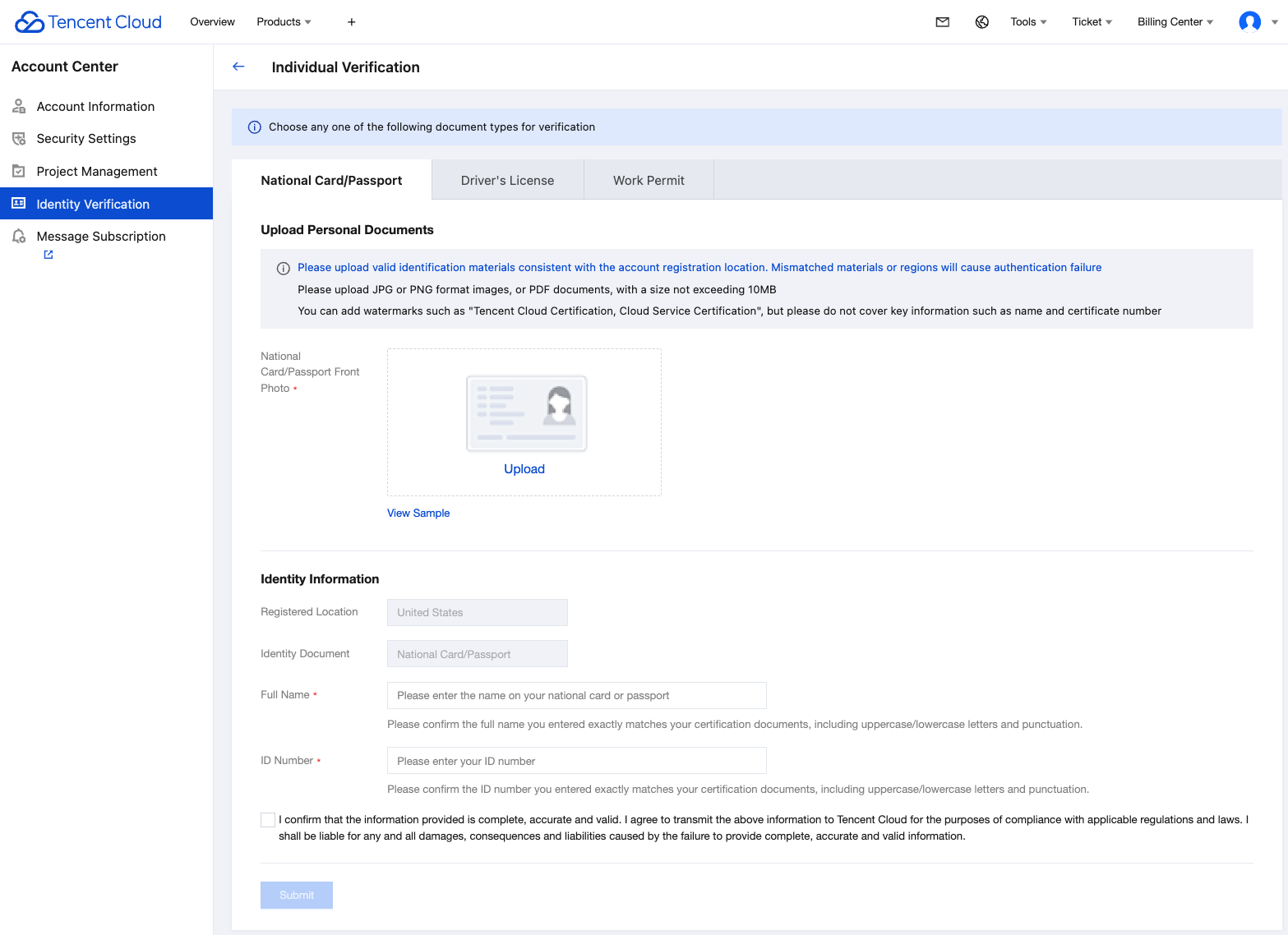
2. Enter your basic personal information.
Select a document type: The system supports individual identity verification using a valid ID card/passport, driver's license, or work permit issued by the government authority in the country where the account is registered.
Upload personal identification documents: Upload a clear and complete electronic copy of your personal identity document.
Full Name: The complete name as it appears on the identity document you upload.
Identification Number: The identification number as it appears on the identity document you upload.
Note:
You can upload files in JPG/PNG/PDF format, with a maximum size of 10 MB.
Upload personal documents from the same country/region as your account registration location. Ensure the document content is complete, clearly visible, and has not been altered or forged.
Ensure the personal information you entered matches the information on your documents exactly.
3. After completing the information above, select I confirm that the information provided is complete, accurate and valid. I agree to transmit the above information to Tencent Cloud for the purposes of compliance with applicable regulations and laws. I shall be liable for any and all damages, consequences and liabilities caused by the failure to provide complete, accurate and valid information and click Submit to initiate the identity verification process.
4. After you submit the identity verification application, Tencent Cloud team will complete the review within 2-4 business days. You will be notified of the review result via the console Message Center, email, and SMS.