Scaling Cluster
ダウンロード
フォーカスモード
フォントサイズ
Overview
When computing or storage resources of a cluster reach a bottleneck, you can increase system resources by scaling.
Directions
1. Click Manage in the Operations column in the cluster list to enter the cluster details page.
2. Click Scale in the top-right corner to enter the scaling page and select the scaling information as needed.
Note:
The number of nodes entered is that after scaling, which must be greater than the current quantity by two or more. The value of the total capacity changes as the number of nodes changes.
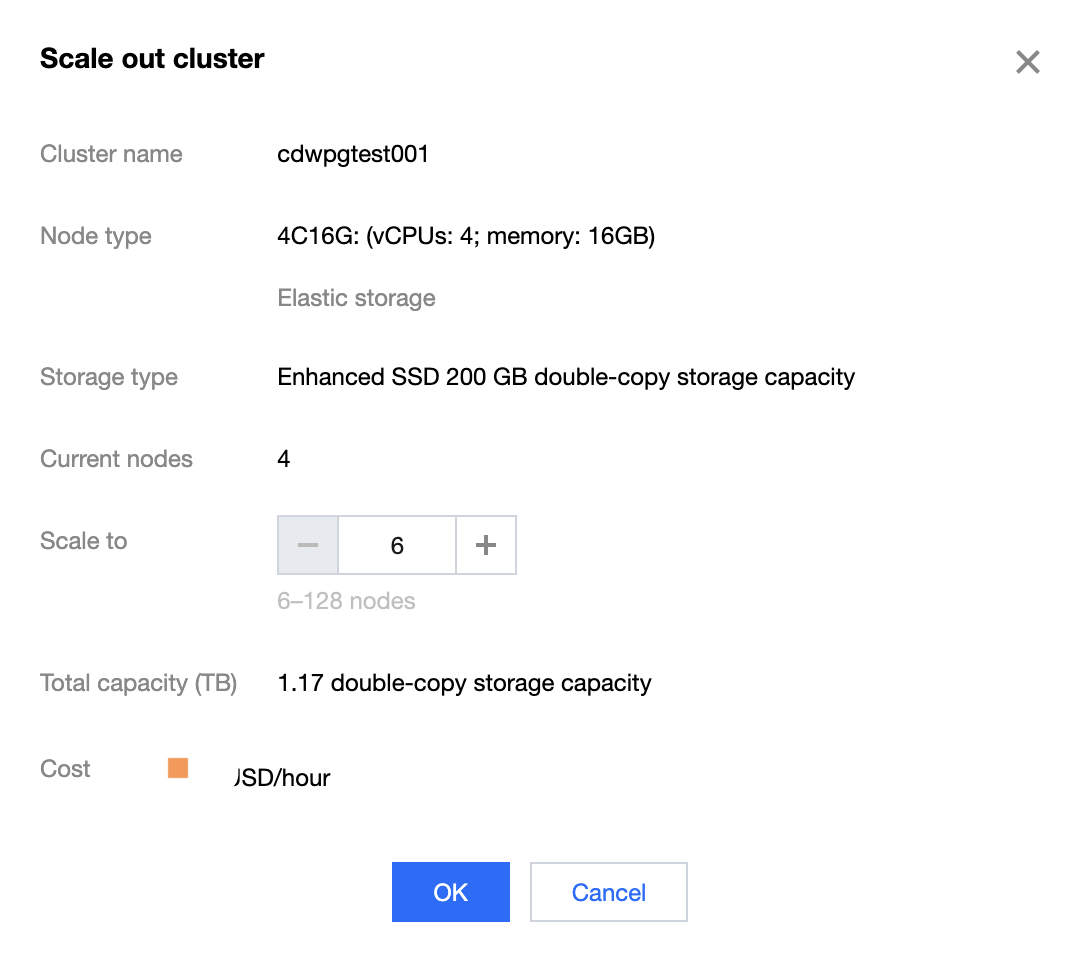
3. After selecting the quantity for scaling, click Confirm Change to start the scaling process.
4. Return to the cluster list, where the cluster during scaling is in the Scaling status. The time it takes to scale is subject to the existing data volume in the cluster. After successful scaling, the cluster will return to the Running status.
フィードバック