Modifying Image Category
Unduh
Mode fokus
Ukuran font
Overview
This document describes how to modify image categories in the VOD console.
Directions
1. Log in to the VOD console and select Media Assets > Image Management. The "Uploaded" page is displayed.
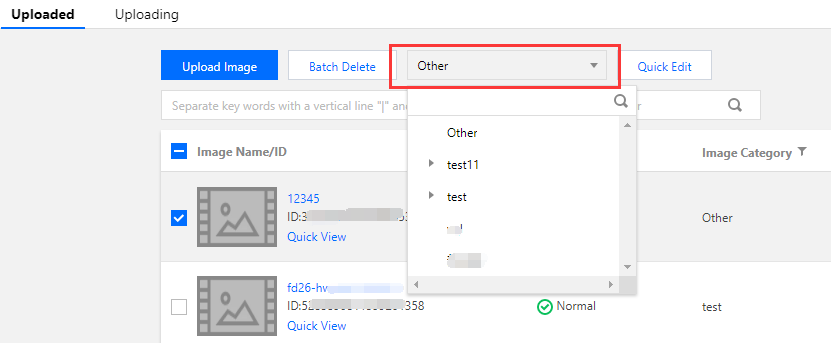
2. Select the target image, click Modify Category above the list, and select the category into which to put it.
Note:
Images and videos use the same set of categories.
For more information on how to manage categories, please see Category Management Directions.
Bantuan dan Dukungan
Apakah halaman ini membantu?
Anda juga dapat Menghubungi Penjualan atau Mengirimkan Tiket untuk meminta bantuan.
masukan