Deleting Image
Download
Mode fokus
Ukuran font
Overview
This document describes how to delete images in the VOD console.
Note:
Once deleted, an image will be completely removed from Tencent Cloud in a non-recoverable manner and be inaccessible from CDN nodes.
Directions
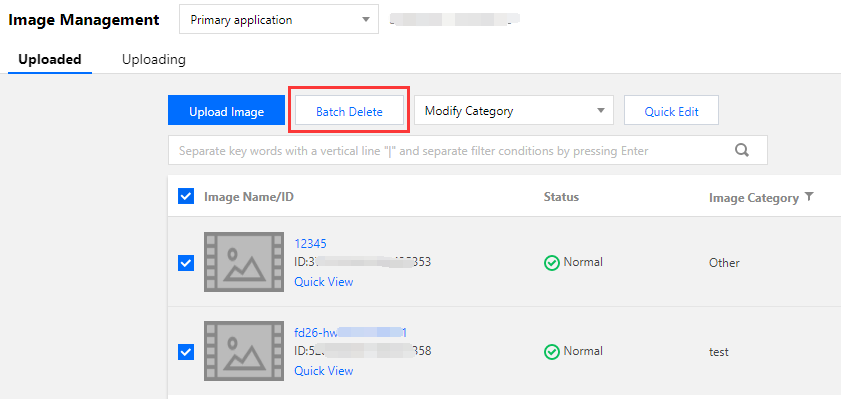
1. Log in to the VOD console and select Media Assets > Image Management. The Uploaded page is displayed.
2. Select target image files and click Batch Delete above the list. In the pop-up window, click Delete to delete all the selected images.
Bantuan dan Dukungan
Apakah halaman ini membantu?
Anda juga dapat Menghubungi Penjualan atau Mengirimkan Tiket untuk meminta bantuan.
masukan