Intended audience: Students who want to query WeData metadata and run data exploration SQL directly in AI clients such as CodeBuddy / Cursor / Claude Desktop using natural language.
Protocol: MCP (Model Context Protocol). Transport: Streamable HTTP. The service is hosted on the WeData platform, so no local installation is required.
Currently, WeData MCP Server encapsulates WeData's metadata query and data exploration (SQL execution) capabilities into a set of standard MCP tools. After configuration, you only need to ask questions in natural language within an AI client, and the model automatically orchestrates tool calls. A typical workflow:
"What WeData projects do I have? What data sources are available in this project?"
"What fields does a table in a data source have, and which ones are partition fields?"
"Run a SQL query for me to find the dates when daily sales exceeded 1000 in each city."
First create databases and tables, then insert some data, and then run a query to get the statistics.
2. Prerequisites
Item
Requirement
MCP client
Clients that support streamable-http transport (CodeBuddy, Cursor, Claude Desktop, and others)
Credentials
TencentCloud API key SecretId / SecretKey, and the account has corresponding project/data permissions in WeData.
Region
Consistent with the region where WeData is located, such as ap-guangzhou and ap-singapore
Network
Accessible to the public network *.wedata.cloud.tencent.com
3. Installation Steps
3.1 Obtaining the Key
There are two ways to obtain a key. You can choose one based on your scenario:
3.1.1 Long-Term AKSK Method
Create an API key in the Tencent Cloud CAM console to obtain the SecretId and SecretKey.
Note:
Security note: A key is equivalent to your account identity. Store it only in the local mcp.json file or environment variables. Do not commit it to code repositories or paste it into conversations, documents, or tickets.
3.1.2 Entra ID Method
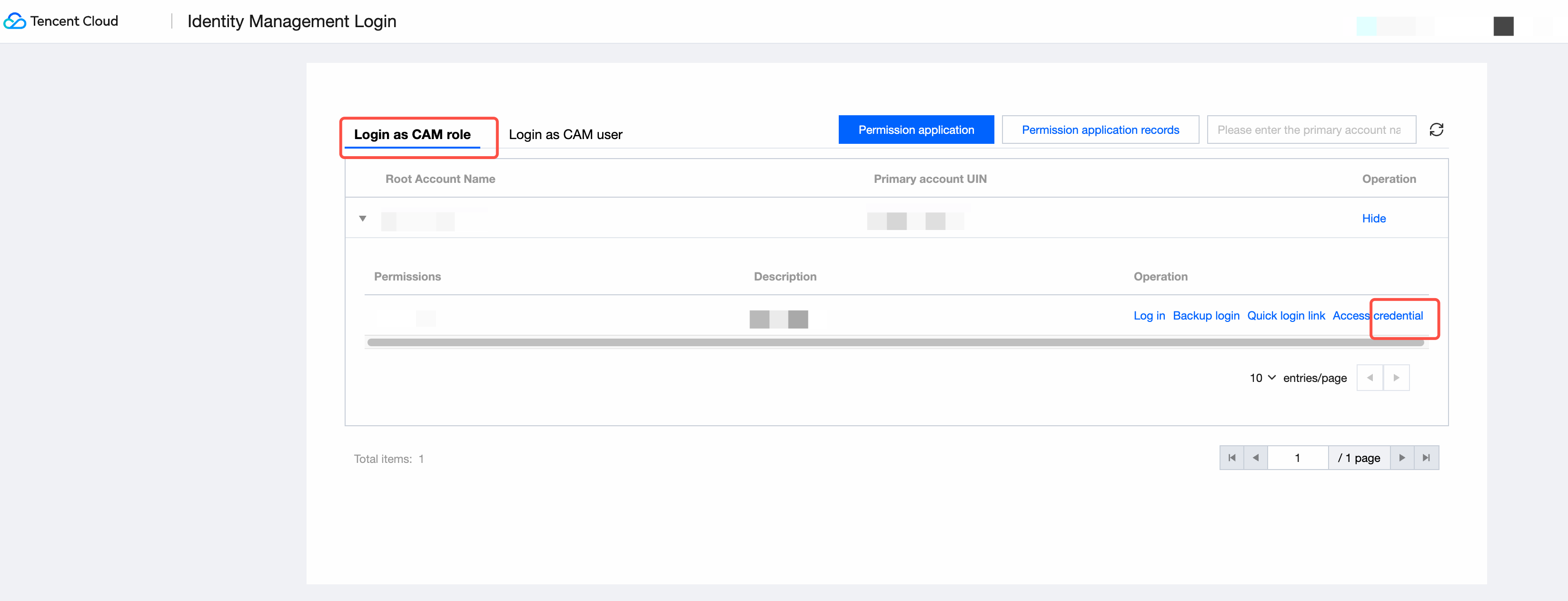
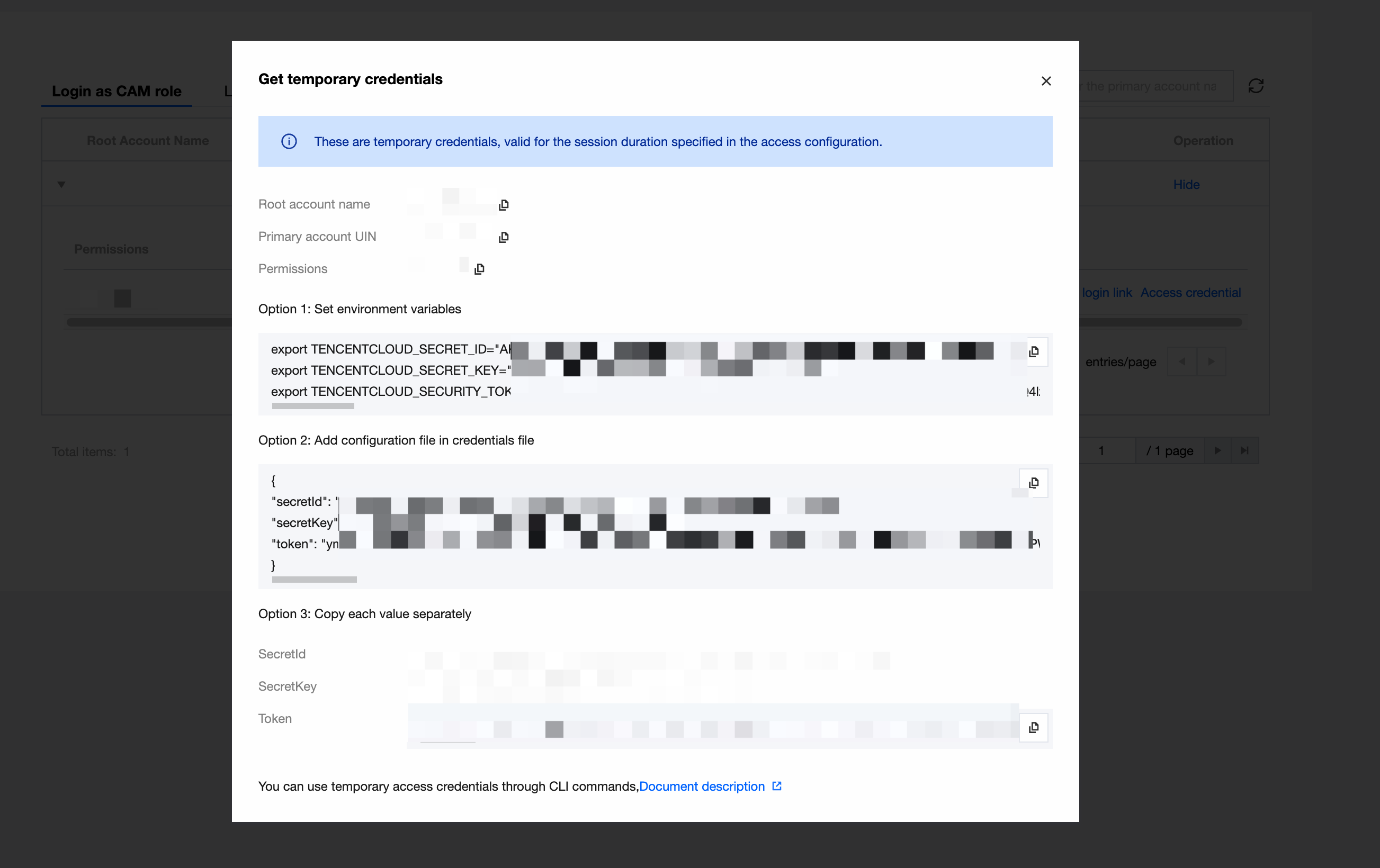
After signing in with Entra ID, obtain the access credential on the following page:
3.2 Adding MCP Configuration on the Client
Open the client's MCP configuration file (in CodeBuddy, open mcp.json via "Configuration → MCP Settings → Configure MCP") and add the following content:
3.3 Controlling Tool Scope with TOOL-SCOPE (Optional)
Add TOOL-SCOPE to headers to load only the required tools and reduce interference with model selection:
"TOOL-SCOPE":"data_assets"
Separate multiple ranges with commas:
"TOOL-SCOPE":"data_assets, data_analysis"
Note:
The value range is determined by the capability domains currently supported by the server, such as data_assets and data_analysis. Incorrect values or inconsistent spelling will prevent tools from loading. If you are unsure, leave it unconfigured to load all tools by default.
3.4 Verifying the Connection
After saving the configuration, return to the client. If the WeData-MCP-Server status shows Connected and the tool list is displayed, the configuration is successful. You can then start a conversation directly, for example: "Help me check which WeData projects I have."
4. Supported Tools
Tool
Purpose
Key Input Parameter
Remarks
list_projects
List WeData projects under a tenant by page.
PageNumber, PageSize; optional ProjectName, ProjectIds, ProjectModel, Status
Only submits the task and immediately returns a JobId, with the status typically being QUEUED.
poll_sql_result
Query SQL execution results and status.
ProjectId, JobId; optional JobExecutionId
When the status is not final, QUEUED/RUNNING is returned with an empty result, and polling is required.
5. Typical Usage
5.1 Metadata Exploration
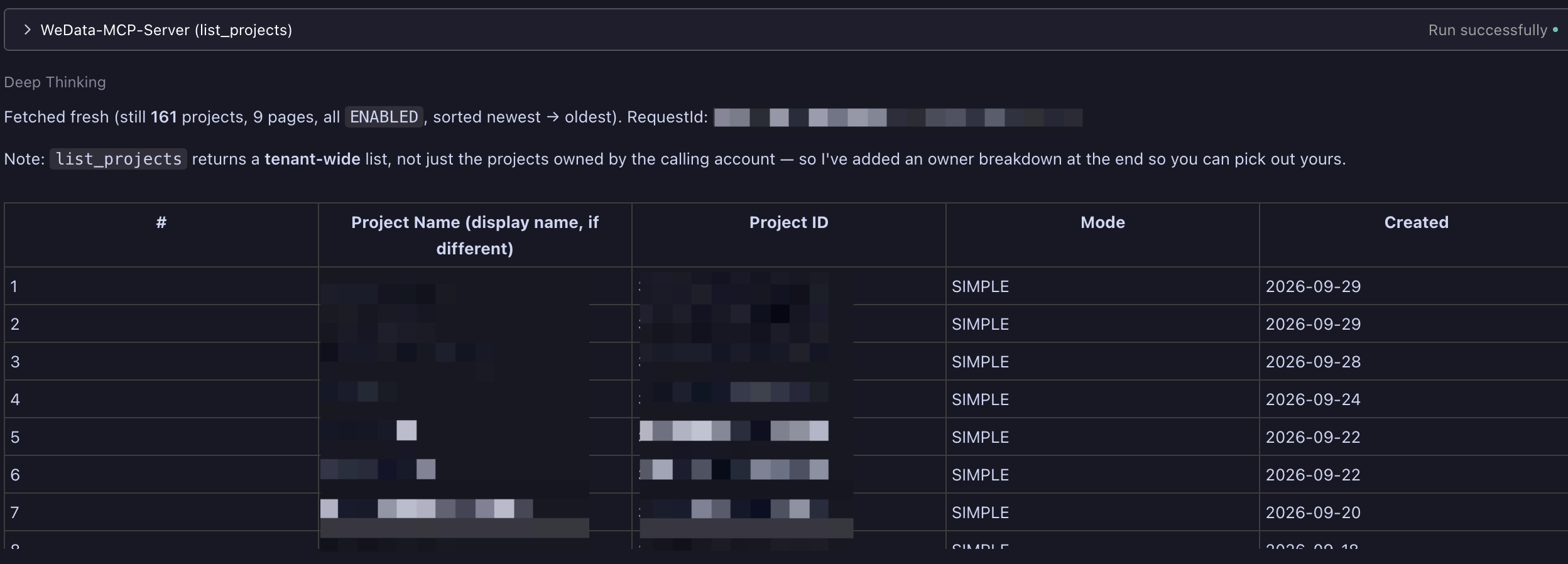
prompt: Help me check which WeData projects I have:
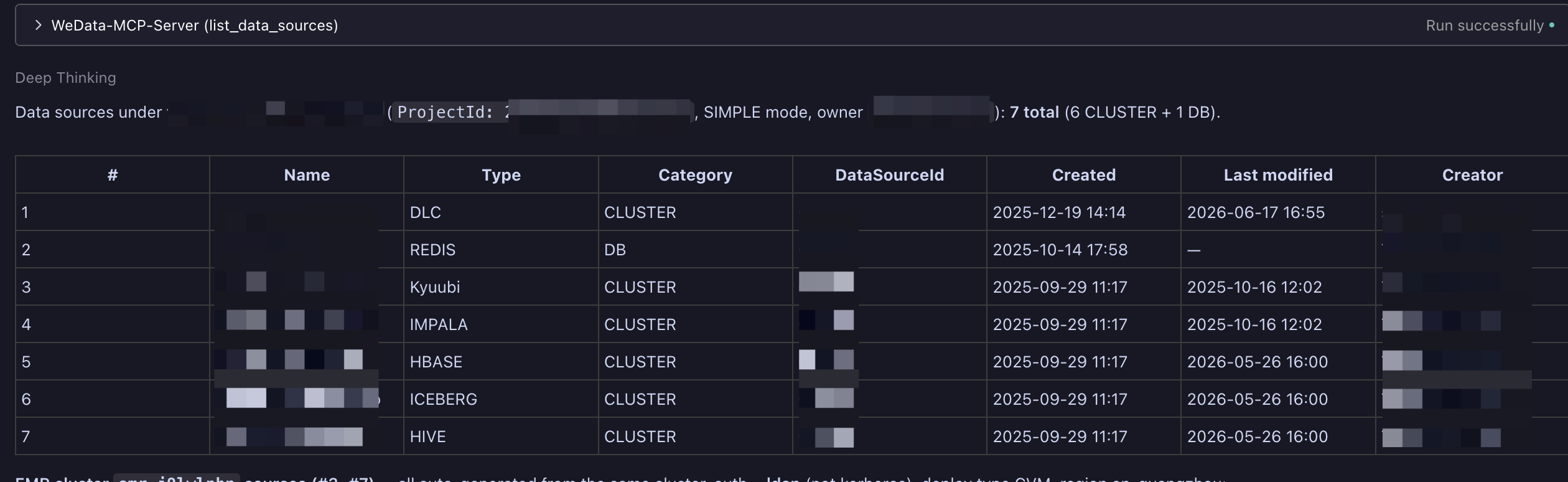
prompt: Help me check which WeData data sources I have in the "Project Name" project:
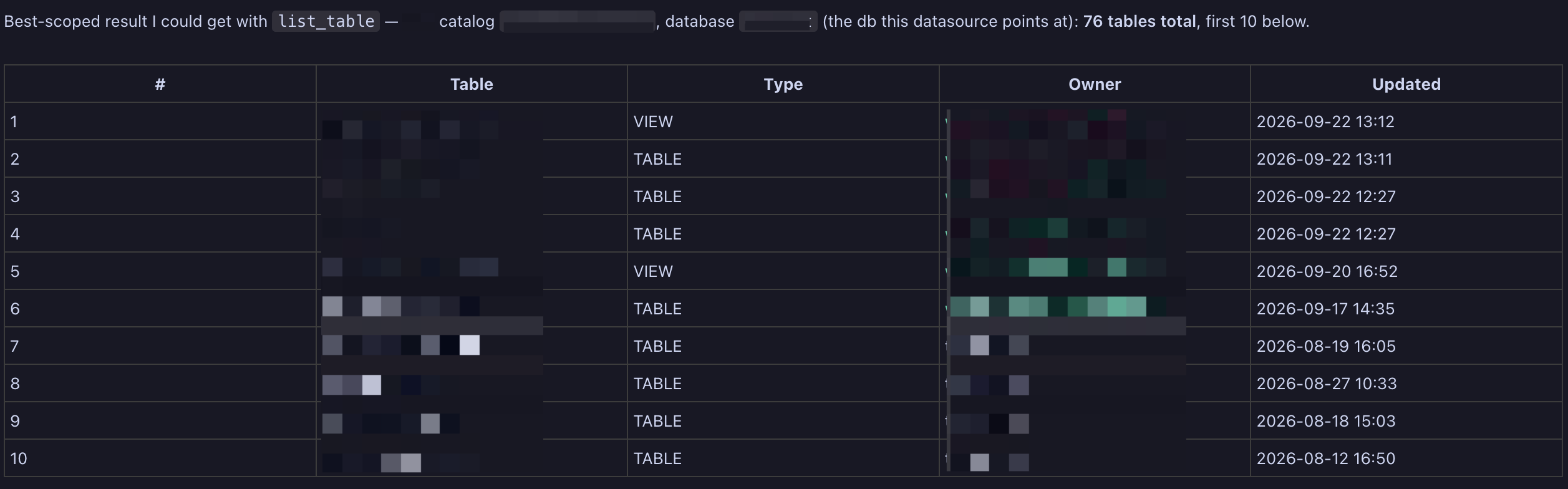
prompt: Help me check which tables are in the "Data Source Name" data source under the "Project Name" project:
5.2 Executing a SQL Statement
1. First, let the model obtain the required parameters, or you can provide them directly:
prompt: Help me check which scheduling resource groups are in the project "Project Name".
2. Submit SQL:
prompt:
The parameters are as follows. Please execute this SQL for me: show databases.
ProjectId: "Project ID"
DatasourceId: "Data Source ID"
ExecutorGroupId: "Scheduling Resource Group ID"
3. Getting the result: The model uses the returned JobId to call poll_sql_result for polling until the status changes to SUCCESS, and then organizes the result for you. If the model does not poll automatically, you can follow up:
prompt:
Query the execution result of the task "JobId".
Example of key parameters:
{
"ProjectId":"Project ID",
"ScriptContent":"show databases;",
"ScriptConfig":{
"DatasourceId":"Data Source ID",
"ExecutorGroupId":"Scheduling Resource Group ID"
}
}
5.3 End-to-End Scenarios
prompt:
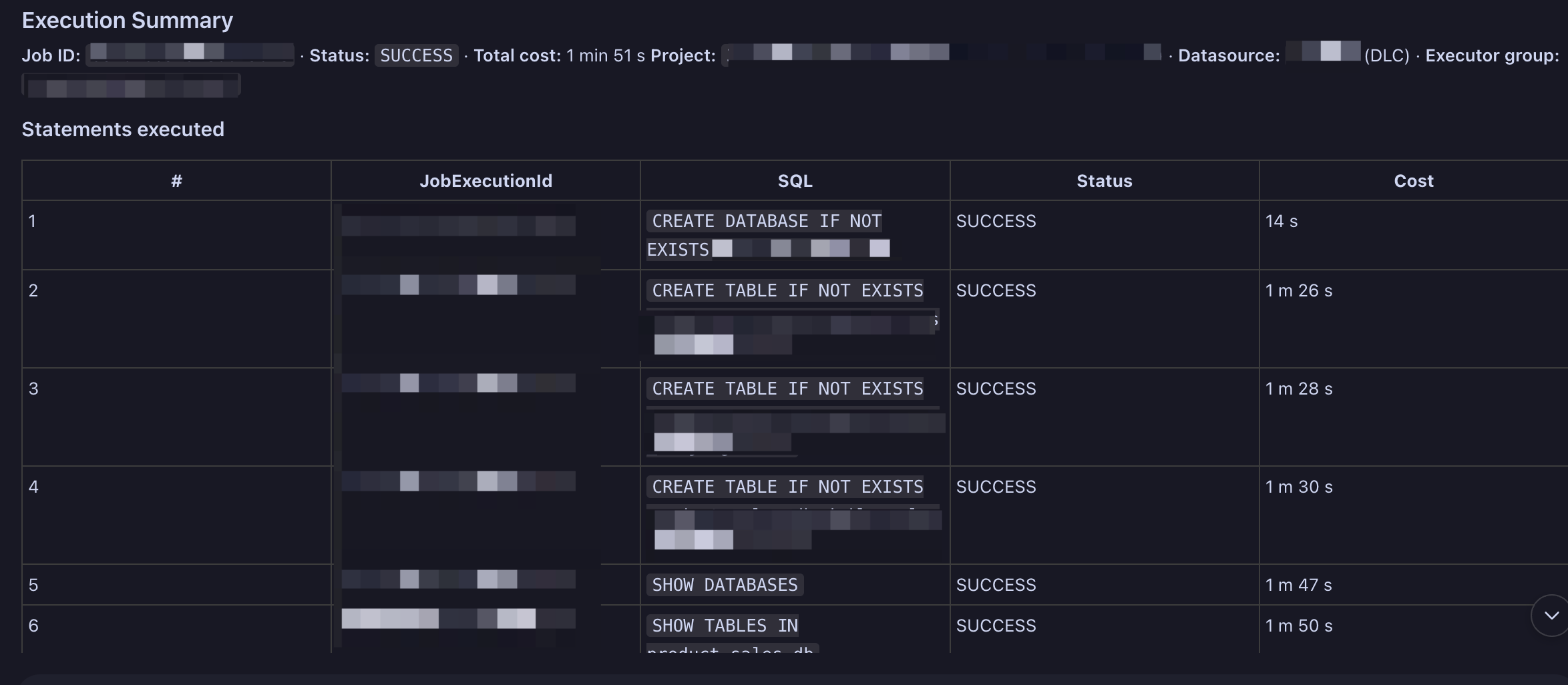
Create a product sales database under the data source "Data Source Name", and create three tables in the database.
These are the daily sales quantity and revenue for the three cities of Chengdu, Beijing, and Shanghai:
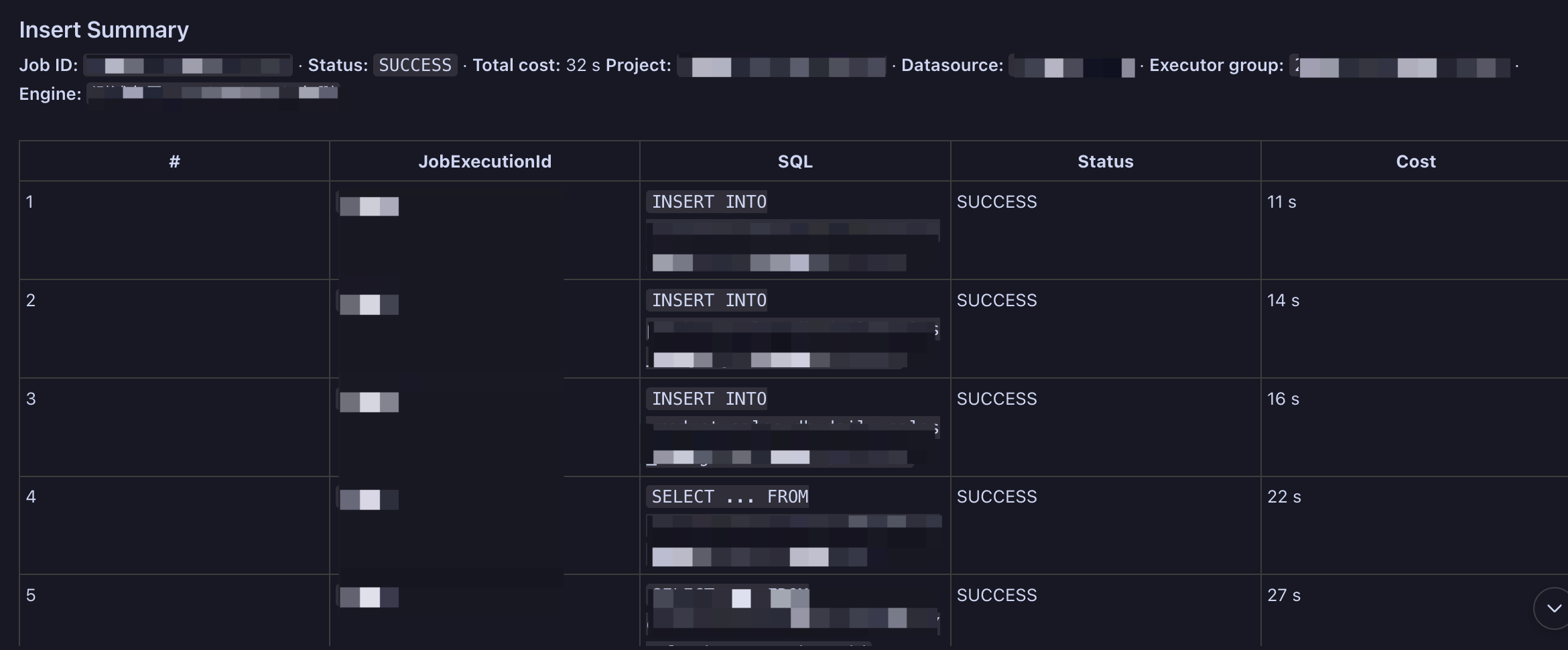
prompt: Insert several test data records into each of these three tables:
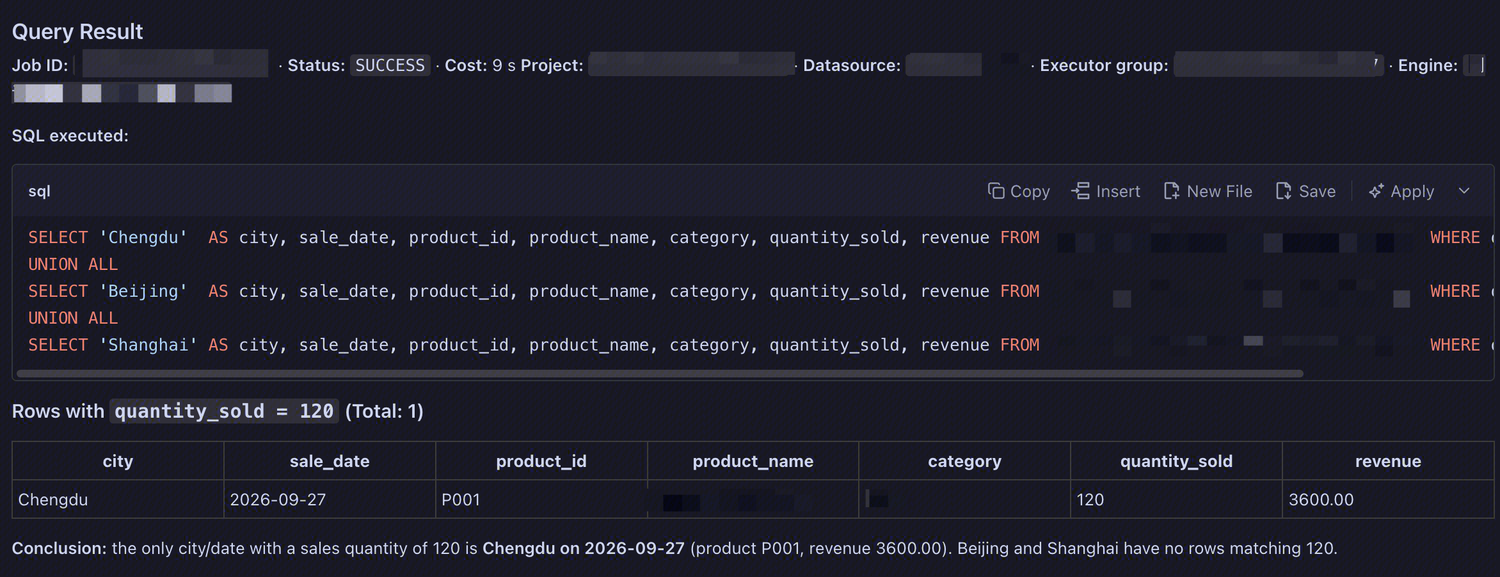
prompt:
Under the "Data Source Name" data source in the "Project Name" project, use the "Compute Resource Name" compute resource,
ExecutorGroupId: "Scheduling Resource Group ID". Count the specific dates when the daily sales volume of each city in the product sales database exceeds 1000.
6. Precautions
1. SQL is executed asynchronously: execute_sql only submits the task and returns a JobId. After submission, use poll_sql_result to poll until the status becomes SUCCESS / FAILED / TERMINATED / CANCELED.
2. Multiple statements are split into multiple sub-executions: When SQL statements are separated by ;, each statement generates one sub-execution. If poll_sql_result is called without JobExecutionId, all sub-execution results are returned in order. If it is provided, only the specified sub-execution result is returned.
3. Results are subject to truncation and a retention period: The number of preview rows is constrained by the "Project Management - Data Analysis Configuration - Preview Row Limit", and the total size cannot exceed 10 MB. If this limit is exceeded, Truncated=true. Results are retained only for a limited time. If the results expire, ResourceNotFound.ResultExpired is returned, and the SQL must be rerun.
4. All return values are strings: The underlying preview result is CSV, which contains no type information.
5. Parameters must be used together: DatasourceId must belong to the specified ProjectId. Otherwise, InvalidParameter is returned. ExecutorGroupId must be a Schedule resource group available in the project, which can be queried using list_resource_groups.
6. Permissions: You can only access the projects, data sources, and tables that the account associated with this key has permission to access. If you cannot see a table, it is usually a permission issue or a metadata visibility scope issue. Confirm the permissions on the data map/data security side first.
7. Write operations require caution: Creating databases and tables and inserting data are change operations. It is recommended to have the model print the SQL to be executed first, and execute it after the SQL is confirmed to be correct.
7. Troubleshooting Common Issues
Symptom
Possible Cause and Resolution
The client keeps displaying "Connecting" or connection failure.
Check whether the URL and TENCENTCLOUD-REGION are consistent with the WeData region; check whether the network can access the public network endpoint; increase the timeout appropriately.
Empty tool list / significantly fewer tools than expected
Check the spelling of the TOOL-SCOPE value; if unsure, delete the Header first and load all tools.
Authentication failure reported during invocation
The key is incorrect, disabled, or has no WeData access permission; regenerate the key and update the configuration.
InvalidParameter reported by execute_sql
The DatasourceId does not belong to the ProjectId, or the ExecutorGroupId is not a scheduling resource group under the project.
QUEUED/RUNNING is always returned.
This is normal. Continue polling. If the resource group is busy and the wait is long, switch to a less busy resource group.
Empty result or only partial data returned
Check the Truncated field in the response; or if there are many sub-executions, specify the JobExecutionId to view them one by one.
Result expiration is indicated.
The result retention period has expired. Re-execute the SQL to obtain new results.
The table you want to query cannot be found.
Confirm whether the account has the required table permission and whether the project has configured the metadata visibility scope.