1. On the Data Integration page, in the left sidebar, click Real-time Sync.
2. At the top of the real-time sync page, select single table sync to create (choose form and canvas modes) and enter the configuration page.
3. Click on the left Read, click to select MongoDB node and configure node information.
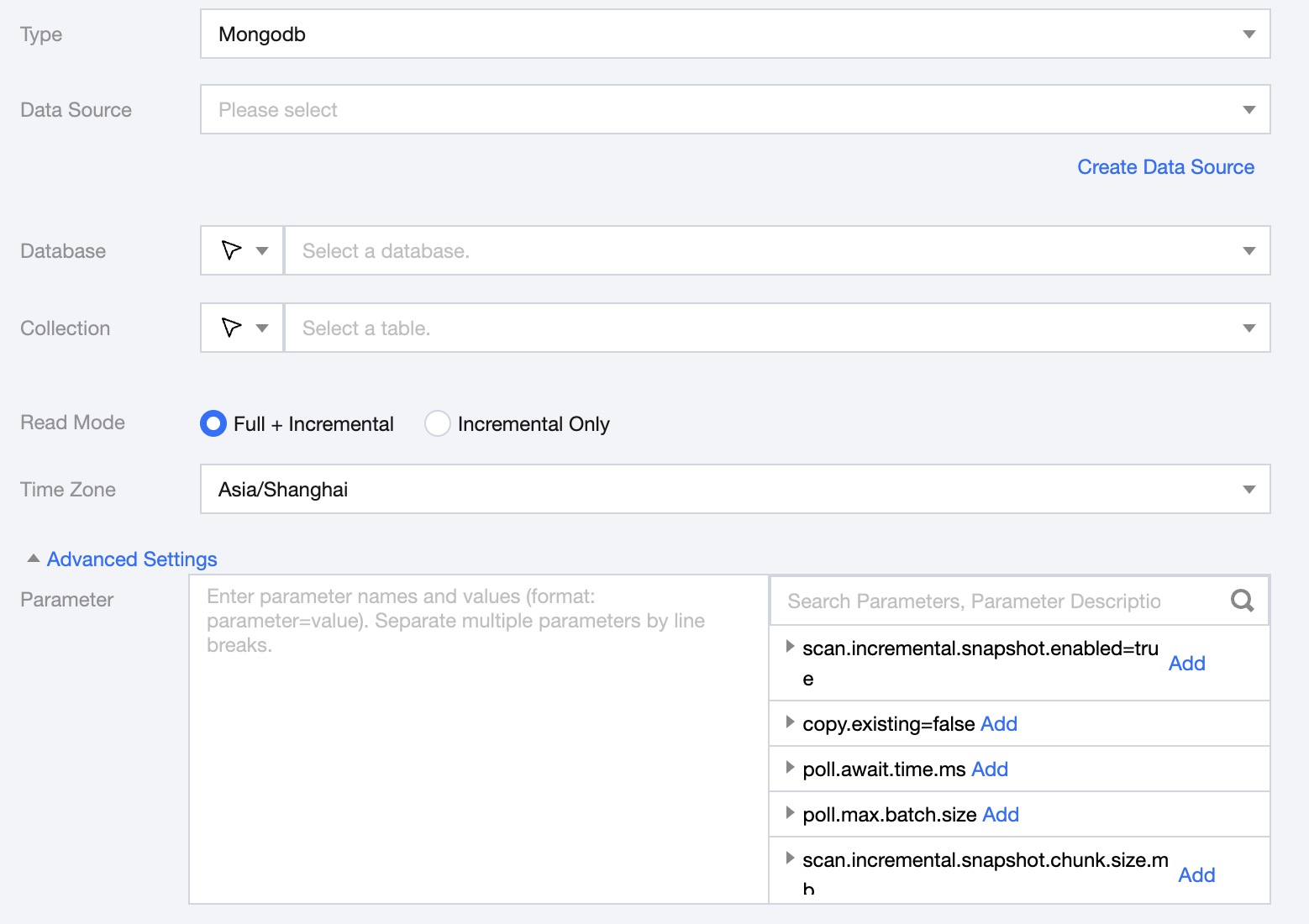
4. Parameter description:
Parameter
Description
Type
Select Mongodb
Data Source
Select available Mongo Data Source for the project
Database
Supports selecting or manually entering the database name to be read.
By default, the database bound to the data source is used as the default database. Other databases need to be manually entered.
If the data source network is not connected and the database information cannot be fetched directly, you can manually enter the database name. Data synchronization can still be performed when the Data Integration network is connected.
collection
Support selecting or manually entering the collection name to be read.
Read Mode
Full + Increment: Data synchronization is divided into full and increment phases. After the full phase is completed, the task enters the increment phase. The full phase will synchronize historical data in the database, and the incremental phase starts synchronizing from the binlog cdc location after the task starts.
Incremental: Synchronize data only from the binlog CDC checkpoint after the task starts.
Time Zone
Set the timezone for log time, default is Shanghai.
Advanced Settings (optional)
You can configure parameters according to business needs.
5. Preview data fields, click Save.
MongoDB Whole-Database Source Configuration
MongoDB Read Configuration Parameter Description
Parameter
Description
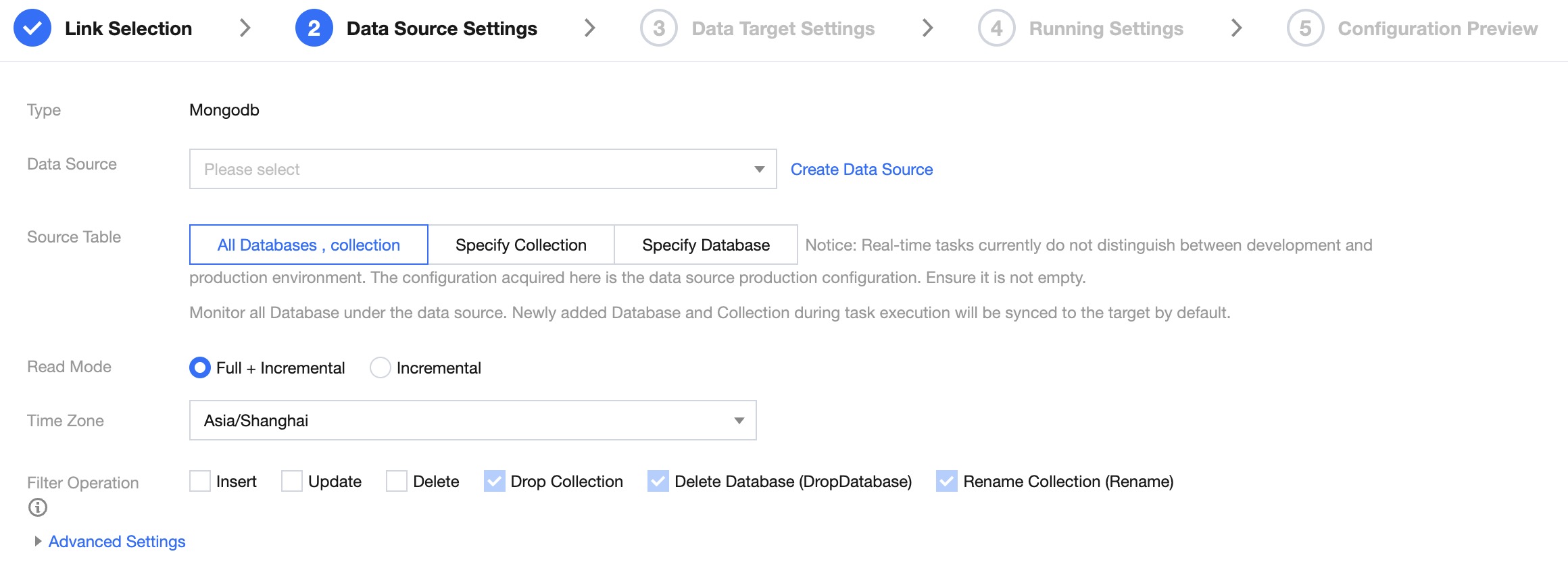
Data Source
Select the Mongo Data Source you want to synchronize.
Source Table
Based on business needs, select "All Databases, collections", "specified table", or "specified database":
All Databases, collections: Monitor all databases under the data source. Any new databases or tables added during the task run will be synchronized to the target end by default.
Specified collection: Only synchronize the specified collection.
Specified Database: Monitor the specified database, synchronize all tables or tables that meet the criteria under the database.
Read Mode
Full + Incremental, Incremental
Filter Operation
Offers multiple filtering operations, including insert, update, delete, drop collection, delete database, and rename collection. After configuration, data of the specified operation types will be excluded from synchronization.
Data Type Conversion Support
Read
The data types supported for MongoDB reads and their conversion mappings are as follows: