Deleting an SSH Key Secret
Download
Mode fokus
Ukuran font
This document describes how to delete a CVM SSH key pair on the SSM console.
Prerequisite
Before deleting a secret, you need to disable it first.
The secret that is to be deleted does not bound to an instance.
Note:
If the secret you want to delete is bound to a CVM instance, unbind them first.
Directions
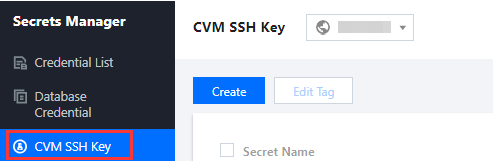
1. Log in to the SSM Console and click CVM SSH Key on the left sidebar.
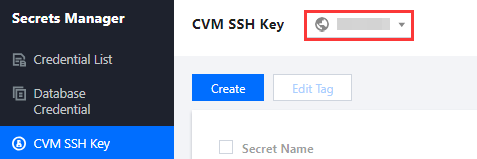
2. On the CVM SSH Key page, click the drop-down list in the top left corner to select a region.
3. Click the search box, select a filter (Tag or Secret Name) from the list, and enter keywords to get results.

4. Locate the secret you want to remove, and click Delete on the right of the secret.

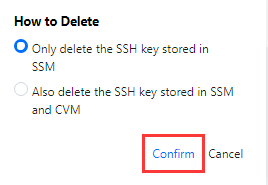
5. On the deletion page, choose an option as needed, and then click OK.
Bantuan dan Dukungan
Apakah halaman ini membantu?
Anda juga dapat Menghubungi Penjualan atau Mengirimkan Tiket untuk meminta bantuan.
masukan