Send Alarms to Different Teams Based on the Service to which the Log Belongs
Download
Focus Mode
Font Size
Last updated: 2026-05-26 19:09:38
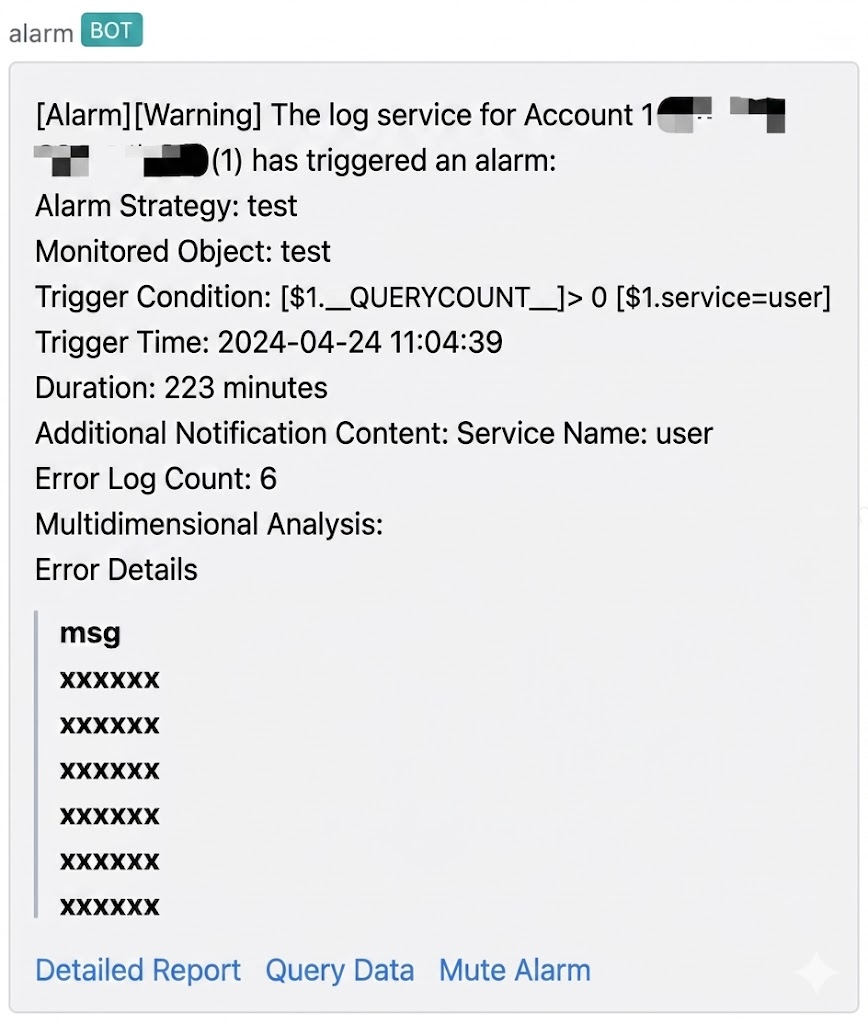
Overview
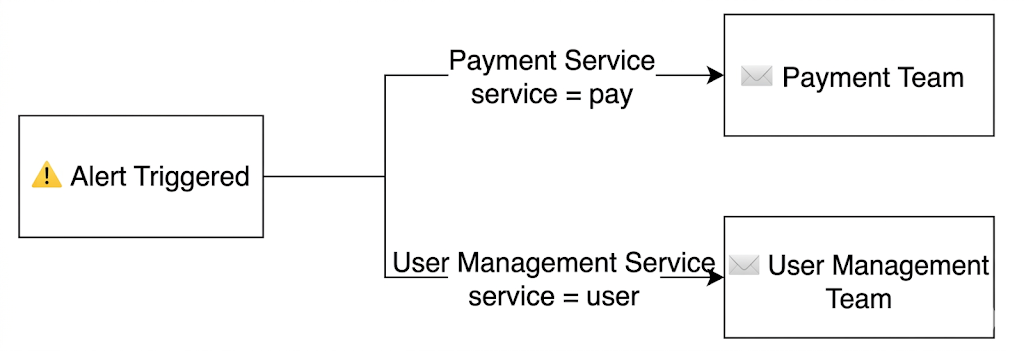
Access logs contain logs from multiple services. When alarms are triggered, alarms need to be routed to respective teams based on the service. For example, in the following logs, an alarm should be sent to the owning team when more than 5 error logs appear for any service.
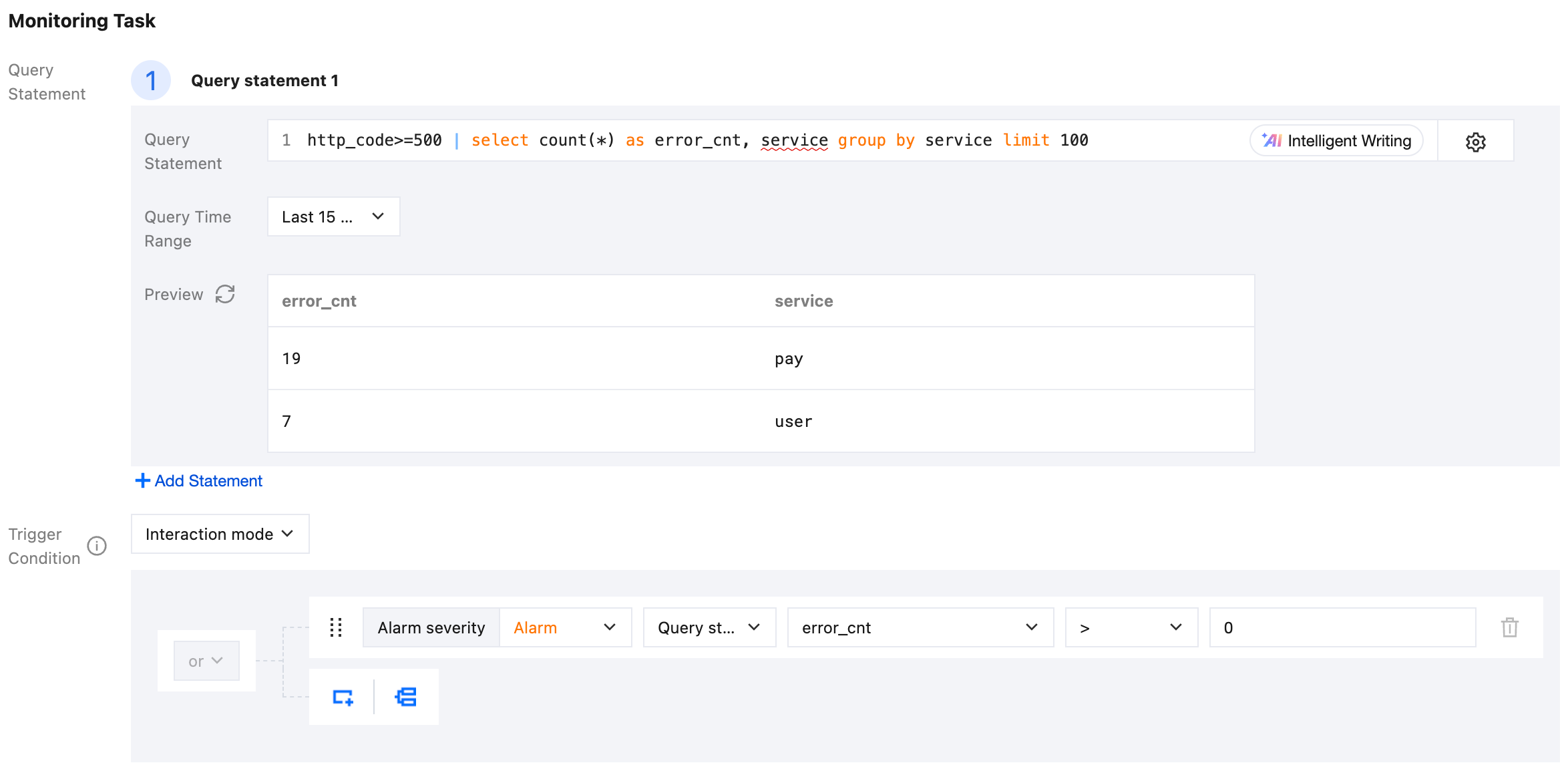
1. Query statement and trigger condition: Use SQL to count the number of error log entries for each service respectively, and filter out services with error log entries >=5.
2. Enable grouped triggering: Group alarms by service and send them separately for each service.
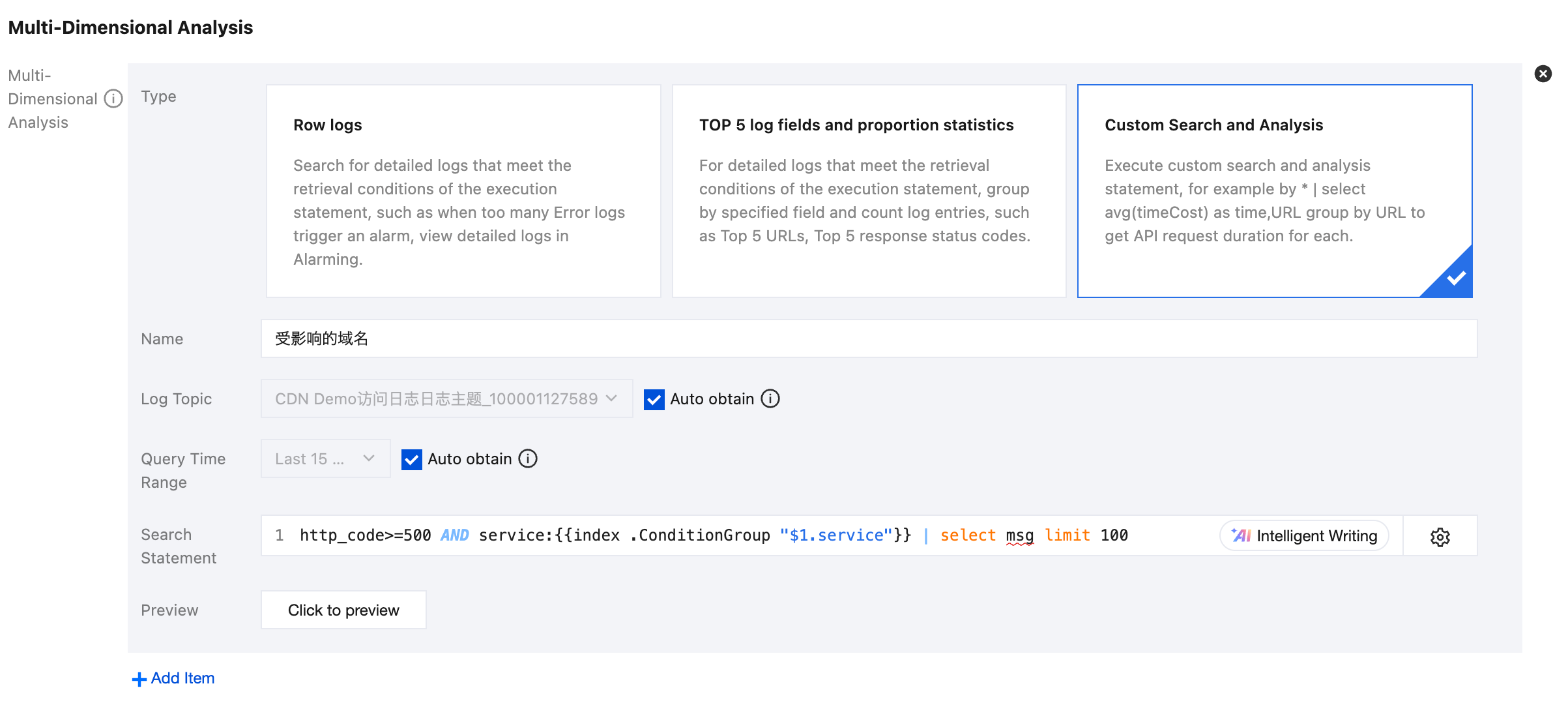
3. Add multi-dimensional analysis: When an alarm is triggered, view the log details (msg) of that service. Where {{index .ConditionGroup "$1.service"}} represents the service corresponding to this alarm.
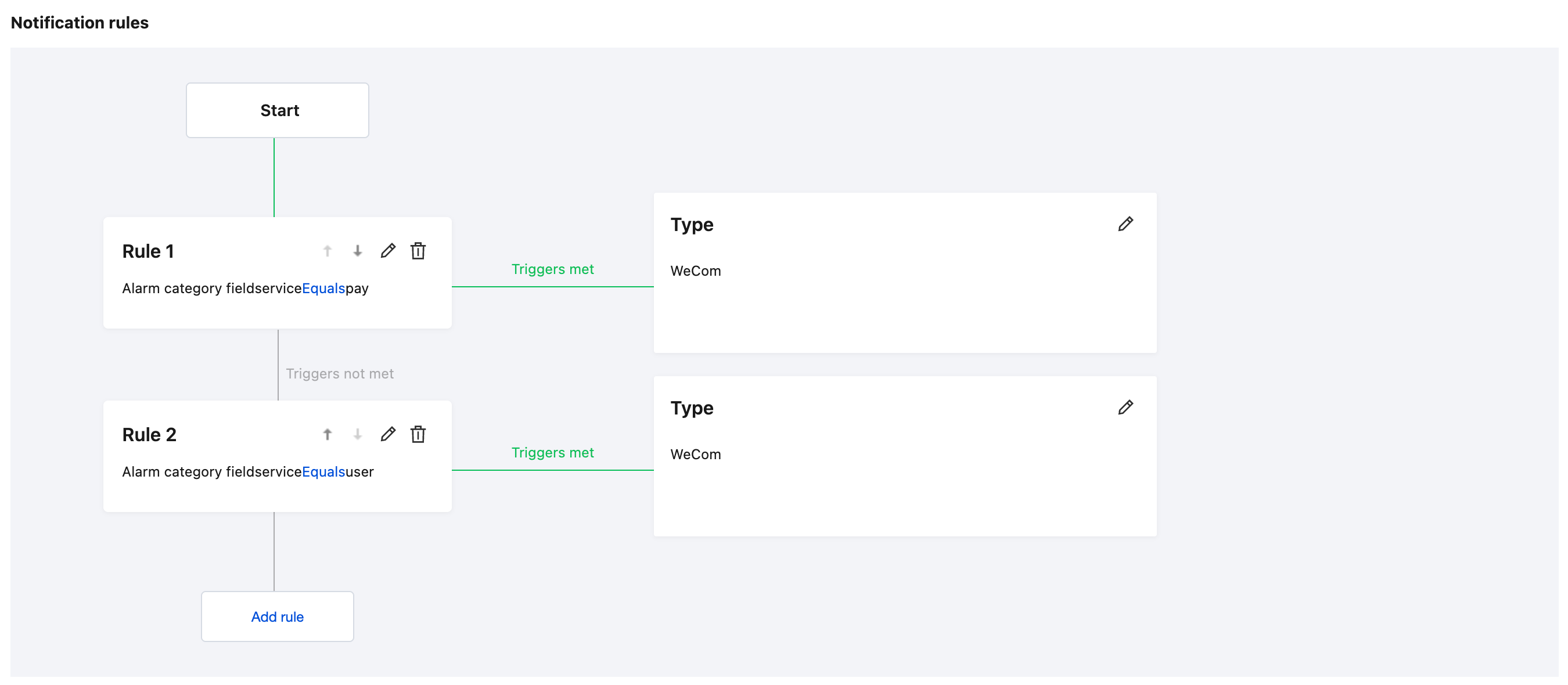
4. Add alarm classification: where {{index .ConditionGroup "$1.service"}} represents the service corresponding to this alarm.
5. Add customized alarm notification content: Display the service name that triggered the alarm and the corresponding number of error log entries in the alarm notification.