Modifying Connection Information
Download
Focus Mode
Font Size
Scenarios
For subscription tasks in certain statuses, Data Transfer Service (DTS) allows you to return to the Configure Data Subscription page to modify connection information.
Must-Knows
1. Modifying the instance connection information may cause data synchronization to be interrupted due to insufficient account permissions or changes to the source instance, thus affecting the normal operation of the migration link.
2. For all tasks, the system automatically retries the task after the instance connection information is modified, which may cause a brief interruption.
3. When the status of the subscription task is Task Running/Task Error, modifying connection information is supported.
Operation Steps
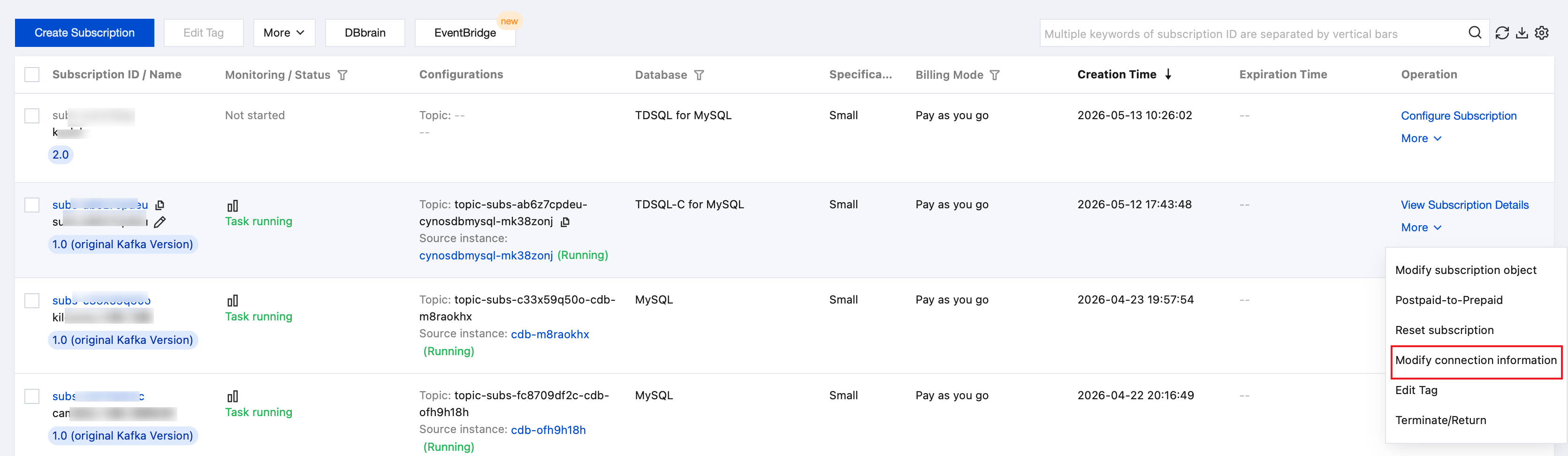
1. Log in to the DTS console, select the Data Subscription page in the left sidebar, choose the specified subscription task, and choose More > Modify connection information in the Operation column.
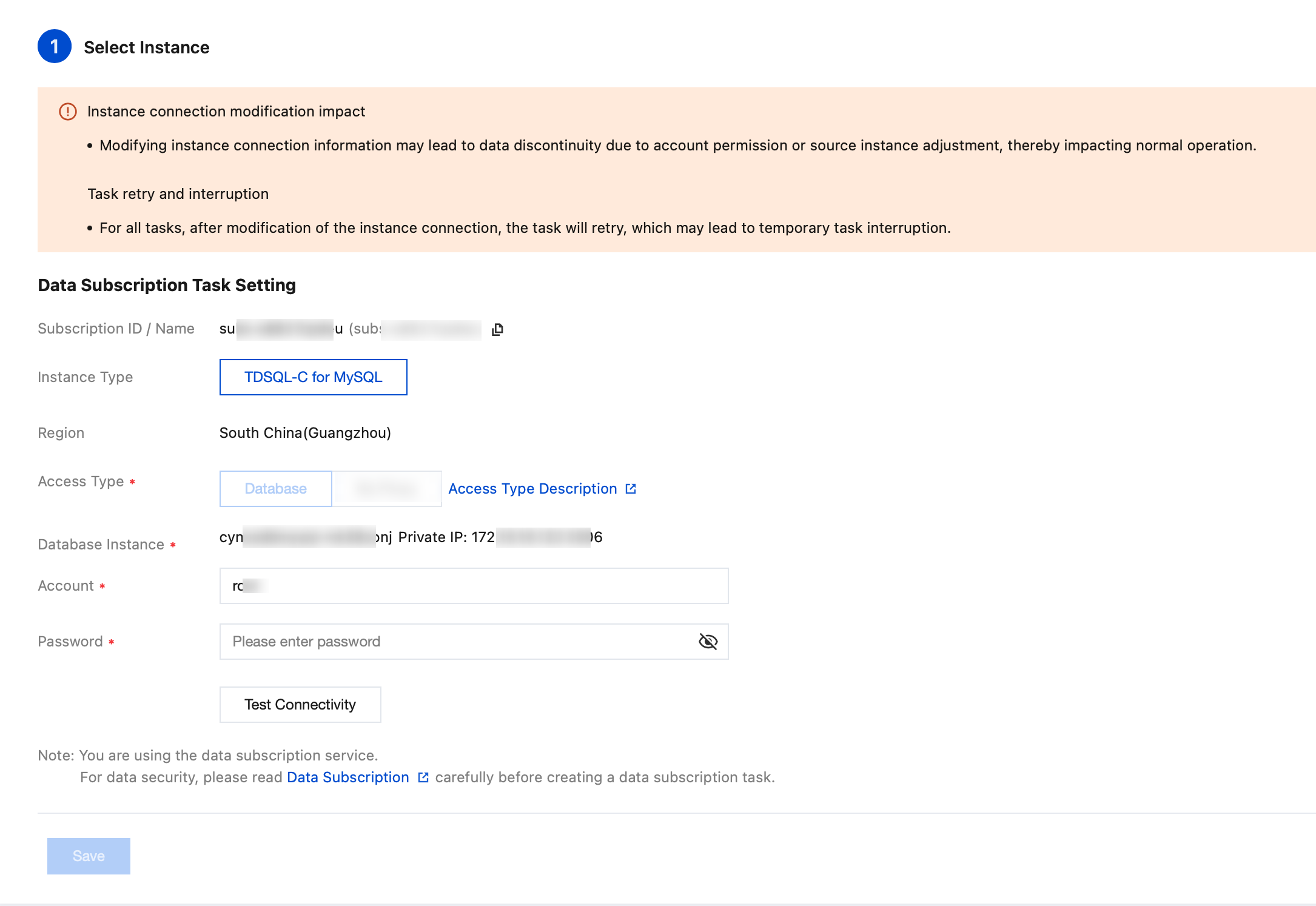
2. On the Configure data subscription page, modify relevant parameters such as the host address, port, account, and password according to actual needs. After connectivity testing, click Save.
Help and Support
Was this page helpful?
You can also Contact sales or Submit a Ticket for help.
Help us improve! Rate your documentation experience in 5 mins.
Feedback