Adjusting Data Protection Space
Download
Focus Mode
Font Size
TencentDB for MySQL Cluster Edition instances require allocating dedicated space for data protection to ensure the recoverability of the database instance. You can do this during the creation of the Cluster Edition instance, and modifications are supported on the instance details page after creation. This document guides you on how to modify the database protection space after creating a Cluster Edition instance.
Note:
To ensure the recoverability of the database instances, TencentDB for MySQL Cluster Edition instances must allocate a designated amount of space specifically for data protection within the instances. This reserved space is not used for data storage and is categorized as system protection space, designed to prevent potential instance malfunctions resulting from data overflow.
Prerequisites
For instances of the TencentDB for MySQL Cluster Edition, see Purchase Methods for creation.
The instance is running.
Directions
1. Log in to the MySQL Console. In the instance list, click Instance ID or Manage in the Operation column to enter the Instance Details page.
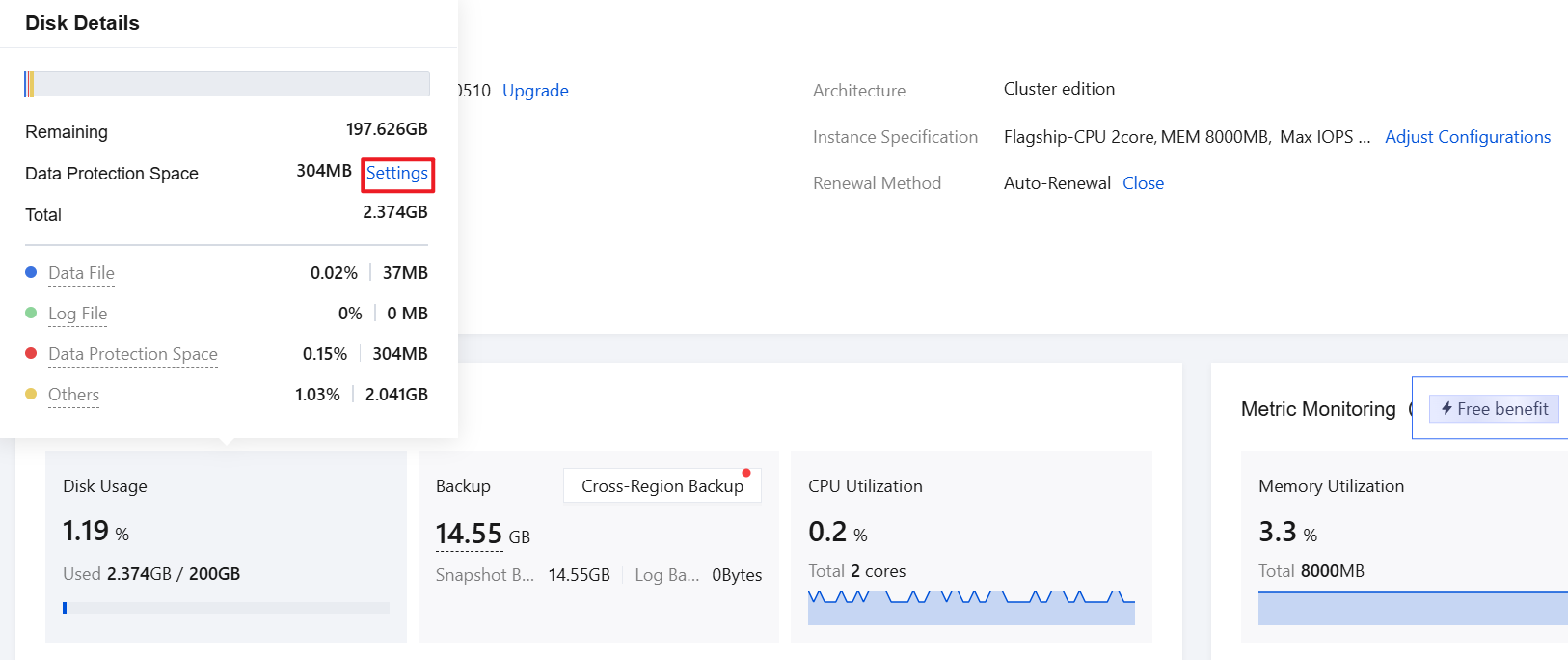
2. Choose Resource Usage > Disk Usage. In the displayed preview window, click Settings next to Data Protection Space.
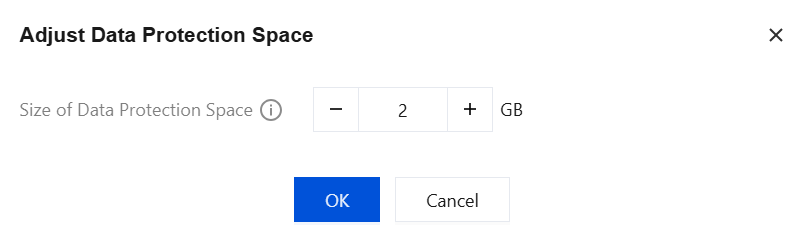
3. In the pop-up, configure the required data protection space size. The selectable range is 1 GB - 10 GB, and then click OK.
Help and Support
Was this page helpful?
You can also Contact sales or Submit a Ticket for help.
Help us improve! Rate your documentation experience in 5 mins.
Feedback