After ordering, purchasing, and installing the Enterprise Edition through CloudApp, you can directly access the help documentation within the system to learn how to use it.
Note:
TCA hierarchy: Team > Project > Code Repository, Source Package, Artifact Repository > Analysis Project
System Help Documentation Guide
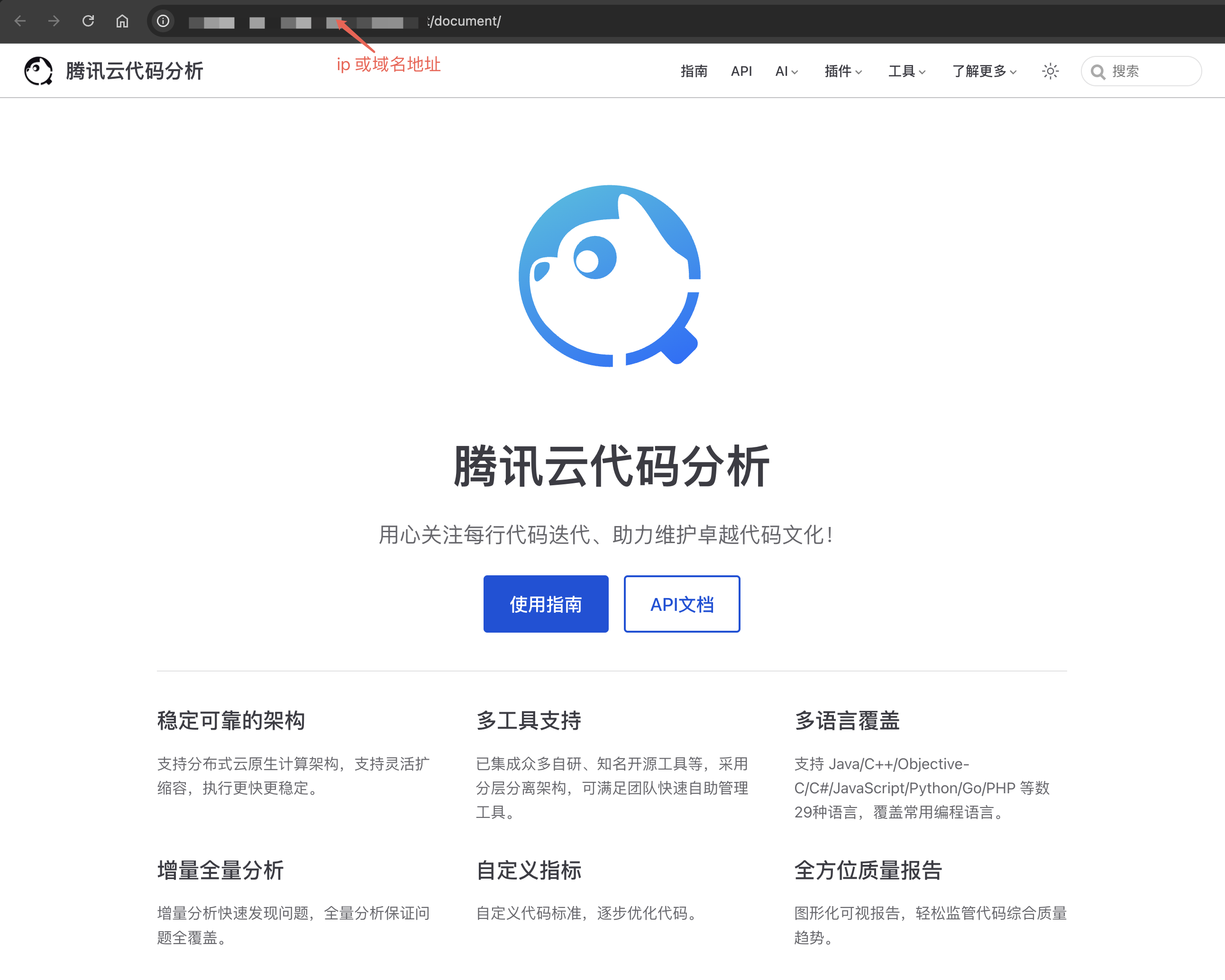
After the Enterprise Edition is installed and deployed, an IP address (or a domain name address if a domain name is bound) for accessing the system is generated. You can go to the help documentation page by entering the address {domain}/document/ in your browser to obtain more comprehensive system usage guidance. Note: domain refers to the IP address or domain name address for accessing the system, such as https://tca.tencent.com/document/.
System Quick Operation Guide
Accessing the Code Repository
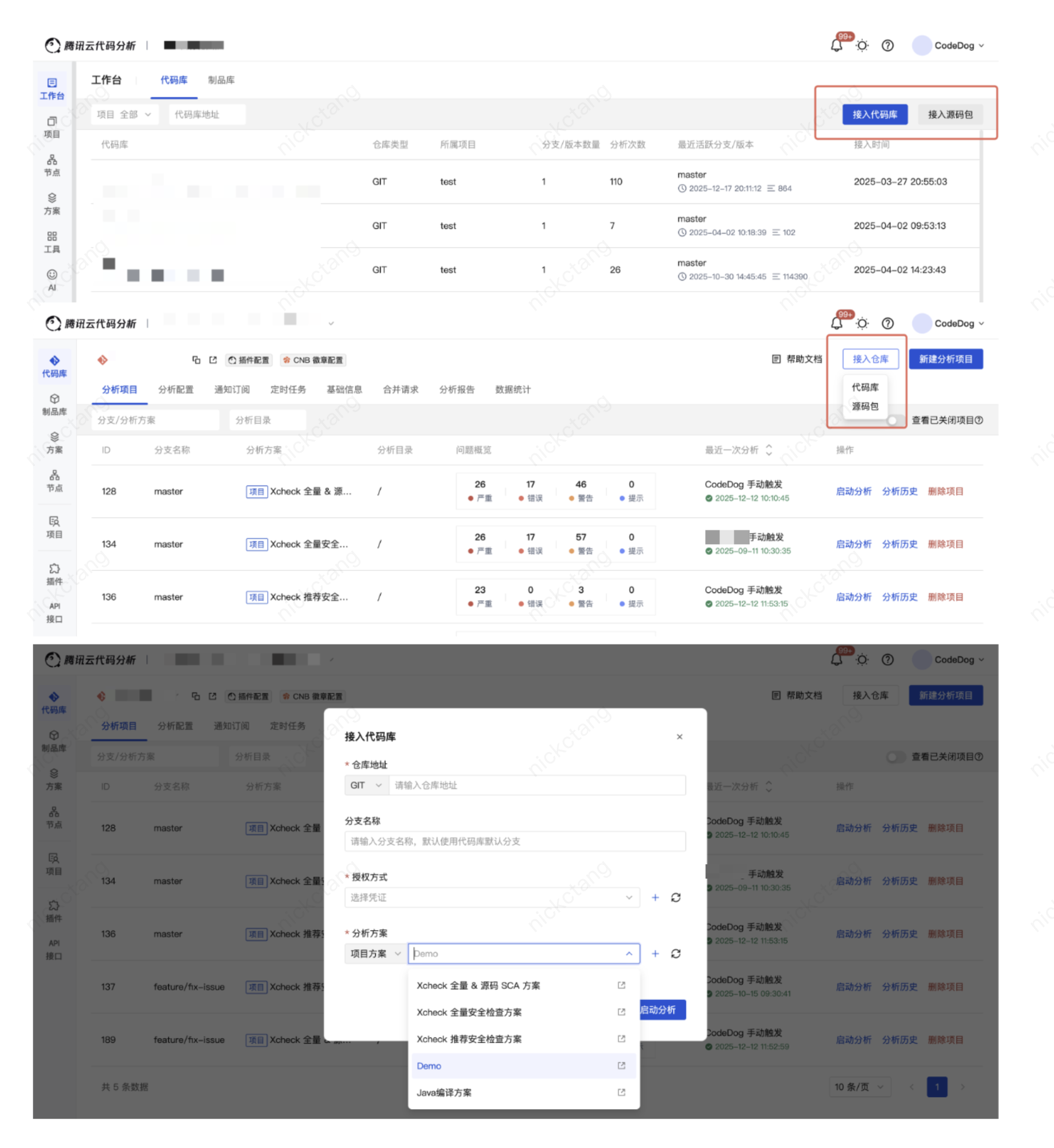
When you click to connect a code repository on the platform, register information such as the repository address and credentials, and start the analysis, a new analysis project is created. The client node then obtains the analysis task, pulls the code using git commands, and performs code analysis.
On the Workspace - Code Repository menu page, click to connect a code repository.
On the Project - Code Repository menu page, click to connect a code repository.
Accessing the Source Code Package
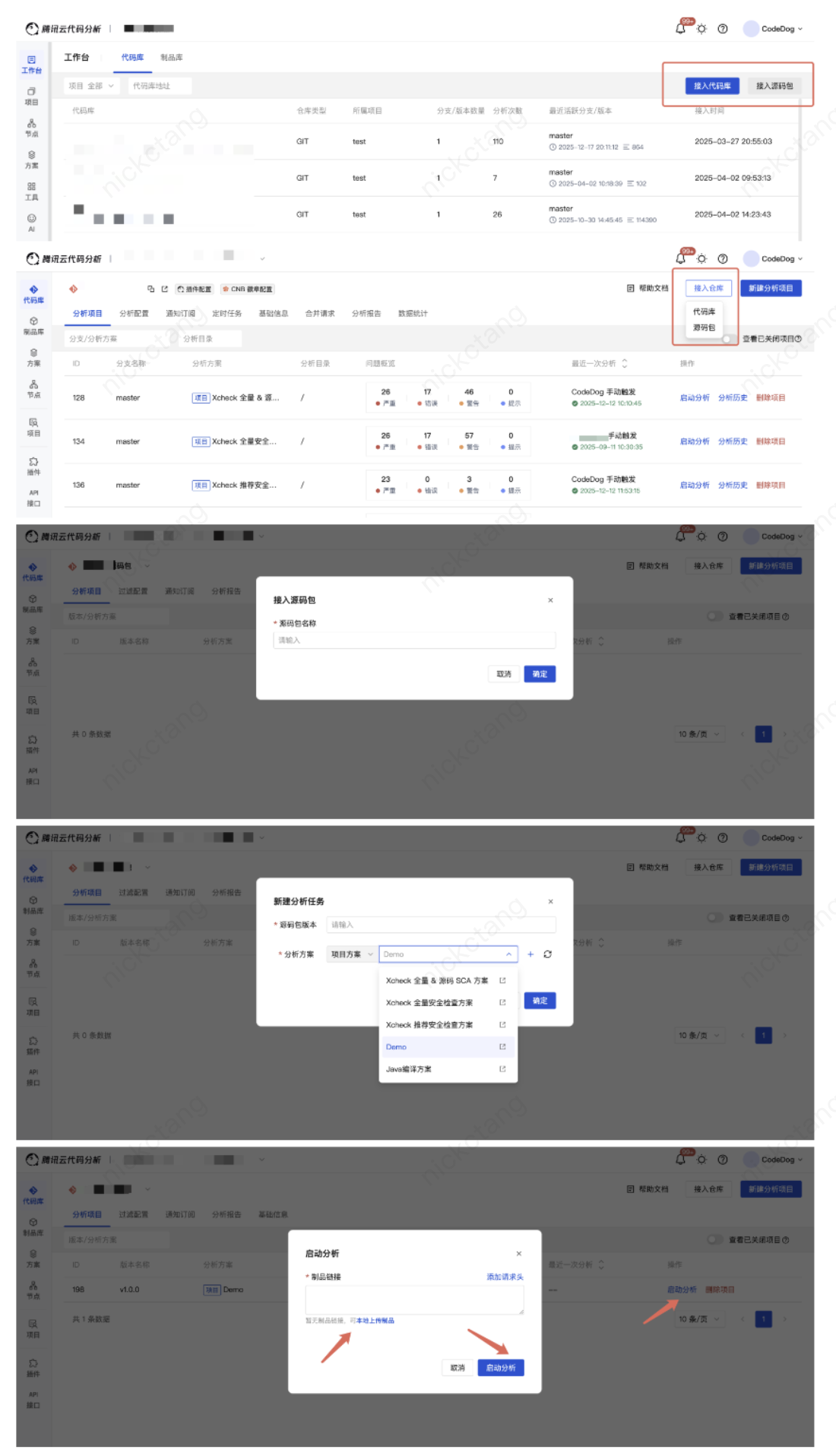
On the platform, click to connect a source code package and upload it (by compressing a code repository into a source code package). When you start the analysis, the source code package is extracted and code analysis is performed.
1. Click to connect a source code package and configure its name.
On the Workspace - Code Repository menu page, click to connect a source code package.
On the Project - Code Repository menu page, click to connect a source code package.
2. Click to create a new analysis project and configure the source code package version and analysis scheme.
3. Click to start the analysis, upload the source code package, and complete the startup.
Accessing the Artifact Repository
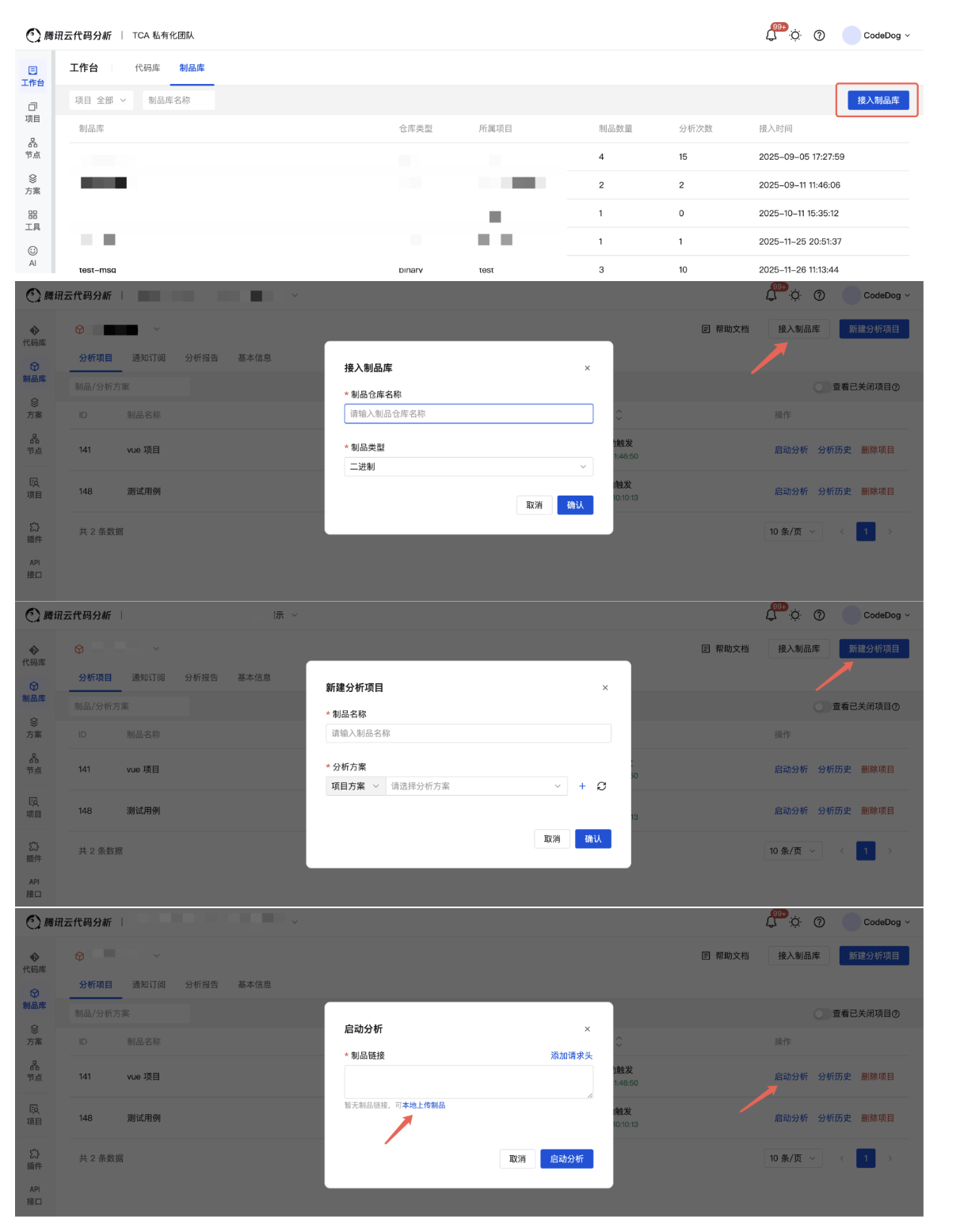
On the platform, click to connect an artifact repository and upload binary artifacts (such as docker images, APKs, and so on). When you start the analysis, the artifacts are unpacked and binary component analysis (SCA) is performed.
1. Click to connect an artifact repository and configure its name.
On the Workspace - Artifact Repository menu page, click to connect an artifact repository.
On the Project - Artifact Repository menu page, click to connect an artifact repository.
2. Click to create a new analysis project and configure the artifact name and analysis scheme.
3. Click to start the analysis, upload the artifact, and complete the startup.
Analysis Project
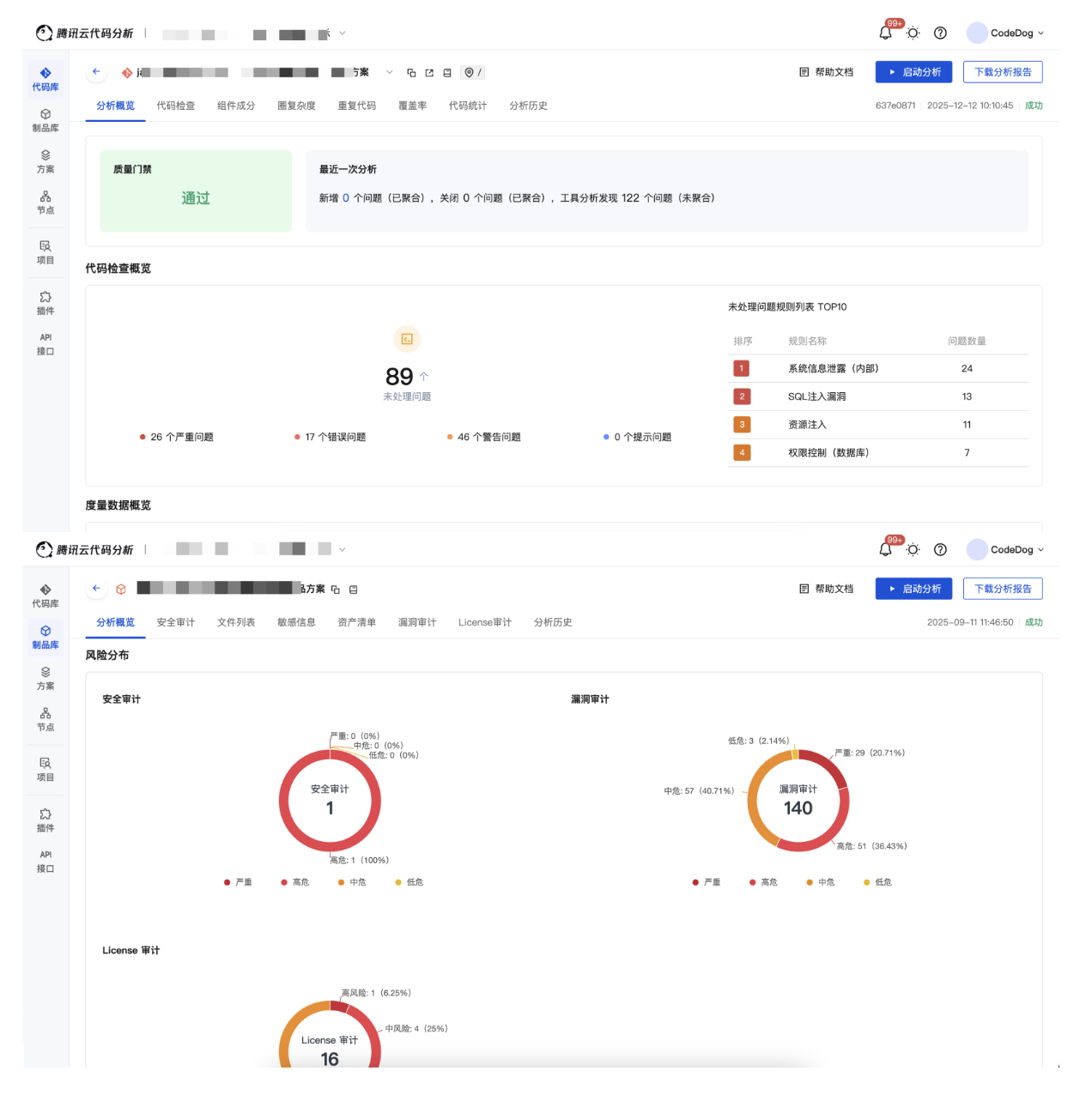
An analysis project is the smallest unit for performing analysis. Currently, there are three types of analysis projects: code repository analysis projects, source code package analysis projects, and artifact repository analysis projects.
Note:
A code repository analysis project = a code repository branch + an analysis path + an analysis scheme.
A source code package analysis project = a source code package version + an analysis scheme.
An artifact repository analysis project = an artifact name + an analysis scheme.