Configuring a Contact Baseline
Download
Focus Mode
Font Size
Overview
You can add contacts for an account in a contact baseline. The added contacts will receive account notifications.
Prerequisites
Directions
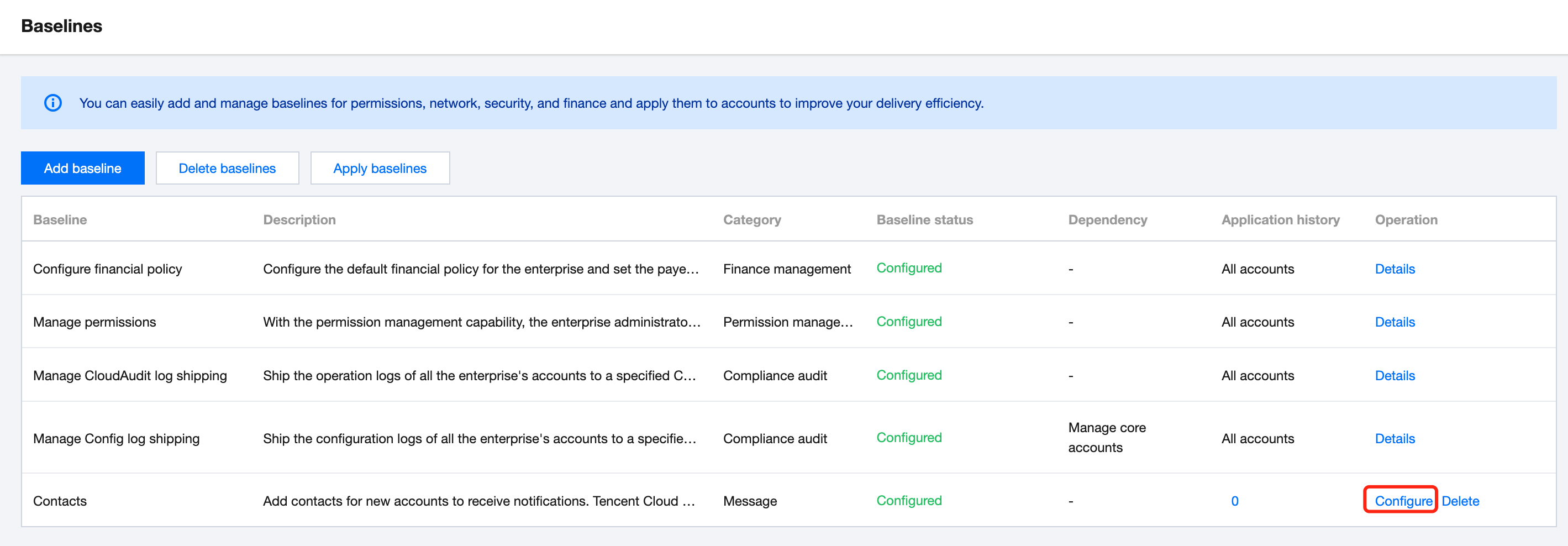
1. Go to the Control Center > Baselines page and click Configure for the contact baseline.
2. On the Baseline/Contacts page, click Add contact. In the pop-up window, enter the contact information.
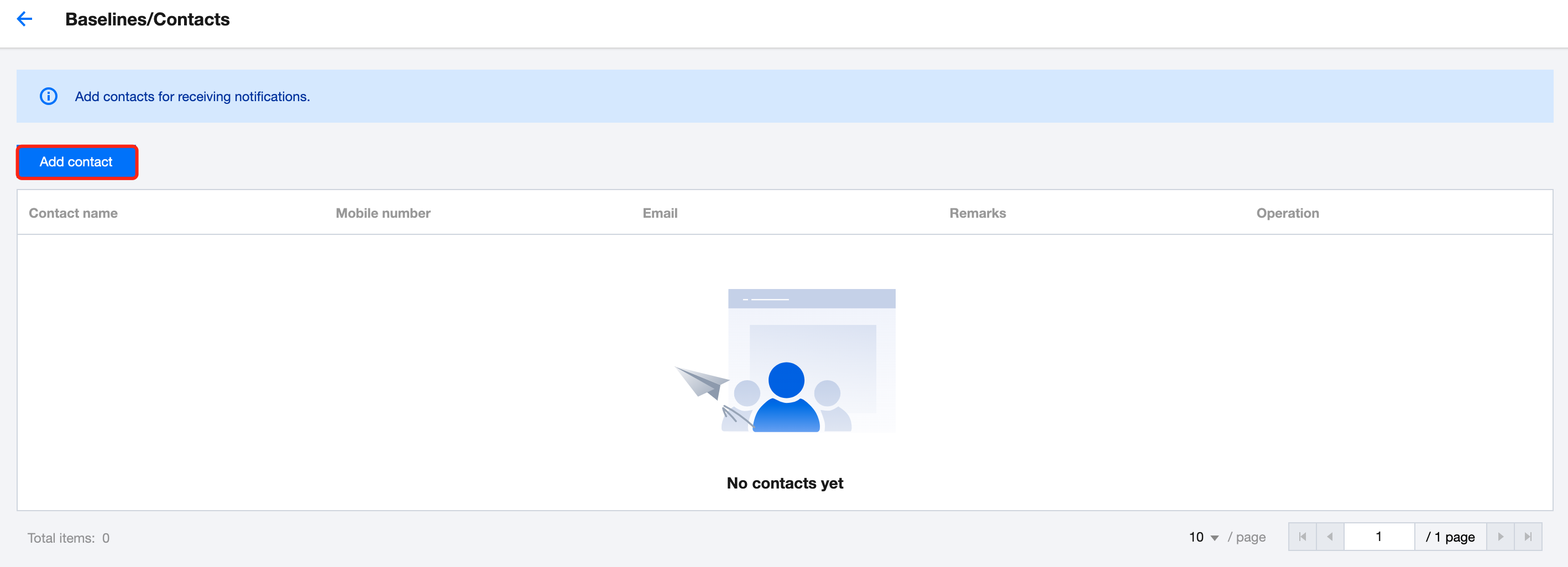
3. Click Add.
Help and Support
Was this page helpful?
You can also Contact sales or Submit a Ticket for help.
Help us improve! Rate your documentation experience in 5 mins.
Feedback