You can configure to ship the Config logs of all accounts to a designated Cloud Object Storage (COS) bucket for centralized monitoring and management of resource change records within the enterprise. This document describes how to configure Config log shipping.
Prerequisites
You have logged in to the Tencent Cloud console and gone to the Control Center > Landing zone page.
Directions
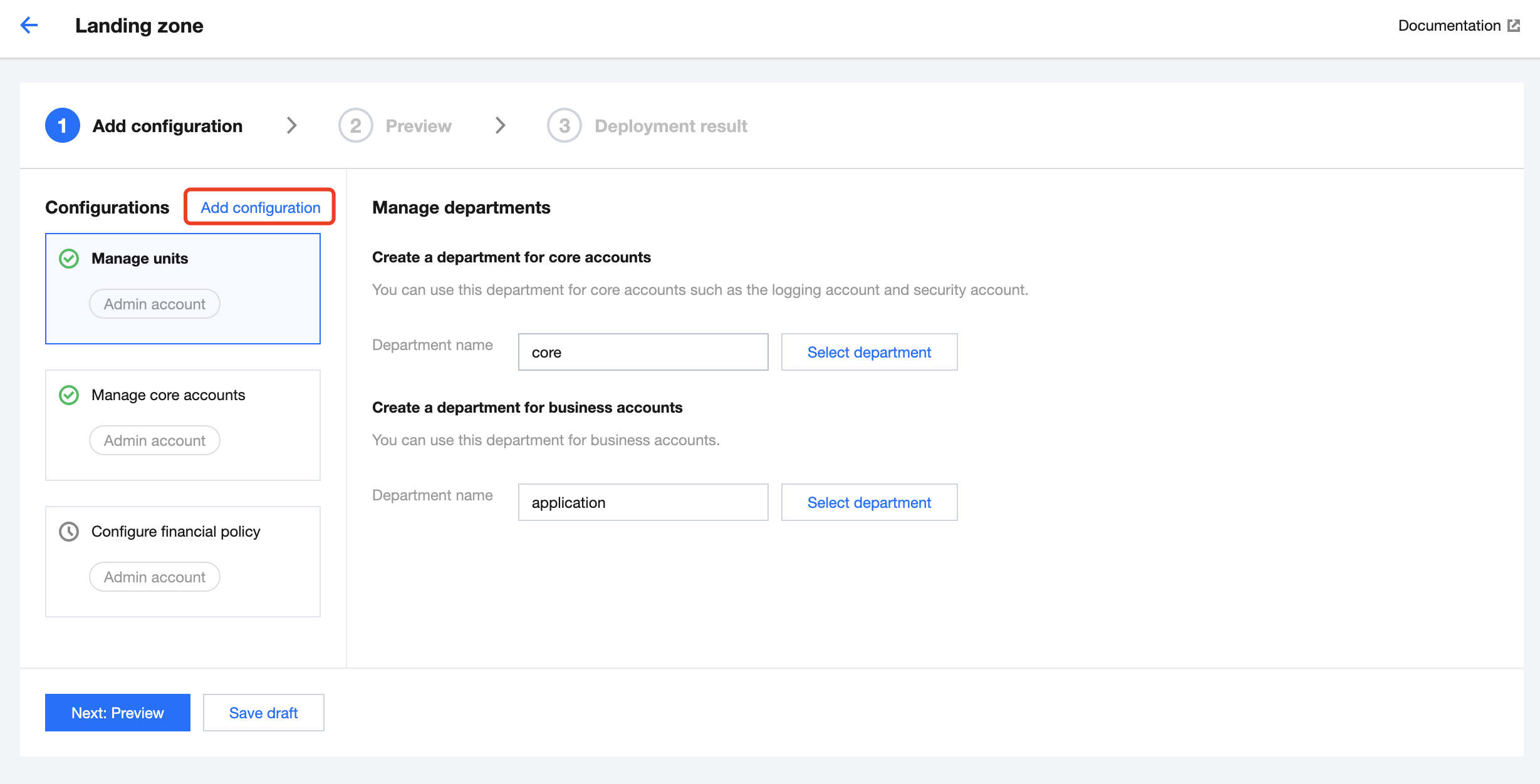
1. On the Landing zone page, click Add configuration.
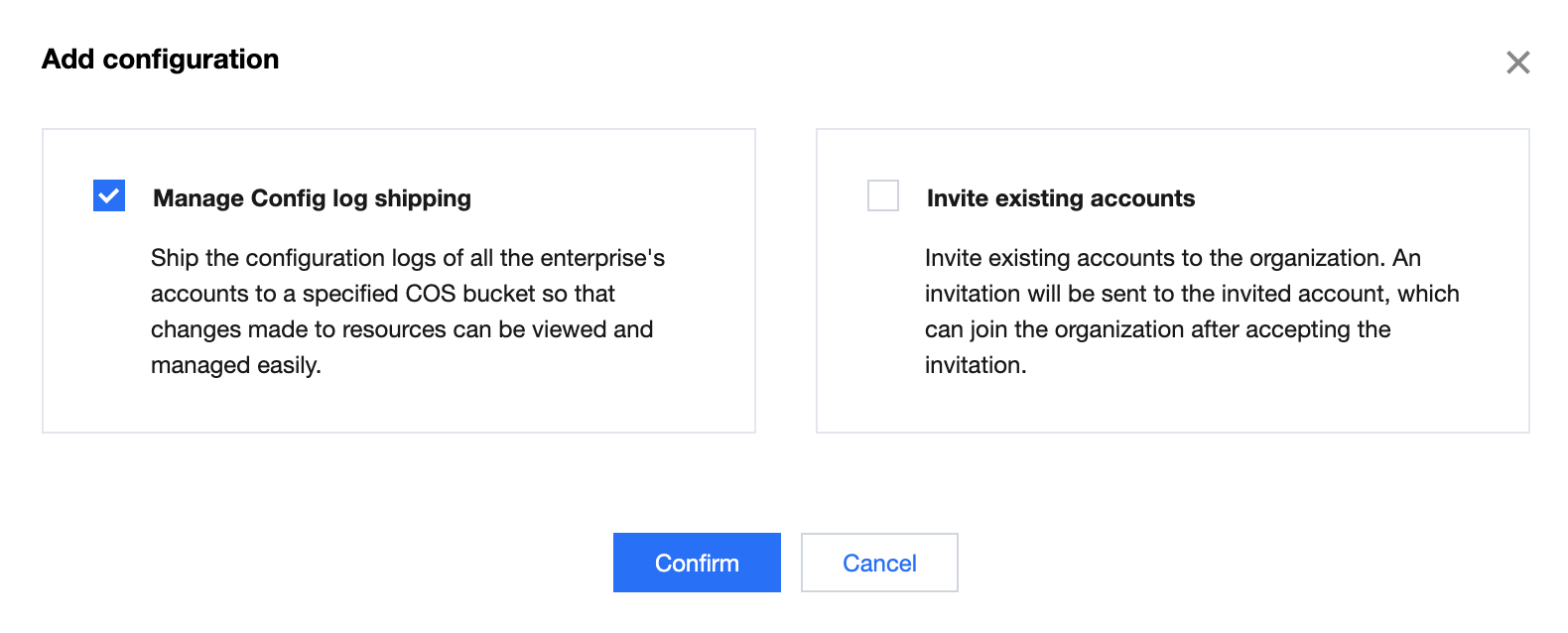
2. In the Add configuration pop-up window, select Manage Config log shipping and click Confirm.
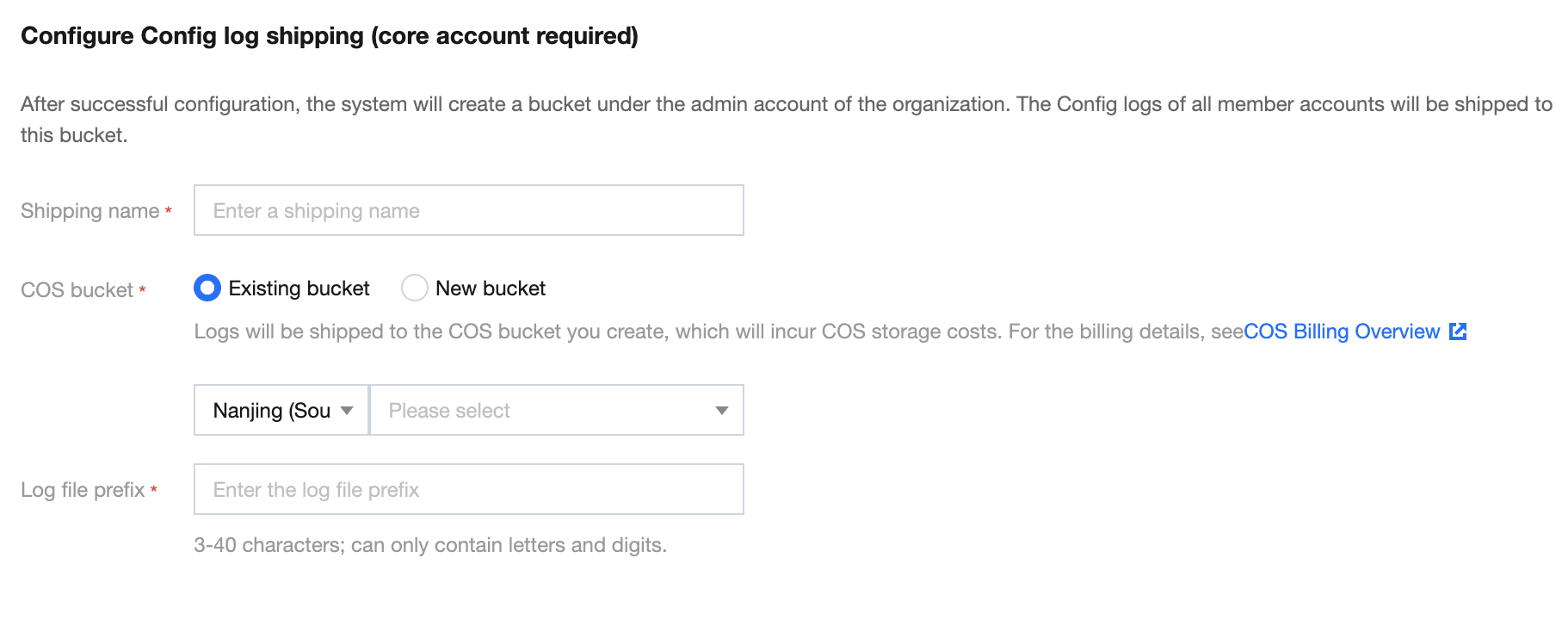
3. On the Configure Config log shipping page that appears, configure the following parameters as needed.
Shipping name: This refers to the service name for Config log shipping.
COS bucket: You can select an existing bucket in the corresponding region or create a new bucket. If you create a new bucket, specify the bucket region and name the bucket.
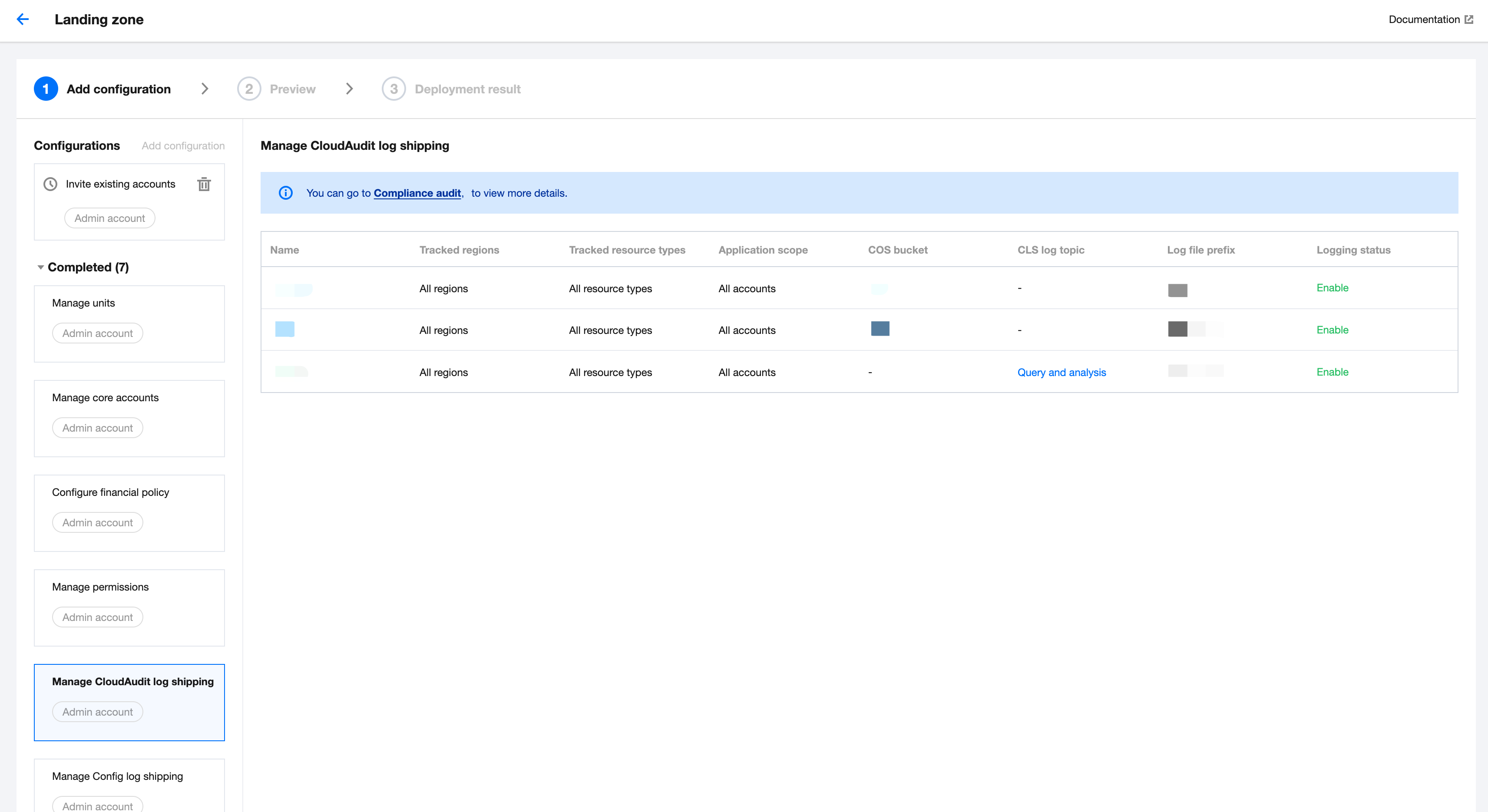
If any shipping configurations exist, you can view the existing information in the list.
4. After confirming that the information is correct, click Next: Preview.
5. After confirming that the preview is correct, click Apply.