Through permissions management, enterprise administrators can easily log in to and manage resources in any account within the organization. This document describes how to configure permissions management in a landing zone.
Prerequisites
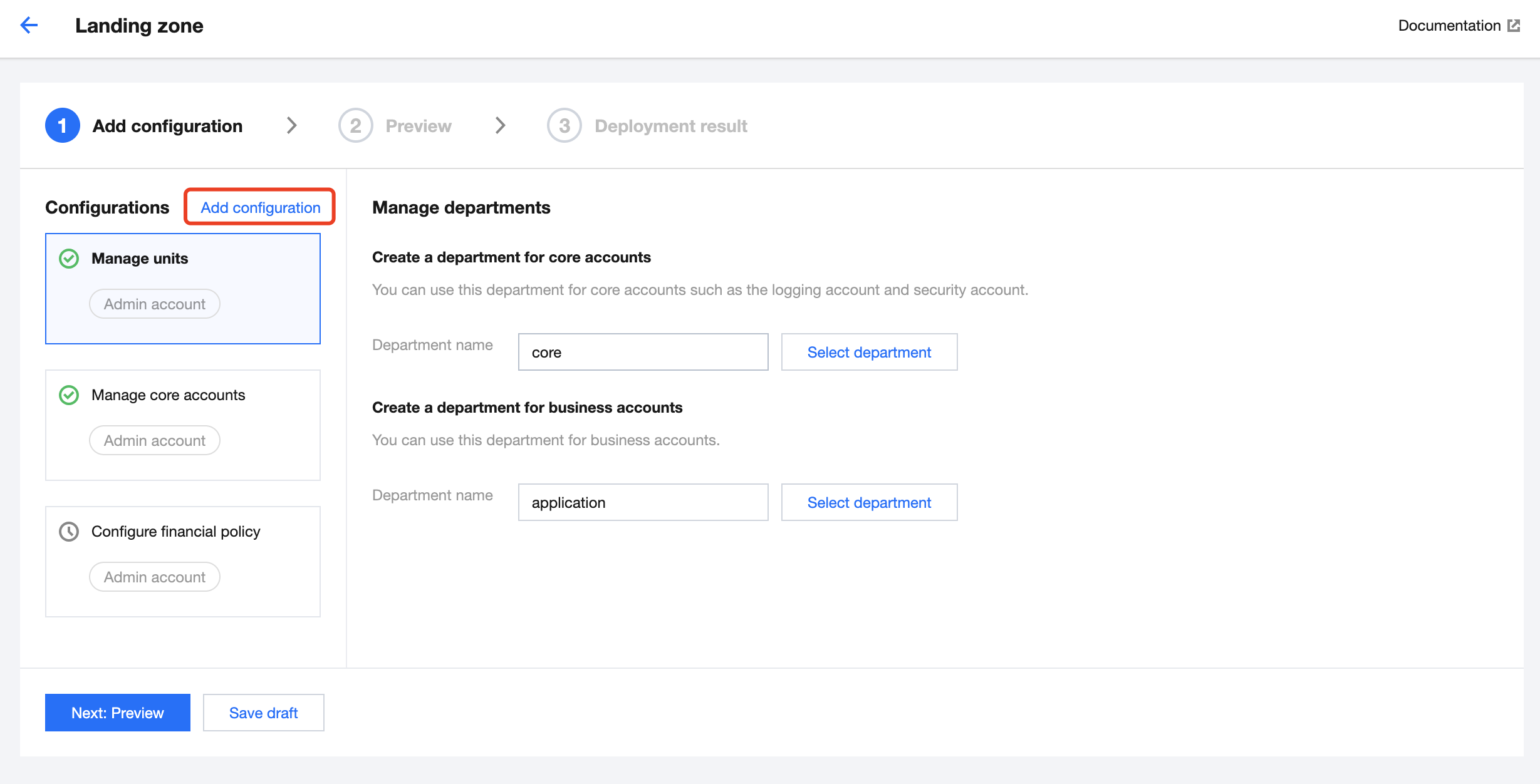
You have logged in to the Tencent Cloud console and gone to the Control Center> Landing zone page.
Directions
1. On the Landing zone page, click Add configuration.
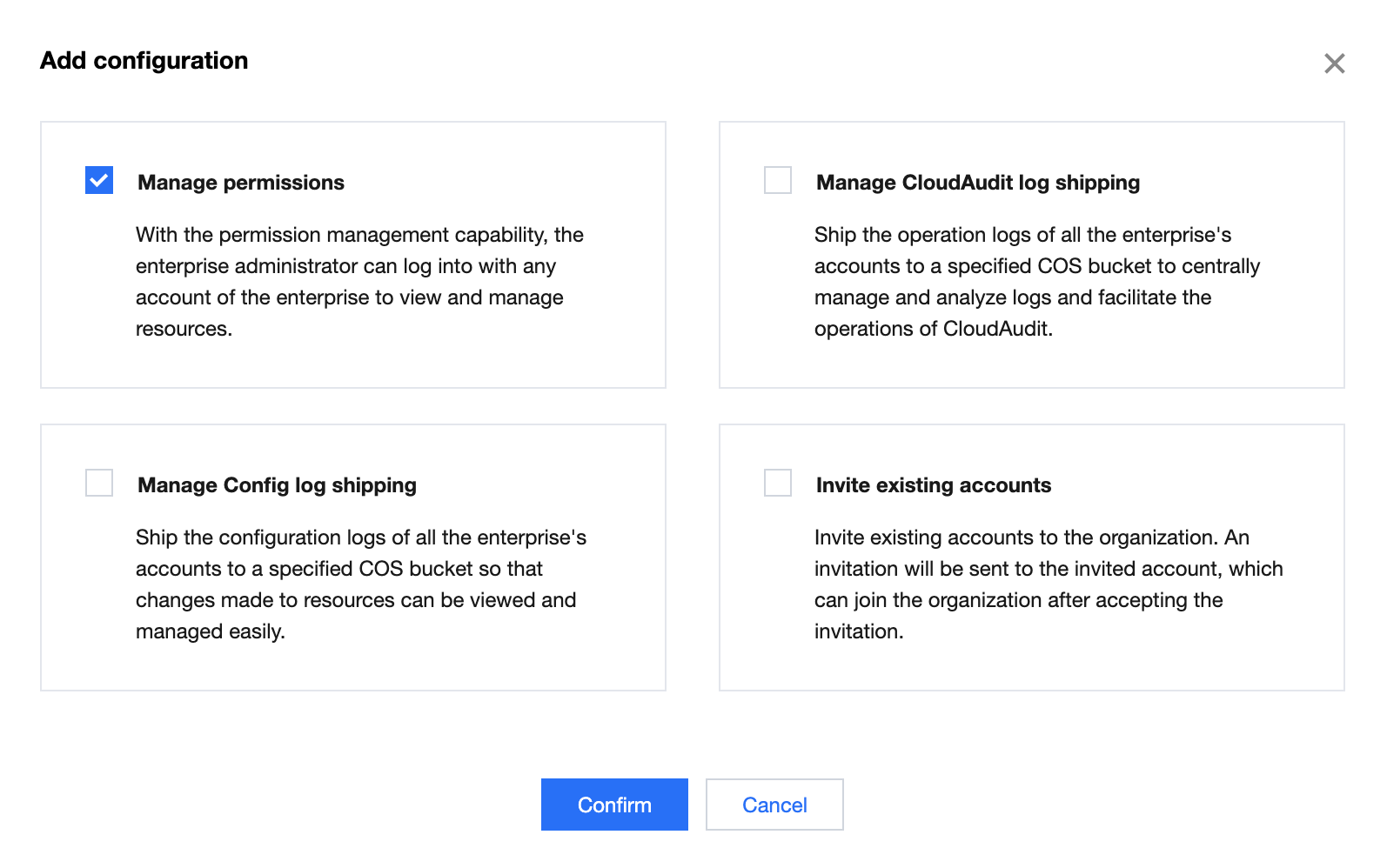
2. In the Add configuration pop-up window, select Manage permissions and click Confirm.
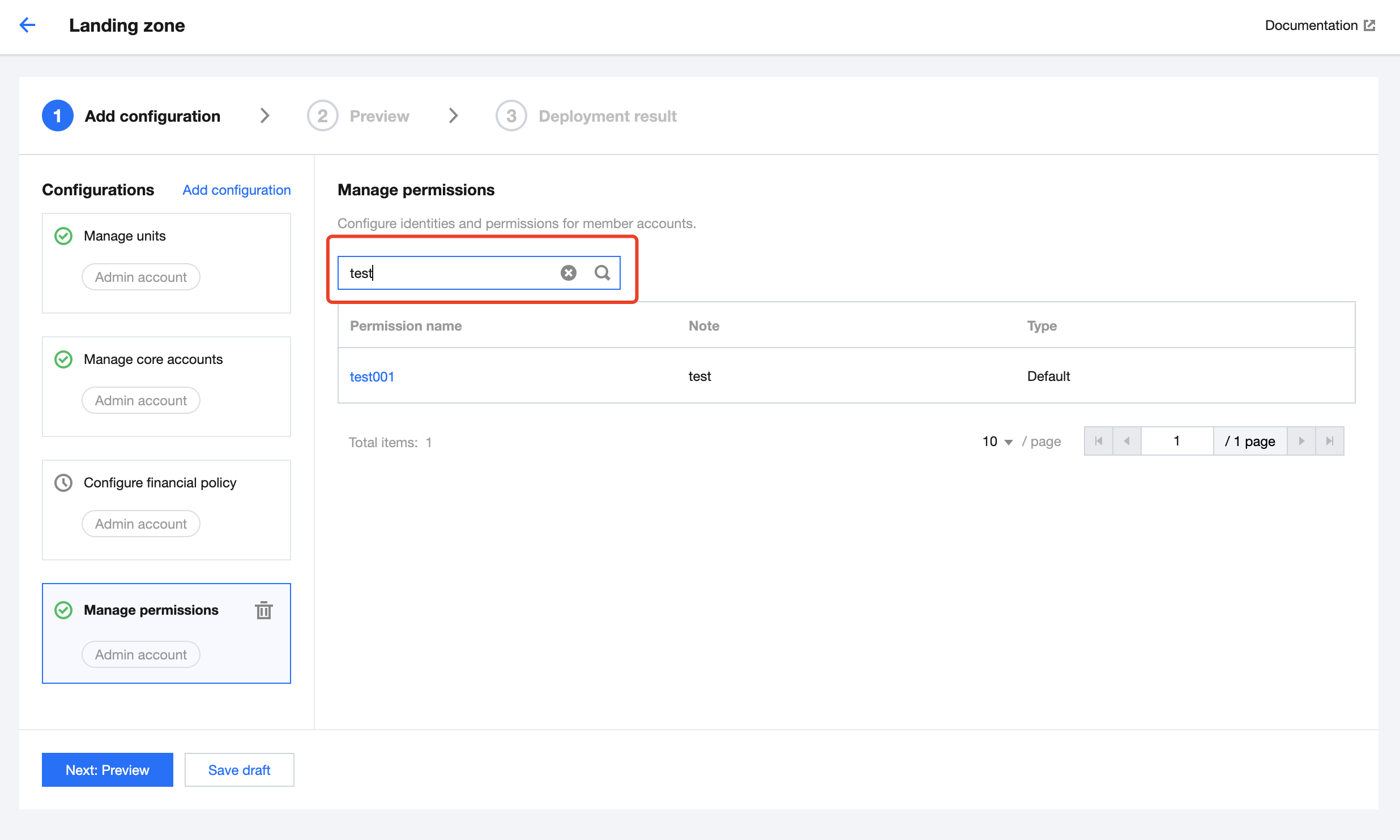
3. On the Manage permissions page that appears, all permissions associated with the account are displayed. A search box is provided for fuzzy search of permissions.
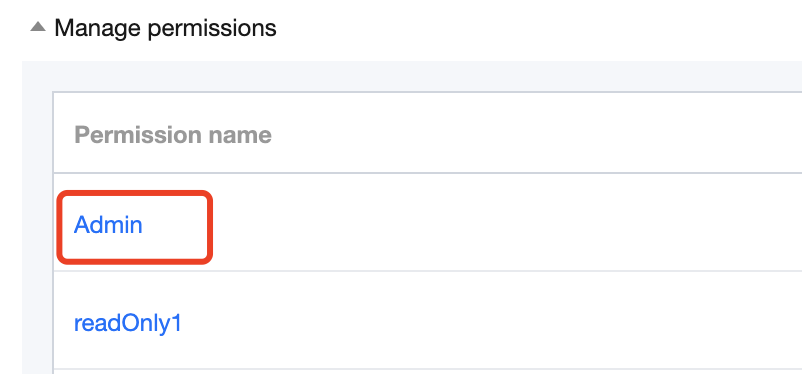
4. Click Next: Preview to go to the preview page.
5. When you click a specific permission name, you will be redirected to the Unified member access page where you can view detailed information about that permission.
6. After confirming that the preview is correct, click Apply.