Modifying Elastic Protection Bandwidth
Download
Focus Mode
Font Size
Elastic protection bandwidth refers to the maximum bandwidth that an Anti-DDoS instance can provide to deal with attack traffic. Once the attack traffic exceeds the maximum protection bandwidth, the attacked IP is blocked.
Prerequisite
Directions
1. Log in to the new Anti-DDoS console and click Anti-DDoS Instances on the left sidebar.
2. In the Specifications column of the target Anti-DDoS Advanced instance row, click the 

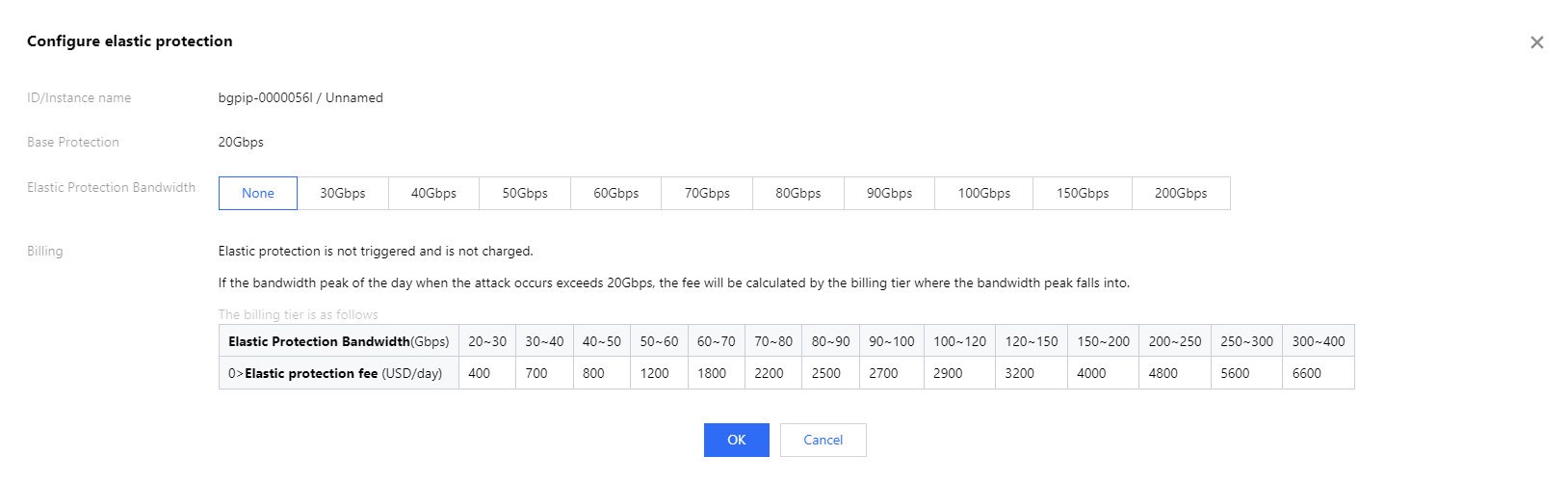
3. In the Configure elastic protection pop-up window, select an elastic protection bandwidth as needed.
Note:
Elastic protection bandwidth and corresponding fees may vary by region and edition. The specific information is displayed in the console.
4. Click OK.
Help and Support
Was this page helpful?
You can also Contact sales or Submit a Ticket for help.
Help us improve! Rate your documentation experience in 5 mins.
Feedback