iTerm Client Displaying Unrecognizable Characters to Mac Users During Ops
다운로드
포커스 모드
폰트 크기
Phenomenon Description
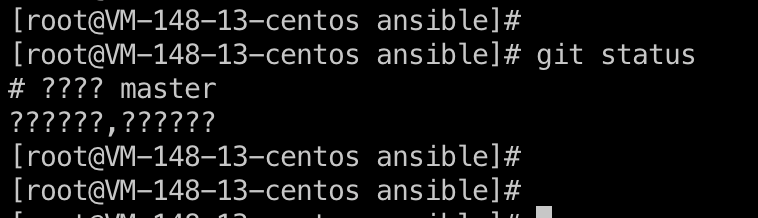
When a Mac system uses the iTerm client to access a Linux server, Chinese characters appear garbled, as shown below:
Possible Causes
An issue with the SSH configuration file on the Mac system.
Solutions
Modify the ssh_config file on the Mac system.
Directions
1. Open the terminal on the Mac system and enter the command:
vi /etc/ssh/ssh_config.2. Modify the configuration at SendEnv LANG to
SendEnv LANG LC_* .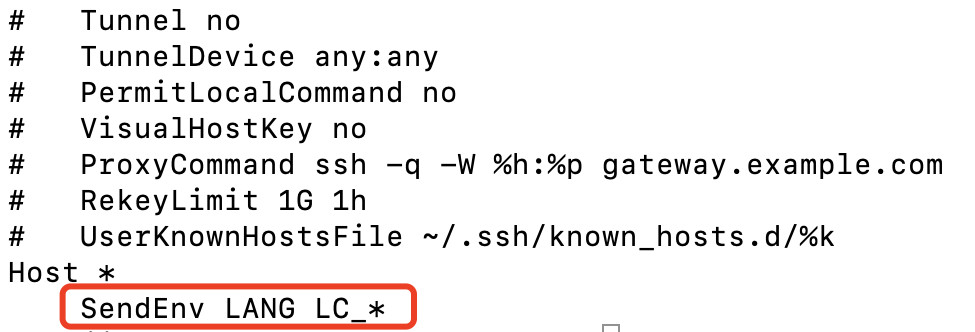
3. Close the iTerm client, use the BH to access the target device again, and check whether the garbled text issue has been resolved.
피드백