2. On the General authentication source page, select the SMS OTP authentication source to test and click Test SMS.
Note:
The test SMS feature is available only when an SMS OTP authentication source is enabled.
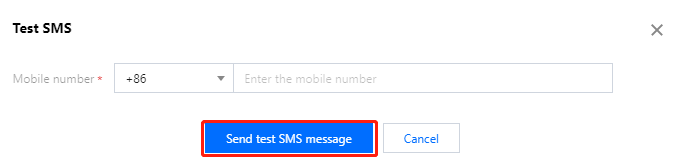
3. In the Test SMS window displayed, enter a mobile number and click Send test SMS message. Then, the system sends a test SMS message to the user according to the configuration of the SMS OTP authentication source.
Testing email OTPs
1. Log in to the CIAM console and select Authentication management -> General authentication source in the left navigation pane.
2. On the General authentication source page, select the Email OTP authentication source to test and click Test email.
Note:
The test email feature is available only when an email OTP authentication source is enabled.
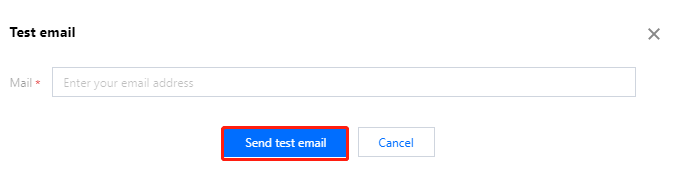
3. In the Test email window displayed, enter an email address and click Send test email. Then, the system sends a test email to the user according to the configuration of the email OTP authentication source.