SMS OTP
Download
フォーカスモード
フォントサイズ
Prerequisites
You cannot edit an enabled authentication source. You must disable the authentication source before editing.
Steps
1. Log in to the Customer Identity and Access Management console and select Authentication management -> General authentication source in the left navigation pane.
2. On the General authentication source page, select the SMS OTP authentication source to edit and click Edit.

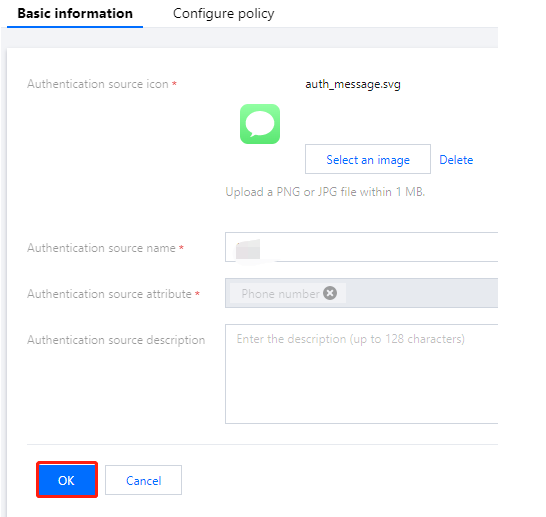
3. On the Basic information tab, modify the basic information as needed and click OK to modify the basic information.
4. Click the SMS policy tab.
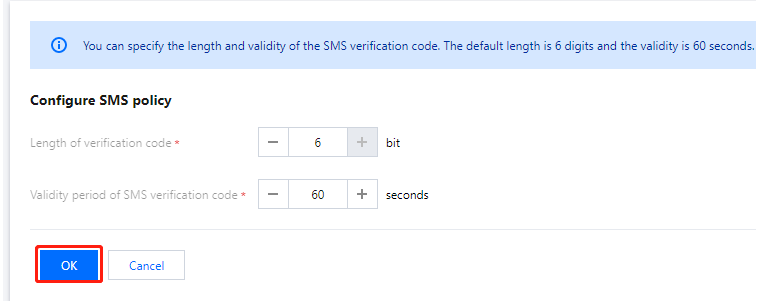
5. On the SMS policy tab, modify the authentication source policy and click OK to modify the SMS policy.
Note:
Length of verification code: The length of SMS OTPs sent to users. The valid range of values is 1-6 bit.
Validity period of SMS verification code: The validity period of SMS OTPs. The valid range of values is 1-300 seconds.
フィードバック