Customer Identity and Access Management (CIAM) supports the email OTP authentication source. That is, the system authenticates a user by sending an OTP to the email address of the user.
Steps
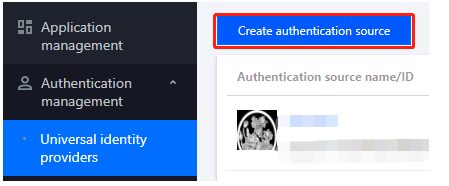
1. Log in to the CIAM console and select Authentication management -> General authentication source in the left navigation pane.
2. On the General authentication source page, click Create authentication source.
3. On the Create authentication source page, select Email OTP and click Next.
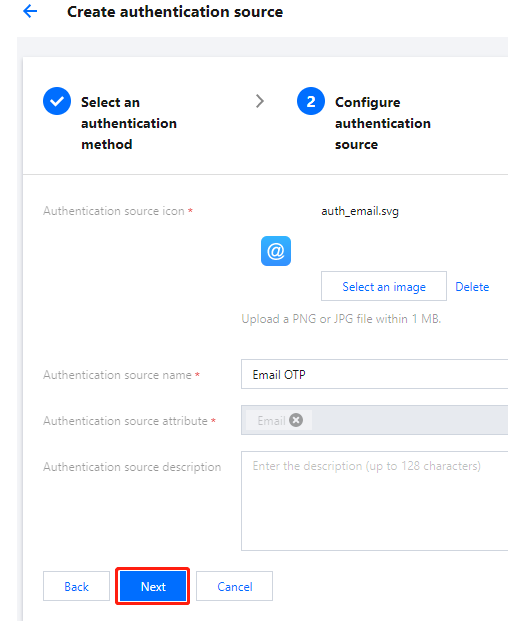
4. On the Create authentication source page, configure the icon, name, attribute, and description of the authentication source, and then click Next.
Note:
Authentication source icon: The icon displayed in lists and portals. Click Upload again to change the default icon.
Authentication source name: A name to identify the authentication source.
Authentication source attribute: The email OTP authentication source uses the email attribute by default. This field cannot be modified.
Authentication source description: A brief description of the authentication source.
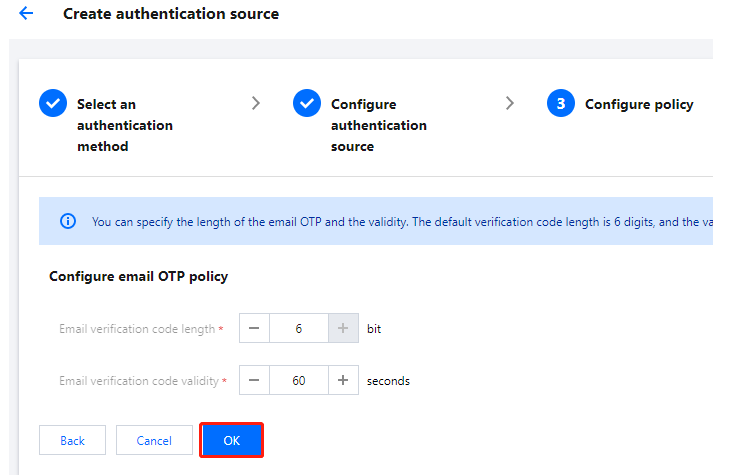
5. On the Create authentication source page, configure the parameters and click OK to create the authentication source.
Note:
Email verification code length: The length of email OTPs sent to users. The valid range of values is 1-128 bit.
Email verification code validity: The validity period of email OTPs. The valid range of values is 1-300 seconds.