tencent cloud

DokumentasiTencent Cloud EdgeOne

DDoS Defender Purchase Guide

Download
Mode fokus
Ukuran font
Terakhir diperbarui: 2026-08-07 14:33:12
Diterjemahkan oleh AI
Note:
1. The billing model below applies to customers onboarded after 12 January 2026.
2. DDoS Defender can be attached only to EdgeOne Standard or Enterprise Plan sites (domains and L4 proxy instances); other EdgeOne plan versions are not supported.
DDoS Defender requires an active plan to be purchased before the service can be used. This document walks you through the purchase process. First consult the DDoS Defender Pricing Guide to decide which plan and add-ons you need, then follow the steps below to complete your order.

Prerequisites

Before purchasing a plan, you must register a Tencent Cloud account.

Purchase Steps

Directions are as follows:
2. Choose the items that match your business needs: plan edition, protection add-ons, and subscription time span.
Parameter
Description
Plan edition (required)
Select one: Essential Plan or Premium Plan.
Protection-capacity add-on (optional)
Select the following add-ons based on your protection scope (multiple selections allowed).
Mainland China Protection Add-on: This add-on applies to domains and L4 proxy instances in Mainland China area or global area, extending protection capacity to Tbps level within Mainland China.
Global (Excluding Mainland China) Protection Add-on: This add-on applies to transit CIDRs in global (excluding Mainland China) area, enabling L3/4 DDoS traffic scrubbing capabilities.
Cross-Region Protection Add-on: This add-on applies to domains and L4 proxy instances in global (excluding Mainland China) area. For routes with Cross-MLC-border acceleration enabled, it extends cross-region protection capacity to Tbps level. Before enabling this add-on, you must first complete the Cross-MLC-border acceleration configuration. For details, see Cross-regional Secure Acceleration (Oversea Sites).
Extra protected resources (optional)
Buy additional protected resource quota; overage will be billed post-paid.
Extra clean traffic (optional)
Buy additional traffic quota; overage will be billed post-paid.
Subscription time span (required)
1 month – 2 years, in whole-month steps. You can also enable auto-renewal (monthly) if the account balance is sufficient.
3. Tick "I have read and agree to the Service Agreement and Refund Policy" and click Buy Now.
4. Review your selections, choose whether to use vouchers, then click Confirm Purchase and complete payment.
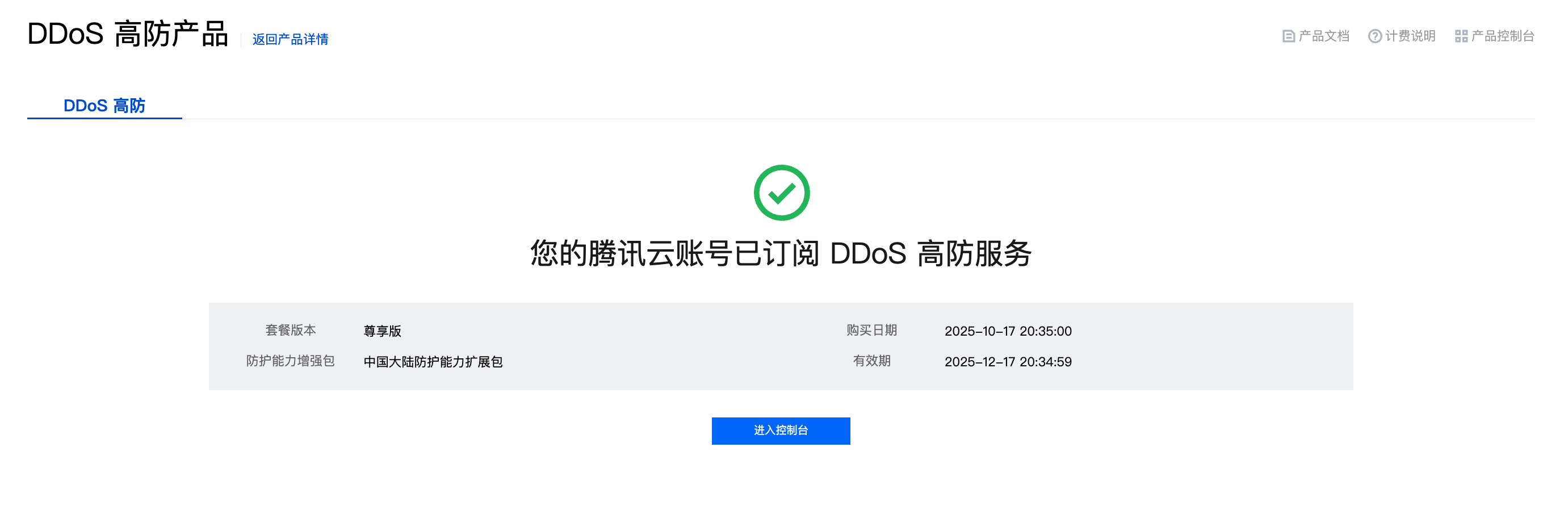
5. After you complete the subscription and go to the purchase page again, you will see information about the DDoS Defender service subscribed to by the currently logged-in Tencent Cloud root account.


Bantuan dan Dukungan

Apakah halaman ini membantu?

masukan