Enable Version Management
다운로드
포커스 모드
폰트 크기
This document will introduce how to enable version management and the information you need to know beforehand.
Note:
This feature only supports sites linked to Standard and Enterprise Edition packages.
Directions
1. Log in to the Tencent Cloud EdgeOne console, enter Service Overview in the left menu bar, and click the site to be configured under Website Security Acceleration.
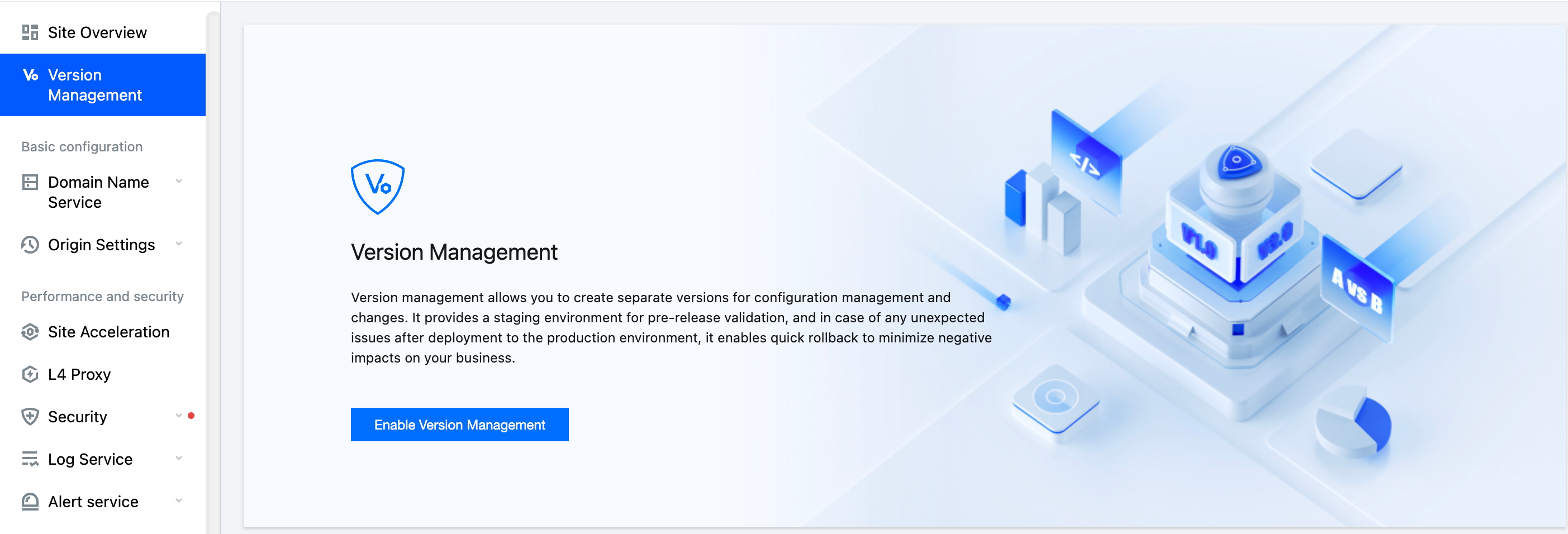
2. On the site details page, in the left navigation, click Version Management.
3. On the version management page, click Enable Version Management.
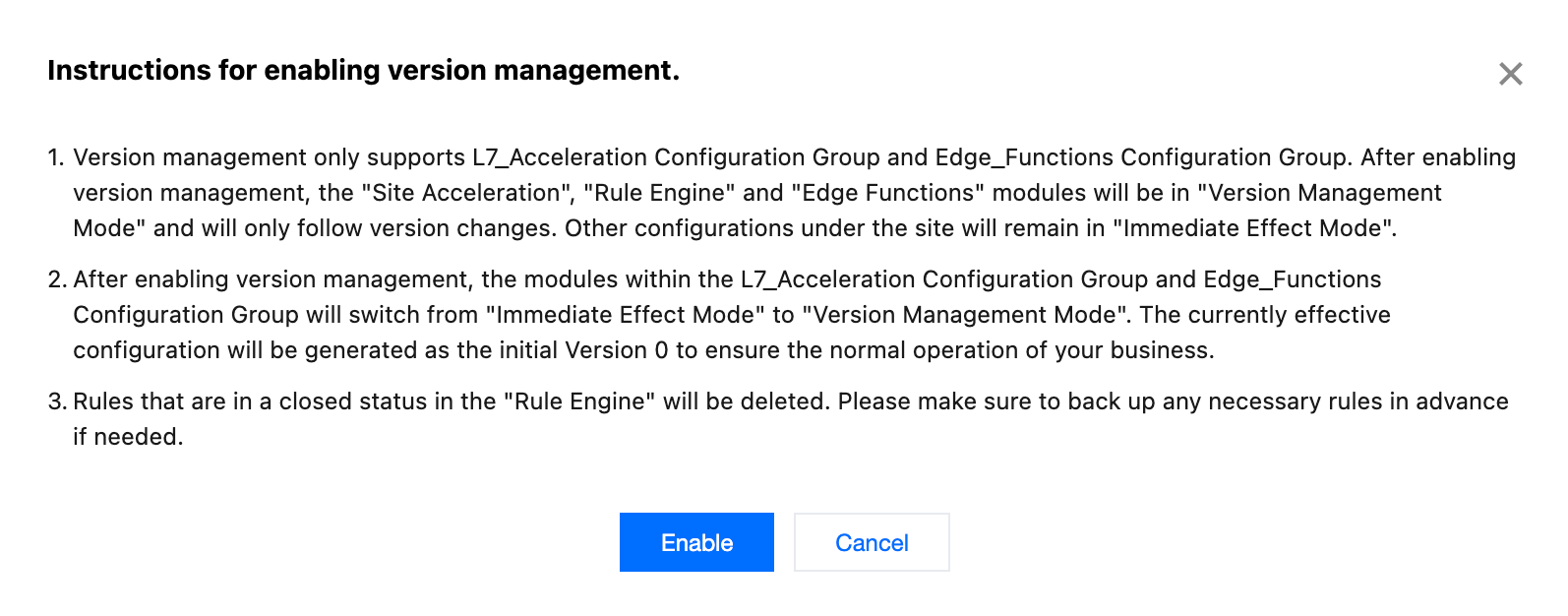
4. After reading the notes on enabling version management, click Confirm Enable.
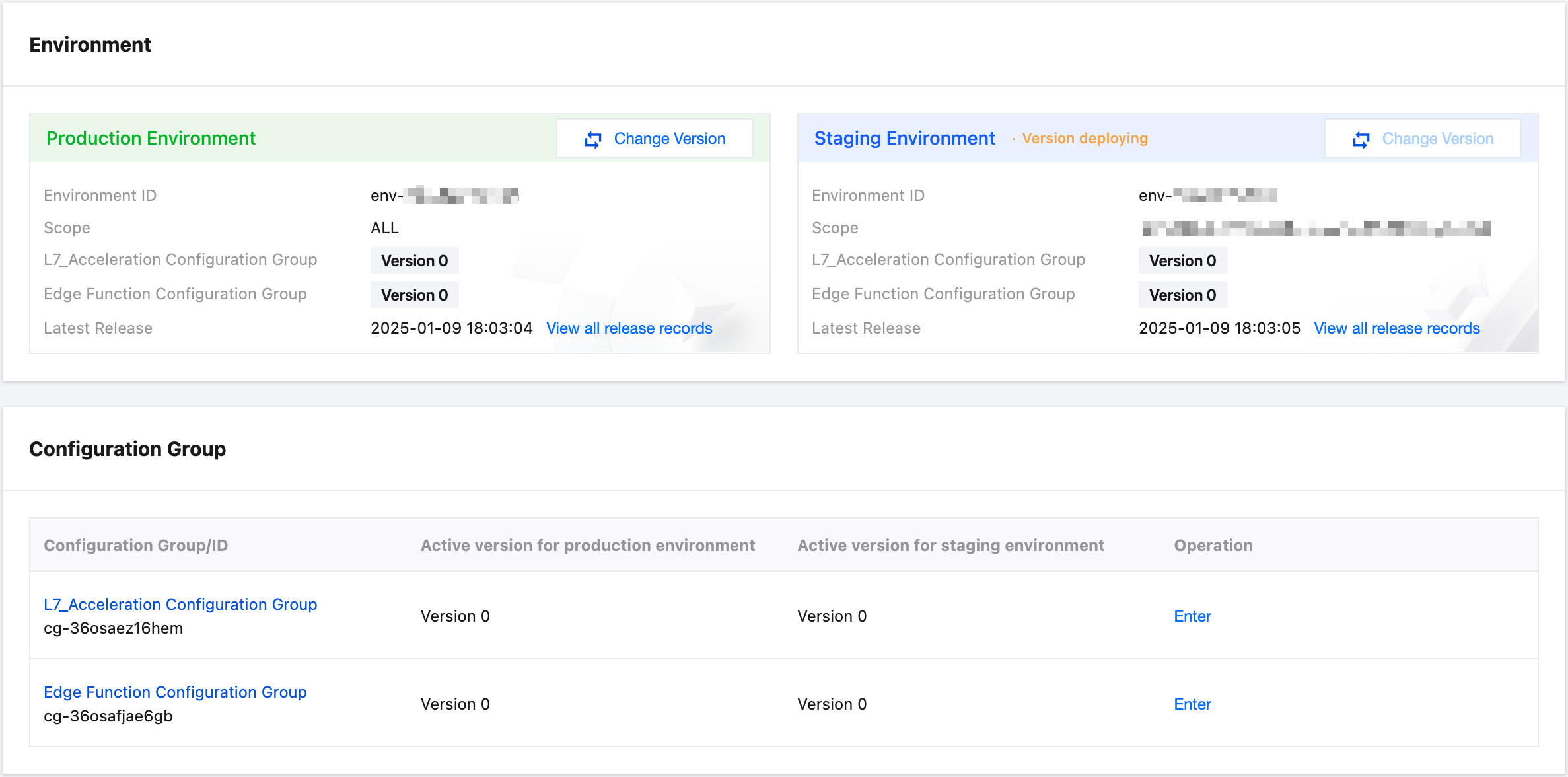
5. After enabling, EdgeOne will automatically create a Layer 7 acceleration configuration group and an edge function configuration group for you, and provide production and test environment information. The following screen indicates successful activation.
Note:
1. After enabling version management, the modules in the Layer 7 acceleration configuration group and the edge function configuration group will switch from immediate effect mode to version management mode, and the current effective configuration will be generated as the initial version Version 0 to ensure your business runs smoothly.
2. Rules in the Rule Engine that are in a disabled state will be deleted. Please make necessary backups in advance if needed.
피드백