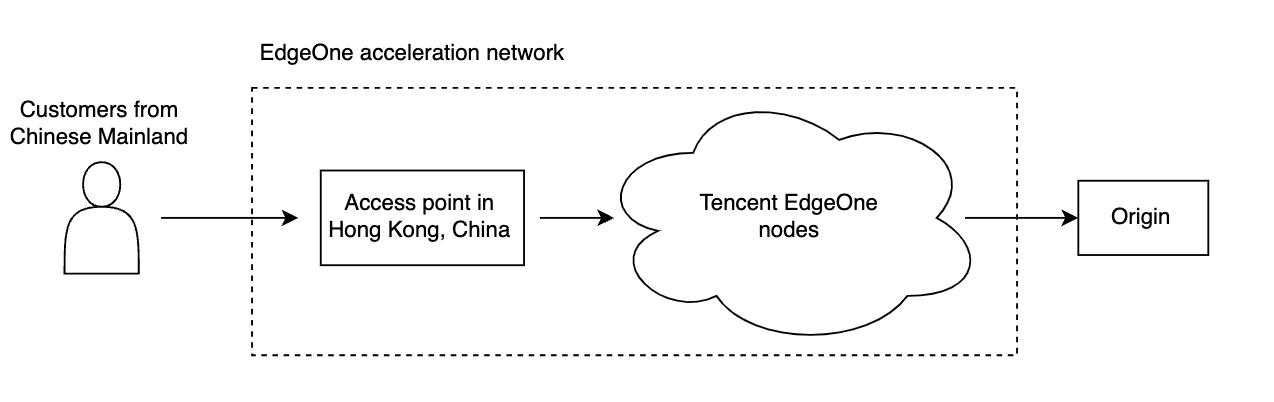
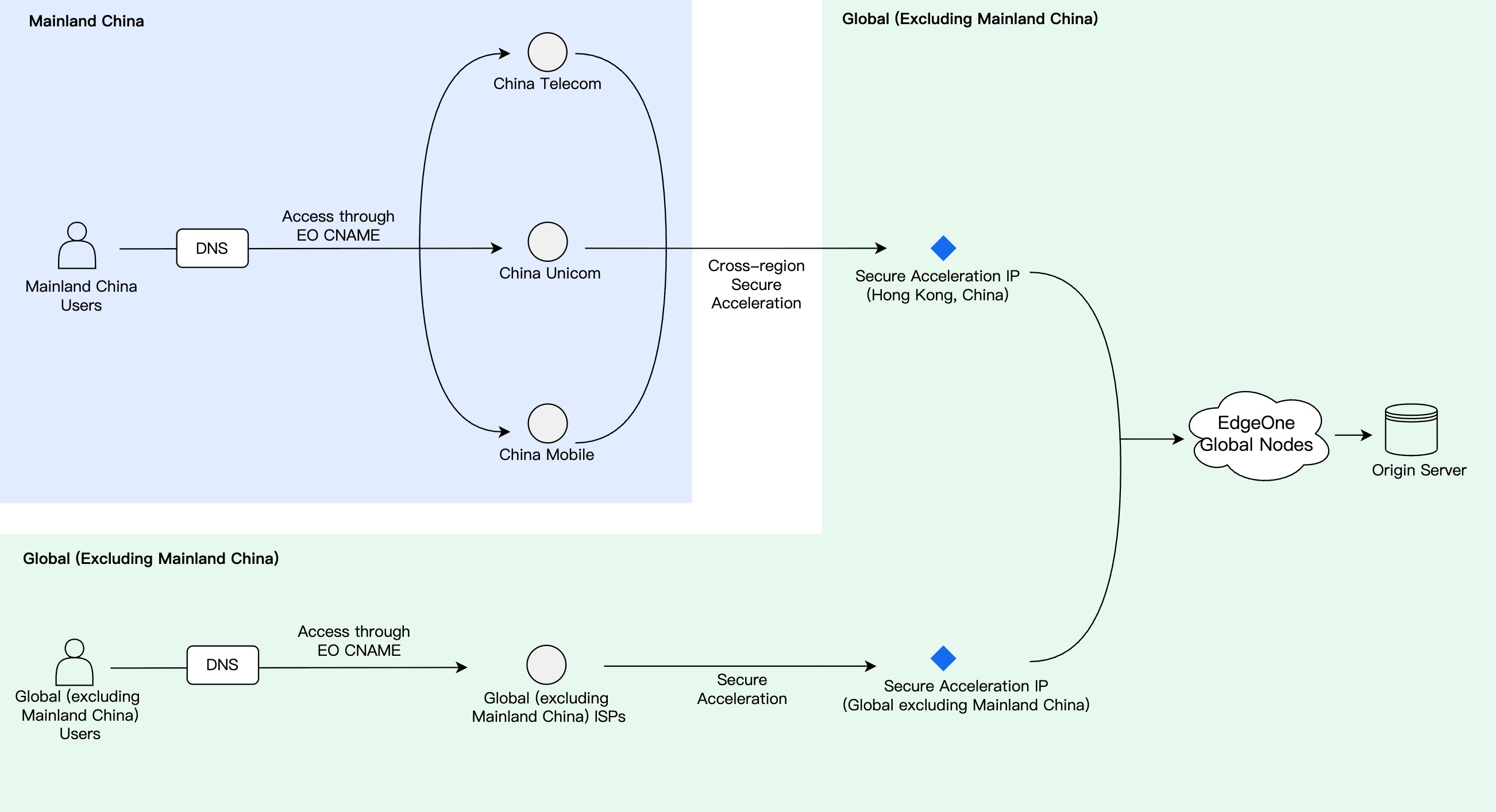
EdgeOne provides a cross-regional performance and security solution to help users address network latency and security challenges in global business deployments. Through its globally distributed edge nodes, EdgeOne offers users in different regions a one-stop acceleration and security service, including nearby access, intelligent routing, DDoS protection, and Web protection.
Cross-MLC-border Secure Acceleration is a specialized capability launched by EdgeOne for overseas services and Mainland China user access scenarios. It applies to the following business requirements:
The origin site is deployed in regions outside Mainland China, such as Hong Kong (China), Singapore, or the United States, but it needs to provide users in Mainland China with a low-latency, highly stable access experience.
Your service is under cross-region traffic attack. You need to combine acceleration and security protection capabilities.
You need to complete the configuration for global access performance optimization, DDoS protection, Web protection, cache acceleration, and more in a one-stop manner.
Attention:
This feature is only available in the EdgeOne Enterprise plan.
Example Scenario
A web service is deployed outside the Chinese mainland and serves users through www.example.us. Since the origin server is located outside the Chinese mainland and cannot be hosted on servers withinthe Chinese mainland for the time being, while most user requests come from the Chinese mainland, theservice suffers from network issues such as high latency, jitter, and packet loss, and even risks service interruption.
Solution Description
Based on your service acceleration and protection requirements, the solution can be divided into the following two types:
Solution 1: Enable Cross-MLC-border Acceleration Only. This solution applies to scenarios where you only need to improve the access experience for users in Mainland China to your overseas site and do not require additional DDoS/CC protection capabilities.
When your service is under attack, traffic from Mainland China is prioritized to use the resources of the overseas Anti-DDoS scrubbing centers, and Cross-MLC-border Acceleration is temporarily disabled. After the attack ends, the Cross-MLC-border Acceleration effect is restored. During the switching process, client connections may be reset.
When your service is under attack, attack traffic originating from Mainland China is scrubbed by the three major carriers and then reinjected into the EdgeOne Hong Kong (China) access node. Attacks originating from outside Mainland China are defended using overseas scrubbing center nodes, ensuring the access experience for normal users to the greatest extent possible during the attack.
When using Solution 2, note the following restrictions:
1. Security Protetion Policy Always Remains Active: To ensure the security of the Cross-MLC-border Acceleration route, the cross-region security protection policy always remains active after being enabled (regardless of whether an attack is currently in progress). During the scrubbing process, a small number of normal requests may be mistakenly blocked. We recommend that your client has a retry mechanism. For long-lived connections and high-real-time services (such as gaming, audio/video interaction), enabling this policy may introduce additional latency or connection interruption risks. We recommend that you first verify service compatibility on a small scale before enabling it fully.
2. Protection Limitations in Extreme Scenarios: When extremely high-volume attacks or unknown new attack methods are faced, there remains a certain risk of penetration, and 100% interception cannot be guaranteed.
3. Multi-tenant Joint Protection Impact: When multiple customers are under DDoS attack simultaneously within the same time period, the system may temporarily lower the blocking threshold for a single IP address. In this case, your service IP address may be mistakenly blocked.
User Guide
Prerequisites
You need to add a site according to the Site Access guide, purchase an EdgeOne Enterprise plan, and set the acceleration region for Layer 7 domains/Layer 4 instances to Global (excluding Mainland China) area.
Enabling Cross-MLC-border Acceleration
Scenario 1: Configure L7 site-wide acceleration
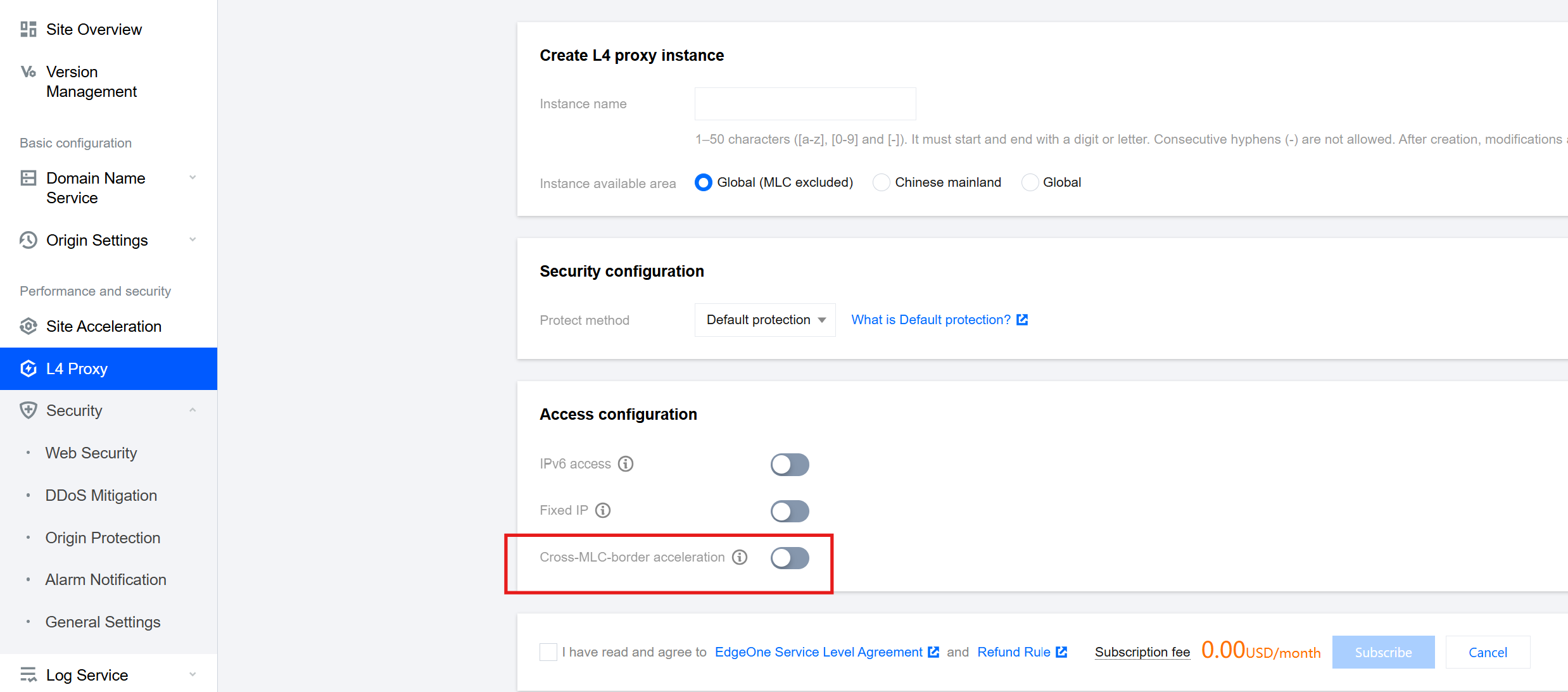
Scenario 2: Configure a single L4 proxy acceleration
If you need to enable the Cross-MLC-border acceleration function for the entire site, please follow the steps below:
1. Log in to the Tencent Cloud EdgeOne console, enter Service Overview in the left menu bar, and click the site to be configured under Website Security Acceleration.
2. On the site details page, click Site Acceleration to enter the Site Global Configuration page. In the right-hand navigation bar, click Network Optimization.
3. On the network optimization page, find the Cross-MLC-border acceleration function configuration card, and click
to enable the Cross-MLC-border acceleration function for the entire site.
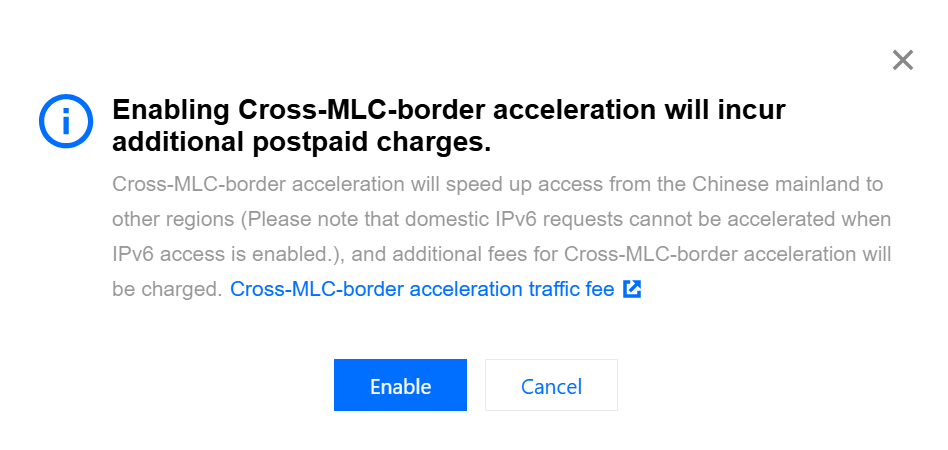
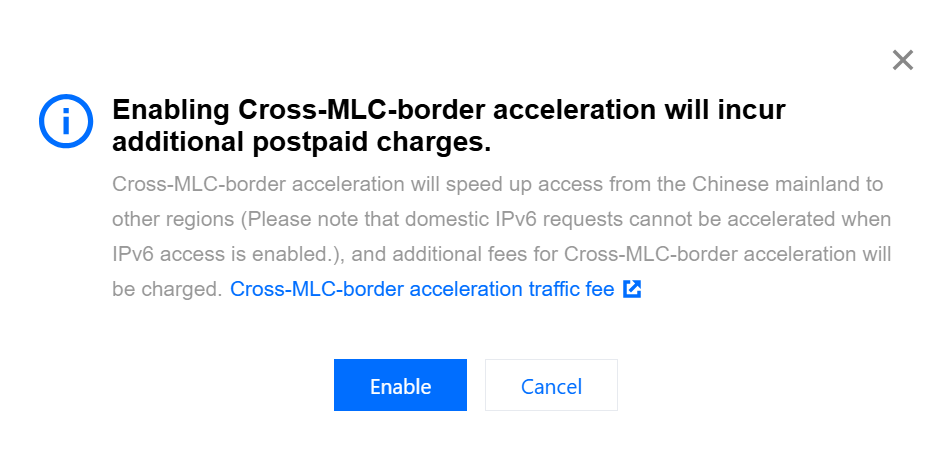
4. In the confirmation window, click Enable to complete the configuration.
If you need to enable the Cross-MLC-border acceleration function for a single L4 proxy instance, please follow the steps below:
1. Log in to the Tencent Cloud EdgeOne console, enter Service Overview in the left menu bar, and click the site to be configured under Website Security Acceleration.
2. On the site details page, click L4 Proxy and then Target Instance Name.
3. Under the target L4 proxy instance, find the Cross-MLC-border acceleration function, and click
to enable the Cross-MLC-border acceleration function for this instance.
4. In the confirmation window, click Enable to complete the configuration.
Perform an Access Test
Scenario 1: Configure L7 site-wide acceleration
Scenario 2: Configure a single L4 proxy acceleration
For domains that have enabled the Cross-MLC-border acceleration function, when the customer initiates a visit from the Chinese Mainland, EdgeOne will automatically schedule the access to the Hong Kong access node. You can verify this by checking whether the currently assigned node belongs to Hong Kong, China.
1. You can obtain the IP address of the assigned node by using any of the following methods:
Attention:
Please ensure that the access test is initiated from the Chinese Mainland since the Cross-MLC-border acceleration function affects the outgoing user requests from the Chinese Mainland.
Windows
Mac/Linux
Visit the site
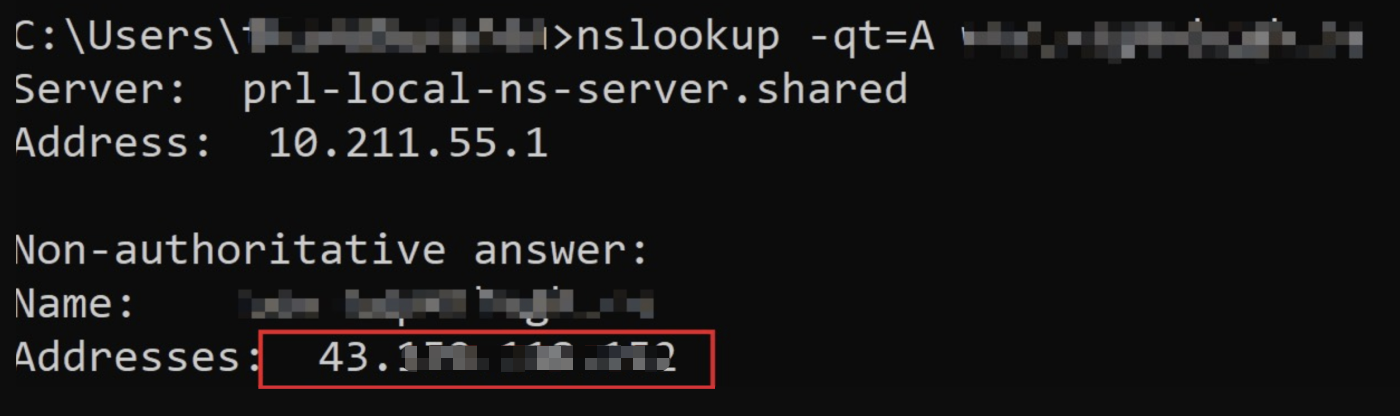
In Windows system, open the command prompt. Taking the domain www.example.com as an example, run the nslookup -qt=A www.example.com command. Then you can get the IP address of the domain obtained by the A record resolution.
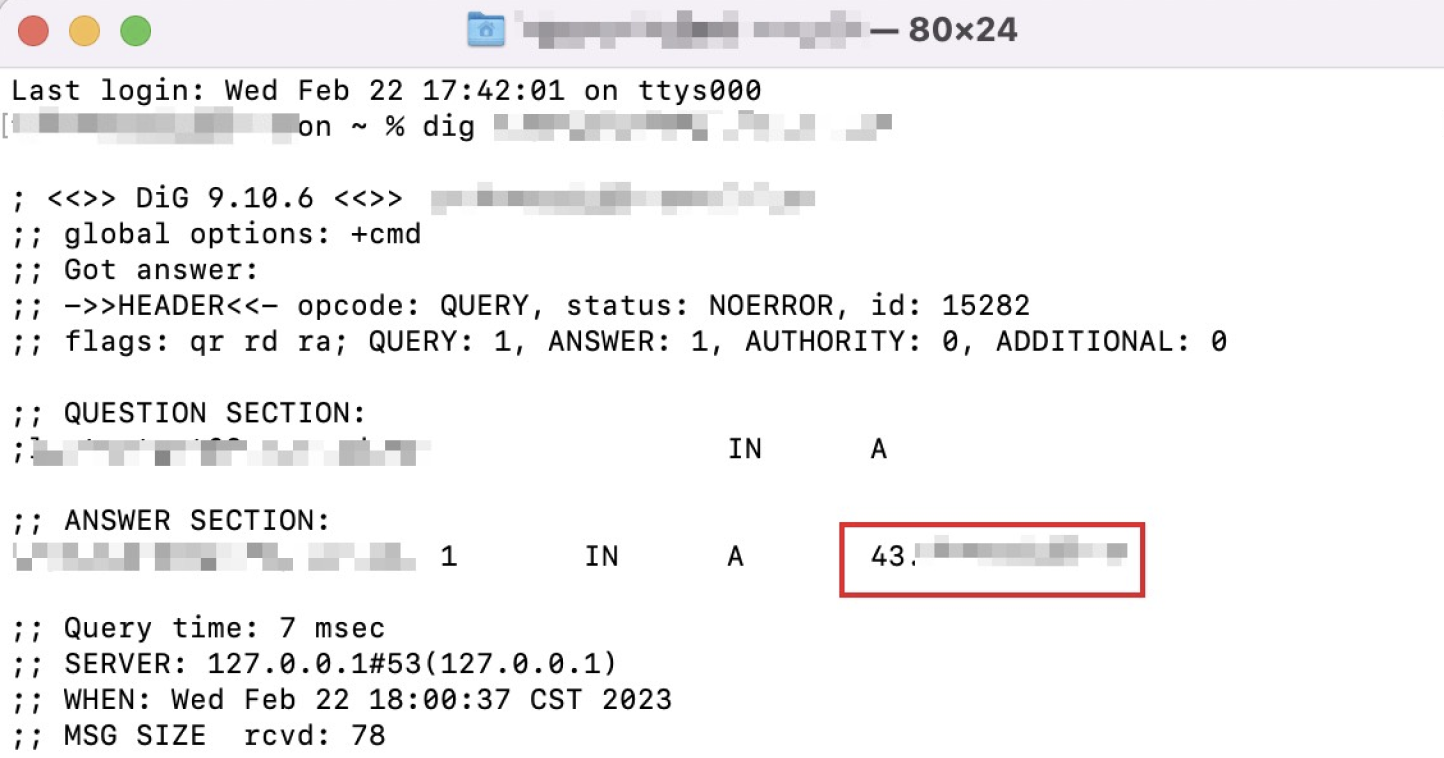
In Mac/Linux system, you can use the dig command for verification. Taking the domain www.example.com as an example, run the dig www.example.com command in the terminal. Then you can get the IP address of the domain obtained by the A record resolution.
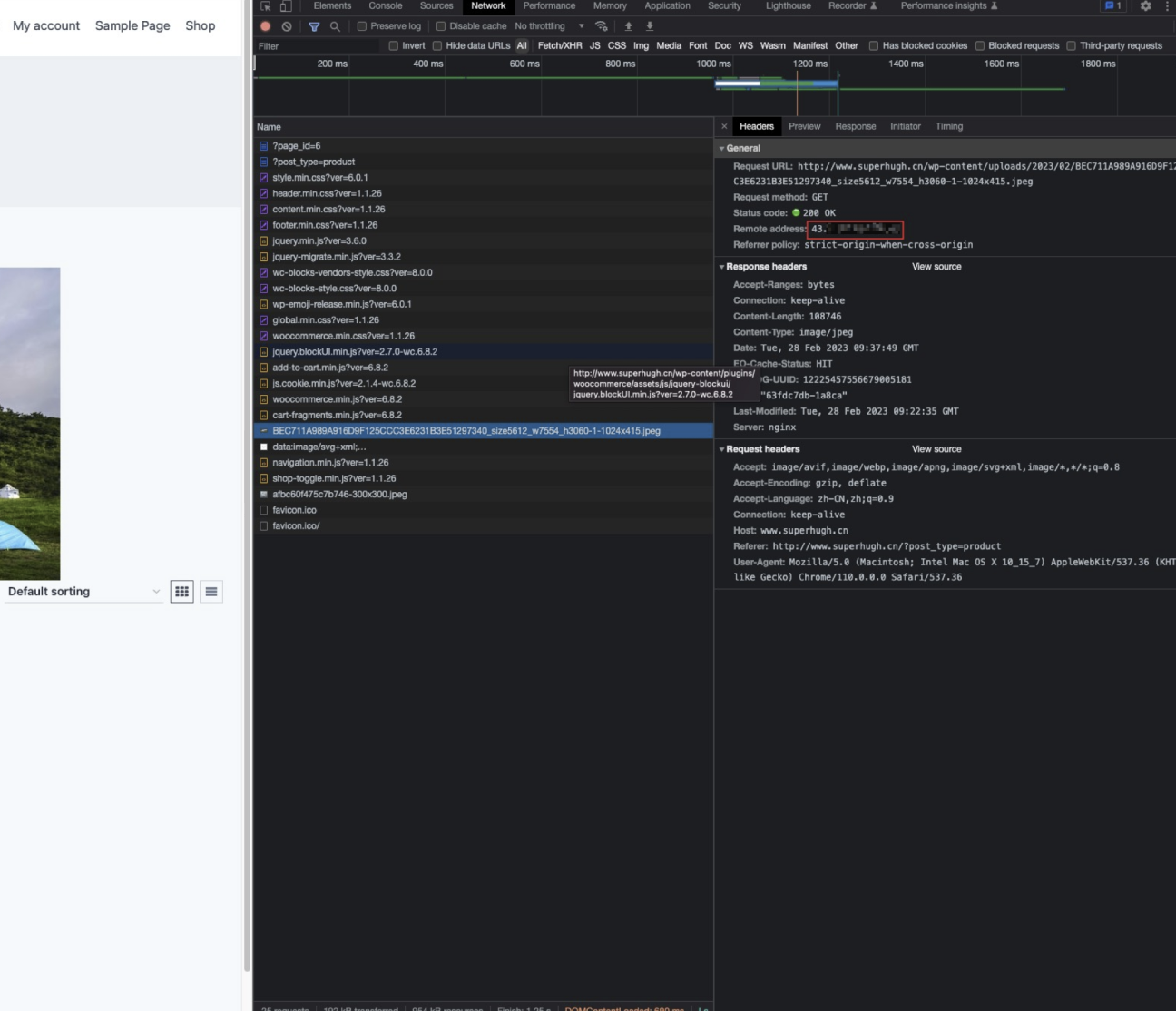
You can also obtain the IP address by visiting the site. Taking the domain www.example.com as an example, you can press F12 in the browser to open the developer tools. Then click any request record, and you can view the IP address that the request points to.
2. You can query the location information of the IP through any IP query tool. If it belongs to Tencent Hong Kong, the Chinese mainland network optimization (international acceleration) function is effective.
For L4 proxy instances that have enabled the Cross-MLC-border acceleration function, when the customer initiates a visit from the Chinese Mainland, EdgeOne will automatically schedule the access to the Hong Kong access node. You can verify this by checking whether the currently assigned node belongs to Hong Kong, China.
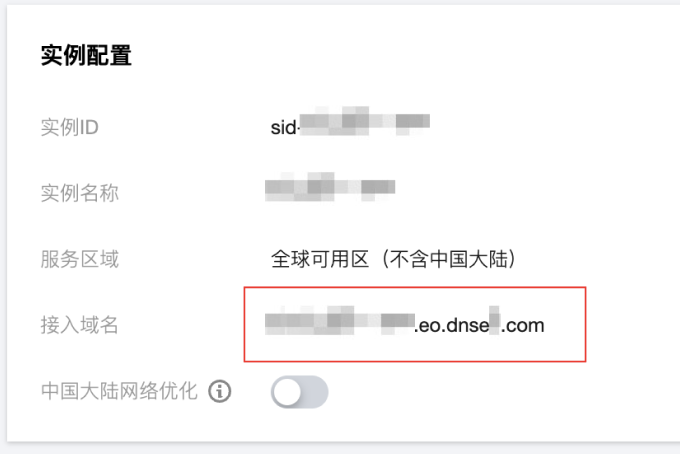
1. View the L4 proxy instance access domain name. On the site details page, click L4 Proxy. Under the target L4 proxy instances, view the access domain name.
2. You can obtain the IP address of the assigned node by using any of the following methods:
Windows
Mac/Linux
In Windows system, open the command prompt. Taking the domain example.com.eo.dnse.com as an example, run the nslookup -qt=A example.com.eo.dnse.com command. Then you can get the IP address of the domain obtained by the A record resolution.
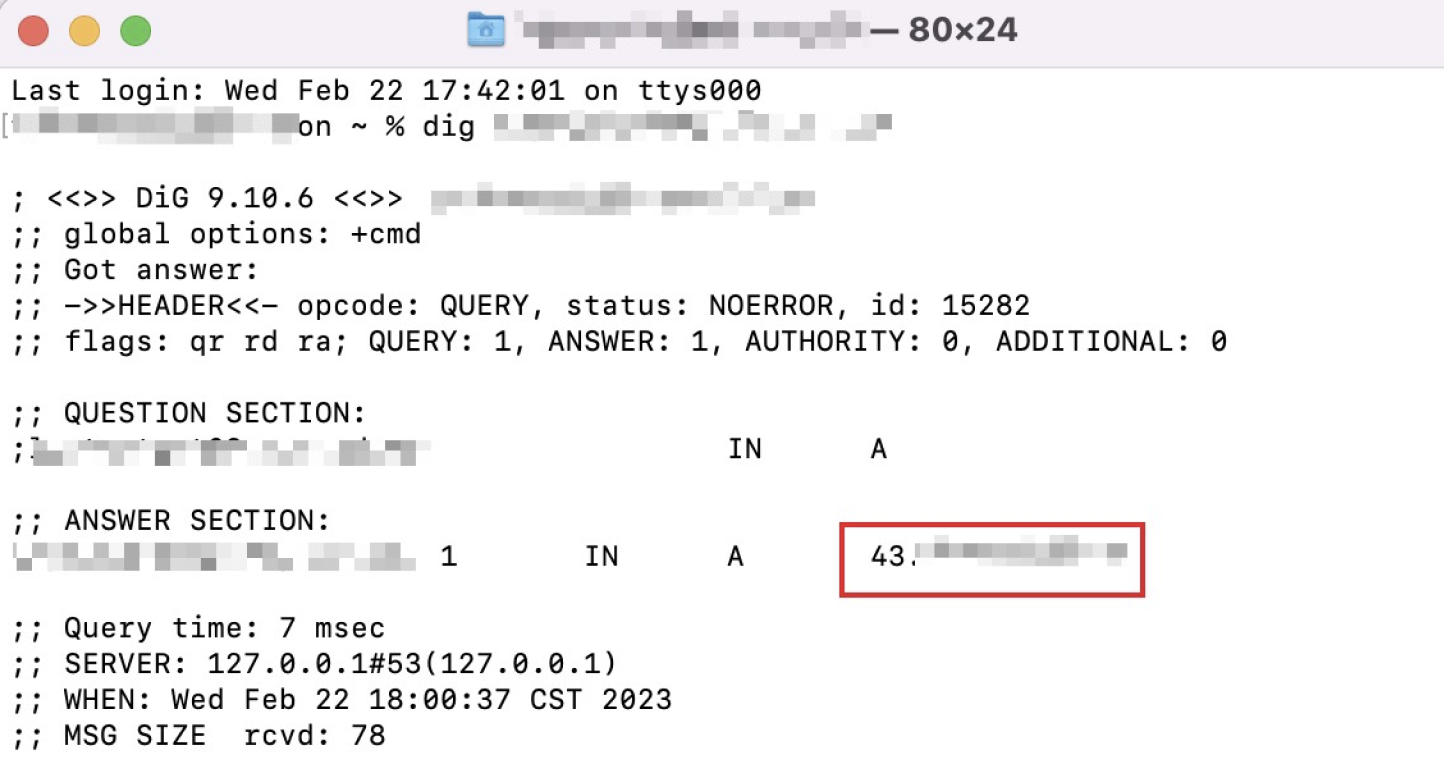
In Mac/Linux system, you can use the dig command for verification. Taking the example.com.eo.dnse.com as an example, run the dig example.com.eo.dnse.com command in the terminal. Then you can get the IP address of the domain obtained by the A record resolution.
3. You can query the location information of the IP through any IP query tool. If it belongs to Tencent Hong Kong, the Chinese mainland network optimization (international acceleration) function is effective.
Configuring DDoS Protection (Optional)
If you decide to adopt Solution 2 above to enable DDoS/CC protection on top of the Chinese mainland network optimization acceleration, perform the following steps:
After the above configuration is completed, the IP address assigned to you will be changed to enable cross-region security protection capabilities.
Attention:
If you decide to unsubscribe from Cross-MLC-border Acceleration capability later, first ensure that the DDoS protection level for the relevant domain names or L4 proxy instances has been changed to Standard Protection or Advanced Protection. Then, disable the Cross-MLC-border Acceleration switch. Otherwise, EdgeOne will perform configuration validation and block this operation.