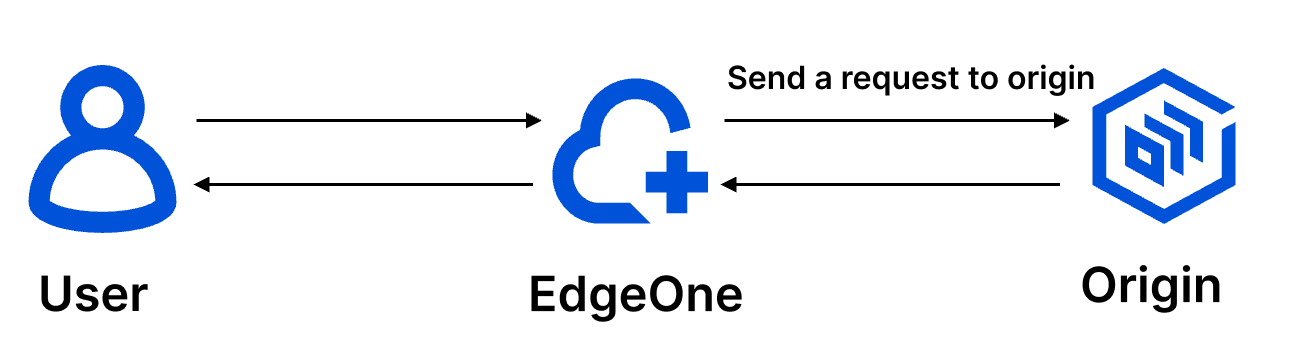
EdgeOne passes through all client request headers to the origin, and the origin-pull request carries the default custom request headers of EdgeOne. To modify the HTTP headers of origin-pull requests, see Modifying HTTP Headers of Origin-Pull Requests.
Default HTTP headers of origin-pull requests
EdgeOne adds the following default HTTP headers to origin-pull requests.
EO-Connecting-IP
The EO-Connecting-IP header records the IP that of the request initiator. If the request is not forwarded by any proxy, the IP address in the header is the real IP address of the client. Otherwise, its the proxy IP.
X-Forwarded-For
This header records the proxy IP and real client IP. If a client request is forwarded to an EdgeOne node after multiple hops, the header records the real client IP and the IP of proxy before the EdgeOne node. The value of the header is determined based on the following rules:
If a request sent to an EdgeOne node carries the X-Forwarded-For header that has recorded the client IP address, EdgeOne appends the IP address of the proxy before the EdgeOne node to the header. For example, if the client request carries X-Forwarded-For: 192.168.1.1 (where 192.168.1.1 is the client IP) and is forwarded to an EdgeOne node via the proxy 10.1.1.1, the header of the origin-pull request is X-Forwarded-For: 192.168.1.1,10.1.1.1.
If the request does not carry the X-Forwarded-For header, EdgeOne adds this header to the origin-pull request, taking the proxy IP of the EdgeOne node as the value. In this case, its the same as the EO-Connecting-IP header.
It records how many times a client request passes an EdgeOne node. The count is added by one every time the request passes the node. When the count reaches 16, the EdgeOne node denies the request and returns the 423 status code.
Example: CDN-Loop: TencentEdgeOne; loops=3.
EO-LOG-UUID
It carries the unique identifier of the request. When an access exception occurs, you can locate the problem by querying logs with this UID.
Example: EO-LOG-UUID: 4105283880544427145.
EO-Bot-Tag
Note:
The EO-Bot-Tag header will be deprecated soon. You are advised to use the Carry Web Security detection results in origin-pull headers feature to configure origin-pull request headers related to Web Security as needed. Existing users who have used the EO-Bot-Tag header can continue to use it, and EO will retain this header for a period of time as a transition.
When Bot management is enabled, the platform automatically appends an HTTP request header EO-Bot-Tag to origin-pull requests. The header contains a JSON string with the Bot tag recognition results for the requesting client, helping the origin server perform log analysis and security protection policy linkage.