Instance Sessions
Download
Focus Mode
Font Size
Overview
DMC provides multi-dimensional instance session information displays, enabling users to easily view and manage sessions.
Directions
1. Log in to the DMC Console, switch to the top feature tab, and click Instance Session.
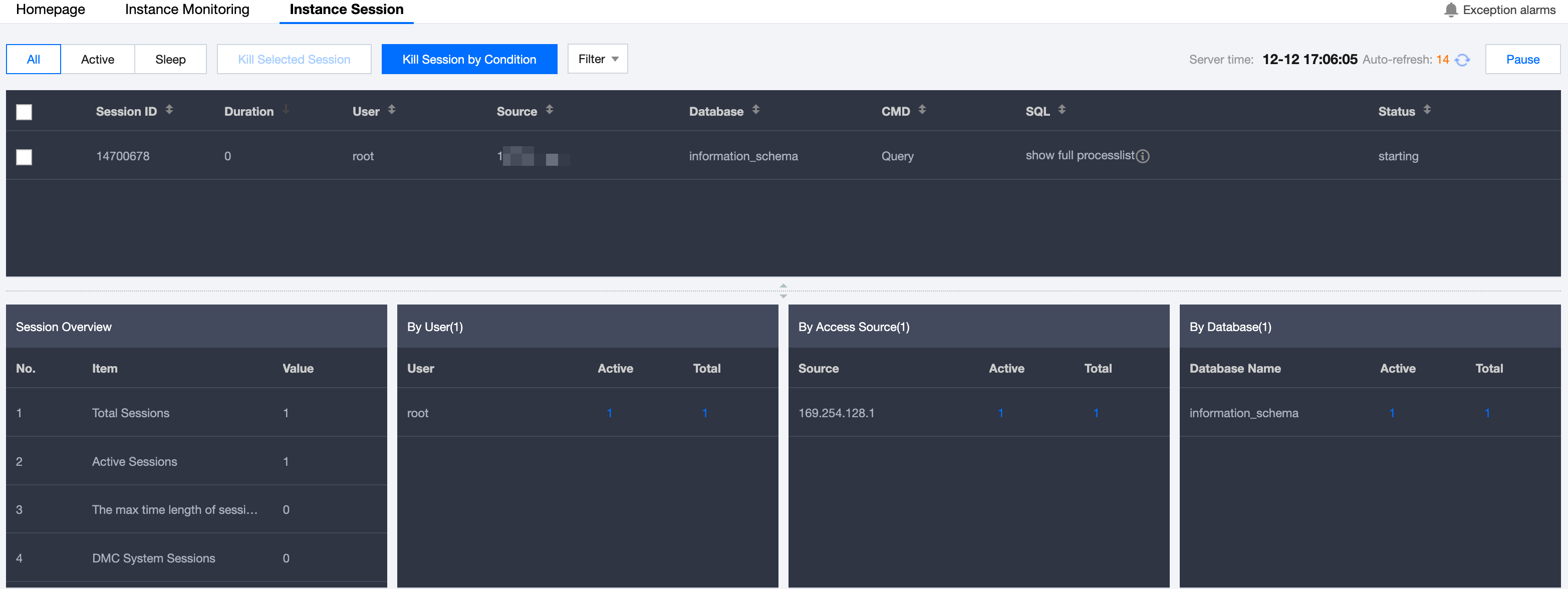
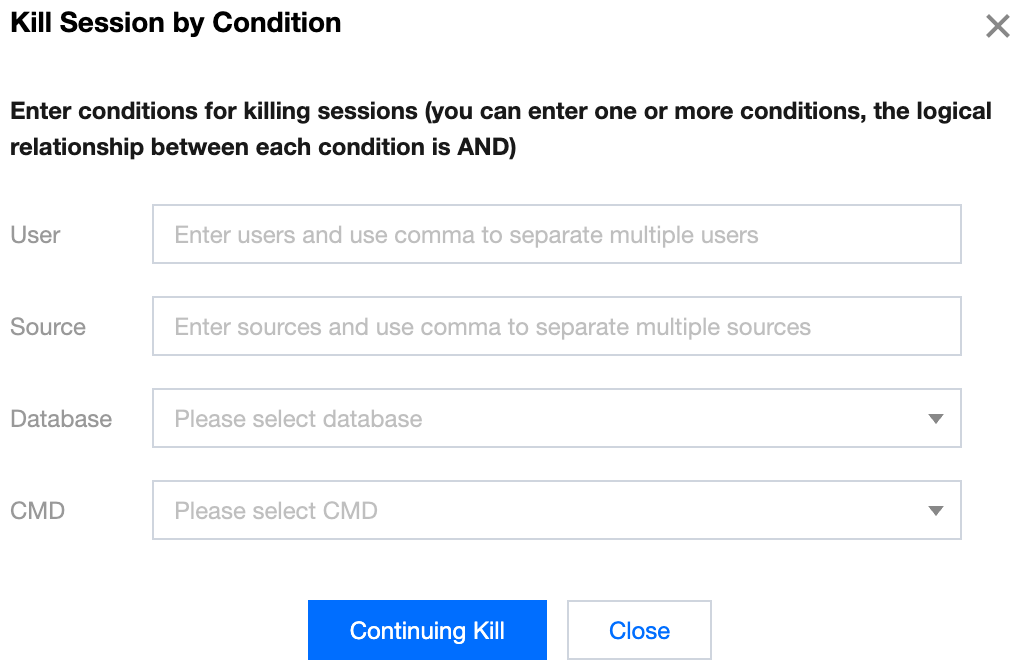
2. If you need to kill a session, select the specified session and click Kill Selected Session. Alternatively, you can kill sessions based on specific criteria by clicking Kill Session by Condition. Fill in the parameters in the dialog box as shown below, and then click Continuing Kill.
Help and Support
Was this page helpful?
You can also Contact sales or Submit a Ticket for help.
Help us improve! Rate your documentation experience in 5 mins.
Feedback