Data Management
다운로드
포커스 모드
폰트 크기
After logging in to Data Management Center (DMC), you can perform visualized instance management. The available operations vary by database type. This document uses MySQL instances as an example to introduce database management and table management.
Prerequisites
Creating a Database
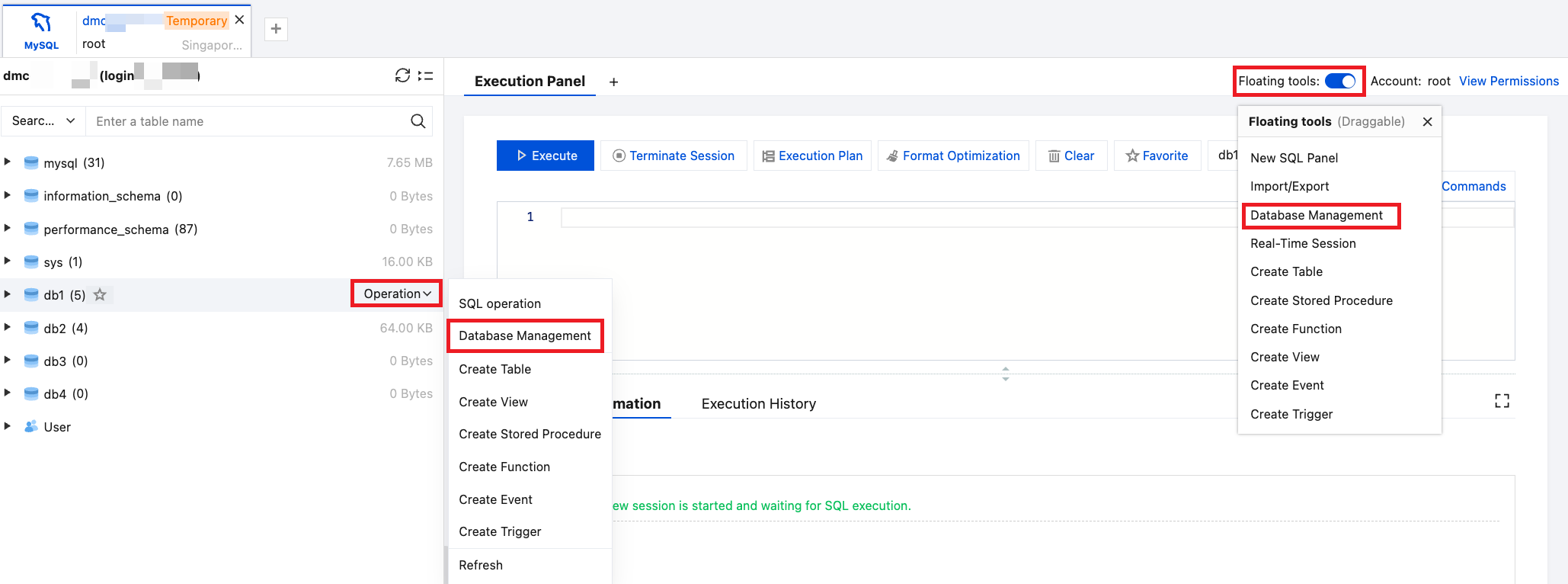
1. In the left database and table panel, hover over the database name and select Operation > Database Management.
Alternatively, you can click the floating tool in the upper-right corner of the page and select Database Management.
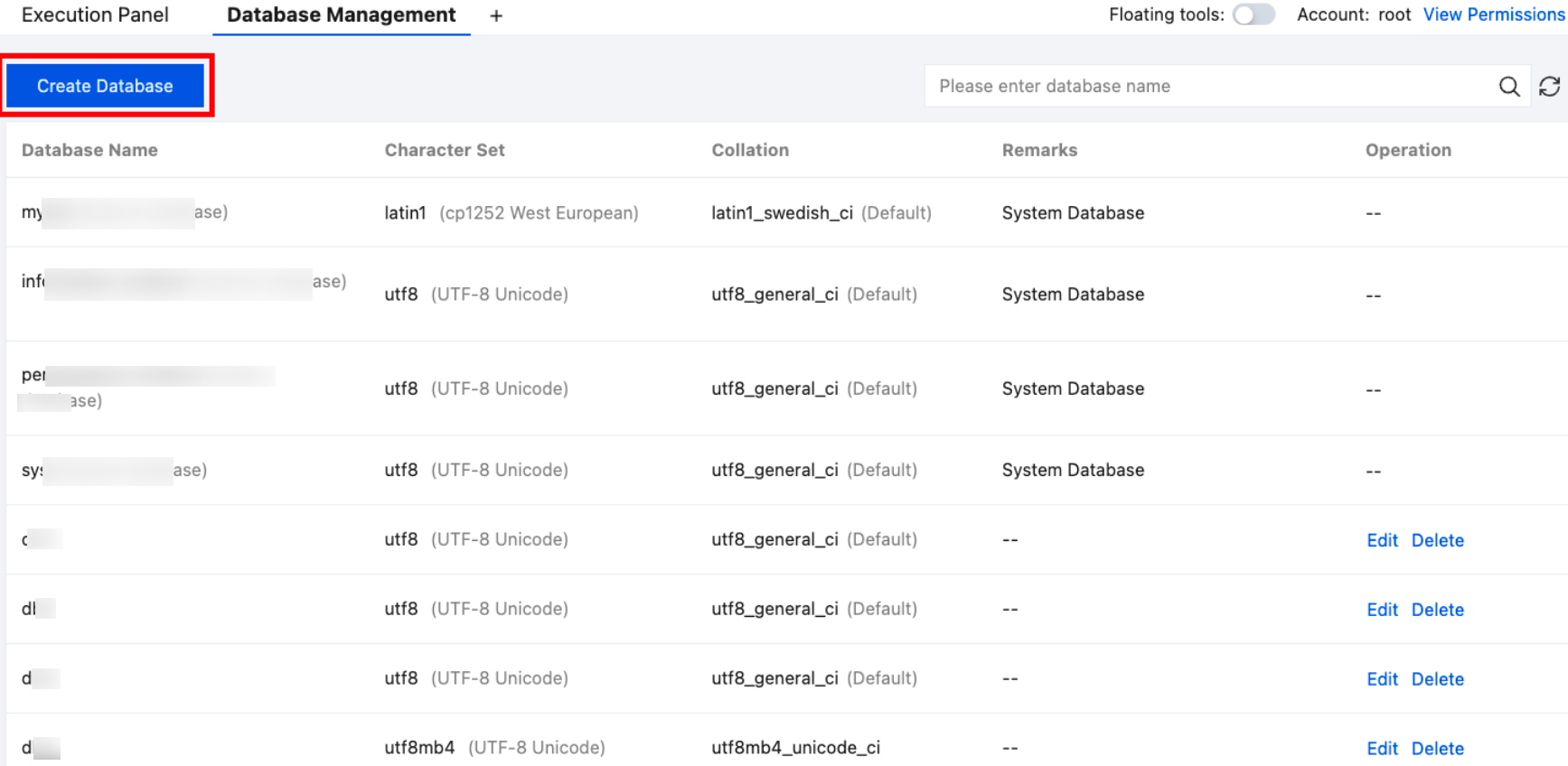
2. At the top of the Database Management page on the right, click Create Database.
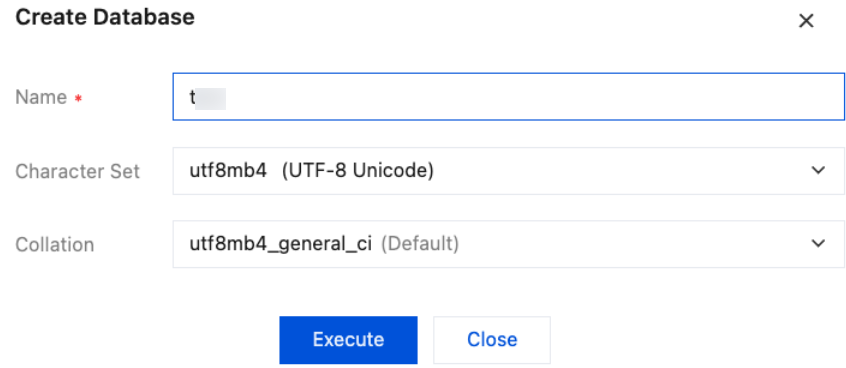
3. In the pop-up dialog box, enter the database name, select the character set and collation, and click Execute.
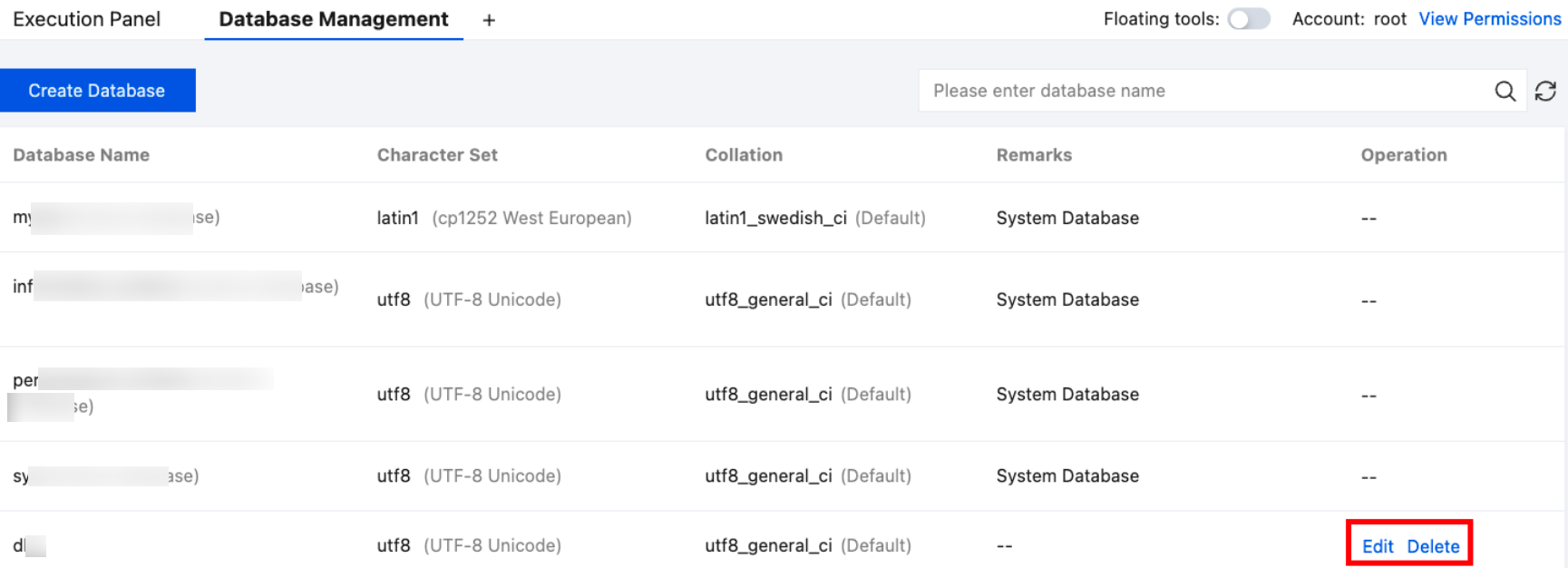
The created database will be displayed in the database list and the left database and table panel.
Database Management
The SQL window also supports editing and deleting databases. Only non-system databases can be edited or deleted.
Creating a Table
1. In the left database and table panel, hover over the database name and select Operation > Create Table.
Alternatively, you can click the floating tool in the upper-right corner of the page and select Create Table.
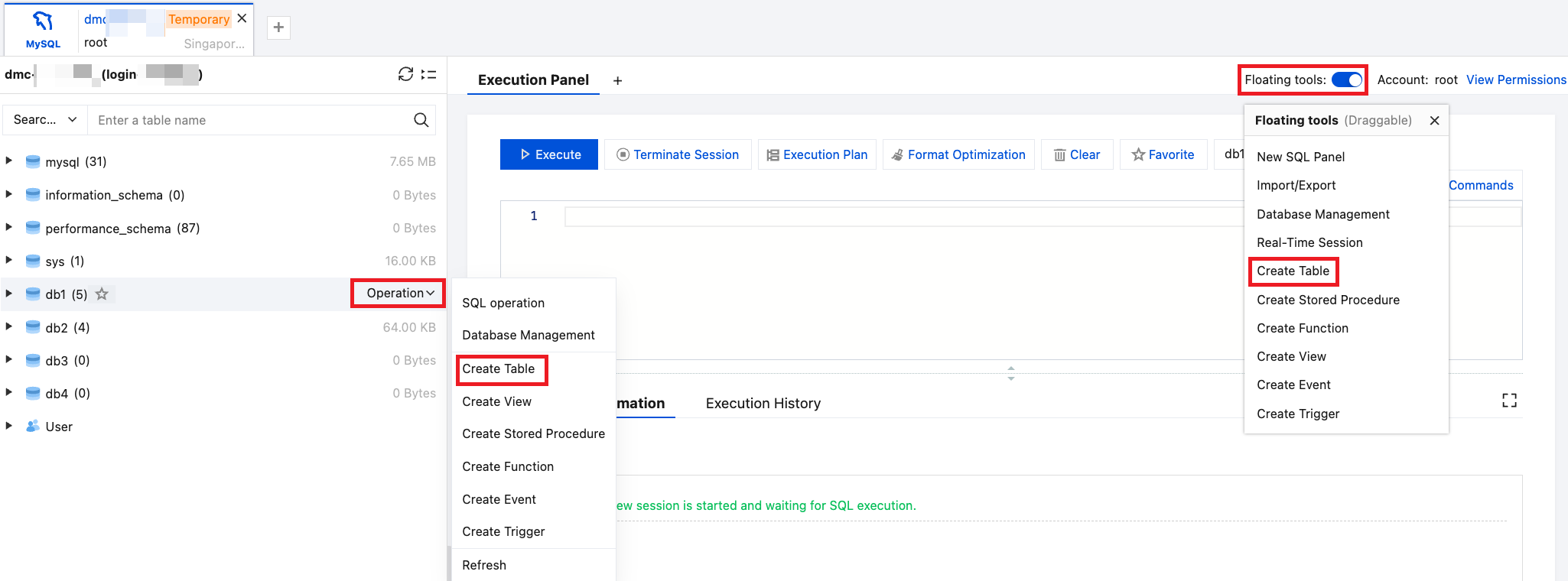
2. On the right Create Table page, configure the basic info, column info, index, foreign keys, and partition settings.
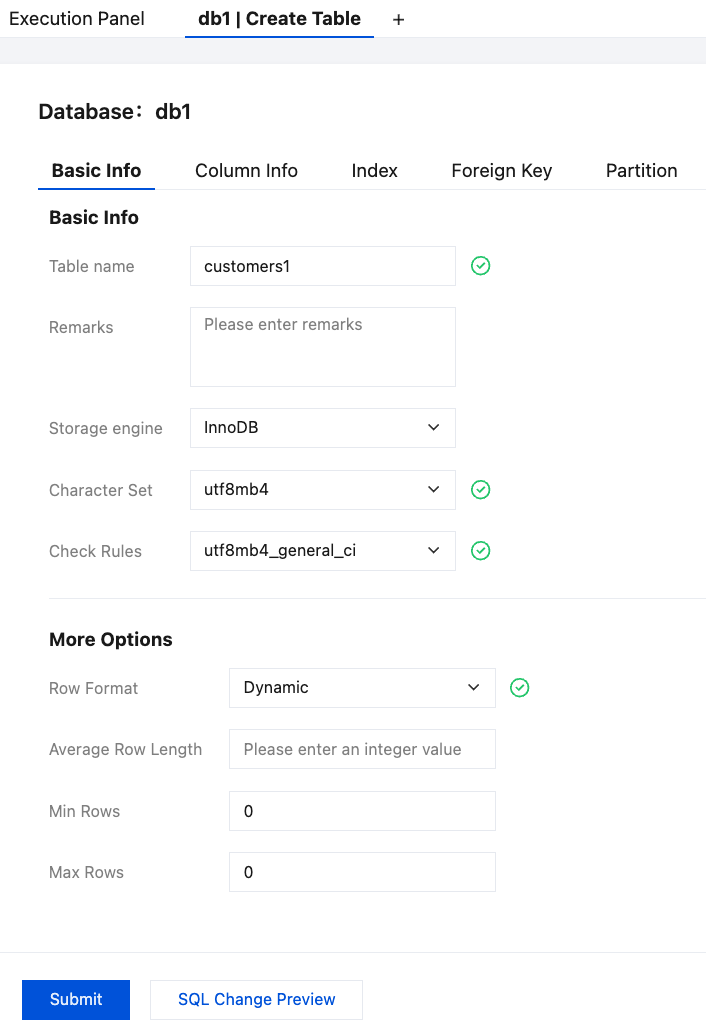
3. After completing the configuration, click SQL Change Preview to review the table creation statement.
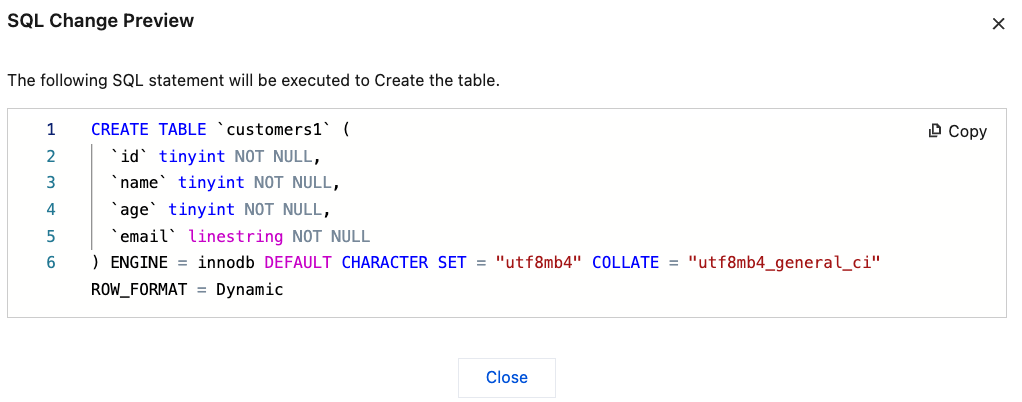
4. After confirming the details, click Submit, and then click OK in the pop-up dialog box.
The created table will be displayed under the corresponding database in the left database and table panel.
Table Management
The SQL window also supports the following operations: SQL execution, opening tables, editing table structures, viewing table information, viewing table creation statements, renaming tables, dropping tables, truncating tables, and creating tables with the same structure.
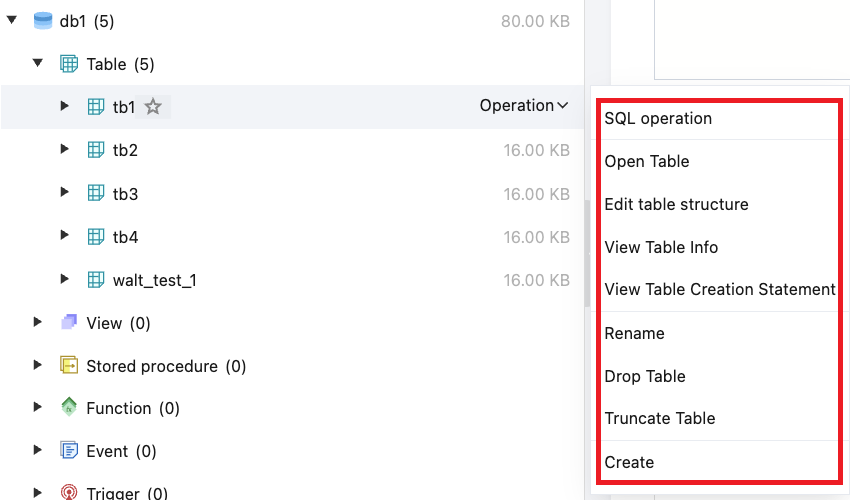
More Operations
피드백