配置频道广告
Download
포커스 모드
폰트 크기
操作说明
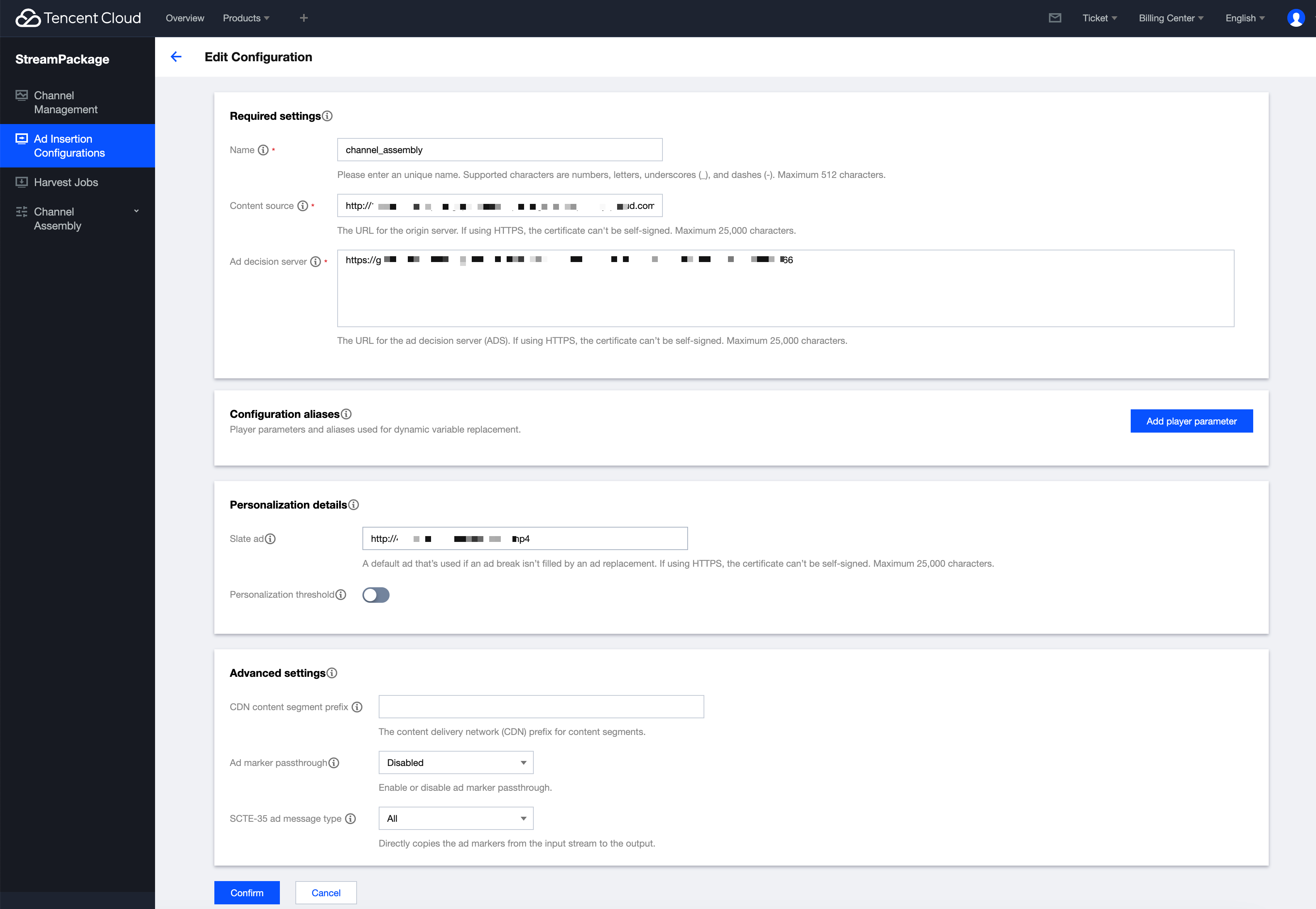
1. 通过左侧菜单栏进入 Ad Insertion Configurations 页面。
2. 复制频道线性组装的 Playback url,例如为
http://xxx.com/channel_assembly/673B2656XXXX86DD3A96/hls.m3u8。2.1 在 Content source 处填入
http://xxx.com/channel_assembly/。2.2 在 Ad decision server 处填入您的广告服务提供商提供的 VAST url。
2.3 在 Slate ad 处填入可以访问的视频文件的 http url,推荐使用 mp4 容器格式。
3. 单击 Confirm 创建。
4. 返回 Ad Insertion Configurations 首页。单击复制 Playback endpoint prefix。例如
http://xxx.com/v1/ssai/master/01934245exxxxxxxx7043569b359bb/ 。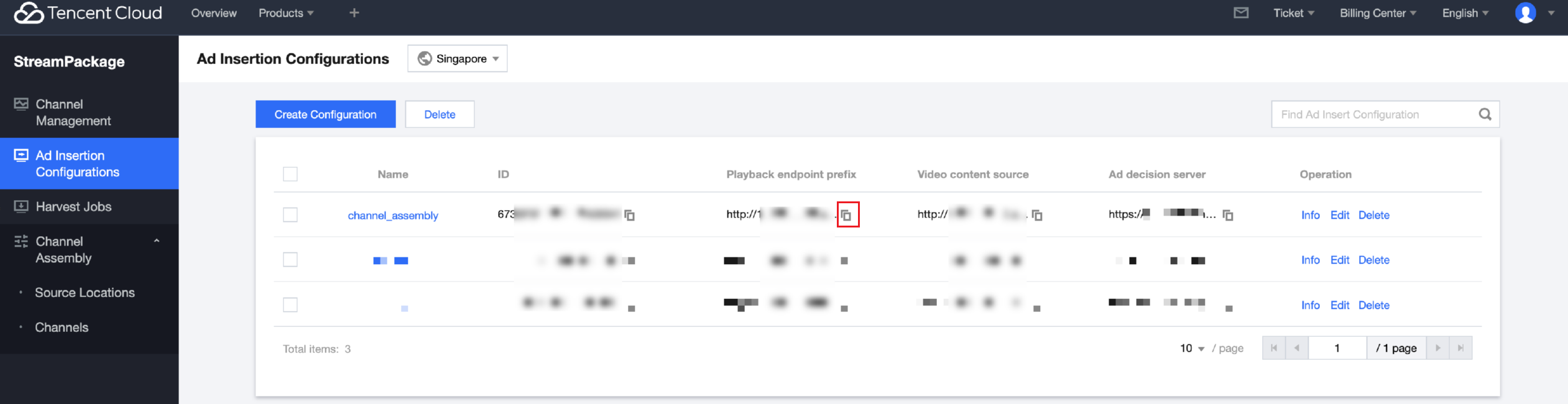
将频道线性组装的 Playback url,例如
http://xxx.com/channel_assembly/673B2656XXXX86DD3A96/hls.m3u8的后缀部分,即673B2656XXXX86DD3A96/hls.m3u8拼接到 Playback endpoint prefix。则播放 url 为
http://xxx.com/v1/ssai/master/01934245exxxxxxxx7043569b359bb/673B2656XXXX86DD3A96/hls.m3u8。将 url 复制到播放器播放即可。这个 url 也就是 FAST Channel 的源站播放 url,会按照频道 Program 编排表播放内容,并且在配置的广告时段提供个性化动态广告替换。
피드백